
1. Ifihan
This manual provides detailed instructions for the safe and effective use of your iJoy Disney Winnie The Pooh Wireless Bluetooth Speaker. Please read this manual thoroughly before operating the device and retain it for future reference.
2. Ohun ti o wa ninu Apoti
Carefully unpack your speaker and ensure all items are present:
- iJoy Disney Winnie The Pooh Wireless Bluetooth Speaker
- Okun Ngba agbara USB
- Afẹyinti AUX Cable
- Ìwé Ìtọ́sọ́nà fún Àwọn Onílé (ìwé yìí)

Image: The speaker shown next to its retail packaging, illustrating the product and its box.
3. Ọja Ipariview
3.1 Awọn bọtini Iṣakoso
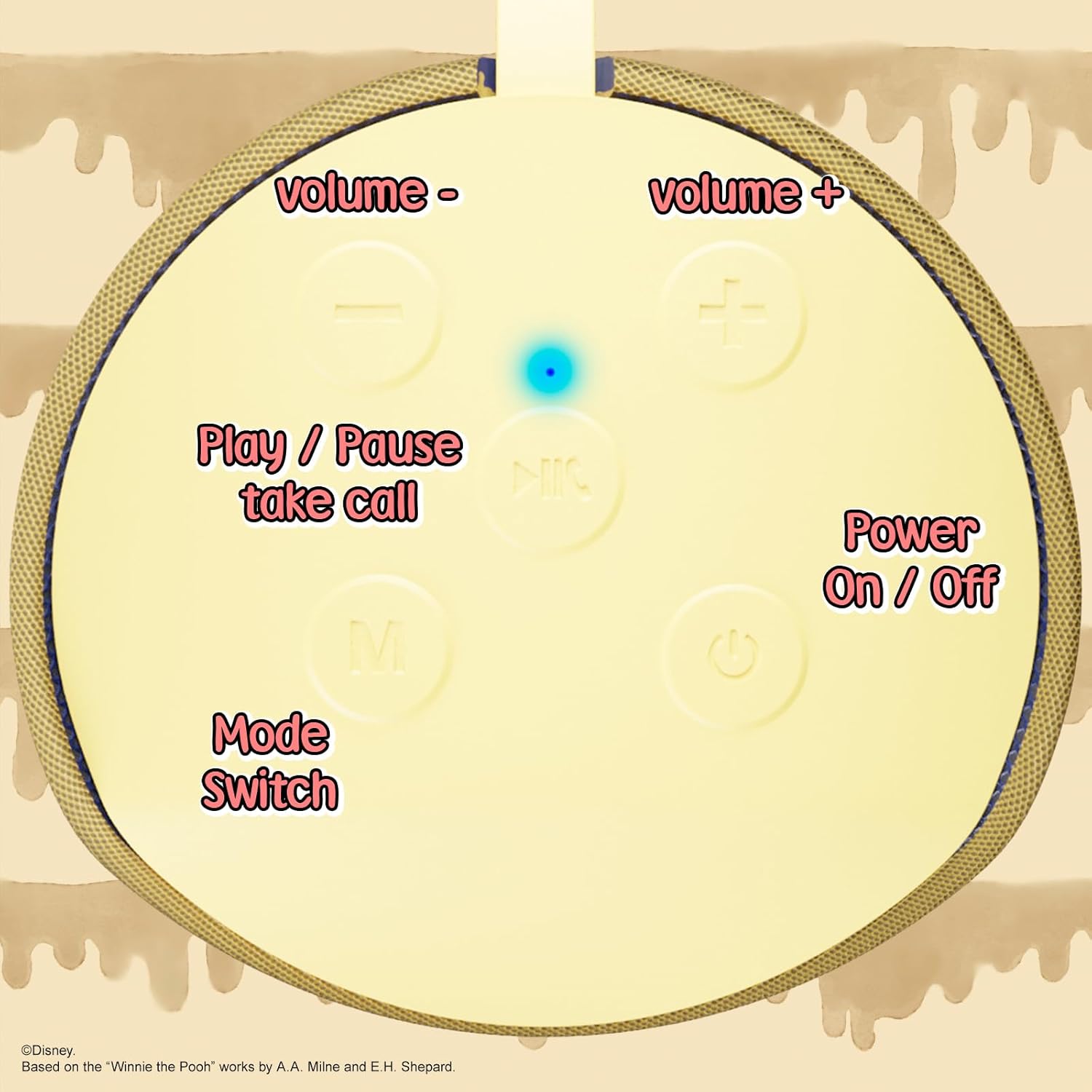
Image: A close-up of the speaker's top panel, displaying the control buttons.
- Bọtini Agbara Tan/Paa: Tẹ mọlẹ lati fi agbara si titan tabi paa agbohunsoke.
- Bọ́tìnnì Ṣíṣe/Sánu duro: Press to play or pause audio. Also used to answer or end phone calls.
- Bọtini Iwọn didun Up (+): Tẹ lati mu iwọn didun pọ si. Tẹ mọlẹ lati fo si orin atẹle.
- Iwọn didun isalẹ (-) Bọtini: Tẹ lati dinku iwọn didun. Tẹ mọlẹ lati lọ si orin ti tẹlẹ.
- Mode Switch (M) Button: Press to switch between Bluetooth, FM Radio, SD Card, and USB modes.
3.2 Awọn ibudo ati awọn Atọka

Aworan: A alaye view of the speaker's rear panel, highlighting the AUX port, SD card slot, USB port, and Micro USB charging port.
- Ibudo AUX: For connecting external audio devices via the provided 3.5mm AUX cable.
- Iho kaadi SD: Insert a microSD card for direct audio playback.
- Ibudo USB: Fi awakọ filasi USB sii fun ṣiṣiṣẹsẹhin ohun taara.
- Ibudo gbigba agbara USB Micro: Connect the USB charging cable here to charge the speaker.
- Imọlẹ Atọka LED: Indicates charging status and Bluetooth pairing status.
4. Eto
4.1 Gbigba agbara si Agbọrọsọ
- Connect the Micro USB end of the charging cable to the speaker's Micro USB charging port.
- So opin USB boṣewa ti okun naa mọ adapter agbara USB (ko si ninu rẹ) tabi ibudo USB ti kọnputa kan.
- The LED indicator light will illuminate during charging and turn off once fully charged.
- Gbigba agbara ni kikun maa n gba to wakati mẹta.
4.2 Sisopọ Bluetooth
- Rii daju pe agbọrọsọ ti gba agbara ni kikun.
- Press and hold the Power On/Off button to turn on the speaker. You will hear an audible prompt, and the LED indicator will flash, indicating it's in pairing mode.
- Lórí ẹ̀rọ alágbèéká rẹ (fóònù alágbèéká, tábìlẹ́ẹ̀tì, àti bẹ́ẹ̀ bẹ́ẹ̀ lọ), mu Bluetooth ṣiṣẹ́.
- Wa fun available Bluetooth devices. The speaker will appear as "iJoy Winnie The Pooh Speaker" or similar.
- Select the speaker from the list to pair. Once successfully paired, you will hear a confirmation sound, and the LED indicator will stop flashing and remain solid.
- Agbọrọsọ yoo tun sopọ laifọwọyi si ẹrọ ti o so pọ to kẹhin nigbati o ba wa ni ina, ti ẹrọ Bluetooth ba nṣiṣẹ ati laarin iwọn.
5. Awọn ilana Iṣiṣẹ
5.1 Ipo Bluetooth
After successful pairing, you can stream audio wirelessly from your device to the speaker. Use your device's controls or the speaker's Play/Pause, Volume Up/Down buttons to manage playback.
5.2 FM Redio Ipo
- Tẹ bọtini Ipo (M) lati yipada si ipo redio FM.
- Tẹ bọtini Play/Sinmi lati ṣe ọlọjẹ laifọwọyi ati fi awọn ibudo FM ti o wa pamọ.
- Lo awọn bọtini Iwọn didun Up (+) ati Iwọn didun Down (-) (tẹ kukuru) lati lọ kiri laarin awọn ibudo ti a fipamọ.
5.3 SD Card / USB Playback
- Insert a microSD card into the SD card slot or a USB flash drive into the USB port.
- Agbọrọsọ naa yoo yipada laifọwọyi si ipo ti o baamu ati bẹrẹ si dun ohun naa files. If not, press the Mode (M) button to select the correct mode.
- Use the speaker's Play/Pause, Volume Up/Down buttons to control playback.
5.4 AUX Ipo
- Connect one end of the provided 3.5mm AUX cable to the speaker's AUX port.
- So opin miiran pọ si ori agbekọri ti ẹrọ ohun rẹ.
- The speaker will automatically switch to AUX mode. If not, press the Mode (M) button.
- Control playback and volume primarily from your connected audio device.
5.5 Ọwọ-Ọfẹ Npe
Nígbà tí a bá sopọ̀ mọ́ fóònù alágbéka nípasẹ̀ Bluetooth:
- Idahun Ipe: Tẹ bọtini Play/Sinmi ni ẹẹkan.
- Ipe Ipari: Tẹ bọtini Play/Sinmi ni ẹẹkan lakoko ipe kan.
- Kọ Ipe: Tẹ mọlẹ bọtini Dun/Sinmi.
6. Itọju
- Sọ agbọrọsọ mọ pẹlu asọ asọ ti o gbẹ. Ma ṣe lo abrasive ose tabi epo.
- The speaker is IPX4 splashproof, meaning it can withstand splashes of water. Do not submerge it in water.
- Tọju agbohunsoke ni itura, ibi gbigbẹ nigbati o ko ba lo.
- Yago fun ṣiṣafihan agbọrọsọ si awọn iwọn otutu to gaju, imọlẹ orun taara, tabi ọriniinitutu giga.
7. Laasigbotitusita
| Isoro | Owun to le Fa | Ojutu |
|---|---|---|
| Agbọrọsọ ko ni tan | Batiri kekere | Gba agbara si agbọrọsọ ni kikun. |
| Ko le so pọ nipasẹ Bluetooth | Agbọrọsọ kò sí ní ipò ìsopọ̀ / Bluetooth ẹ̀rọ ti pa / Ó jìnnà jù sí ẹ̀rọ náà | Ensure speaker is in pairing mode (flashing LED). Turn on Bluetooth on your device. Move speaker closer to device (within 30 feet). |
| Ko si ohun | Volume too low / Incorrect mode / Device not playing audio | Increase speaker and device volume. Press 'M' button to select correct mode. Ensure audio is playing on your connected device. |
| Gbigba redio FM ko dara | Weak signal / Interference | Move the speaker to a different location. The AUX cable can act as an antenna; try connecting it. |
8. Awọn pato
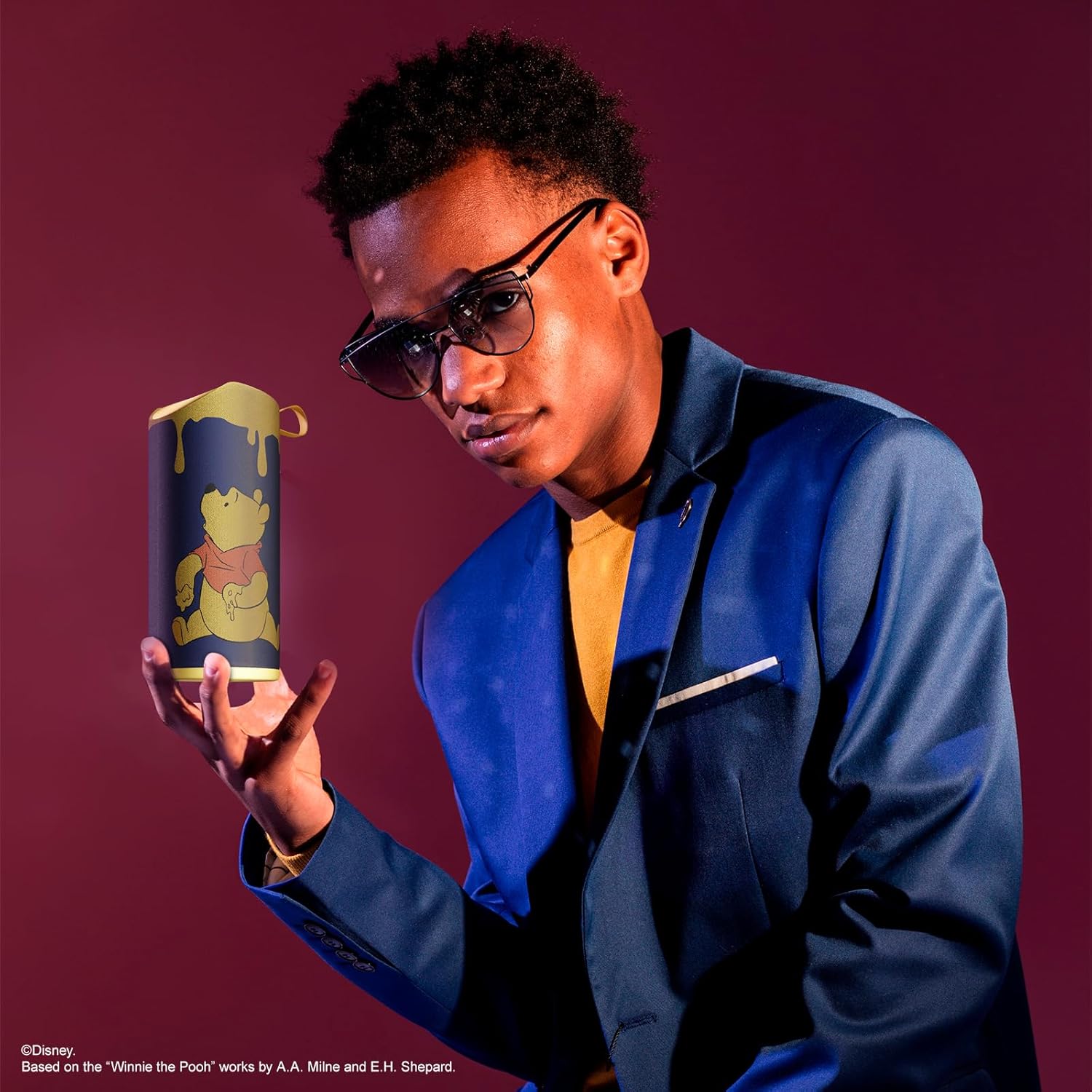
Image: The speaker with visual indicators showing its height of 6.3 inches and width of 2.9 inches.
| Ẹya ara ẹrọ | Ẹ̀kúnrẹ́rẹ́ |
|---|---|
| Nọmba awoṣe | SS-KH7C-FS4O |
| Asopọmọra Technology | Bluetooth |
| Alailowaya ibaraẹnisọrọ Ibiti | Titi de 30 ẹsẹ (10 mita) |
| Agbọrọsọ Iru | Ile-iṣọ |
| Agbọrọsọ Agbara Ijade ti o pọju | 20 Wattis |
| Ipo Ijade Ohun | Mono |
| Agbara Batiri | 800 Milionuamp Awọn wakati |
| Akoko gbigba agbara | O fẹrẹ to awọn wakati 2 |
| Akoko ere | Up to 3 Hours (depending on volume and usage) |
| Omi Resistance Ipele | IPX4 (Asọtẹlẹ) |
| Ọja Mefa | 3"D x 3"W x 6"H (7.62 cm D x 7.62 cm W x 15.24 cm H) |
| Iwọn Nkan | 8 iwon (226.8 giramu) |
| Awọn irinše to wa | Bluetooth Speaker, USB Charging Cable, Backup AUX Cable, Owners Manual |
| Pataki Awọn ẹya ara ẹrọ | Built-in Microphone, LED Indicator Lights, Portable, SD Card Slot, USB Port, FM Radio |
9. Atilẹyin ọja ati Support
9.1 atilẹyin ọja Alaye
This iJoy Disney Winnie The Pooh Wireless Bluetooth Speaker comes with a 90-day manufacturer's warranty from the date of purchase. This warranty covers manufacturing defects and workmanship under normal use. It does not cover damage caused by misuse, accidents, unauthorized modifications, or normal wear and tear.
9.2 Onibara Support
For technical assistance, warranty claims, or further inquiries, please contact iJoy customer support through their official website or the retailer where the product was purchased. Please have your model number (SS-KH7C-FS4O) and proof of purchase ready.