1. Ifihan
O ṣeun fun riraasing the Bella Depot 52" Modern Reversible Crystal Ceiling Fan. This manual provides detailed instructions for the safe installation, operation, and maintenance of your new ceiling fan. Please read all instructions carefully before beginning installation and retain this manual for future reference.
2. Alaye Aabo
Lati dinku eewu ina mọnamọna, ina, tabi ipalara ti ara ẹni, nigbagbogbo tẹle awọn iṣọra aabo ipilẹ wọnyi:
- Ka gbogbo awọn ilana: Before installing or operating the fan, read all safety information and instructions.
- Aabo itanna: Ensure the power is turned off at the circuit breaker or fuse box before beginning installation. All electrical wiring must be performed by a qualified electrician and conform to local and national electrical codes.
- Iṣagbesori: The fan must be mounted to a structurally sound ceiling joist or outlet box capable of supporting a minimum of 35 lbs (15.9 kg). Use only outlet boxes marked "Acceptable for Fan Support."
- Blade clearance: Ensure there is at least 7 feet (2.1 meters) of clearance from the floor to the bottom edge of the fan blades. Maintain at least 30 inches (76 cm) from the wall to the blade tips.
- Yẹra fún kíkàn sí ara rẹ: Má ṣe fi àwọn nǹkan sí ojú ọ̀nà àwọn abẹ́ afẹ́fẹ́ nígbà tí afẹ́fẹ́ náà bá ń ṣiṣẹ́.
- Awọn gilobu ina: Use only the type and wattage of light bulbs specified for the fan's light kit.
3. Package Awọn akoonu
Verify that all components listed below are present in your package. If any parts are missing or damaged, contact Bella Depot customer service.
- Apejọ Motor Motor
- Awọn abẹfẹfẹ Fan (5)
- Blade Biraketi
- Downrod ati ibori
- Oke Atẹgun
- Light Apejọ
- Crystal Pendants and Fixture
- Remote Control with Wall Mount and Batteries
- Pack hardware (skru, washers, waya eso)
- Fa Awọn ẹwọn
4. Eto ati fifi sori
Tẹ̀lé àwọn ìgbésẹ̀ wọ̀nyí láti fi ẹ̀rọ afẹ́fẹ́ àjà ilé rẹ sí ipò tó yẹ. A gbani nímọ̀ràn láti ní ènìyàn méjì fún fífi sínú rẹ̀.
4.1 Mura fun fifi sori
- Pa a agbara ni akọkọ Circuit fifọ.
- Clear the work area and gather necessary tools (screwdriver, wire strippers, ladder).
4.2 Fi sori ẹrọ akọmọ iṣagbesori
- Secure the mounting bracket to the ceiling outlet box using the screws provided. Ensure the bracket is firmly attached to a ceiling joist or a fan-rated outlet box.
4.3 Assemble Downrod and Motor
- Feed the electrical wires from the fan motor through the downrod.
- Fi downrod sinu ile mọto naa ki o si fi pin ati skru ti a pese so o mọ.
- Fi ìṣọ́ra gbé àkójọpọ̀ mọ́tò afẹ́fẹ́ náà sókè kí o sì so ó mọ́ ìkọ́ ìsopọ̀mọ́ra náà.
4.4 Awọn isopọ onirin
Connect the fan wires to the household wires according to the wiring diagram in your specific instruction sheet. Typically:
- Green/Bare Copper wire (Ground) to Green/Bare Copper wire (Ground)
- Waya funfun (Aláìláàyè) sí waya funfun (Aláìláàyè)
- Black wire (Live/Hot) to Black wire (Live/Hot)
Use the provided wire nuts and ensure all connections are secure.
4.5 Attach Fan Blades
Attach each fan blade to its blade bracket using the screws provided. Then, attach the blade brackets to the motor housing. Ensure all screws are tightened securely.
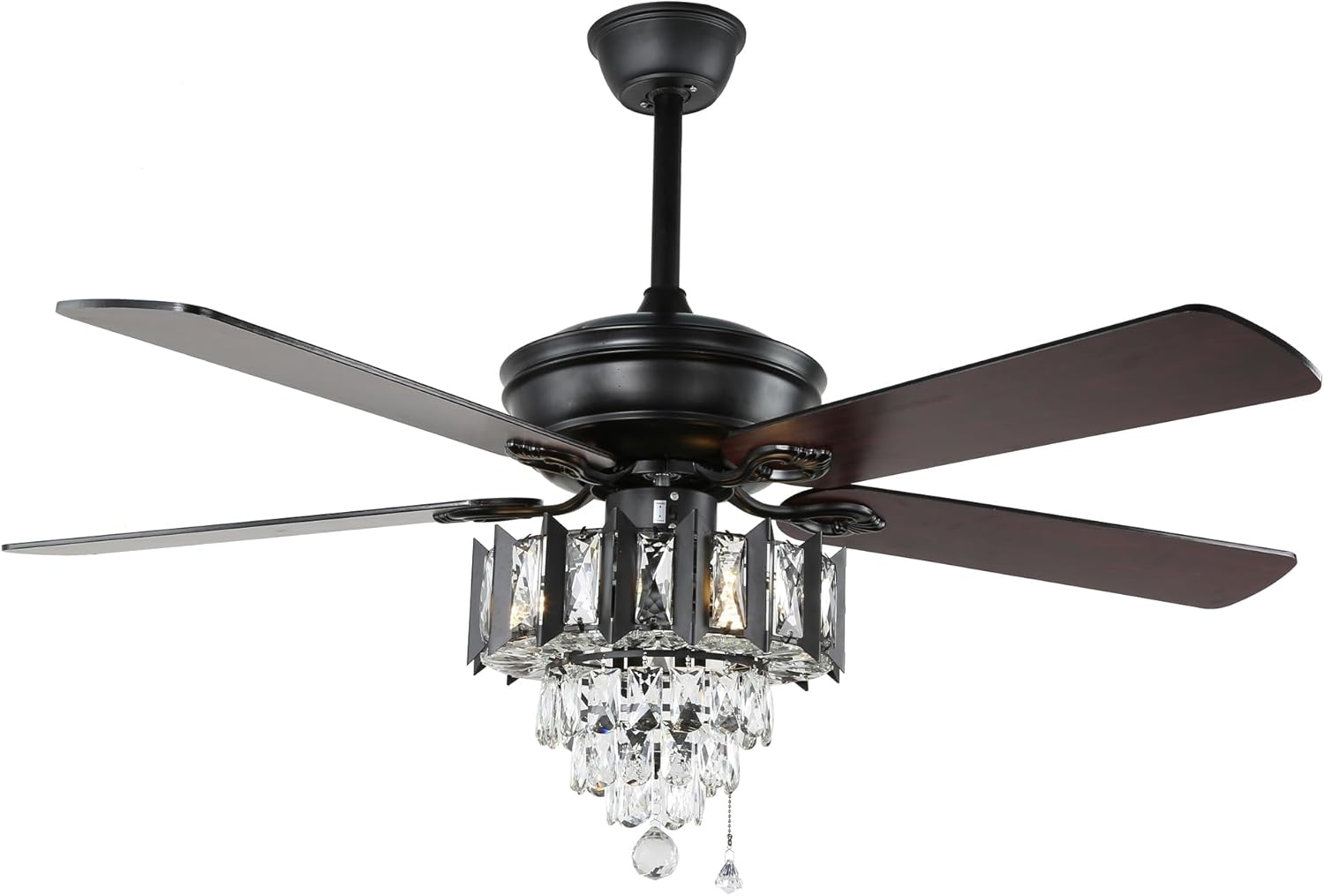
Image: The Bella Depot 52-inch ceiling fan showing its five reversible blades, with one side featuring a dark wood grain finish and the other a solid black finish, attached to the motor housing. This illustrates the blade assembly step.
4.6 Install Light Kit and Crystal Pendants
- Connect the light kit wires to the fan motor wires as instructed.
- Secure the light kit assembly to the bottom of the fan motor.
- Carefully attach the crystal pendants to the light kit fixture. Refer to the specific diagram for crystal placement.
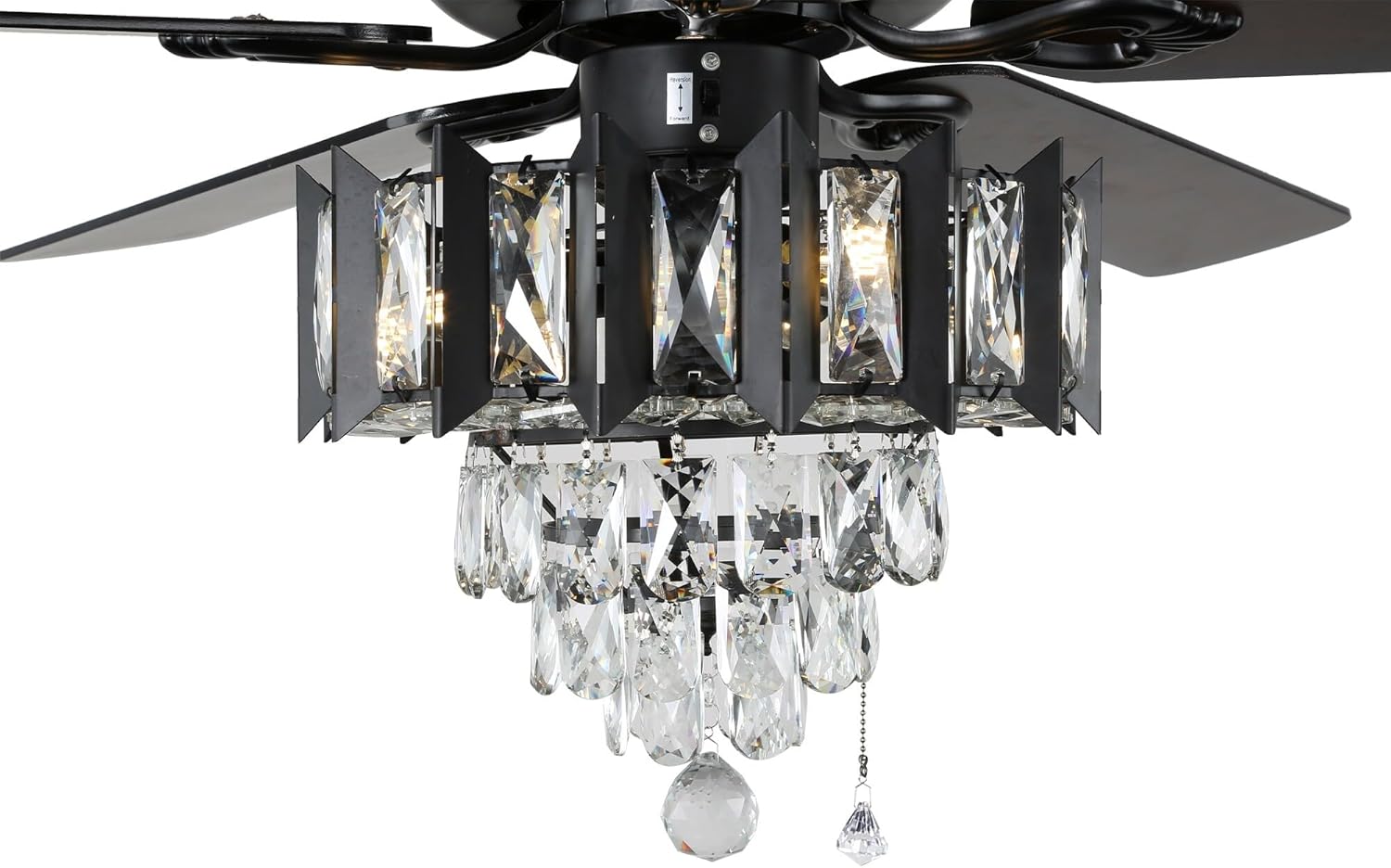
Image: A detailed close-up of the Bella Depot ceiling fan's light kit, highlighting the intricate crystal pendants suspended from a black metal frame. This image is relevant for understanding the crystal attachment process.
4.7 ik Apejọ
- Install the canopy over the mounting bracket, securing it with screws.
- Install light bulbs (not included, typically E12 base).
- Mu pada agbara ni awọn Circuit fifọ.
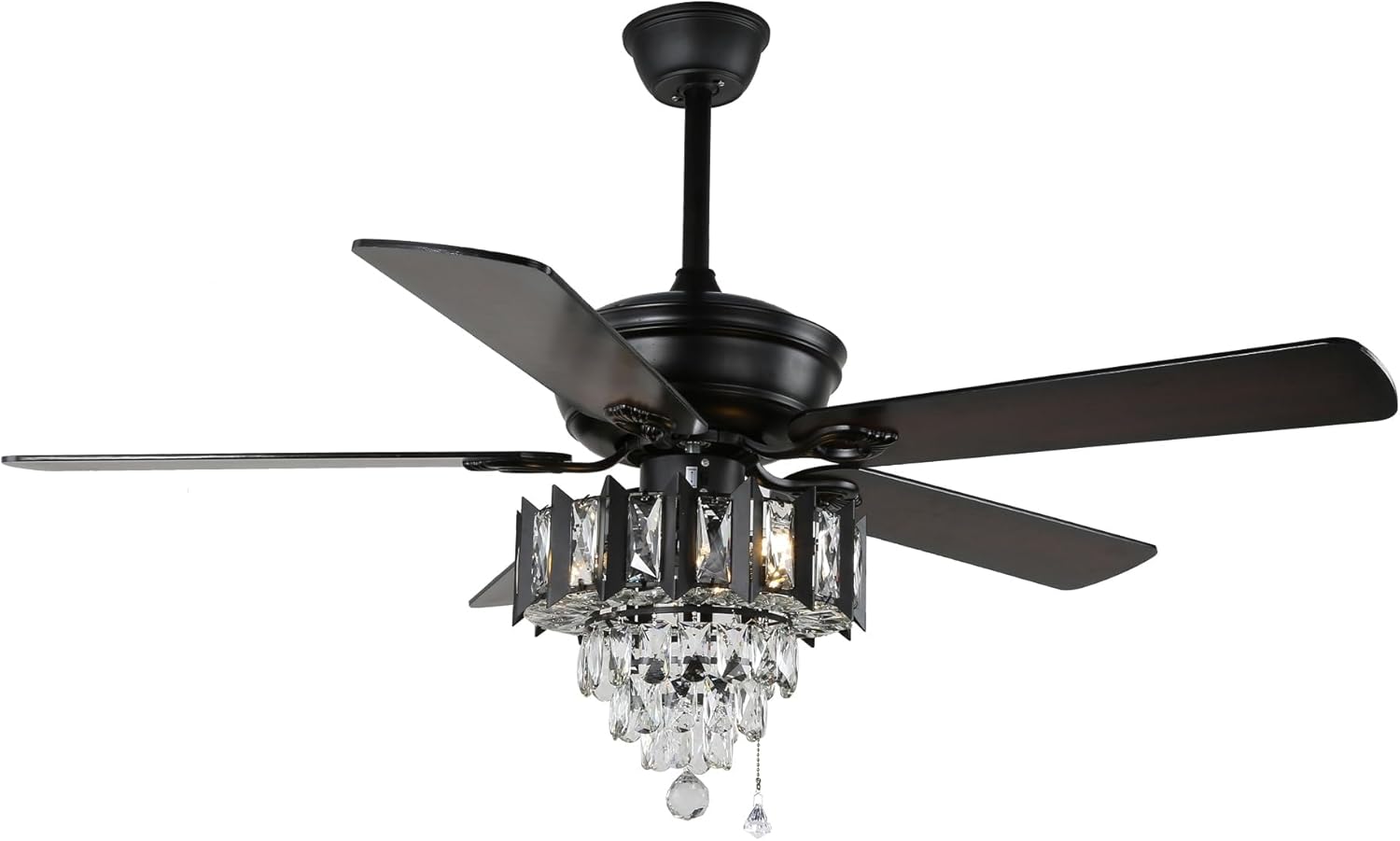
Aworan: A pari view of the Bella Depot 52-inch Modern Reversible Crystal Ceiling Fan, showcasing its black blades and the integrated crystal light kit, ready for operation.
5. Awọn ilana Iṣiṣẹ
Your Bella Depot ceiling fan can be operated using the included remote control or the integrated pull chains.
5.1 Iṣẹ iṣakoso latọna jijin
The remote control allows convenient operation of the fan and light functions from anywhere in the room.
- Olufẹ TAN/PA: Tẹ bọtini afẹfẹ lati tan-an tabi pa afẹfẹ naa.
- Iyara Olufẹ: Use the speed buttons (e.g., 1, 2, 3) to cycle through low, medium, and high fan speeds.
- Imọlẹ TAN/PA: Tẹ bọtini ina lati tan tabi pa ohun elo ina naa.
- Dimmer Imọlẹ: If your fan supports dimmable bulbs, press and hold the light button to adjust brightness.
- Olufẹ Yipada: Press the reverse button to change the direction of the fan blades (see section 5.3).
5.2 Pull Chain Operation
Two pull chains are typically provided for manual control:
- Fan Speed Pull Chain: Pull to cycle through fan speeds (High, Medium, Low, Off).
- Light ON/OFF Pull Chain: Pull to turn the light kit on or off.
5.3 iparọ Motor Išė
The reversible motor allows you to change the direction of the fan blades for seasonal comfort.
- Ipo Ooru (Loju-aago): Airflow creates a downward breeze, providing a cooling effect.
- Ipò ìgbà òtútù (ọ̀nà aago): Airflow creates an upward draft, circulating warm air near the ceiling throughout the room.
To change direction, ensure the fan is off and completely stopped. Locate the reverse switch on the fan motor housing (often near the light kit) and slide it to the desired position. Then, turn the fan back on.
6. Itọju
Itọju deedee n ṣe idaniloju iṣẹ ṣiṣe to dara julọ ati gigun igbesi aye afẹfẹ aja rẹ.
6.1 Ninu
- Awọn abẹfẹfẹ Fan: Dust the fan blades periodically with a soft, lint-free cloth. Do not use abrasive cleaners, as they may damage the finish.
- Ibugbe mọto: Wipe the motor housing with a soft, damp asọ.
- Crystal Pendants: Gently wipe crystals with a soft, damp cloth. For stubborn spots, a mild glass cleaner can be used sparingly on the crystals, avoiding contact with metal parts.
Pa a agbara nigbagbogbo si awọn àìpẹ ni Circuit fifọ ṣaaju ki o to nu.
6.2 Rírọ́pò Gílóòbù Ìmọ́lẹ̀
- Pa a agbara si awọn àìpẹ ni Circuit fifọ.
- Jẹ́ kí àwọn bulọ́ọ̀bù náà tutu pátápátá kí o tó fi ọwọ́ kan wọ́n.
- Unscrew the old bulb and replace it with a new bulb of the same type and wattage. Refer to the fan's specifications for bulb requirements (e.g., E12 base).
7. Laasigbotitusita
If you experience issues with your fan, consult the following troubleshooting guide:
| Isoro | Owun to le Fa | Ojutu |
|---|---|---|
| Fan ko bẹrẹ | Ko si agbara si awọn àìpẹ Loose waya awọn isopọ Batiri iṣakoso latọna jijin ti ku | Ṣayẹwo Circuit fifọ / fiusi Rí i dájú pé gbogbo àwọn ìsopọ̀ wáyà náà wà ní ààbò (a ti pa iná náà ní àkọ́kọ́) Rọpo batiri isakoṣo latọna jijin |
| Light kit does not work | Loose waya awọn isopọ Bulb faulty or loose Light switch/pull chain off | Ṣàyẹ̀wò àwọn wáyà iná kit (agbára pa ní àkọ́kọ́) Replace bulb or tighten it Ensure light switch/pull chain is in the ON position |
| Fan wobbles | Loose abẹfẹlẹ skru Awọn abẹfẹlẹ ti ko ni iwọntunwọnsi Loose iṣagbesori akọmọ | Mu gbogbo awọn skru abẹfẹlẹ Use a balancing kit (not included) or ensure blades are installed correctly Tighten mounting bracket screws |
| Iṣẹ ṣiṣe ariwo | Awọn skru alaimuṣinṣin Motor not seated properly Àwọn abẹ́ tí ń lu ìdènà kan | Ṣayẹwo ati Mu gbogbo awọn skru Rii daju pe afẹfẹ ti gbe soke ni aabo Check for any obstructions in the fan's path |
8. Awọn pato
Key specifications for the Bella Depot 52" Modern Reversible Crystal Ceiling Fan:
| Ẹya ara ẹrọ | Ẹ̀kúnrẹ́rẹ́ |
|---|---|
| Brand | Bella Ibi ipamọ |
| Awoṣe | 52" Modern Reversible Crystal Ceiling Fan |
| Fọọmu Imuduro Imọlẹ | Aja |
| Ọna Iṣakoso | Remote Control, Pull Chain |
| Ohun elo iboji | Crystal |
| Ohun ọṣọ | Crystal |
| Iṣagbesori Iru | Oke Oke |
| Orisi imuduro | Ti kii Yiyọ |
| Iwọn Ẹka | 1.0 Iṣiro |
| ASIN | B0CTBJVZP3 |
| UPC | 682601953635 |
| Ọjọ Akọkọ Wa | Oṣu Kẹta Ọjọ 29, Ọdun 2024 |
9. Atilẹyin ọja ati Support
For warranty information or technical support, please contact Bella Depot customer service. Keep your purchase receipt as proof of purchase for any warranty claims.