
1. Ifihan
Thank you for choosing the EasySMX T37 Wireless Switch Pro Controller. This manual provides detailed instructions for setting up, operating, maintaining, and troubleshooting your controller. Please read this manual carefully before use to ensure optimal performance and longevity of your device. This controller is compatible with Nintendo Switch, Switch Lite, and Switch OLED consoles.
2. Ọja Ipariview
The EasySMX T37 is a wireless gamepad designed for an enhanced gaming experience on Nintendo Switch systems. It features an ergonomic design, dual turbo vibration, and 6-axis gyro motion control.

Aworan 2.1: Iwaju view of the EasySMX T37 Wireless Switch Pro Controller, showcasing apẹrẹ ergonomic rẹ ati ipilẹ bọtini.
3. Eto
3.1 Sopọ pẹlu Nintendo Yipada
- Tan console Nintendo Switch rẹ.
- Lati Akojọ aṣyn Ile, yan Awọn oludari > Yi Dimu / Bere fun.
- On the EasySMX T37 controller, press and hold the Bọtini SYNC (located on the top edge of the controller) for 3 seconds until the LED indicators start flashing rapidly.
- Once the controller is successfully paired, the player LED(s) on the bottom of the controller will light up solid.
3.2 Gbigba agbara Adarí
Connect the provided USB-C charging cable to the USB-C port on the controller and the other end to a USB power source (e.g., Switch dock, USB wall adapter, computer USB port). The LED indicators will show charging status and turn off when fully charged.
4. Awọn ilana Iṣiṣẹ
4.1 Ipilẹ idari
The controller features standard button layouts for Nintendo Switch compatibility:
- Awọn bọtini A/B/X/Y: Awọn bọtini igbese.
- D-Pad: Ìfilọ́lẹ̀ ìtọ́sọ́nà.
- Osi/Ọtun Analog Sticks: Iṣakoso gbigbe ati kamẹra.
- Awọn bọtini L/R/ZL/ZR: Ejika ati awọn bọtini okunfa.
- Bọtini ILE: Returns to the Switch HOME Menu.
- CAPTURE Button: Ó gba àwọn àwòrán ìkànnì.
- PLUS (+) / MINUS (-) Buttons: Start/Select functions.

Image 4.1: A user holding the EasySMX T37 controller, demonstrating the comfortable grip and accessible button placement during gameplay.
4.2 Turbo Išė
The Turbo function allows for rapid, automatic pressing of a button, useful in action or arcade games.
- Mu Turbo ṣiṣẹ: Press and hold the desired action button (A/B/X/Y/L/R/ZL/ZR), then press the Bọtini Turbo (T button). The button will now auto-fire.
- Ṣatunṣe Iyara Turbo: Nigba dani awọn Bọtini Turbo, gbe awọn Ọtun Analog Stick soke tabi isalẹ to cycle through three speeds: 5 shots/s, 12 shots/s, and 20 shots/s.
- Mu Turbo ṣiṣẹ: Repeat the activation step (hold the action button, then press the Turbo button) or press and hold the Bọtini Turbo for 5 seconds to clear all Turbo settings.
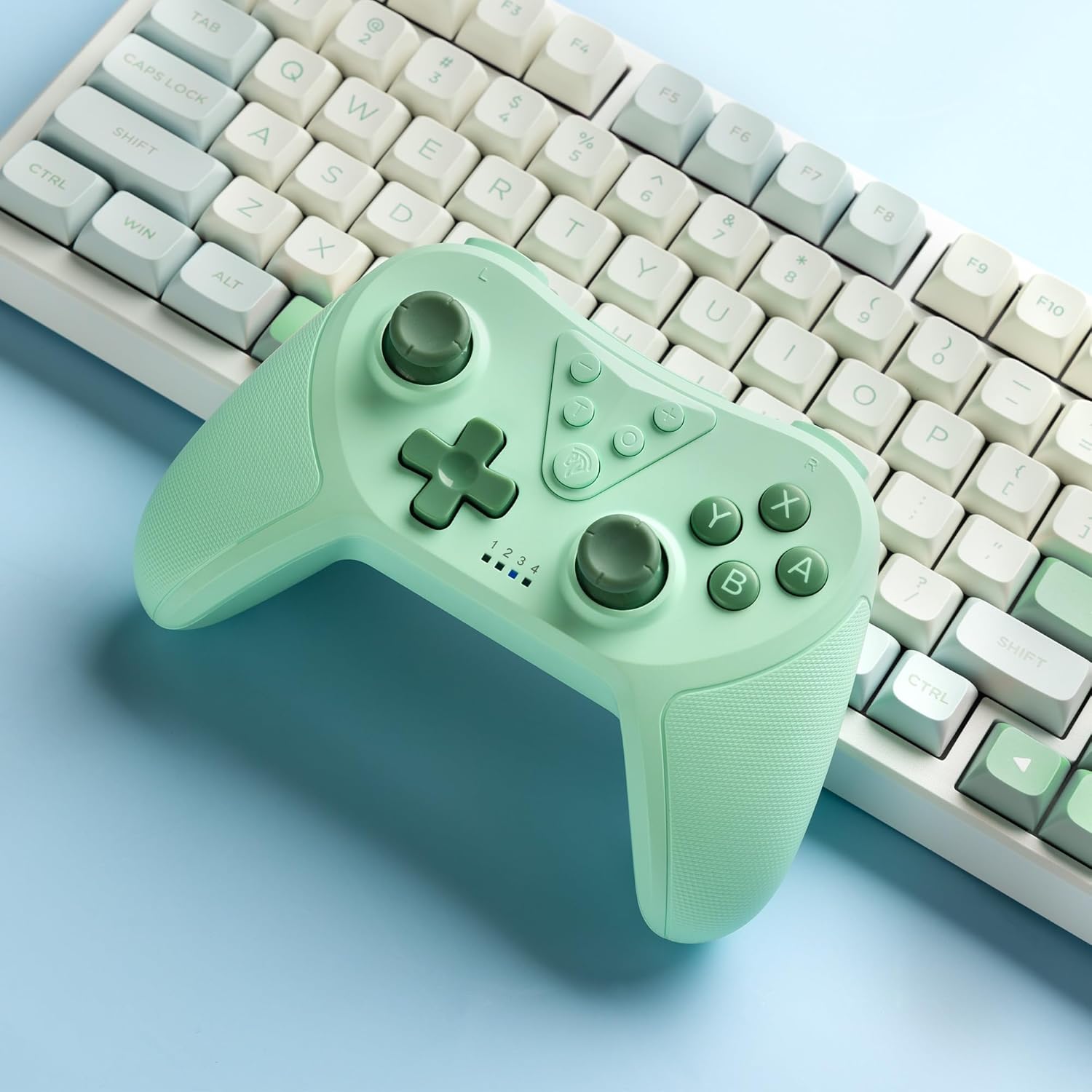
Image 4.2: Illustration of the Turbo function on the EasySMX T37 controller, showing the three adjustable speeds: 5, 12, and 20 shots per second.
4.3 Atunse gbigbọn
The controller features dual motors for adjustable vibration feedback, enhancing immersion in games.
- Ṣatunṣe Kikun Gbigbọn: Tẹ mọlẹ Bọtini Turbo, lẹhinna gbe awọn Left Analog Stick Up or Down to cycle through four vibration levels: 0% (off), 30%, 70%, and 100%.

Image 4.3: Visual representation of the Dual Vibration feature on the EasySMX T37 controller, indicating four intensity levels from 0% to 100%.
4.4 6-Axis Gyro Motion Control
The built-in 6-axis gyroscope provides precise motion sensing, allowing for intuitive control in games that support motion input.

Image 4.4: Illustration depicting the 6-Axis Gyro Motion Control feature of the EasySMX T37 controller, showing how it interacts with a game on the Nintendo Switch screen.
5. Itọju
- Ninu: Lo asọ asọ ti o gbẹ lati nu oludari naa. Yago fun lilo awọn kẹmika lile tabi awọn ohun elo abrasive.
- Ibi ipamọ: Tọju olutọju naa ni itura, aye gbigbẹ kuro lati orun taara ati awọn iwọn otutu to gaju.
- Itọju Batiri: Lati pẹ aye batiri, yago fun gbigba agbara ni kikun oludari nigbagbogbo. Gba agbara rẹ nigbagbogbo, paapaa ti kii ba lo fun awọn akoko gigun.
- Yago fun awọn isọ silẹ: Dáàbò bo olùdarí náà kúrò lọ́wọ́ àwọn ìṣàn àti àwọn ìkọlù, èyí tí ó lè ba àwọn ẹ̀yà ara inú jẹ́.
6. Laasigbotitusita
6.1 Olùdarí Kò Sopọ̀
- Rii daju pe oludari ti gba agbara.
- Verify the Switch console is updated to the latest system version.
- Gbìyànjú láti tún so olùdarí pọ̀ nípa títẹ̀lé àwọn ìgbésẹ̀ ní Apá 3.1.
- If issues persist, try resetting the controller by inserting a thin object into the small reset hole (if present, usually on the back) for a few seconds.
6.2 Buttons Unresponsive or Lagging
- Rii daju pe oludari ti gba agbara ni kikun.
- Move closer to the Switch console to ensure a strong wireless connection.
- Ṣayẹwo fun eyikeyi awọn idena ti ara tabi idoti ni ayika awọn bọtini.
- Re-pair the controller.
6.3 Aṣakoso Ko Gba agbara
- Rí i dájú pé okùn USB-C so mọ́ olùdarí àti orísun agbára dáadáa.
- Gbiyanju lilo okun USB-C ti o yatọ tabi ohun ti nmu badọgba agbara.
- Rii daju pe orisun agbara ṣiṣẹ.
7. Awọn pato
- Awoṣe: T37
- Asopọmọra: Ailokun (Bluetooth)
- Ibamu: Nintendo Yipada, Yipada Lite, Yipada OLED
- Awọn ẹya: Dual Turbo Function, Adjustable Vibration, 6-Axis Gyro Motion Control, Ergonomic Design
- Product Identifier (ASIN): B0CTTWN84L
8. Atilẹyin ọja ati Support
For warranty information, technical support, or further assistance, please refer to the official EasySMX webaaye tabi kan si atilẹyin alabara wọn taara. Tọju iwe-ẹri rira rẹ fun awọn ẹtọ atilẹyin ọja.