
DieHard DH-20002-01
DieHard Portable Power Station 500-Watt olumulo Afowoyi
Àwòṣe: DH-20002-01
1. Ifihan
This manual provides essential information for the safe and efficient operation of your DieHard Portable Power Station 500-Watt. Please read this manual thoroughly before using the product and keep it for future reference. This portable power station is designed to provide reliable power for various applications, including home backup, weather emergencies, outdoor recreation, and job site use.

Image 1.1: The DieHard Portable Power Station 500-Watt, a compact and powerful unit with a blue handle and multiple output ports.
2. Awọn ẹya Ọja
The DieHard Portable Power Station offers a range of features designed for versatility and reliability:
- DieHard Legacy: Over 50 years of providing dependable solutions for power needs, built on innovation, durability, and reliability.
- Agbara agbara: Equipped with a 519.48Wh lithium-ion battery, providing 500 Watts of continuous AC power with up to 1000-Watt peak abilities. Capable of running computer equipment, TVs/monitors, lights, fans, game consoles, kitchen appliances, and more.
- Gbigbe: Designed to be compact, lightweight, and travel-friendly. Weighing 15 pounds and measuring 12.3" x 7.5" x 7.5", ideal for easy transport and most outdoor activities.
- Iṣagbewọle agbara: Supports charging via optional DieHard Portable Solar Panels (120-Watt or 200-Watt), standard AC wall outlet, or DC car charger.
- Ijade agbara: Features a 10-Watt Wireless Charging Pad, 2 AC outlets, 3 USB ports, 1 USB-C port, 2 DC ports, and 1 Car Charger port.
- Ilana Waveform: Pure Sine Wave optimized output, resulting in a stable and clean power supply ideal for powering sensitive electronics without interference or damage.
- Aabo ati Iduroṣinṣin: Weather-Resistant and built to last, incorporates overcharging, temperature, and low battery protection, safeguarding your devices and the power station itself.
- Ajo-ore: Embrace sustainable energy with solar panel's green charging capabilities, reducing reliance on the grid and minimizing your carbon footprint.
3. irinše Loriview
Familiarize yourself with the various parts and ports of your DieHard Portable Power Station for optimal use.

Aworan 3.1: alaye view of the DieHard Portable Power Station's smart display and various input/output ports.
- Ifihan Iboju LCD: Ṣe afihan ipele batiri, agbara titẹ sii/ìjádetage, àti àwọn àmì ipò.
- Bọtini agbara ON/PA: Muu ṣiṣẹ tabi mu maṣiṣẹ ẹrọ naa.
- Bọtini Imọlẹ TAN/PA: Controls the built-in LED light.
- Bọtini AC ON/PA: Activates or deactivates the AC output ports.
- Input DC: Port for charging the power station via AC adapter or car charger.
- PV Input (10-28V): Port for connecting compatible solar panels for charging.
- Cigarette Lighter Socket Output (12V 10A): Standard 12V DC output.
- DC Output (12V 5A): Two dedicated 12V DC output ports.
- Ijade USB-A: Three standard USB ports for charging mobile devices.
- Ijade USB-C: One USB-C port for faster charging of compatible devices.
- Awọn iṣan AC: Two standard AC outlets for powering household appliances.
- Paadi Ngba agbara Alailowaya: Ti wa ni oke fun awọn ẹrọ ibaramu.
- Ìlànà ìdènà ìkọlù: Protective strips on the sides for durability.
4. Eto
Follow these steps for the initial setup of your DieHard Portable Power Station:
- Yọọ kuro: Fi ìṣọ́ra yọ ibudo agbara ati gbogbo awọn ohun elo miiran kuro ninu apoti naa.
- Ṣayẹwo: Ṣàyẹ̀wò ẹ̀rọ náà fún ìbàjẹ́ èyíkéyìí tí ó bá hàn gbangba. Tí ó bá bàjẹ́, má ṣe lò ó kí o sì kan sí olùrànlọ́wọ́ oníbàárà.
- Idiyele Ibẹrẹ: Before first use, fully charge the power station using the provided AC adapter. Connect the AC adapter to the DC Input port and plug it into a wall outlet. The LCD screen will indicate charging status.
- Ibi: Gbé ibudo agbara sori ilẹ ti o duro ṣinṣin, ti o si ni aaye ti afẹfẹ ti o dara, kuro ni oorun taara, awọn orisun ooru, ati ọrinrin.
5. Awọn ilana Iṣiṣẹ
Operating your DieHard Portable Power Station is straightforward. Follow these guidelines to power your devices.

Image 5.1: The DieHard Power Station powering multiple devices for a family, demonstrating its versatility.
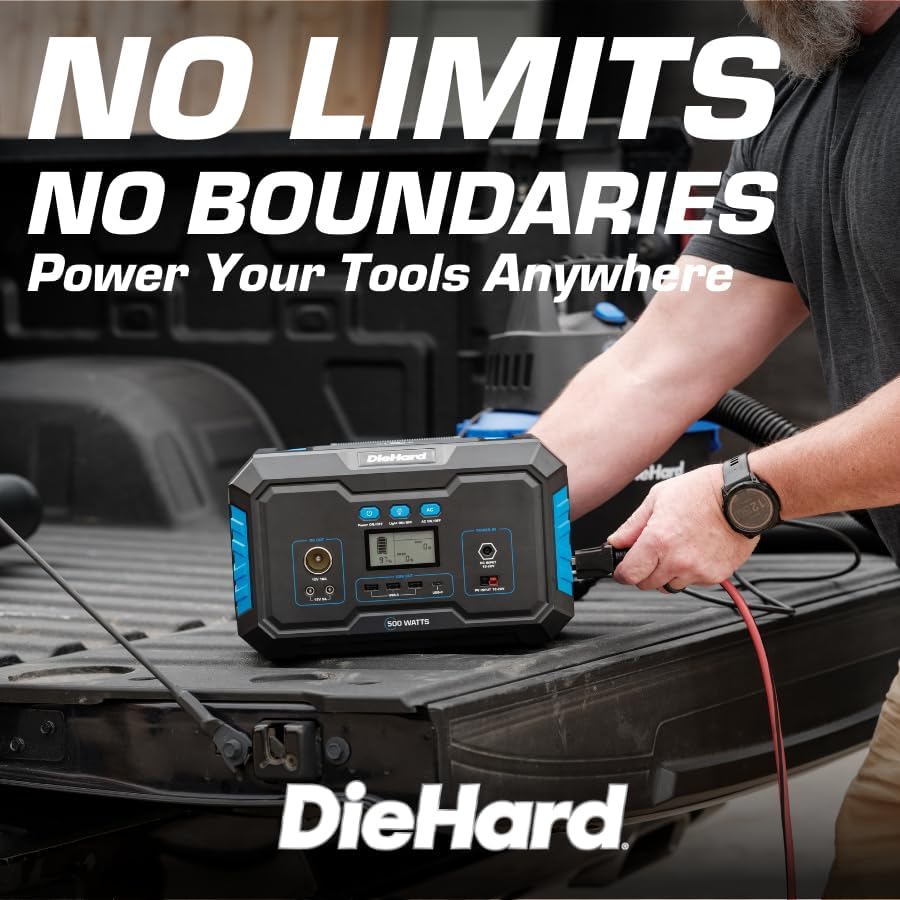
Image 5.2: A DieHard Power Station being used to power tools in a truck bed, highlighting its portability for job sites.

Aworan 5.3: Examples of device runtimes, showing the power station can run a 32" TV for 7 hours or a mini fridge for 5 hours.
- Agbara Tan: Press and hold the 'Power ON/OFF' button for a few seconds until the LCD screen illuminates.
- Yan Àbájáde:
- For AC devices, press the 'AC ON/OFF' button. The AC icon will appear on the display.
- For DC devices (including car charger and 12V DC ports), ensure the unit is powered on. The DC output is typically active by default.
- For USB devices, simply plug them into the USB-A or USB-C ports. These are usually active when the unit is on.
- For wireless charging, place your compatible device on the wireless charging pad on top of the unit.
- Awọn ẹrọ Sopọ: Plug your devices into the appropriate output ports. Monitor the LCD screen to see the output wattage and remaining battery life.
- Agbara Pa: When finished, disconnect all devices. Press and hold the 'Power ON/OFF' button until the LCD screen turns off. If AC output was used, press the 'AC ON/OFF' button to turn it off first.
6. Alaye gbigba agbara
Your DieHard Portable Power Station can be charged using multiple methods:

Image 6.1: The DieHard Power Station connected to solar panels, demonstrating its solar charging capability.

Image 6.2: Detailed chart showing estimated charging times for the 500W power station using different input methods.
- AC Adapter (Wall Outlet): Connect the provided AC adapter to the DC Input port.
- Pánẹ́lì oòrùn (Àṣàyàn): Connect a compatible DieHard 120-Watt or 200-Watt Portable Solar Panel to the PV Input port. Charging time will vary based on sunlight intensity and panel wattage.
- Car Charger (12V): Use the car charger cable to connect the power station to your vehicle's 12V cigarette lighter socket. This method is most efficient when the car engine is running.
Estimated Charging Times (500-Watt Model):
- From AC Adapter: Approximately 6 - 7 hours
- From Solar Charging 120W: Approximately 6 - 9 hours (depending on solar conditions)
- From Solar Charging 200W: Approximately 5 - 6 hours (depending on solar conditions)
- From Car Charger 12V: Approximately 7 - 8 hours (when car running)
7. Safety and Durability
Your DieHard Portable Power Station is built with multiple safety features. Please observe the following precautions:
- Má ṣe fi ẹ̀rọ náà sí ojú ọjọ́ tí ó le koko, oòrùn tààrà fún ìgbà pípẹ́, tàbí ọriniinitutu gíga.
- Rí i dájú pé afẹ́fẹ́ ń yọ́ dáadáa nígbà tí a bá ń lò ó àti nígbà tí a bá ń gba agbára láti dènà ìgbóná jù.
- Yẹra fún kíkọ sílẹ̀ tàbí kí ó fa ìkọlù líle koko sí ẹ̀rọ náà.
- Do not disassemble, repair, or modify the unit yourself. Contact qualified service personnel for any repairs.
- Jeki kuro ni arọwọto awọn ọmọde ati awọn ohun ọsin.
- Lo atilẹba nikan tabi awọn kebulu gbigba agbara ibaramu ati awọn oluyipada.
- The unit incorporates overcharging, temperature, and low battery protection to safeguard both the power station and connected devices.
8. Itọju
Proper maintenance will extend the lifespan and ensure optimal performance of your power station:
- Ninu: Lo asọ asọ ti o gbẹ lati nu ode ti ẹyọ naa. Ma ṣe lo abrasive ose tabi epo.
- Ibi ipamọ: If storing for an extended period, charge the unit to approximately 50-80% every 3-6 months to maintain battery health. Store in a cool, dry place.
- Itọju Batiri: Avoid fully discharging the battery frequently. Recharge promptly after use.
- Afẹfẹ: Rii daju pe awọn šiši fentilesonu ko kuro ninu eruku ati idoti.
9. Laasigbotitusita
If you encounter issues with your power station, refer to the table below for common problems and solutions:
| Isoro | Owun to le Fa | Ojutu |
|---|---|---|
| Ẹka ko ni agbara lori. | Batiri ti gba agbara ni kikun. | Charge the power station using the AC adapter. |
| Ijade AC ko ṣiṣẹ. | A kò mu iṣẹ́ AC jáde. | Press the 'AC ON/OFF' button to activate AC output. |
| Device not charging from USB/DC. | Unit not powered on; cable issue. | Ensure unit is on. Try a different cable or port. |
| Overload warning on display. | Connected device exceeds power station's output limit. | Disconnect the device. Check device wattage and ensure it's within the power station's limits. |
| Unit overheating. | Poor ventilation; prolonged high load. | Ensure vents are clear. Reduce load or allow unit to cool down. |
10. Awọn pato
Detailed technical specifications for the DieHard Portable Power Station 500-Watt:

Image 10.1: Dimensions of the DieHard 500-Watt Portable Power Station.
| Sipesifikesonu | Iye |
|---|---|
| Brand | DieHard |
| Nọmba awoṣe | DH-20002-01 |
| Wattage (Títẹ̀síwájú) | 500 Wattis |
| Wattage (Òkè gíga) | 1000 Wattis |
| Agbara Batiri | 519.48Wh |
| Batiri Iru | Litiumu-Iwọn |
| Iwọn Nkan | 15.1 iwon |
| Awọn iwọn Ọja (L x W x H) | 12.3" x 7.5" x 7.5" |
| AC wu Voltage | 110 Volts |
| AC o wu Igbohunsafẹfẹ | 60 Hz |
| Iwajade Waveform | Wave Sine Sure |
| Lapapọ Power iÿë | 10 (2 AC, 3 USB-A, 1 USB-C, 2 DC, 1 Car Charger, 1 Wireless Charging Pad) |
| Charging Input Options | AC Adapter, Solar Panel (10-28V), Car Charger (12V) |
| Àwọ̀ | Buluu |
| UPC | 810133980120 |
11. Atilẹyin ọja ati Support
For warranty information, product registration, and customer support, please refer to the official DieHard webojula tabi kan si wọn onibara iṣẹ Eka. Tọju iwe-ẹri rira rẹ bi ẹri rira fun eyikeyi awọn ibeere atilẹyin ọja.
Osise Webojula: www.diehard.com
For further assistance, please reach out to DieHard customer support through the contact information provided on their official webojula.
Ask a question about this manual
Ask about setup, troubleshooting, compatibility, parts, safety, or missing instructions. Manuals+ will review the question and use this page’s manual context to help answer it.