
NZXT CM-H72FB-01
NZXT H7 Flow 2024 Mid-Tower ATX Airflow PC Case Instruction Manual
Brand: NZXT | Awoṣe: CM-H72FB-01
Ọrọ Iṣaaju
The NZXT H7 Flow 2024 is a mid-tower ATX PC case designed for optimal airflow and efficient cooling. This manual provides essential information for assembling, operating, and maintaining your PC build within this chassis. It highlights key features, specifications, and important considerations for a smooth user experience.

Figure 1: NZXT H7 Flow 2024 Mid-Tower ATX Airflow PC Case (Black)
Key Awọn ẹya ara ẹrọ
- Dedicated GPU Cooling: Supports up to three 120mm fans at the bottom for direct airflow to the graphics card, enhancing cooling performance.

Figure 2: Dedicated GPU Cooling Fan Mounts
- Out-of-the-Box Performance: Includes three pre-installed 120mm fans in the front for immediate and effective cooling.

Figure 3: Pre-installed Front Fans
- Optimized for Airflow: Features high-performance mesh panels on the front and top to maximize air intake and exhaust, while also acting as dust filters.

Figure 4: Optimized Airflow Design
- Large Radiator Support: Accommodates radiators up to 420mm in the front and 360mm in the top, providing extensive liquid cooling options.

Figure 5: Radiator Mounting Locations
- Irọrun Iṣakoso USB: An intuitive cable management system with wide channels, built-in hooks, and included straps simplifies cable routing and organization.

Àwòrán 6: Ètò Ìṣàkóso Okùn
- 10-Fan Capacity: Supports up to 10 fans in total: three at the top, three in the front, three at the bottom, and one in the rear for comprehensive cooling.

Figure 7: Fan Mounting Options
- Top I/O Ports: Conveniently located top panel with 2x USB-A and 1x USB-C ports for easy access to peripherals.

Figure 8: Top I/O Ports
- Tool-less Panel Access: Front, top, and side panels can be removed without tools, simplifying the building and upgrading process.
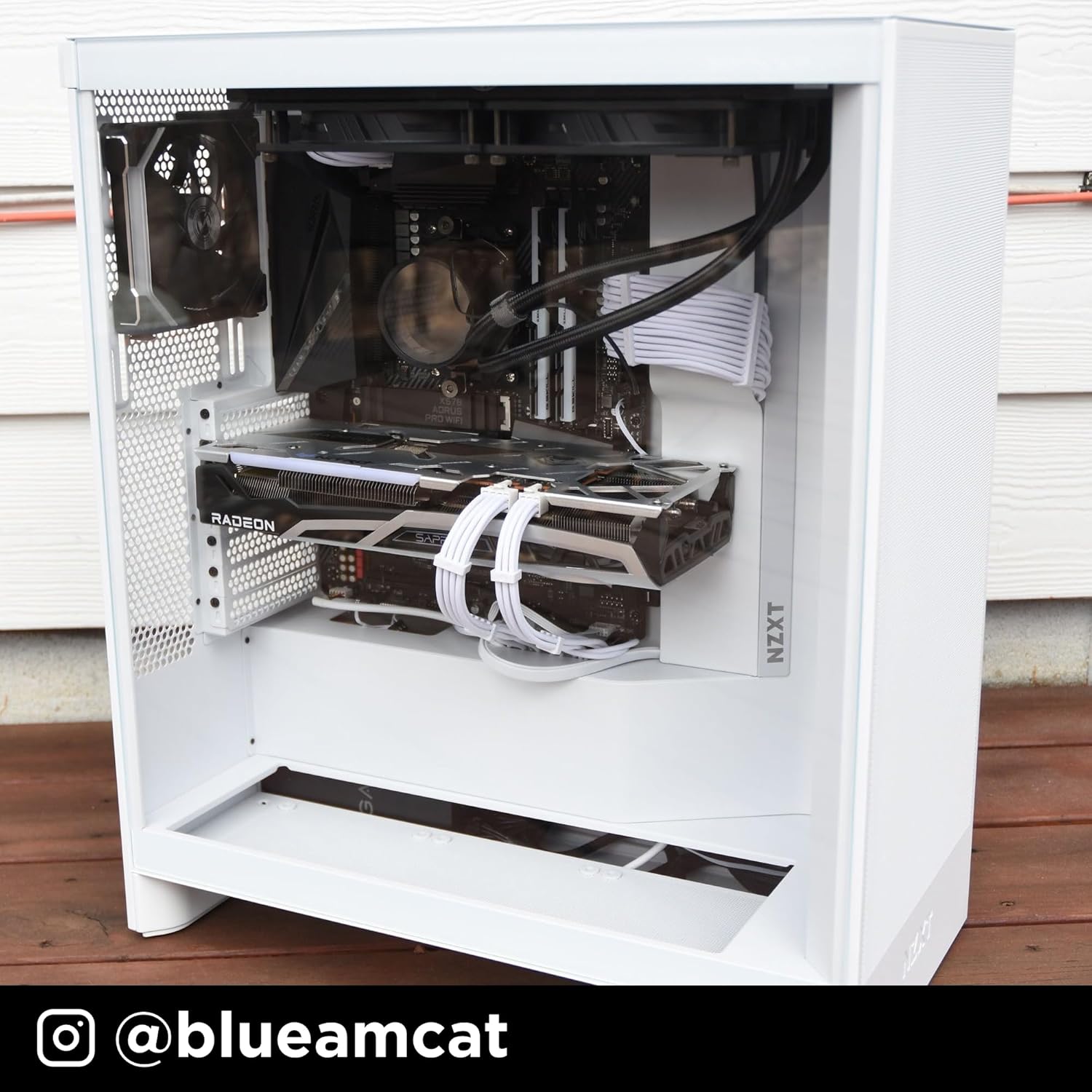
Figure 9: Tool-less Panel Removal
Awọn ilana iṣeto
- Ṣii silẹ: Carefully remove the case from its packaging. Remove any protective films from the tempered glass panels.
- Yiyọ igbimọ: Access the interior by gently pulling off the side panels, front panel, and top panel. These are designed for tool-less removal.
- Fifi sori ẹrọ modaboudu: Install your ATX motherboard. Ensure standoffs are correctly aligned. The case supports ATX motherboards.
- Fifi sori ẹrọ Ipese Agbara: Mount your power supply unit (PSU) in the bottom compartment.
- Fifi sori Drive Drive: Install 3.5-inch hard drives or 2.5-inch solid-state drives into the designated bays.
- Fifi sori Kaadi Awọn aworan (GPU): Install your graphics card into the appropriate PCIe slot. Consider installing up to three 120mm fans at the bottom of the case for direct GPU cooling.
- Fan and Radiator Installation: Install additional fans or liquid cooling radiators as needed. The case supports up to 420mm radiators in the front and 360mm in the top.
- Iṣakoso USB: Utilize the integrated cable routing channels, hooks, and included straps behind the motherboard tray to organize and secure cables.
- Tún kó àwọn Pánẹ́lì jọ: Once all components are installed and cables are managed, reattach the side, front, and top panels.
Ṣiṣẹ́ Àpò PC rẹ
The NZXT H7 Flow 2024 is designed to provide optimal airflow for your PC components. Ensure that all fans are correctly oriented for intake and exhaust to maintain proper internal temperatures. The pre-installed front fans act as intake, drawing cool air into the system. The mesh panels facilitate unrestricted airflow, contributing to efficient cooling.
Video 1: NZXT H7 Flow 2024 Overview. This video demonstrates the key features and design of the NZXT H7 Flow 2024 PC case, including its airflow capabilities and internal layout.
Itoju
Itọju deedee n ṣe iranlọwọ lati rii daju pe iṣẹ ṣiṣe to dara julọ ati igba pipẹ ti awọn paati PC rẹ.
- Pipa eruku: Periodically remove the mesh panels (front and top) and clean them to prevent dust buildup. Use compressed air or a soft brush to clean fans and internal components.
- Igbimo atunfi sii: Ensure all panels are securely reattached after cleaning or maintenance to maintain structural integrity and airflow.
Fidio 2: Ọja Pariview. Yi fidio pese kan gbogboogbo loriview of the product, which can be helpful for understanding its components and how to access them for maintenance.
Laasigbotitusita
- High Component Temperatures:
- Verify all case fans are spinning and correctly oriented for optimal airflow (intake at front/bottom, exhaust at rear/top).
- Clean any dust buildup on mesh panels, fans, and heatsinks.
- Ensure no cables are obstructing airflow paths inside the case.
- Ariwo afẹ́fẹ́ tó pọ̀ jù:
- Check if fan screws are tightened properly.
- Ensure no cables are touching fan blades.
- Consider replacing noisy fans if they are old or damaged.
- Difficulty Removing Panels:
- Apply gentle, even pressure when pulling panels. They are designed for tool-less removal but may require a firm pull.
- Ensure no internal components or cables are snagging the panels.
Awọn pato
| Ẹya ara ẹrọ | Ẹ̀kúnrẹ́rẹ́ |
|---|---|
| Brand | NZXT |
| Orukọ awoṣe | CM-H72FB-01 |
| Iru Irú | Ile-iṣọ Mid |
| Modaboudu Ibamu | ATX |
| Àwọ̀ | Dudu |
| Ohun elo | Irin, Ṣiṣu |
| Agbara Ipese Iṣagbesori Iru | Isalẹ Oke |
| Ọna Itutu | Afẹfẹ |
| Fan Iwon | 120 millimeters |
| Total Expansion Slots Quantity | 7 |
| Total USB 2.0 Ports | 2 |
| Total USB 3.0 Ports | 3 |
| Lile Disk Fọọmù ifosiwewe | 3.5 inches |
| Internal Bays Quantity | 1 |
| Number of Fans (Included) | 3 |
| Iwọn Nkan | 11.35 kilo |
| Awọn iwọn Nkan (D x W x H) | 18.43"D x 9.6"W x 21.42"H |
| Pataki Awọn ẹya ara ẹrọ | Triple front fan, large radiator backing plate, dedicated GPU cooling |
Atilẹyin ọja ati Support
The NZXT H7 Flow 2024 PC case comes with a 2-odun olupese atilẹyin ọja. For technical support, product information, or warranty claims, please visit the official NZXT store or contact their customer service.
Official NZXT Store: NZXT Store on Amazon
Awọn iwe aṣẹ ti o jọmọ - CM-H72FB-01
 |
NZXT H9 Flow Dual-Chamber Mid-Tower Airflow Case User Manual Comprehensive user manual for the NZXT H9 Flow dual-chamber mid-tower ATX computer case, detailing product information, components, ports, installation guides, and warranty policy. |
 |
NZXT H5 Flow & H5 Flow RGB PC Case - Installation Guide and Specifications Comprehensive guide for the NZXT H5 Flow and H5 Flow RGB PC cases, detailing specifications, component installation, cable management, regulatory compliance, and warranty information. |
 |
NZXT H9 Flow CM-H91FB-01 PC Case Installation Guide and Specifications Comprehensive installation guide, specifications, and warranty information for the NZXT H9 Flow Dual-Chamber Mid-Tower Airflow PC Case (Model CM-H91FB-01). |
 |
NZXT H9 Flow Mid-Tower Dual-Chamber PC Case Manual User manual for the NZXT H9 Flow mid-tower dual-chamber PC case, detailing product information, components, ports, installation guides, and warranty policy. |
 |
NZXT H9 Flow Mid-Tower Case User Manual User manual and installation guide for the NZXT H9 Flow dual-chamber mid-tower PC case, including technical specifications, component installation instructions, and warranty information. |
 |
NZXT H510i / H510 Compact Mid-Tower PC Case Installation Guide and Specifications Comprehensive guide for installing components into the NZXT H510i and H510 compact mid-tower PC cases. Includes detailed parts list, accessory breakdown, installation steps, and technical specifications for PC builders. |
Ask a question about this manual
Ask about setup, troubleshooting, compatibility, parts, safety, or missing instructions. Manuals+ will review the question and use this page’s manual context to help answer it.