
1. Ifihan
Thank you for choosing the MONODEAL DV68 Bone Conduction Headphones. These headphones are designed to provide a comfortable and safe listening experience, especially during sports and outdoor activities. Utilizing advanced bone conduction technology and Bluetooth 5.3, they deliver clear audio while keeping your ears open to ambient sounds. The integrated smart light enhances visibility and safety during nighttime use.
2. Package Awọn akoonu
Jọwọ ṣayẹwo package fun awọn nkan wọnyi:
- MONODEAL DV68 Bone Conduction Headphones
- Oofa Ngba agbara USB
- Itọsọna olumulo
- Earplugs (optional, for enhanced sound isolation)
3. Ọja Ipariview
Familiarize yourself with the components of your MONODEAL DV68 headphones.
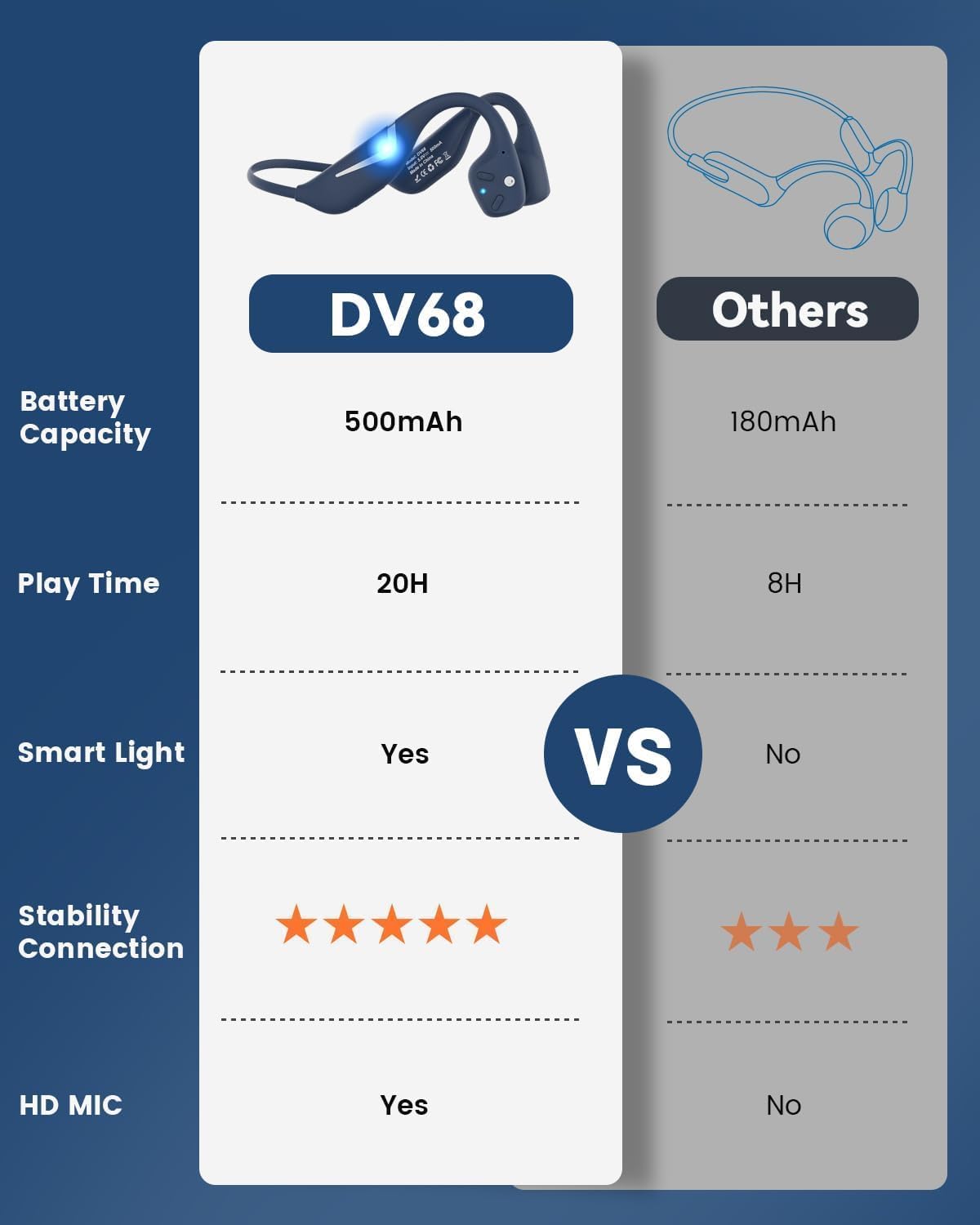
Figure 3.1: MONODEAL DV68 Bone Conduction Headphones, showing the overall design.

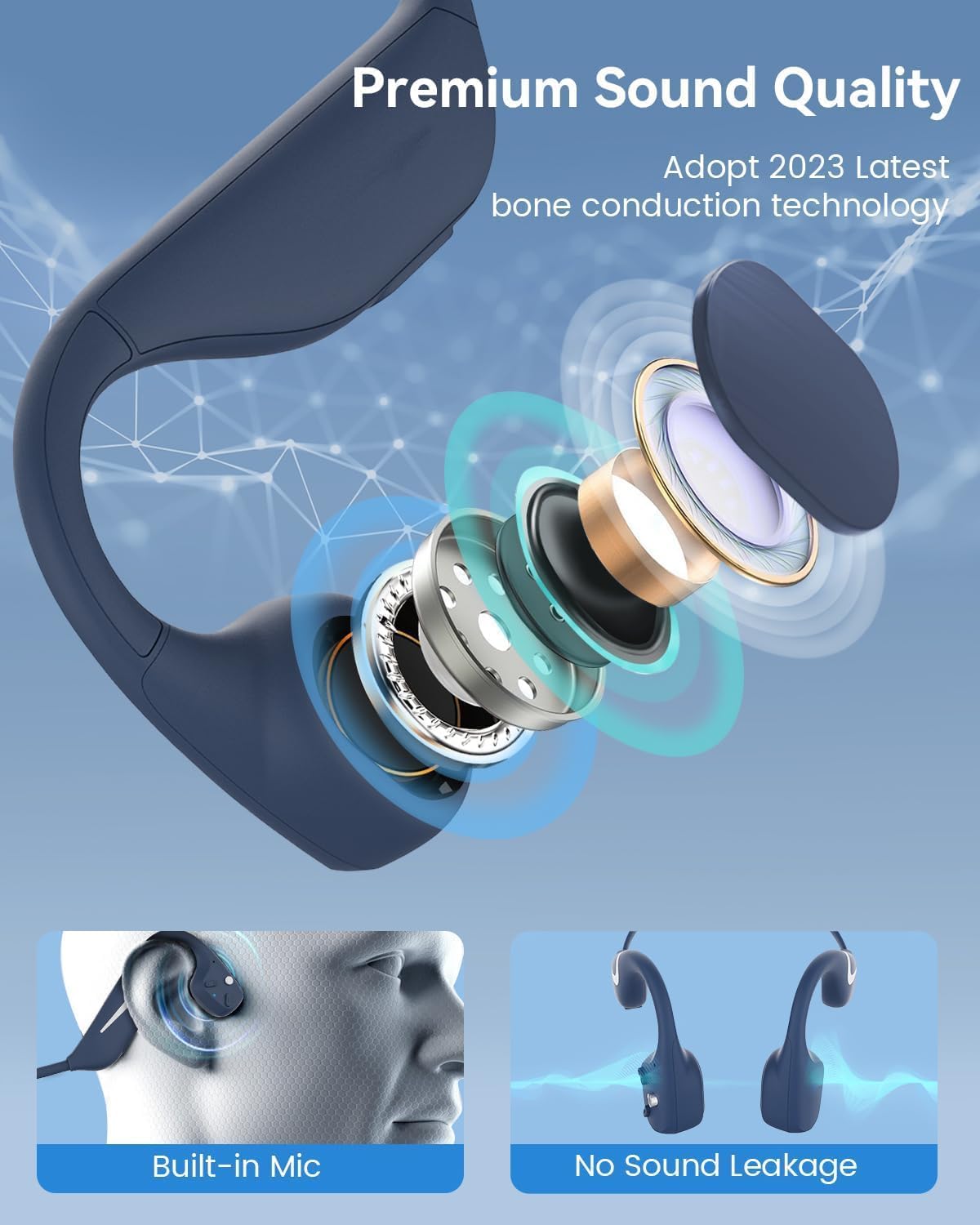
olusin 3.2: exploded view illustrating the bone conduction transducer and built-in microphone.
3.1 Awọn iṣakoso ati awọn ibudo
olusin 3.3: Apa view of the headphones highlighting the control buttons.

olusin 3.4: Isunmọ view of the magnetic charging port.
The headphones feature physical buttons for power, volume, and playback control. The magnetic charging port is located on one of the ear pieces for convenient charging.
4. Awọn pato
| Ẹya ara ẹrọ | Sipesifikesonu |
|---|---|
| Nọmba awoṣe | DV68 |
| Ẹya Bluetooth | 5.3 |
| Agbara Batiri | 500 mAh |
| Akoko ere | Titi di wakati 20 |
| Omi Resistance Rating | IP67 (Sweat, rain, and splash resistant) |
| Iwọn | 34 giramu |
| Iwọn Igbohunsafẹfẹ | 20 Hz - 20,000 Hz |
| Asopọmọra Technology | Ailokun (Bluetooth) |
| Audio Driver Type | Ilana Egungun |
| Pataki Awọn ẹya ara ẹrọ | Smart LED Light, Built-in Microphone, Multipoint Pairing |

Olusin 4.1: Pariview of key features including Open-Ear design, IP67 Waterproofing, 500mAh Battery, Bluetooth V5.3, Lightweight, HD Microphone, Multipoint Pairing, and RGB Light.
5. Eto
5.1 Ngba agbara si awọn Agbekọri
Ṣaaju lilo akọkọ, gba agbara si awọn agbekọri rẹ ni kikun.
- So okun gbigba agbara oofa pọ si ibudo gbigba agbara lori awọn agbekọri.
- So opin okun miiran pọ si ohun ti nmu badọgba agbara USB (kii ṣe pẹlu) tabi ibudo USB ti kọnputa kan.
- Àmì LED náà yóò fi ipò agbára ìgbara hàn. Ìgbàra agbára ìgbara gbogbo sábà máa ń gba nǹkan bí wákàtí méjì.

Figure 5.1: Illustration of 20-hour battery life and quick charge feature (10 minutes charging for 2 hours playtime).
5.2 Sisopọ Bluetooth
Lati so agbekọri rẹ pọ mọ ẹrọ kan:
- Rii daju pe awọn agbekọri ti wa ni pipa.
- Press and hold the Power button until the LED indicator flashes red and blue, indicating pairing mode.
- Lori ẹrọ rẹ (foonuiyara, tabulẹti, kọmputa), mu Bluetooth ṣiṣẹ ki o wa awọn ẹrọ to wa.
- Select "MONODEAL DV68" from the list of found devices.
- Ni kete ti a ti sopọ, Atọka LED yoo tan buluu to lagbara tabi filasi buluu laiyara.
The headphones support multipoint pairing, allowing connection to two devices simultaneously. Refer to your device's Bluetooth settings for managing multiple connections.
6. Awọn ilana Iṣiṣẹ
6.1 Agbara Tan / Pa
- Agbara Tan: Tẹ mọlẹ bọtini agbara fun iṣẹju 3.
- Agbara Pa: Tẹ mọlẹ bọtini agbara fun iṣẹju 5.
6.2 Sisisẹsẹhin Orin
- Ṣiṣẹ/Daduro: Tẹ bọtini Olona-iṣẹ lẹẹkan.
- Orin t’okan: Tẹ ki o si mu bọtini Iwọn didun + naa fun iṣẹju-aaya meji.
- Tẹlẹ Orin: Tẹ bọtini Iwọn didun ki o si dimu fun awọn aaya meji.
- Iwọn didun Up: Tẹ bọtini iwọn didun +.
- Iwọn didun isalẹ: Tẹ bọtini Iwọn didun.
6.3 ipe Management
- Idahun/Ipe Ipari: Tẹ bọtini Olona-iṣẹ lẹẹkan.
- Kọ Ipe: Tẹ mọlẹ bọtini iṣẹ-ọpọlọpọ fun iṣẹju-aaya 2.
- Oluranlọwọ ohun: Tẹ bọtini Olona-iṣẹ lẹẹmeji.
6.4 Smart LED Light
The headphones feature a smart LED light for enhanced visibility during nighttime activities.
- Tan-an/Pa ina: Refer to the specific button combination in your quick start guide (usually a dedicated light button or a long press of a volume button).
- The light can cycle through different colors (e.g., blue, green, red) to increase your safety and visibility.

Figure 6.1: A runner demonstrating the smart LED light feature for night safety.
7. Itọju
7.1 Ninu
To maintain hygiene and product longevity:
- After sweating or intense workouts, gently wipe the headphones with a damp asọ tabi tutu mu ese.
- Yẹra fun lilo awọn kẹmika lile tabi awọn afọmọ abrasive.
7.2 Ibi ipamọ
- Tọju awọn agbekọri naa ni itura, aye gbigbẹ, kuro lati oorun taara ati awọn iwọn otutu to gaju.
- When not in use, it is recommended to store them in their original packaging or a protective case.
7.3 Omi Resistance
The MONODEAL DV68 headphones are IP67 rated, meaning they are resistant to sweat, rain, and splashes. However, they are ko dara fun odo tabi submersion ninu omi.

Figure 7.1: A person exercising with the headphones, demonstrating their IP67 water resistance against sweat and rain. Note: Not for swimming.
8. Laasigbotitusita
Ti o ba pade awọn ọran pẹlu awọn agbekọri rẹ, jọwọ tọka si awọn solusan ti o wọpọ wọnyi:
- Ko si Agbara:
Ensure the headphones are fully charged. Connect them to the charging cable and a power source. - Ko le So pọ:
Make sure the headphones are in pairing mode (LED flashing red and blue). Turn off Bluetooth on other nearby devices that may have previously connected. Try restarting both the headphones and your device. - Ko si Ohun/Iwọn kekere:
Check the volume levels on both the headphones and your connected device. Ensure the headphones are properly positioned on your cheekbones. If using earplugs, ensure they are correctly inserted. - Asopọmọra Laarin:
Ensure your device is within the Bluetooth range (up to 15 meters) and there are no significant obstacles between the headphones and your device. Avoid strong electromagnetic interference. - Didara ipe ti ko dara:
Ensure the microphone is not obstructed. Move to an area with better network reception for your phone.
9. Atilẹyin ọja ati Support
9.1 atilẹyin ọja Alaye
MONODEAL provides a 2-odun atilẹyin ọja for the DV68 Bone Conduction Headphones from the date of purchase. This warranty covers manufacturing defects and ensures the product meets its specified performance. Please retain your proof of purchase for warranty claims.
9.2 Onibara Support
For further assistance, technical support, or warranty inquiries, please contact MONODEAL customer service through the retailer where you purchased the product or visit the official MONODEAL webojula fun alaye olubasọrọ.