
Ọrọ Iṣaaju
This manual provides essential information for the safe and effective use of your GOOLOO 100W USB C Charger Block. Please read this manual thoroughly before operating the device and retain it for future reference. This charger is designed to provide high-speed charging for a wide range of electronic devices, including laptops, tablets, smartphones, and compatible GOOLOO jump starters.

Image: The Gooloo 100W USB C Charger Block, showcasing its compact design and four charging ports (two USB-C and two USB-A).
Ọja Pariview
Key Awọn ẹya ara ẹrọ
- 4-in-1 Multiport Ṣaja: Features two USB-C ports and two USB-A ports, allowing simultaneous charging of up to four devices.
- Gbigba agbara 100W ti o yara pupọ: Delivers a maximum of 100W charging speed when a single device is connected to a USB-C port, capable of charging most laptops to 55% in under 30 minutes.
- Ibamu gbooro: Supports a broad range of devices including MacBook Pro/Air, Dell XPS, iPhone series, iPad Air/mini, and GOOLOO GT4000S/GT4000/GT3000 jump starters and GTX180/GTX280 power stations.
- Awọn ẹya Aabo To ti ni ilọsiwaju: Equipped with temperature protection, short circuit protection, overvoltage protection, overcurrent protection, and automatic recovery for safe and reliable charging.
- Foldable and Compact Design: Features a foldable plug for enhanced portability and a smaller footprint.

Image: The Gooloo 100W USB C Charger Block demonstrating its foldable plug and compact size compared to a standard charger.
Ohun ti o wa ninu Apoti
- 1 x GOOLOO 100W USB C Wall Charger
- 1 x USB-C to USB-C Charging Cord (7.2FT)
Ṣeto
The GOOLOO 100W USB C Charger Block is designed for immediate use with minimal setup.
- Ṣii Plug: Ni rọra ṣii AC prongs lati ara ṣaja.
- Sopọ si Ile-iṣẹ Agbara: Insert the charger into a standard wall power outlet (100-240V AC).
- Awọn ẹrọ Sopọ: Use appropriate USB-C or USB-A cables to connect your devices to the charger's available ports.
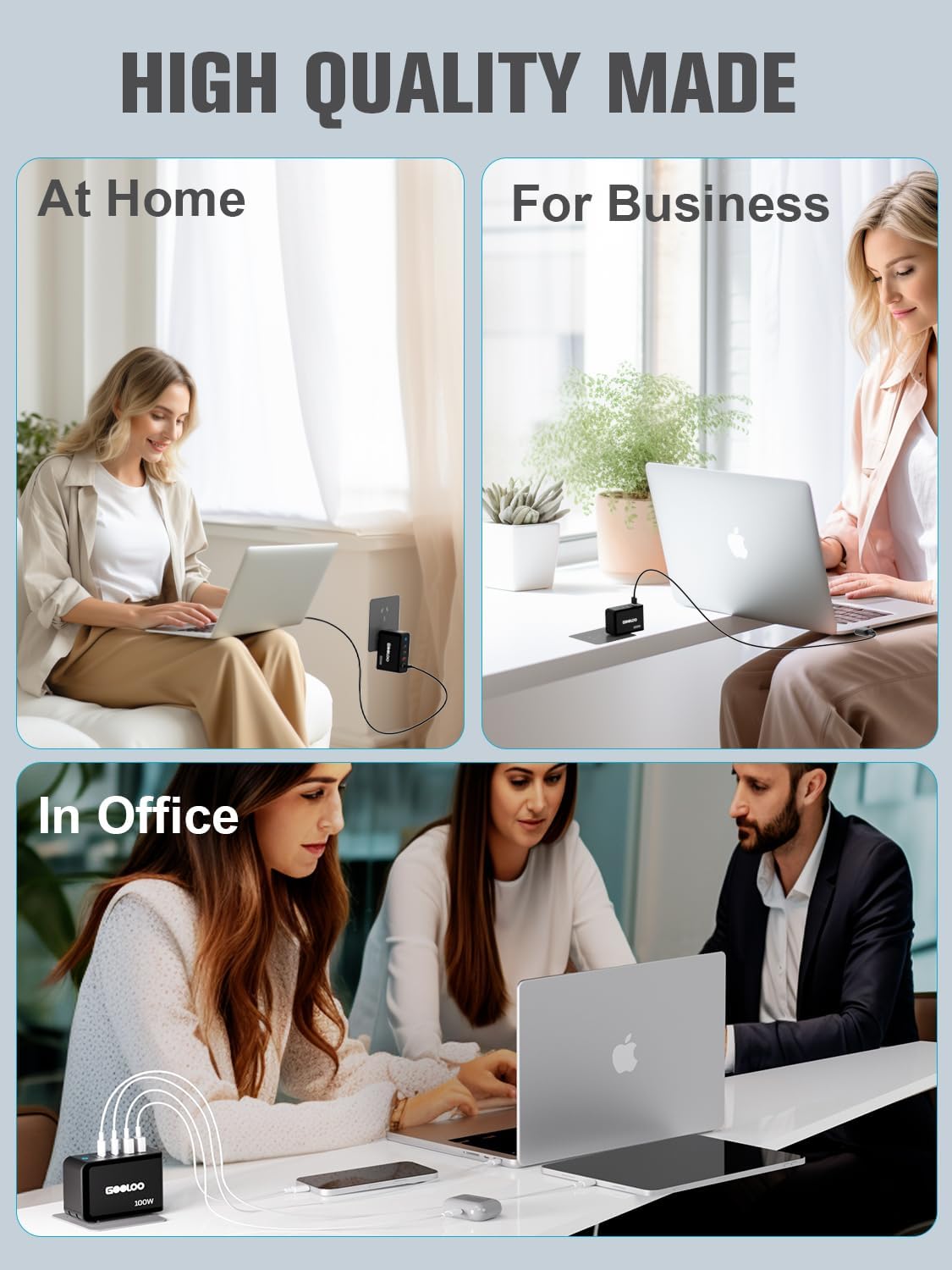
Image: The Gooloo 100W USB C Charger Block shown in different environments, illustrating its versatility for home, business, and office use.
Awọn ilana Iṣiṣẹ
Ngba agbara si Awọn ẹrọ rẹ
The charger intelligently distributes power based on the connected devices. For optimal charging, refer to the following guidelines:
- Ngba agbara ẹrọ ẹyọkan: When only one device is connected to either USB-C port (Type-C1 or Type-C2), it can receive up to 100W of power.
- Ngba agbara ẹrọ lọpọlọpọ: Power output will be dynamically allocated across all connected ports. For example, connecting a laptop to a USB-C port and a phone to a USB-A port will adjust the power delivery to each device accordingly.

Image: A visual guide illustrating the power distribution (Wattage Max) across the GA01 charger's ports for various device combinations.

Image: Further examples of power output configurations for the GA01 charger, detailing wattage distribution when multiple ports are in use.

Image: Comprehensive diagrams showing various power output scenarios for the GA01 charger, helping users understand optimal charging setups.
Ibamu
The GOOLOO 100W USB C Charger Block is compatible with a wide array of devices:
- Kọǹpútà alágbèéká: MacBook Pro (16", 14", 13"), MacBook Air, Dell XPS, Google Pixelbook, Microsoft Surface Book 2, ThinkPad, and more.
- Awọn foonu & Awọn tabulẹti: iPhone series (15/14/13/12/11/X/SE/XS/XR/8/7/6), iPad Pro (12.9"/11"), iPad mini, iPad Air 4, Samsung Galaxy S8/S9/Note9/S10, Oneplus, LG, Huawei Mate, Xiaomi, Google Pixel, and more.
- GOOLOO Jump Starters & Power Stations: GT3000, GT4000S, GT4000, GTX180, GTX280.
- Awọn ẹrọ miiran: Nintendo Switch, AirPods/AirPods Pro, MagSafe accessories, Apple Watch, Cameras, Drones, Game Consoles, Speakers, and more.

Image: A detailed compatibility chart illustrating the wide range of devices that can be charged by the Gooloo 100W USB C Charger Block, including specific Gooloo jump starter models, popular laptops, phones, tablets, and other gadgets.
Itoju
To ensure the longevity and optimal performance of your GOOLOO 100W USB C Charger Block, follow these maintenance guidelines:
- Ninu: Ge asopọ ṣaja lati iṣan agbara ati gbogbo awọn ẹrọ ṣaaju ṣiṣe mimọ. Lo asọ ti o rọ, ti o gbẹ lati nu dada. Maṣe lo awọn olutọpa olomi tabi awọn aerosols.
- Ibi ipamọ: Store the charger in a cool, dry place away from direct sunlight and extreme temperatures. When storing, ensure the foldable plug is retracted to prevent damage.
- Mimu: Yago fun sisọ ṣaja silẹ tabi fifisilẹ si awọn ipa to lagbara. Ma ṣe gbiyanju lati ṣaja tabi tun ṣaja naa pada, nitori eyi yoo sọ atilẹyin ọja di ofo ati pe o le fa ibajẹ tabi ipalara.
- Itọju USB: Always grasp the plug when disconnecting cables, rather than pulling on the cable itself, to prevent damage to the cable or port.
Laasigbotitusita
If you encounter issues with your GOOLOO 100W USB C Charger Block, refer to the following common problems and solutions:
| Isoro | Owun to le Fa | Ojutu |
|---|---|---|
| Ẹrọ ko gba agbara. | Loose connection, faulty cable, incompatible device, or power outlet issue. | Ensure all cables are securely connected. Try a different cable. Test the charger with another device. Try a different power outlet. |
| Gbigba agbara lọra. | Cable not supporting fast charging, multiple devices connected, or device's charging input limit. | Use a high-quality cable rated for fast charging. Disconnect other devices to allow maximum power to a single device. Ensure your device supports the charger's output. |
| Ṣaja kan lara gbona. | Iṣiṣẹ deede lakoko gbigba agbara agbara-giga. | A slight warmth is normal. If it becomes excessively hot or emits smoke/odor, immediately unplug it and contact customer support. |
| Ina Atọka Ṣaja wa ni pipa. | No power from the outlet or internal issue. | Check the power outlet. Ensure the charger is fully plugged in. If the issue persists, contact customer support. |
If the problem persists after attempting these solutions, please contact GOOLOO customer support for assistance.
Awọn pato
| Ẹya ara ẹrọ | Sipesifikesonu |
|---|---|
| Nọmba awoṣe | MSA05902 |
| Package Mefa | 4.17 x 3.98 x 1.65 inches |
| Iwọn Nkan | 12.6 iwon |
| Lapapọ Awọn ibudo USB | 4 (2 x USB-C, 2 x USB-A) |
| Wattage | 100 Wattis (O pọju) |
| O wujade Voltage | 20 Volts (DC) |
| Orisun agbara | Okun Itanna |
| Asopọmọra Technology | USB |
| Iṣagbesori Iru | Ògiri Ògiri |
| Olupese | Jiangxi Miju Technology Co.,Ltd |
| Ọjọ Akọkọ Wa | Oṣu Kẹta Ọjọ 14, Ọdun 2024 |
Atilẹyin ọja ati Support
Alaye atilẹyin ọja
The GOOLOO 100W USB C Charger Block comes with an 18-month warranty from the date of purchase. This warranty covers manufacturing defects and ensures reliable performance under normal use. Please retain your proof of purchase for warranty claims.
Onibara Support
For any questions, technical assistance, or warranty claims, please contact GOOLOO customer service. Our team is available to provide friendly and helpful support.
- 24/7 atilẹyin alabara: Available for your convenience.
- 30-Day Unconditional Return Guarantee: For peace of mind.
- Lifetime Customer & Technical Support: Dedicated assistance throughout the product's lifespan.
For the most up-to-date contact information, please visit the official GOOLOO webaaye tabi tọka si awọn alaye olubasọrọ ti a pese pẹlu apoti ọja rẹ.