
Ọrọ Iṣaaju
The TTArtisan 500mm F6.3 Telephoto Lens is designed for capturing distant subjects with exceptional clarity. This manual provides essential information for the proper setup, operation, and maintenance of your lens to ensure optimal performance and longevity.
This lens features 2 ED glass elements to reduce chromatic aberration, a manual focus system, and an aperture range from F6.3 to F32. It is equipped with a tripod mount ring and accepts 82mm filters.
Ohun ti o wa ninu Apoti
- Lẹnsi Ara
- Iwaju lẹnsi fila
- Fila Pada
- Hood lẹnsi
- Itọsọna olumulo
- Kaadi atilẹyin ọja
Ṣeto
1. So awọn lẹnsi si Kamẹra rẹ
- Rii daju pe kamẹra rẹ ti wa ni pipa.
- Remove the rear lens cap from the TTArtisan 500mm F6.3 lens and the body cap from your Nikon F-Mount camera.
- Align the mounting index mark on the lens with the corresponding mark on your camera body.
- Fi lẹnsi sii sinu oke kamẹra ki o yi lọ si aago aago titi yoo fi tẹ ni aabo si aaye.
2. Attaching the Tripod Mount Ring
The lens comes with a built-in tripod mount ring for stable support, especially given its size and weight. This ring allows you to rotate the camera for portrait or landscape orientation without detaching the lens from the tripod.

Image: The TTArtisan 500mm F6.3 lens securely attached to a camera and mounted on a tripod using its integrated tripod mount ring.
3. So awọn lẹnsi Hood
The metal lens hood helps to prevent flare and ghosting by blocking stray light from entering the lens. Align the hood with the front of the lens and twist it gently until it locks into place.

Image: A metal lens hood, designed to reduce lens flare and protect the front element.
Ikilọ Aabo pataki

Image: A warning against holding the lens solely by the tripod mount ring, as loose screws could cause the lens to fall.
WARNING: Do not hold the lens directly by the tripod mount ring when carrying or moving the camera and lens assembly. Always support the main lens body to prevent accidental detachment due to loose screws or unexpected movement.
Awọn ilana Iṣiṣẹ
1. Afowoyi Idojukọ
This is a manual focus lens. To achieve sharp images, rotate the focus ring until your subject appears clear in the viewfinder or on your camera's LCD screen. Many modern cameras offer focus peaking or magnification aids to assist with manual focusing.

Image: The focus gear ring, used for precise manual focusing.
2. Aperture Adjustment
The lens features an aperture ring with settings from F6.3 to F32. Rotate this ring to select your desired aperture. A wider aperture (smaller f-number like F6.3) allows more light and creates a shallower depth of field, while a narrower aperture (larger f-number like F32) allows less light and provides a greater depth of field.
3. Using the Tripod Mount
For optimal stability, especially with a 500mm telephoto lens, always use a sturdy tripod. The tripod mount ring on the lens allows for better balance and prevents strain on your camera's lens mount.
4. Ibamu
This lens is compatible with Nikon F-Mount SLR Cameras including models such as Df, D5, D6, D850, D810A, D810, D780, D750, and D610.
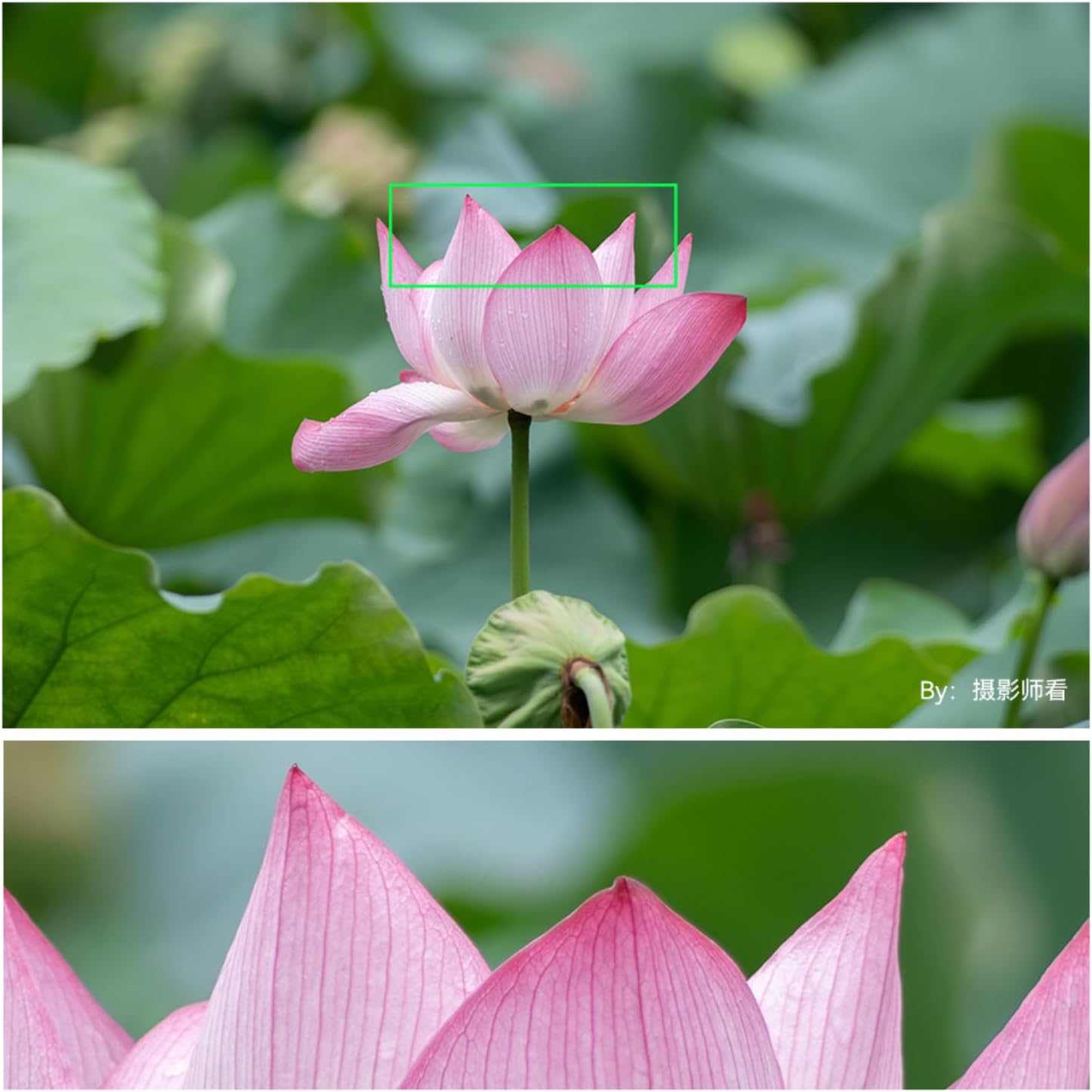
Image: List of compatible camera models for various mounts, including Nikon F-mount.
5. Sample Photography
Observe the capabilities of the TTArtisan 500mm F6.3 lens in various scenarios, from distant wildlife to celestial bodies.

Image: A detailed shot of the moon, demonstrating the lens's reach and clarity for astrophotography.

Image: An airplane captured mid-flight, illustrating the lens's effectiveness for distant subjects.
6. Awọn fidio ọja
Watch these official videos for a visual guide on the TTArtisan 500mm F6.3 lens.
Fidio: Ipariview of the TTArtisan 500mm f/6.3 lens, showcasing awọn ẹya ara ẹrọ rẹ ati lilo rẹ.
Video: A demonstration of the TTArtisan 500mm f6.3 telephoto lens in action.
Itoju
1. Ninu awọn lẹnsi
- Use a soft, lint-free cloth or a lens brush to remove dust from the lens surfaces.
- For smudges or fingerprints, apply a small amount of lens cleaning solution to a microfiber cloth and gently wipe the lens in a circular motion.
- Never use abrasive materials or harsh chemicals on the lens elements.
2. Ibi ipamọ
- Máa so àwọn fìlà lẹ́nsì iwájú àti ẹ̀yìn mọ́ nígbà tí lẹ́nsì náà kò bá sí ní lílò.
- Tọju lẹnsi naa ni itura, aye gbigbẹ, kuro lati orun taara ati awọn iwọn otutu to gaju.
- If storing for extended periods, consider using a dehumidifying cabinet or silica gel packets to prevent mold growth.
Laasigbotitusita
1. Blurry Images
- Ṣàyẹ̀wò Àfojúsùn: Ensure the lens is properly focused manually. Use your camera's focus aids if available.
- Gbigbọn Kamera: At 500mm, even slight camera movement can cause blur. Use a sturdy tripod and a remote shutter release or timer.
- Iyara Yiyọ: Use a sufficiently fast shutter speed to freeze motion and minimize camera shake. A general rule is 1/focal length (e.g., 1/500s or faster for a 500mm lens).
- Iho: While F6.3 is wide, ensure it's appropriate for your subject's depth.
2. Lens Not Mounting Securely
- Ensure the lens and camera mount are clean and free of debris.
- Align the index marks correctly and rotate until a distinct click is heard.
3. Dust or Spots on Images
- Clean the front and rear elements of the lens as described in the Maintenance section.
- If spots persist, the issue might be dust on your camera's sensor. Refer to your camera manual for sensor cleaning procedures or consult a professional.
Awọn pato
| Ẹya ara ẹrọ | Ẹ̀kúnrẹ́rẹ́ |
|---|---|
| Brand | TTARTISAN |
| Orukọ awoṣe | TTArtisan 500mm f6.3 |
| Ifojusi Gigun | 500mm |
| Lẹnsi Iru | Telephoto, Prime |
| Awọn iṣagbesori ibaramu | Nikon F |
| Idojukọ Iru | Idojukọ Afowoyi |
| O pọju Iho | F6.3 |
| Iboju Kere | F32 |
| Nọmba ti diaphragm Blades | 12 |
| Àlẹmọ Iwon | 82mm |
| Optical Design | 8 Elements in 5 Groups (including 2 ED glass elements) |
| Ijinna Idojukọ to sunmọ | 3.3m |
| Real Angle Of View | Awọn iwọn 5 |
| Iduroṣinṣin Aworan | Ko si idaduro aworan |
| Omi Resistance Ipele | Ko Omi Resistant |
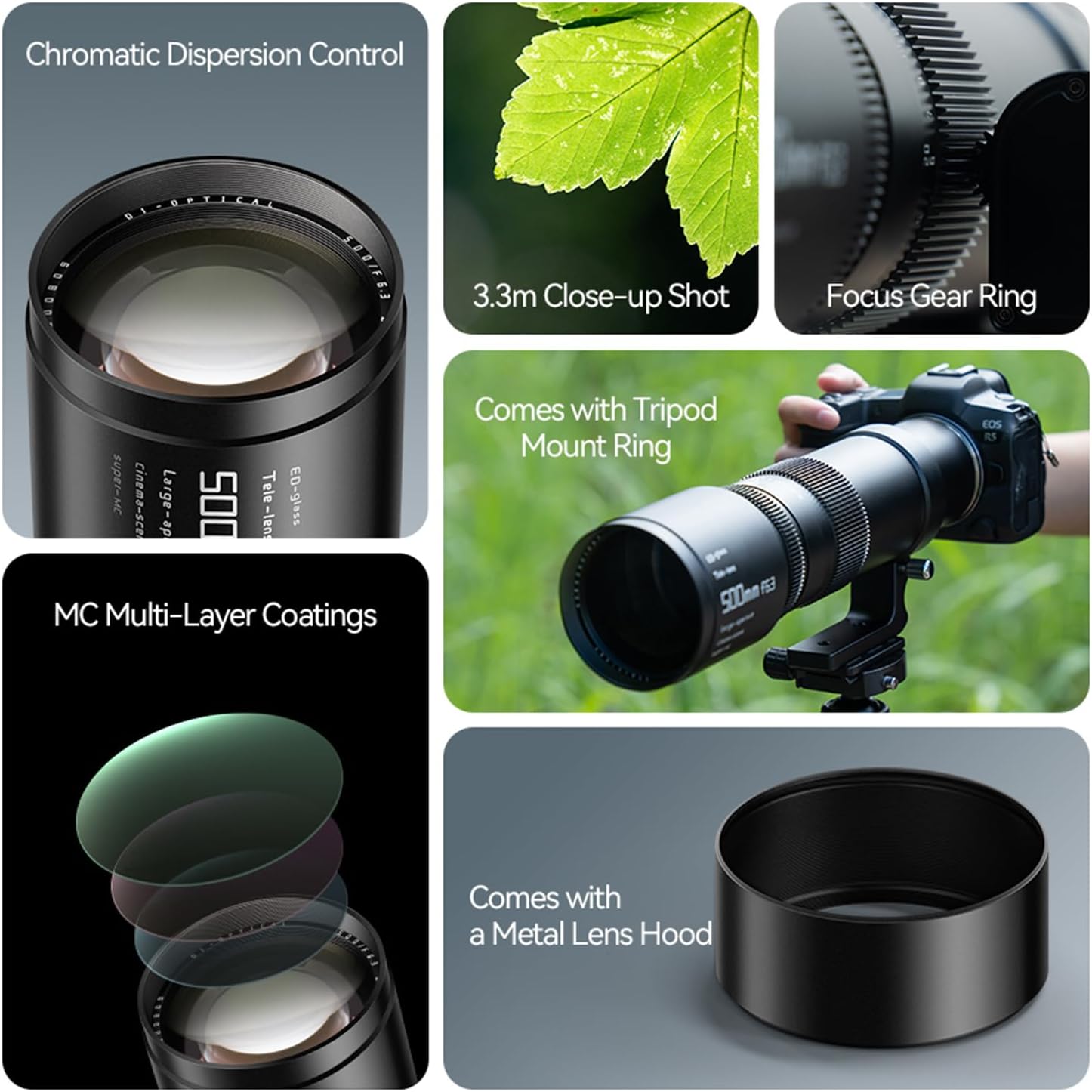
Image: Product diagram showing lens dimensions and key features like filter size and focal length.
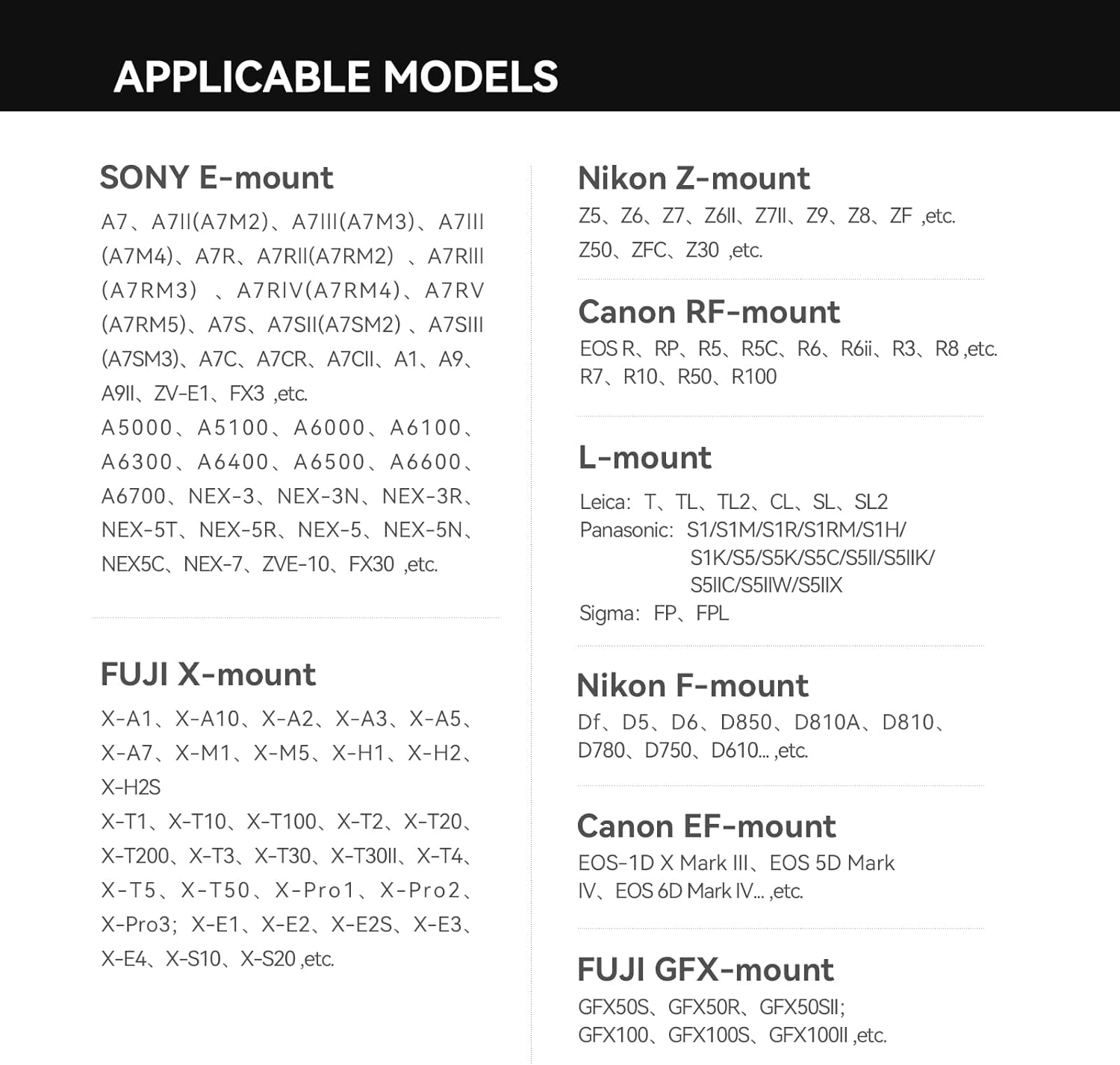
Image: Optical design diagram of the lens, showing the arrangement of elements including ED glass.
Alaye atilẹyin ọja
The TTArtisan 500mm F6.3 Telephoto Lens comes with a 1-odun atilẹyin ọja from the date of purchase. This warranty covers manufacturing defects and ensures quality assurance.
For additional protection, extended plans may be available:
- Eto Idaabobo Ọdun 3: Available for a one-time payment of $48.99.
- Idaabobo pipe: A monthly renewal policy for $16.99, covering eligible past and future purchases.
Jọ̀wọ́ pa ẹ̀rí ìràwọ́ rẹ àti káàdì ìdánilójú rẹ mọ́ fún èyíkéyìí ẹ̀tọ́.
Atilẹyin
For further assistance, product inquiries, or technical support, please contact TTArtisan directly.
You can visit the official TTArtisan store for more information and support resources: TTArtisan Official Store
Manufacturer: TTArtisan