
Ọja Pariview
The SUNOL H08 Mecha Bluetooth Wireless Headset offers a unique transparent design combined with advanced audio technology. Engineered for comfort and convenience, these headphones provide clear sound quality, low latency, and extended battery life, making them suitable for various activities from daily listening to gaming and calls.
Key features include Bluetooth 5.3 for stable connectivity, environmental noise reduction for clear calls, and a robust charging case with an LED display.
Ohun ti o wa ninu Apoti
- H08 Mecha Bluetooth Wireless Headset (Left and Right Earbuds)
- Ngba agbara Case
- Ngba agbara USB
- Multiple Sizes of Ear Tips (for comfortable fit)
Eto Itọsọna
1. Gbigba agbara akọkọ
Before first use, fully charge the headset and charging case. Place the earbuds into the charging case. Connect the charging cable to the case and a USB power source. The LED display on the charging case will indicate the charging status and battery level.
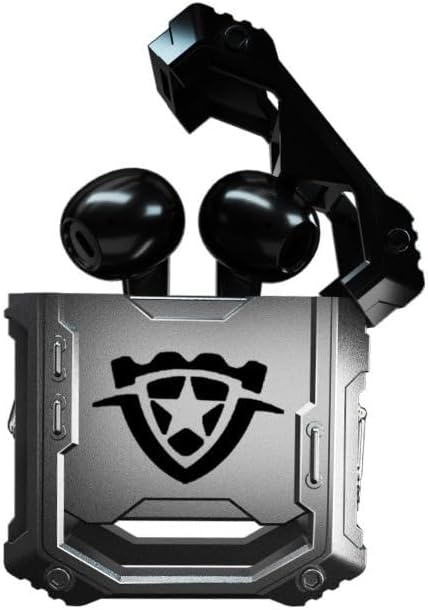
Image: The H08 Mecha Bluetooth Wireless Headset, showing both earbuds securely placed within their open charging case. The case features a distinctive, rugged design with a central emblem.
2. Sisopọ pẹlu Ẹrọ kan
- Rii daju pe awọn agbekọri ti gba agbara ati gbe sinu apoti gbigba agbara.
- Ṣii apoti gbigba agbara. Awọn agbekọri yoo tẹ ipo isọpọ sii laifọwọyi.
- Lórí ẹ̀rọ rẹ (fóònù alágbékalẹ̀, tábìlẹ́ẹ̀tì, kọ̀ǹpútà), lọ sí àwọn ètò Bluetooth kí o sì tan Bluetooth.
- Wa fun available devices and select "H08" from the list.
- Once connected, a voice prompt will confirm successful pairing. The effective connection distance is up to 10 meters.

Image: The H08 Mecha Bluetooth Wireless Headset charging case in a closed position, showcasing its metallic, rugged exterior. The image highlights the zinc alloy material and suggests a long battery life.
3. Wọ awọn Earbuds
Select the ear tips that provide the most comfortable and secure fit for your ears. Gently insert each earbud into your ear canal and twist slightly to ensure a snug fit. A proper fit enhances sound quality and noise isolation.
Awọn ilana Iṣiṣẹ
Titan / Paa
- Agbara Tan: Ṣii apoti gbigba agbara, ati awọn agbekọri yoo tan ina laifọwọyi.
- Agbara Pa: Gbe awọn agbekọri naa pada sinu apoti gbigba agbara ki o pa ideri naa. Wọn yoo pa ina laifọwọyi ati bẹrẹ gbigba agbara.
Iṣakoso ṣiṣiṣẹsẹhin orin
- Ṣiṣẹ/Daduro: Fọwọ́ kan ibi ìṣàkóso ìfọwọ́kan lórí ètí méjèèjì.
- Orin t’okan: Fọwọ ba agbekọri ọtun lẹẹmeji.
- Tẹlẹ Orin: Fọwọ ba agbekọri osi lẹẹmeji.
Isakoso Ipe
- Idahun/Ipe Ipari: Single tap the touch control area on either earbud during an incoming call.
- Kọ Ipe: Press and hold the touch control area on either earbud for 2 seconds during an incoming call.
The built-in environmental noise reduction (ENC) chip ensures clear sound quality during calls by filtering out ambient noise.

Image: A close-up of the H08 Mecha Bluetooth Wireless Headset earbuds, highlighting their sleek design. The background features a graphic representation of sound waves, illustrating the intelligent noise reduction technology for clear audio.
Ipo Airi Kekere (Ere)
The headset features a low latency mode, significantly improving Bluetooth transmission speed for a more synchronized audio experience, especially beneficial for gaming. This ensures that sound effects and dialogue are heard with minimal delay.
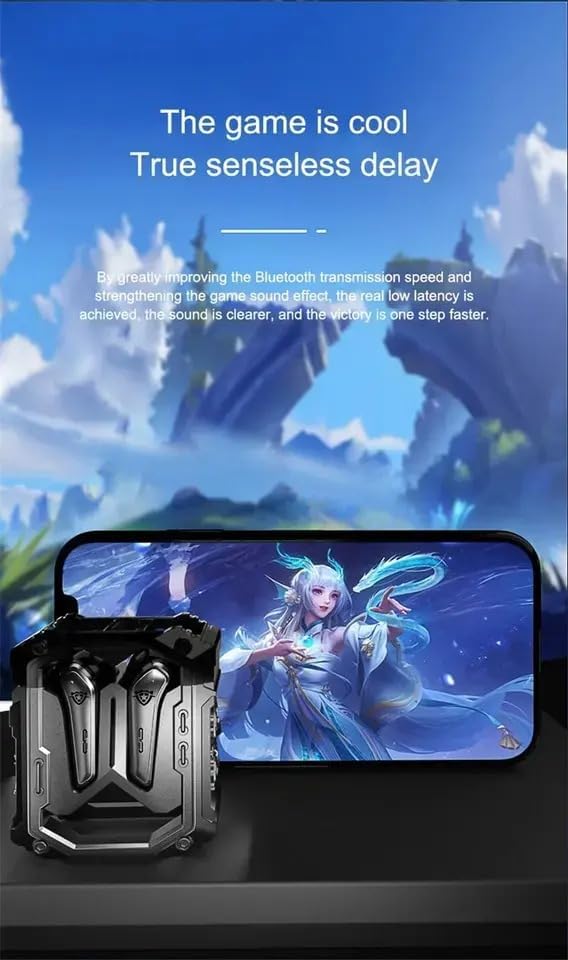
Image: The H08 Mecha Bluetooth Wireless Headset charging case positioned next to a smartphone displaying a vibrant game scene. This image emphasizes the headset's low latency feature, ideal for an immersive gaming experience.
Itoju
Charging the Headset and Case
- The charging case has a built-in 600mAh battery, capable of charging the earbuds approximately four times, providing up to 48 hours of total playtime.
- The LED display on the charging case shows the battery level of both the case and the earbuds.
- Use the provided charging cable to charge the case.

Image: The H08 Mecha Bluetooth Wireless Headset with its charging case open, revealing the earbuds inside. The image highlights the "mechanical metal technology" and the robust design of the charging compartment, emphasizing its durability and environmental noise filtering capabilities.
Ninu
Regularly clean the earbuds and charging case with a soft, dry, lint-free cloth. Avoid using abrasive materials or harsh chemicals. Ensure charging contacts on both the earbuds and case are clean and dry.
Ibi ipamọ
Tí o kò bá lò ó, fi agbekọri naa sinu apo gbigba agbara rẹ lati daabobo rẹ kuro ninu eruku ati ibajẹ. Pamọ si ibi ti o tutu ati gbigbẹ kuro ninu iwọn otutu ti o ga julọ.
Laasigbotitusita
- Ko le So pọ:
- Rii daju pe Bluetooth ti ṣiṣẹ lori ẹrọ rẹ.
- Make sure the earbuds are charged and in pairing mode (open the case).
- Gbe awọn agbekọri naa sunmọ ẹrọ rẹ.
- Forget "H08" from your device's Bluetooth list and try pairing again.
- Ko si ohun lati inu Agbekọti Ọkan:
- Gbe awọn agbekọri mejeeji pada sinu apoti gbigba agbara, pa ideri naa, duro fun iṣẹju diẹ, lẹhinna ṣi i lẹẹkansi.
- Rii daju pe awọn agbekọri mejeeji ti gba agbara.
- Awọn ọran gbigba agbara:
- Ṣayẹwo boya okun gbigba agbara ti sopọ ni aabo si ọran mejeeji ati orisun agbara.
- Rii daju pe awọn olubasọrọ gbigba agbara lori awọn agbekọri ati inu ọran naa jẹ mimọ.
- Gbiyanju okun gbigba agbara ti o yatọ tabi ohun ti nmu badọgba agbara.
- Didara ipe ti ko dara:
- Rii daju pe gbohungbohun ko ni idinamọ.
- Move to a quieter environment if environmental noise is excessive.
- Check your device's call volume settings.
Awọn pato
| Ẹya ara ẹrọ | Ẹ̀kúnrẹ́rẹ́ |
|---|---|
| Orukọ awoṣe | H08 |
| Asopọmọra Technology | Ailokun (Bluetooth) |
| Imọ-ẹrọ Ibaraẹnisọrọ Alailowaya | Bluetooth 5.3 |
| Bluetooth Ibiti | Titi de awọn mita 10 (33 ẹsẹ) |
| Latency Ohun | 60 Milise-aaya |
| Igbesi aye batiri (Earbuds) | Titi di awọn wakati 18 (idiwọn ẹyọkan) |
| Lapapọ akoko ere (pẹlu Ọran Gbigba agbara) | Isunmọ. Awọn wakati 48 |
| Ngba agbara Batiri Case | 600mAh |
| Audio Driver Type | 14mm Dynamic Bass Unit |
| Ariwo Iṣakoso | Environmental Noise Reduction (ENC) for calls |
| Iṣakoso Iru | Media Control, Call Control (Touch/Remote) |
| Ohun elo | Plastic (Earbuds), Zinc Alloy (Charging Case) |
| Iwọn | 6.4 iwon (apapọ lapapọ) |
| Àwọ̀ | Dudu |
| Gbigbe Eti | Ninu Eti |
| Olupese | Àwọn ará Switzerland |
Atilẹyin ọja ati Support
For warranty information and detailed support, please refer to the documentation included with your purchase or visit the official SUNOL website. You may also contact the seller, SWISSES, through the platform where the product was purchased for assistance.
Jọwọ ṣe idaduro ẹri rira rẹ fun eyikeyi awọn ibeere atilẹyin ọja.