
1. Ọja Ipariview
The Ayeway Portable Charger (Model: PD-S10K) is a compact and powerful 10000mAh power bank designed to keep your devices charged on the go. It features built-in charging cables for various devices, fast charging capabilities, and an LED digital display for monitoring battery status.
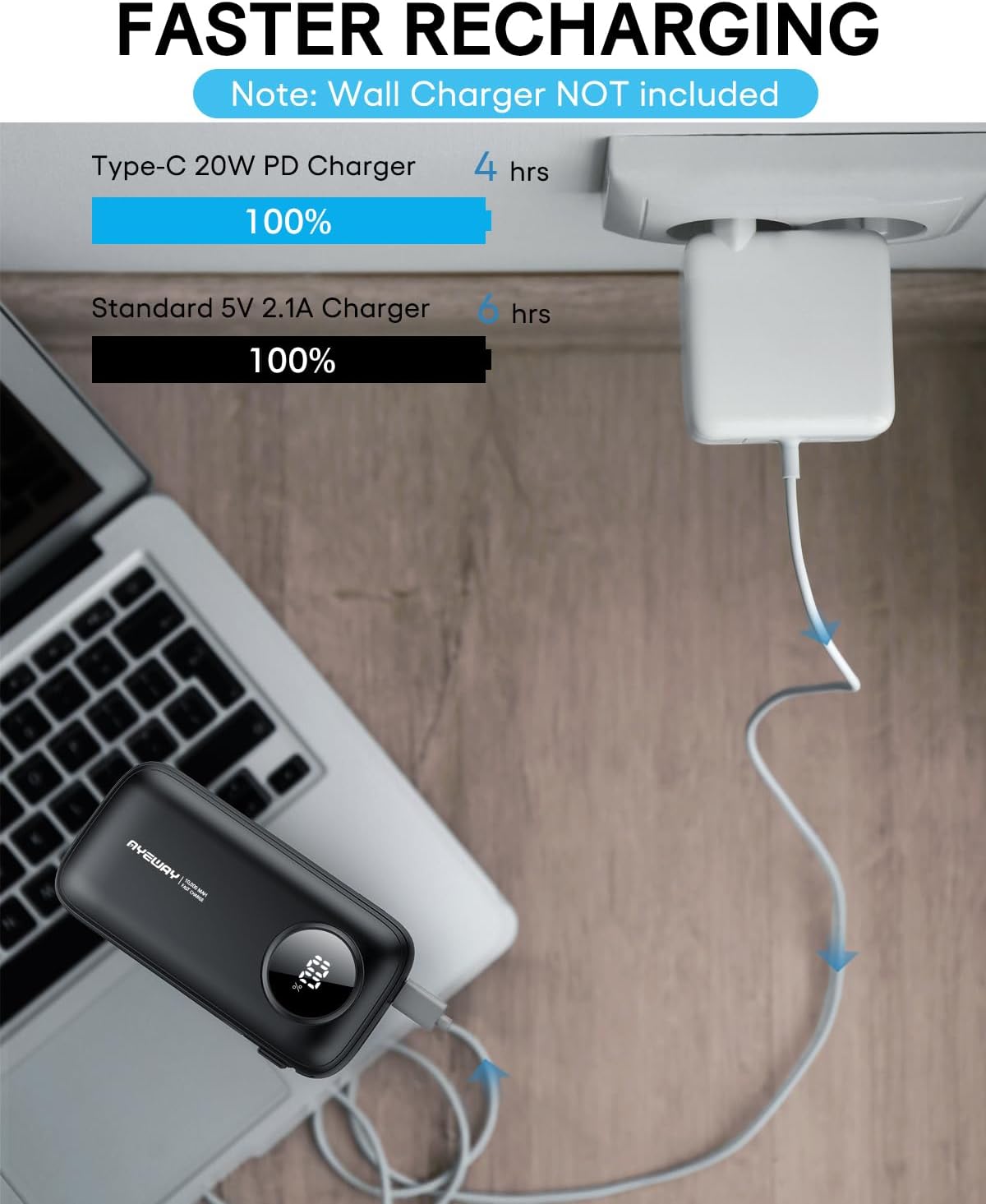
Image: The Ayeway Portable Charger is designed to be small and lightweight, yet powerful enough to charge multiple devices like smartphones, tablets, and earbuds.

Image: The portable charger is suitable for air travel and can be carried in hand luggage.
2. Package Awọn akoonu
Jọwọ ṣayẹwo package fun awọn nkan wọnyi:
- Ayeway Portable Charger (10000mAh Power Bank) x 1
- USB-A to USB-C Recharging Cable x 1
- Ilana olumulo x 1
Note: A wall adapter is not included and must be purchased separately for recharging the power bank.
3. Awọn ẹya Ọja
- Agbara giga: 10000mAh Lithium Polymer battery cells for extended power.
- Awọn okun ti a ṣe sinu: Includes a built-in Lightning cable and a built-in USB-C cable for direct device charging.
- Awọn Ijade Ọpọ: Features a USB-C PD 20W output port and a USB-A 22.5W output port, allowing up to 4 devices to charge simultaneously.
- Gbigba agbara yiyara: Supports Power Delivery (PD 20W) for rapid charging and recharging.
- LED Digital Ifihan: Provides an accurate percentage ti agbara ti o ku.
- Iwapọ ati iwuwo fẹẹrẹ: Designed for portability, weighing approximately 6.8 ounces.
- Lilo Iwapọ: Compatible with a wide range of devices including iPhones, iPads, Samsung phones, and other USB-powered devices. Can also power 5V USB heated clothing.

Image: The power bank features built-in cables and additional USB ports for versatile charging options.

Image: Universal compatibility with a wide range of electronic devices.
4. Setup and Recharging the Power Bank
4.1 Ni ibẹrẹ idiyele
Before first use, it is recommended to fully charge your Ayeway Portable Charger. This ensures optimal battery performance and longevity.
4.2 Ngba agbara Bank agbara
The power bank can be recharged using either the USB-C input/output port or the USB-A input port. For faster recharging, use a PD 20W compatible wall charger with the USB-C port.
- Connect the provided USB-A to USB-C recharging cable to the power bank's USB-C port.
- So opin keji okun naa pọ mọ adapter odi USB ti o baamu (ko si ninu rẹ) tabi ibudo USB kọmputa kan.
- The LED digital display will show the charging progress. The power bank is fully charged when the display shows "100%".

Image: Recharging the power bank. A PD 20W charger can fully recharge the unit in approximately 4 hours, while a standard 5V 2.1A charger takes about 6 hours.
5. Ṣiṣẹ Banki Agbara
5.1 Ngba agbara si Awọn ẹrọ rẹ
The Ayeway Portable Charger offers multiple ways to charge your electronic devices:
- Lilo awọn okun waya ti a ṣe sinu rẹ:
- Pull out the appropriate built-in cable (Lightning for Apple devices or USB-C for compatible Android/other devices).
- Connect the cable directly to your device's charging port.
- Lilo awọn ibudo USB:
- Connect your device's charging cable to either the USB-A output port or the USB-C output port on the power bank.
- So opin keji okun waya rẹ mọ ẹrọ rẹ.
Báńkì agbára náà yóò bẹ̀rẹ̀ sí í gba agbára lórí ẹ̀rọ rẹ láìfọwọ́sí. Ìfihàn LED náà yóò fi ìpín ogorun bátírì tó kù hàntage.

Image: The power bank features built-in USB-C and Lightning cables for direct connection to modern devices.

Image: The power bank can charge up to four devices concurrently using its built-in cables and USB ports.

Image: The power bank can be used to charge various devices in different settings.
5.2 Activating the LED Display
Si view awọn ti isiyi batiri ogoruntage on the LED screen, simply connect a device to the power bank or single-click the power button located on the side of the unit.
6. Maintenance and Safety Information
6.1 Gbogbogbo Itọju
- Jeki banki agbara kuro lati awọn iwọn otutu to gaju, oorun taara, ati awọn olomi.
- Tọju ni itura, ibi gbigbẹ nigbati ko si ni lilo.
- Mọ ode pẹlu asọ ti o gbẹ. Maṣe lo awọn kẹmika lile tabi awọn ohun elo abrasive.
- Yago fun sisọ tabi tẹriba banki agbara si awọn ipa to lagbara.
6.2 Awọn iṣọra aabo
- Ma ṣe tuka, tunṣe, tabi tun ẹrọ naa funrararẹ.
- Do not expose the power bank to fire or high temperatures.
- Jeki kuro ni arọwọto awọn ọmọde.
- Má ṣe lò ó tí páńkì agbára bá bàjẹ́, tí ó wú, tàbí tí ó ń jò.
- Dispose of the power bank responsibly according to local regulations for lithium-ion batteries.
7. Awọn pato
| Ẹya ara ẹrọ | Ẹ̀kúnrẹ́rẹ́ |
|---|---|
| Nọmba awoṣe | PD-S10K |
| Agbara Batiri | 10000 Milionuamp Awọn wakati (mAh) |
| Batiri Iru | Litiumu polima |
| Ọja Mefa | 4.45 x 2.33 x 1.13 inches |
| Iwọn Nkan | 6.8 iwon |
| Iṣawọle (USB-C) | PD 20W (for fast recharging) |
| Ijade (USB-C) | PD 20W |
| Ijade (USB-A) | 22.5W |
| Pataki Awọn ẹya ara ẹrọ | Built-in Cables (Lightning, USB-C), Digital Display, Fast Charging, Lightweight, Pocket Size |
8. Laasigbotitusita
- Ẹrọ ko gba agbara:
- Ensure the power bank is sufficiently charged (check LED display).
- Daju pe okun gbigba agbara ti sopọ ni aabo si banki agbara ati ẹrọ rẹ.
- Try a different cable or port on the power bank.
- Ensure your device is compatible with the power bank's output specifications.
- Ile-ifowopamọ agbara ko gba agbara:
- Check if the recharging cable is properly connected to the power bank and the wall adapter/USB source.
- Ensure the wall adapter or USB source is functioning correctly.
- Try a different recharging cable or wall adapter.
- LED display not turning on:
- Single-click the power button on the side of the power bank.
- Connect a device to the power bank to activate the display.
- If the power bank is completely drained, the display may not activate until it receives some charge.
9. Atilẹyin ọja ati Support
The Ayeway Portable Charger comes with a standard manufacturer's warranty. Please refer to the warranty card included in your package for specific terms and conditions.
For technical support, product inquiries, or warranty claims, please contact Ayeway customer service through the retailer where you purchased the product or visit the official Ayeway webojula fun alaye olubasọrọ.
Jọwọ ṣe idaduro iwe rira rẹ bi ẹri rira fun awọn idi atilẹyin ọja.