
DOOGEE T20mini Black
DOOGEE T20 Mini User Manual
Your comprehensive guide to the DOOGEE T20 Mini 4G Tablet
1. Ifihan
Welcome to the user manual for your new DOOGEE T20 Mini 4G Tablet. This guide provides detailed instructions on how to set up, operate, and maintain your device, ensuring you get the most out of its features. The DOOGEE T20 Mini is a compact and powerful tablet designed for both productivity and entertainment.
Key features include an 8.4-inch FHD+ display, 4G network support, Android 13 operating system, a Spreadtrum T606 octa-core processor, 128GB internal storage, 4GB RAM (expandable), a 13MP main camera, and a 5060 mAh battery.

The DOOGEE T20 Mini tablet, showcasing its compact design and key specifications like 9GB RAM, 128GB storage, and Android 13 operating system.
2. Bibẹrẹ: Eto
2.1 Unboxing ati Ni ibẹrẹ idiyele
Upon unboxing your DOOGEE T20 Mini, ensure all components are present: the tablet, USB cable, and power adapter. It is recommended to fully charge the tablet before first use.
- Connect the USB cable to the tablet's charging port.
- So opin keji okun USB pọ mọ oluyipada agbara.
- Pulọọgi ohun ti nmu badọgba agbara sinu iṣan ogiri kan.
- Atọka gbigba agbara yoo han loju iboju.
2.2 Titan / Pa a
- Lati Fi agbara: Press and hold the Power button (located on the side) until the DOOGEE logo appears.
- Lati Paarẹ: Tẹ mọlẹ bọtini agbara titi ti akojọ aṣayan agbara yoo han, lẹhinna yan "Agbara kuro".
2.3 Fifi sori ẹrọ Kaadi SIM ati Kaadi MicroSD
The DOOGEE T20 Mini supports dual SIM cards and a MicroSD card for expanded storage.
- Wa atẹ kaadi SIM/MicroSD ni ẹgbẹ tabulẹti.
- Fi ohun èlò SIM ejector sínú ihò kékeré tó wà lẹ́gbẹ̀ẹ́ atẹ náà kí ó lè ṣí i.
- Fara fa jade ni atẹ.
- Fi awọn kaadi SIM Nano-SIM rẹ ati/tabi kaadi MicroSD sinu awọn iho ti a yan lori atẹ naa, ki o rii daju pe o tọ itọsọna naa.
- Rọra Titari atẹ naa pada sinu tabulẹti titi ti o fi tẹ sinu aaye.

Apa kan view of the DOOGEE T20 Mini tablet, highlighting its slim design and the location of physical buttons and ports.
3. Ṣiṣẹ rẹ tabulẹti
3.1 Android 13 Eto iṣẹ
Your DOOGEE T20 Mini runs on the latest Android 13 operating system, offering enhanced privacy features, improved performance, and a more personalized user experience.

Visual representation of the Android 13 system, emphasizing its faster and smoother operation through system upgrades.
3.2 Ifihan ati Iboju Fọwọkan
The 8.4-inch FHD+ IPS display provides a clear and vibrant viewing experience. Use standard touch gestures for navigation:
- Fọwọ ba: Lati yan ohun kan tabi ṣii ohun elo kan.
- Ra: Lati yi lọ nipasẹ awọn oju-iwe tabi awọn atokọ.
- Fun pọ: To zoom in or out on images and web awọn oju-iwe.
- Long Tẹ: Lati wọle si awọn akojọ aṣayan ọrọ-ọrọ tabi gbe awọn aami.

The 8.4-inch FHD+ touch screen of the DOOGEE T20 Mini, offering excellent visual clarity and TÜV Blue Light certification for eye comfort.
3.3 Asopọmọra (Wi-Fi, Bluetooth, 4G)
- Wi-Fi: Lọ si Eto> Nẹtiwọọki & intanẹẹti> Wi-Fi lati sopọ si awọn nẹtiwọọki to wa.
- Bluetooth: Go to Settings > Connected devices > Bluetooth to pair with Bluetooth devices like headphones or speakers.
- 4G Cellular: With a valid SIM card inserted, your tablet will automatically connect to the 4G network for mobile data and calls. Manage data usage in Settings > Network & internet > Mobile network.
3.4 kamẹra Lilo
The DOOGEE T20 Mini is equipped with a 13MP main camera and a 5MP front camera for capturing photos and videos.
- Ṣí àpù "Kamẹ́rà" láti ojú ìbojú ilé tàbí láti inú àpótí àpù rẹ.
- Yipada laarin awọn kamẹra iwaju ati ẹhin nipa lilo aami kamẹra.
- Tẹ bọtini oju lati ya fọto tabi bọtini igbasilẹ lati bẹrẹ/da gbigbasilẹ fidio duro.
- Access various modes like Portrait, Panorama, or Pro mode if available.

The DOOGEE T20 Mini's 13MP main camera and 5MP front camera, capable of capturing clear photos and videos.
4. Itọju
4.1 Ninu rẹ tabulẹti
To keep your tablet in optimal condition, clean it regularly:
- Use a soft, lint-free cloth (e.g., microfiber cloth) to wipe the screen and body.
- Fun agidi smudges, die-die dampen awọn asọ pẹlu omi tabi a iboju regede apẹrẹ fun Electronics.
- Yago fun lilo awọn kẹmika lile, awọn ohun elo abrasive, tabi ọrinrin pupọ.
4.2 Software imudojuiwọn
Regular software updates provide new features, security patches, and performance improvements. Ensure your tablet is connected to Wi-Fi and has sufficient battery before performing an update.
- Lọ si Eto> Eto> Imudojuiwọn eto.
- Check for available updates and follow the on-screen instructions.
4.3 batiri Itọju
The DOOGEE T20 Mini features a 5060 mAh battery. To maximize battery life and longevity:
- Yago fun awọn iwọn otutu to gaju.
- Do not let the battery drain completely too often.
- Yago fun gbigba agbara fun igba pipẹ.
- Use the original charger provided with the tablet.
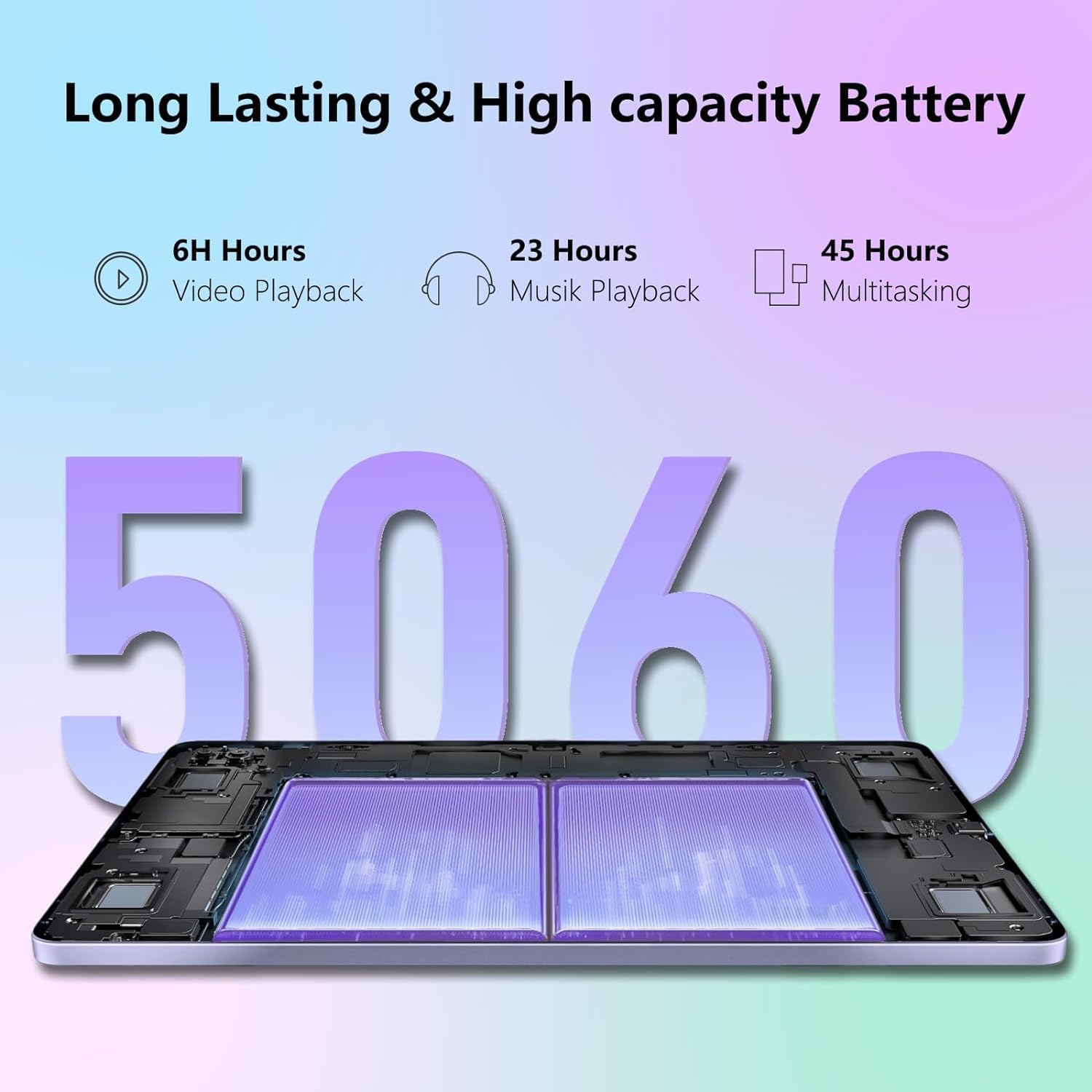
The 5060 mAh high-capacity battery of the DOOGEE T20 Mini, providing extended usage times for various activities.
5. Laasigbotitusita
If you encounter issues with your DOOGEE T20 Mini, refer to the common problems and solutions below:
| Isoro | Ojutu |
|---|---|
| Tabulẹti ko ni tan-an. | Ensure the battery is charged. Connect to the charger for at least 10 minutes. If still unresponsive, press and hold the Power button for 15-20 seconds to force a restart. |
| Awọn oran asopọ Wi-Fi. | Tun tabulẹti ati olulana Wi-Fi rẹ bẹrẹ. Gbagbe nẹtiwọọki ninu awọn eto Wi-Fi ki o tun so pọ mọ. Rii daju pe o wa laarin ibiti ifihan agbara Wi-Fi wa. |
| Awọn ohun elo n kọlu tabi didi. | Close the app and reopen it. Clear the app's cache (Settings > Apps > [App Name] > Storage & cache > Clear cache). Update the app from the Google Play Store. If the issue persists, consider uninstalling and reinstalling the app. |
| O lọra išẹ. | Pa awọn ohun elo ti ko lo ti nṣiṣẹ ni abẹlẹ. Ko kaṣe kuro ati igba diẹ files. Consider uninstalling rarely used apps. Restart the tablet regularly. |
| Táblẹ́ẹ̀tì kò gba agbára. | Check if the charging cable and adapter are securely connected and undamaged. Try a different power outlet. Ensure the charging port on the tablet is clean and free of debris. |
6. Awọn pato
Below are the detailed technical specifications for the DOOGEE T20 Mini tablet:
| Ẹya ara ẹrọ | Ẹ̀kúnrẹ́rẹ́ |
|---|---|
| Orukọ awoṣe | T20 Mini |
| Eto isesise | Android 13 |
| isise | Unisoc Spreadtrum T606 Octa-core (1.6GHz) |
| Àgbo | 4GB (expandable to 9GB with RAM expansion technology) |
| Ibi ipamọ inu | 128GB (a le faagun soke si 1TB nipasẹ MicroSD) |
| Iwọn Ifihan | 8.4 inches |
| Ipinnu Ifihan | 1920 x 1200 pixels (FHD+ IPS) |
| Kamẹra akọkọ | 13 Megapiksẹli |
| Kamẹra iwaju | 5 Megapiksẹli |
| Agbara Batiri | 5060 mAh Li-Po |
| Asopọmọra | Wi-Fi (802.11n), Bluetooth 5.0, 4G Cellular, GPS |
| USB Interface | USB 2.0 |
| Awọn iwọn | 23.1 x 15 x 5.6 cm |
| Iwọn | 630 giramu |
| Àwọ̀ | Dudu |
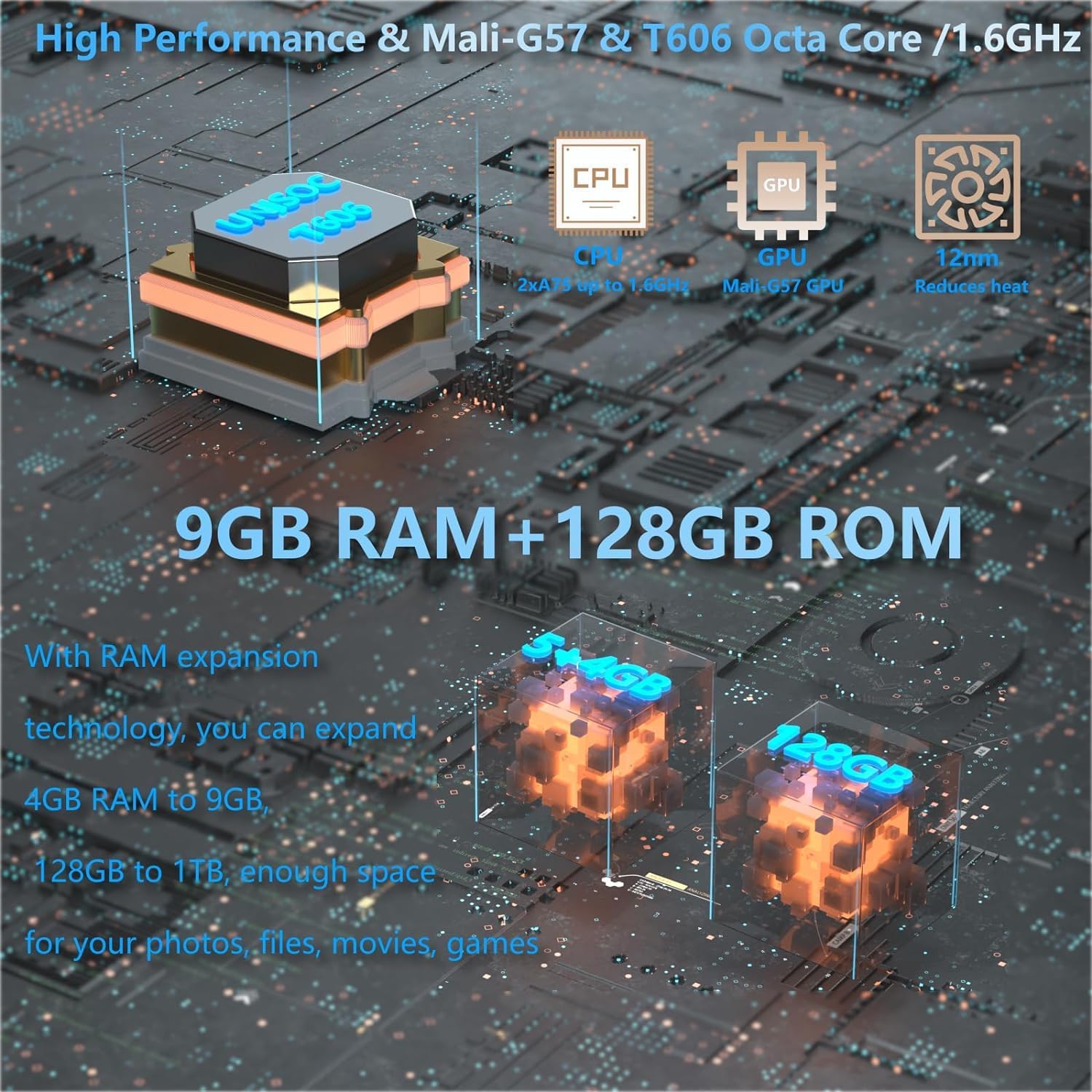
Alaye view of the DOOGEE T20 Mini's internal components, highlighting its high-performance processor, GPU, and memory configuration.

The DOOGEE T20 Mini's design features, including its lightweight metal body, ultra-thin profile, and narrow bezels, making it highly portable.
7. Atilẹyin ọja ati Support
7.1 Atilẹyin ọja
The DOOGEE T20 Mini comes with a 2-odun atilẹyin ọja. Please retain your proof of purchase for warranty claims. This warranty covers manufacturing defects and malfunctions under normal use conditions.
7.2 Onibara Support
For further assistance, technical support, or warranty inquiries, please visit the official DOOGEE website or contact their customer service. You may find FAQs, software downloads, and additional support resources online.
Official DOOGEE Webojula: www.doogee.cc
Ask a question about this manual
Ask about setup, troubleshooting, compatibility, parts, safety, or missing instructions. Manuals+ will review the question and use this page’s manual context to help answer it.