
1. Ifihan
This manual provides detailed instructions for the setup, operation, and maintenance of your JKZTJOF MR23GA Magic Remote Control. Please read this manual thoroughly before using the remote control to ensure proper functionality and to maximize your viewing experience with compatible LG Smart TVs.
2. Ọja Ipariview
The MR23GA Magic Remote Control is designed to enhance your interaction with compatible LG Smart TVs. It features an intelligent upgraded chip for quick response times, voice control capabilities, and dedicated shortcut buttons for popular streaming services.
Awọn ẹya pataki:
- Iwadi ohun: Control your TV and search for content using voice commands.
- Idahun Yara: Operations are processed rapidly, ensuring a smooth user experience.
- Awọn bọtini Ọna abuja: Wiwọle taara si awọn ohun elo ṣiṣanwọle olokiki.
- Cursor, Click, and Scroll Function: Navigate menus and content intuitively.
- Apẹrẹ ti o tọ: Constructed from durable ABS material with an ergonomic design and soft, resilient buttons.

Aworan 2.1: Iwaju ati ẹgbẹ view of the MR23GA Magic Remote Control, showcasing apẹrẹ ergonomic rẹ ati ipilẹ bọtini.

Image 2.2: The MR23GA remote control highlighting its sensitive and durable build, TV control capabilities, quick response, and simple setup.
3. Ibamu
This remote control is compatible with the following 2023 LG Smart TV series:
- LG Z3 Series Smart TVs
- LG G3 Series Smart TVs
- LG C3 Series Smart TVs
- LG B3 Series Smart TVs
- Most 2023 LG LCD, LED, HDTV, UHD, OLED, HD, 4K, and 8K Smart TVs.
It is designed to replace original LG Magic Remote models such as MR650A, MR19BA, MR20GA, MR21GA, MR22GA, AKB75095307, AKB76037601, and AKB76037603.

Image 3.1: Visual representation of the MR23GA remote control's compatibility with several LG Magic Remote models.
4. Awọn ilana iṣeto
Follow these steps to pair your MR23GA Magic Remote Control with your LG Smart TV:
- Fi awọn batiri sii: Open the battery compartment on the back of the remote control and insert two (2) AAA batteries (included). Ensure correct polarity.
- Reset Remote Control: Tẹ mọlẹ [ILE] ati [PADA] buttons simultaneously for approximately 10 seconds. This action resets the remote control.
- So pọ pẹlu TV: Point the remote control towards your LG Smart TV. Press the [Wheel (OK)] button. A "Connected" message should appear on your TV screen, indicating successful pairing.
Once paired, the remote control will function as a direct replacement for your original LG Magic Remote.

Image 4.1: Step-by-step visual guide for pairing the MR23GA remote control with an LG Smart TV, showing the reset and connection steps.
5. Awọn ilana Iṣiṣẹ
5.1 Ipilẹ Lilọ kiri
- Bọtini agbara (⏻): Tan TV si tan tabi paa.
- Awọn bọtini nọmba (0-9): Awọn nọmba ikanni titẹ sii taara.
- Iwọn didun Soke/Isalẹ: Ṣe atunṣe iwọn didun TV.
- Ikanni Soke/Isalẹ: Ayipada TV awọn ikanni.
- Bọtini Ile (⌂): Accesses the TV's home screen or main menu.
- Bọtini Pada (↶): Pada si iboju iṣaaju tabi akojọ aṣayan.
- Bọ́tìnì Kẹ̀kẹ́ (Ó DÁRA): Confirms selections and acts as a scroll wheel for navigation.
5.2 Iṣakoso ohun
The MR23GA remote supports voice commands for convenient control. Press and hold the [gbohungbohun] button and speak clearly into the remote. Release the button when finished speaking.
- Example commands: "Start music," "Volume set to mute," "Find a romance movie," "Play the next episode."

Image 5.1: Illustration of the voice interaction feature, showing example commands and the microphone button on the remote.
5.3 Cursor, Click, and Scroll Function
The remote features a motion-sensing cursor that allows you to point and click on your TV screen, similar to a computer mouse. Use the scroll wheel for quick navigation through lists and web awọn oju-iwe.
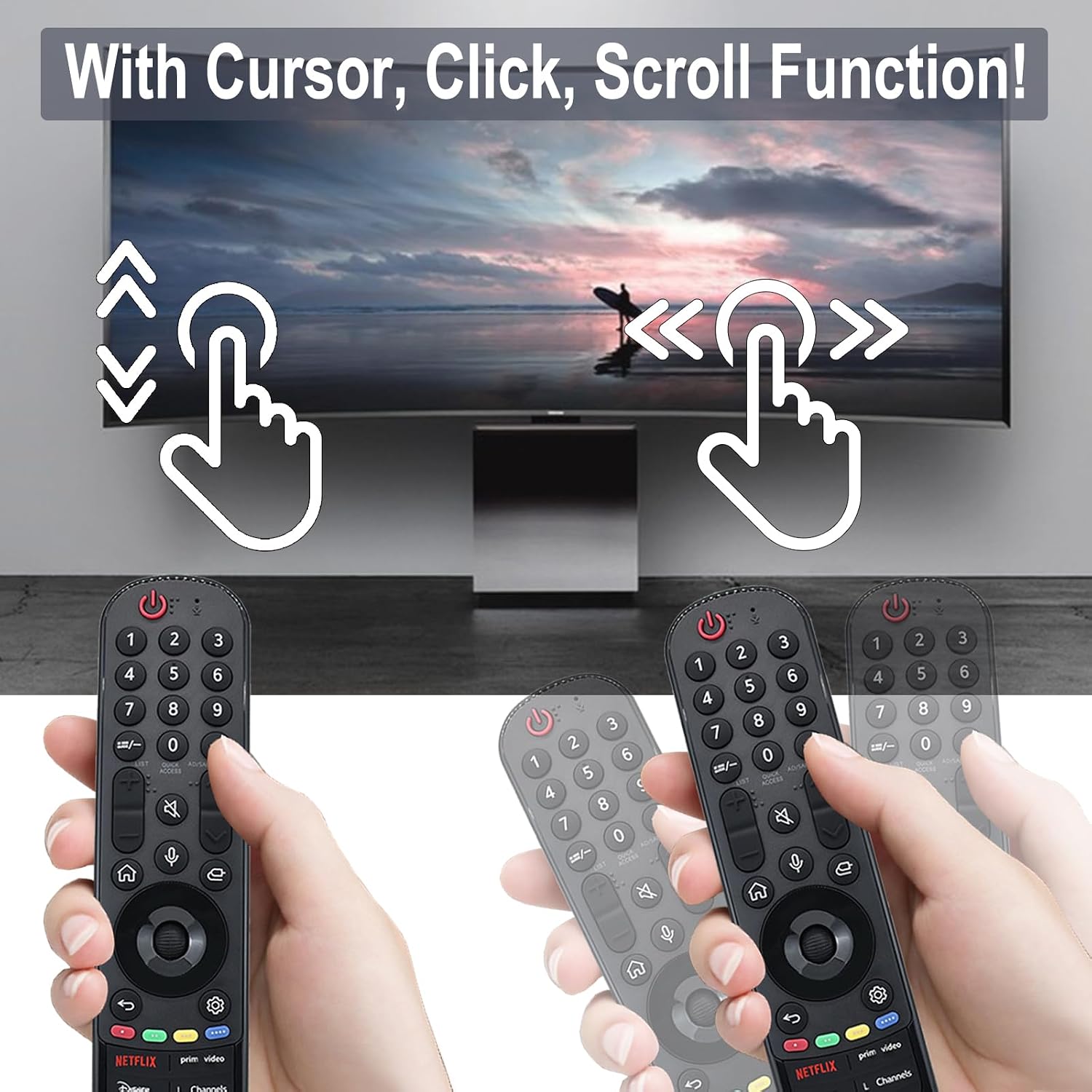
Image 5.2: Depiction of the cursor, click, and scroll functions of the remote control on a TV screen.
5.4 Awọn bọtini Ọna abuja
The remote includes six dedicated shortcut buttons for quick access to popular streaming services and functions:
- NETFLIX
- Fidio akọkọ
- Disney +
- L Channels
- Sling
- Alexa
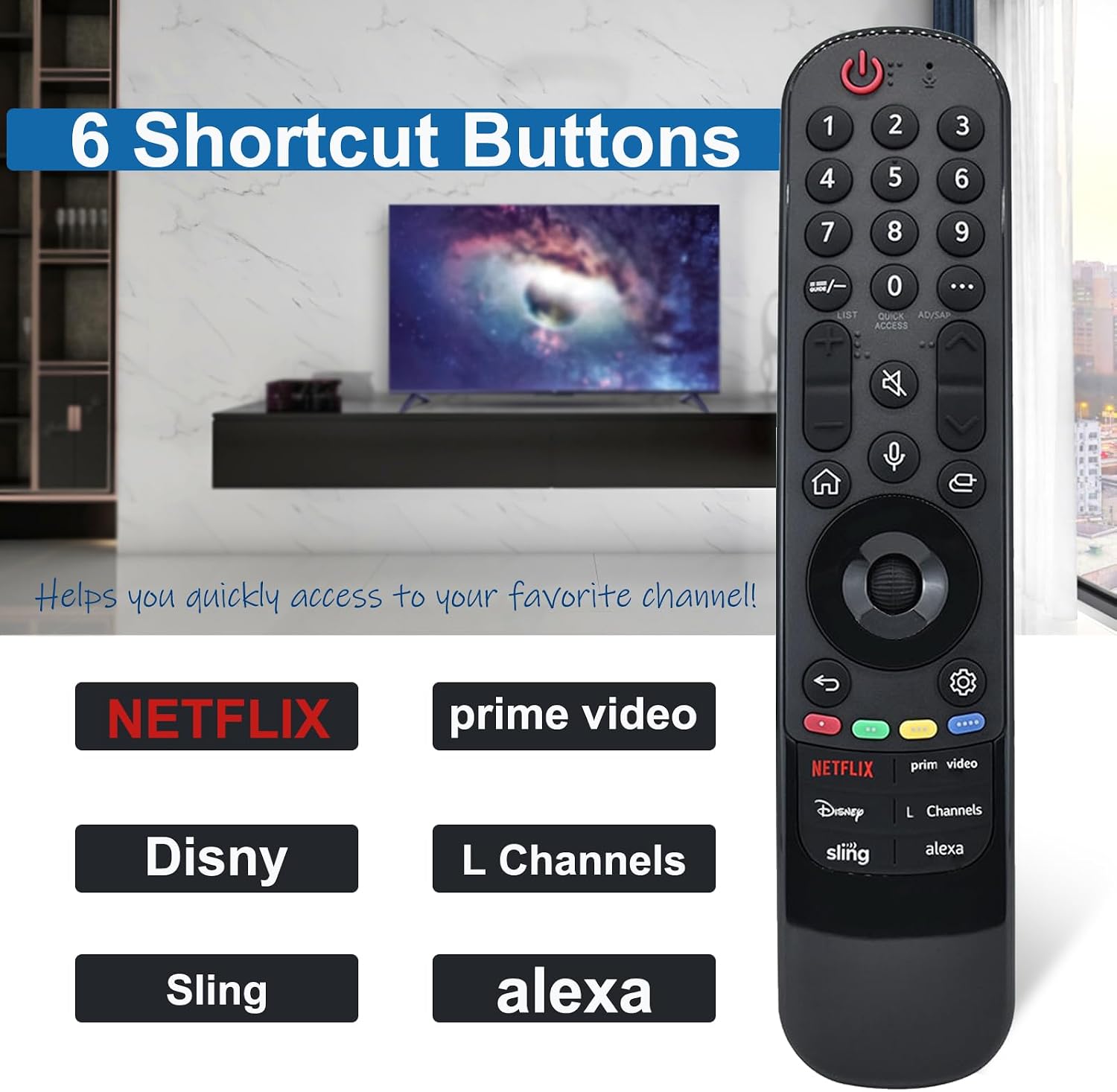
Image 5.3: Close-up of the MR23GA remote control highlighting the six dedicated shortcut buttons for various streaming services and functions.
6. Itọju
- Ninu: Mu ese isakoṣo latọna jijin kuro pẹlu asọ ti o gbẹ. Ma ṣe lo awọn olutọpa omi tabi awọn ohun elo abrasive.
- Rirọpo Batiri: Replace batteries when the remote's response becomes slow or inconsistent. Always replace both batteries at the same time with new AAA batteries.
- Ibi ipamọ: Tọju isakoṣo latọna jijin ni itura, aye gbigbẹ kuro lati orun taara ati awọn iwọn otutu to gaju.
- Yago fun awọn isọ silẹ: While durable, avoid dropping the remote control to prevent damage.

Image 6.1: Features of the MR23GA remote control emphasizing its durable ABS material, lightweight ergonomic design, and soft, resilient buttons.
7. Laasigbotitusita
| Isoro | Owun to le Fa / Solusan |
|---|---|
| Latọna jijin ko dahun. |
|
| Iṣakoso ohun ko ṣiṣẹ. |
|
| Cursor is not appearing or moving. |
|
8. Awọn pato
| Ẹya ara ẹrọ | Ẹ̀kúnrẹ́rẹ́ |
|---|---|
| Awoṣe | MR23GA |
| Brand | JKZTJOF |
| Asopọmọra Technology | Infurarẹẹdi |
| Pataki Ẹya | Wiwa ohun |
| Nọmba ti o pọju Awọn ẹrọ Atilẹyin | 1 (Tílifíṣọ̀n) |
| Ijinna Iṣakoso | Titi di mita 10/32 ẹsẹ |
| Bọtini Igbesi aye | Àwọn títẹ̀ tó ju 120,000 lọ |
| Orisun agbara | 2 x Awọn batiri AAA (pẹlu) |
9. Atilẹyin ọja ati Support
JKZTJOF provides a 30-day return and refund service. If you receive an incorrect or damaged product, please contact the seller directly for assistance. For further support or inquiries, refer to the seller's contact information on the purchase platform.