
Ọrọ Iṣaaju
Thank you for choosing the deli 4V Cordless Electric Screwdriver. This powerful and versatile tool is designed for various tasks, including light fixtures, home furnishings, electronics, and general repairs. Featuring a 3.6V rechargeable battery with a 1500mAh capacity, USB-C charging, and a high 5 N.m torque, this screwdriver offers efficiency and convenience for everyday use. This manual provides essential information for safe operation, setup, maintenance, and troubleshooting. Please read it thoroughly before using the product.
Awọn Itọsọna Aabo
Nigbagbogbo tẹle awọn iṣọra aabo ipilẹ nigba lilo awọn irinṣẹ ina lati dinku eewu ina, mọnamọna, ati ipalara ti ara ẹni.
- Jeki Agbegbe Iṣẹ mọ: Awọn agbegbe idamu n pe awọn ipalara.
- Yago fun Awọn Ayika Ewu: Maṣe lo awọn irinṣẹ agbara ni damp tabi awọn ipo tutu, tabi fi wọn han si ojo. Jeki agbegbe iṣẹ ni imọlẹ daradara.
- Pa awọn ọmọde kuro: Gbogbo awọn alejo yẹ ki o wa ni ipamọ ni ijinna ailewu lati agbegbe iṣẹ.
- Imura daradara: Do not wear loose clothing or jewelry. They can be caught in moving parts. Wear non-slip footwear. Wear hair covering to contain long hair.
- Aabo Oju Wọ: Nigbagbogbo wọ awọn gilaasi aabo.
- Iṣẹ to ni aabo: Lo clamps or a vise to hold work when practical. It's safer than using your hand and frees both hands to operate the tool.
- Maṣe Ṣe Aṣeju: Jeki ẹsẹ to dara ati iwọntunwọnsi ni gbogbo igba.
- Ṣetọju Awọn irinṣẹ Pẹlu Itọju: Jeki awọn irinṣẹ didasilẹ ati mimọ fun iṣẹ to dara ati ailewu. Tẹle awọn ilana fun lubricating ati yiyipada awọn ẹya ẹrọ.
- Ge Awọn Irinṣẹ: Disconnect the tool from the power source before servicing, when changing accessories, or when not in use.
- Yago fun Bibẹrẹ Lairotẹlẹ: Rii daju pe iyipada wa ni ipo pipa ṣaaju ki o to pulọọgi sinu.
- Ṣayẹwo fun Awọn ẹya ti o bajẹ: Ṣaaju lilo siwaju sii lilo ohun elo, ẹṣọ tabi apakan miiran ti o bajẹ yẹ ki o ṣayẹwo ni pẹkipẹki lati pinnu pe yoo ṣiṣẹ daradara ati ṣe iṣẹ ti a pinnu rẹ.
- Use Correct Accessory: Do not use accessories not specifically designed for this tool.
- Never Force the Tool: Yoo ṣe iṣẹ naa dara julọ ati ailewu ni oṣuwọn fun eyiti o ṣe apẹrẹ.
Package Awọn akoonu
Daju pe gbogbo awọn ohun ti a ṣe akojọ rẹ si isalẹ wa ninu package rẹ. Ti awọn ohun kan ba nsọnu tabi bajẹ, jọwọ kan si atilẹyin alabara.
- deli 5 N.m Power Screwdriver (Model EDL-DP04-E3B1)
- 10x S2 Alloy Steel Bits
- 1x 60mm Magnetic Extension Rod
- 1x USB-A si okun gbigba agbara USB-C
- 1x Itọsọna olumulo
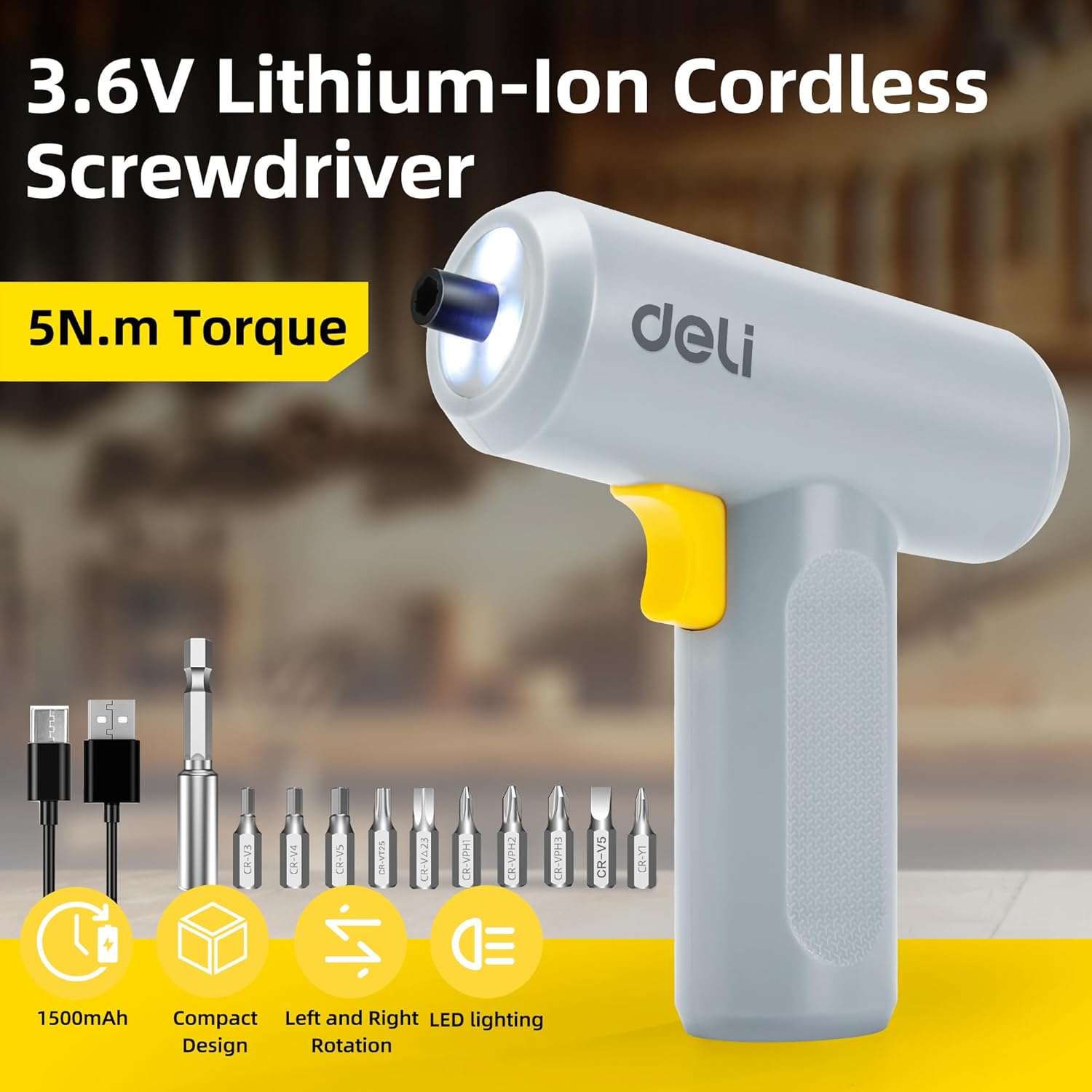
Image: The deli electric screwdriver shown with its complete set of accessories, including the 10 S2 steel bits, magnetic extension rod, and USB-C charging cable.
Ọja Pariview
Familiarize yourself with the components and features of your deli electric screwdriver.

Image: A detailed diagram highlighting the key components of the deli electric screwdriver, including the magnetic chuck, circular LED light, two-way start button, 1500mAh battery, USB-C fast charging port, and its ergonomic design.
- Magnetic Chuck: Securely holds screwdriver bits.
- Circular LED Light: Illuminates the work area, especially useful in narrow or dimly lit spaces.
- Two-Way Start Button: Allows for easy forward and reverse rotation with a single control.
- Batiri 1500mAh: High-capacity lithium-ion battery for extended use.
- USB-C Fast Charging Port: Rọrun ati igbalode gbigba agbara ni wiwo.
- Ergonomic and Minimalist Design: Provides a comfortable and secure grip for safe operation.
Ṣeto
1. Charging the Screwdriver
Before first use, fully charge the screwdriver's internal battery.
- Locate the USB-C charging port on the bottom of the screwdriver handle.
- So USB-A ti a pese si okun gbigba agbara USB-C si screwdriver.
- Plug the USB-A end of the cable into a compatible USB power adapter (not included), computer USB port, or power bank.
- The charging indicator light (if present, typically near the charging port) will illuminate to show charging status. Refer to the indicator behavior for full charge status.
- A full charge can power the screwdriver to drive approximately 300 screws.
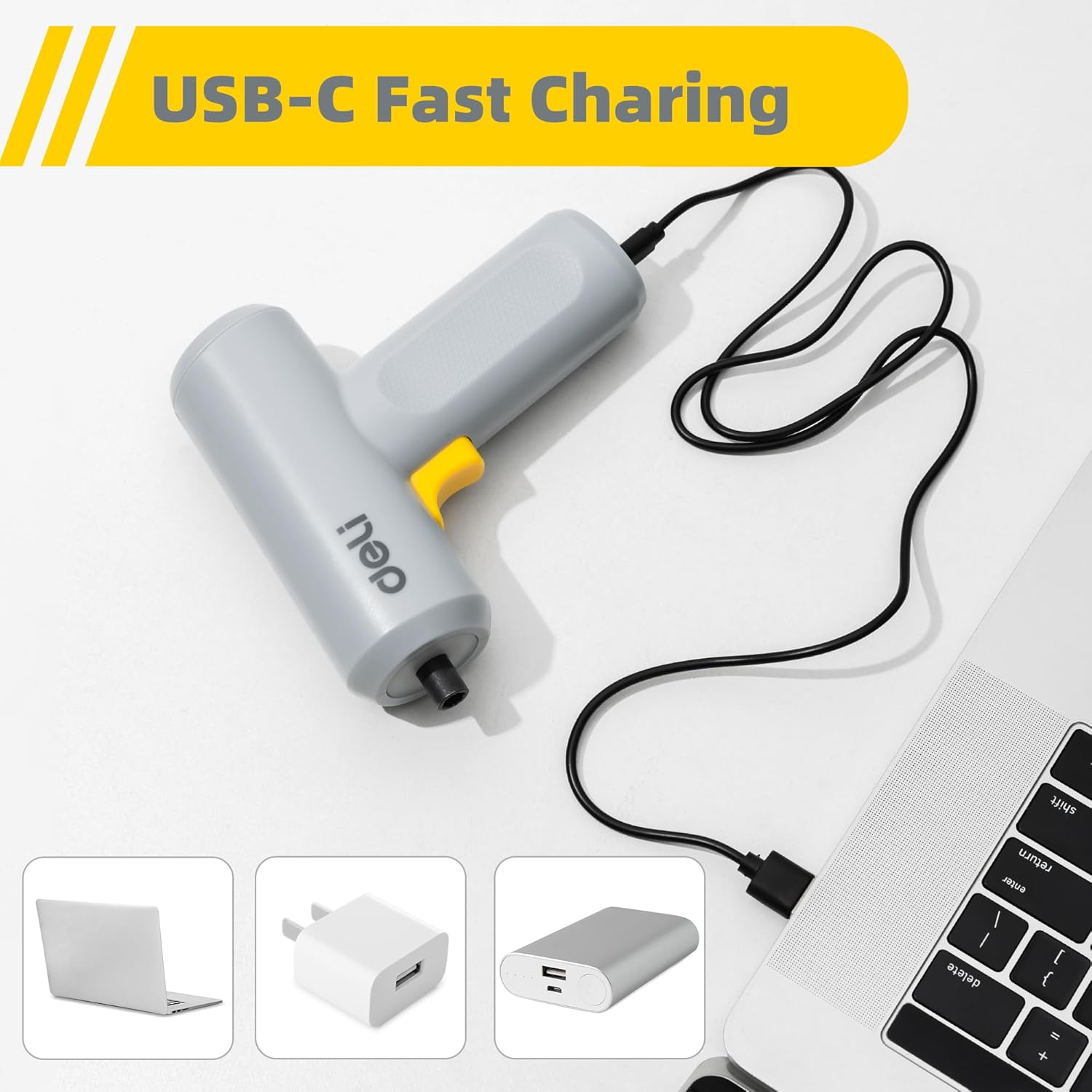
Image: The deli electric screwdriver being charged via its USB-C port, demonstrating its compatibility with various USB power sources such as laptops, wall adapters, and power banks.

Image: An illustrative view of the screwdriver's internal battery, highlighting its 1500mAh capacity and the capability to drive up to 300 screws per charge.
2. Installing Screwdriver Bits
The screwdriver uses a magnetic chuck for quick and secure bit changes.
- Select the appropriate S2 alloy steel bit for your task from the included set.
- Insert the hex end of the bit directly into the magnetic chuck at the front of the screwdriver. The magnetic chuck will hold the bit firmly in place.
- For hard-to-reach areas, first insert the selected bit into the 60mm magnetic extension rod, then insert the extension rod into the screwdriver's magnetic chuck.
- To remove a bit, simply pull it straight out from the chuck.

Image: The deli electric screwdriver positioned next to its assortment of S2 steel bits and the extension rod, illustrating the circular LED light at the front.
Awọn ilana Iṣiṣẹ
1. Powering On and Direction Control
The screwdriver features an innovative two-way start button for intuitive operation.
- To drive screws (forward rotation), press the "R" (Right/Forward) side of the two-way button.
- To remove screws (reverse rotation), press the "L" (Left/Reverse) side of the two-way button.
- Tu bọtini naa silẹ lati da screwdriver duro.

Aworan: A sunmọ-soke view of the screwdriver's yellow two-way start button, clearly marked with 'L' for reverse and 'R' for forward rotation.
2. Lilo Imọlẹ LED
The screwdriver is equipped with a circular LED light that automatically illuminates when the screwdriver is in operation.
- The three LEDs form a ring light strip around the chuck, providing clear visibility of your work area.
- This feature is particularly useful when working in dimly lit conditions or in confined spaces.
Image: The deli electric screwdriver with its circular LED light activated, illustrating how it illuminates the work area, especially in tight or dark spots.
Itoju
- Ninu: Regularly wipe the screwdriver body with a soft, dry cloth. Do not use harsh chemicals or abrasive cleaners. Ensure no liquids enter the tool.
- Itọju Bit: Keep the S2 steel bits clean and free from debris. Store them in a dry place to prevent rust. Replace worn or damaged bits to ensure optimal performance and prevent damage to screw heads.
- Ipamọ Batiri: If storing the screwdriver for an extended period, ensure the battery is partially charged (around 50%) and store it in a cool, dry place. Avoid storing it in extreme temperatures. Recharge periodically to maintain battery health.
- Ayẹwo gbogbogbo: Periodically check the screwdriver for any signs of damage, loose parts, or wear. Do not operate a damaged tool.
Laasigbotitusita
| Isoro | Owun to le Fa | Ojutu |
|---|---|---|
| Screwdriver ko ni tan. | Batiri ti dinku. | Gba agbara si screwdriver nipa lilo okun USB-C ti a pese. |
| Screwdriver ko ni agbara tabi awọn iduro lakoko lilo. | Kekere batiri idiyele. | Saji si batiri ni kikun. |
| Bit slips in the chuck. | Bit ko ni kikun fi sii tabi Chuck ti wa ni idọti. | Ensure the bit is fully inserted. Clean the magnetic chuck if necessary. |
| Screws are stripped or damaged. | Incorrect bit size or excessive force. | Use the correct bit size for the screw head. Apply appropriate pressure and avoid over-tightening. |
| Imọlẹ LED ko tan. | Screwdriver not operating or malfunction. | Ensure the screwdriver is powered on. If the issue persists, contact customer support. |
Awọn pato
| Ẹya ara ẹrọ | Sipesifikesonu |
|---|---|
| Brand | deli |
| Nọmba awoṣe | EDL-DP04-E3B1 |
| Voltage | 4 Volts (DC) |
| Batiri Iru | Litiumu Iwon |
| Agbara Batiri | 1500 mAh |
| Max Maxi | 5 Newton Meters (N.m) |
| Ko si-Fifuye Iyara | 250 RPM |
| Iwọn Chuck | 0.25 Inches (Hex) |
| Gbigba agbara Port | USB-C |
| Ohun elo | Acrylonitrile Butadiene Styrene (ABS), Irin Alloy |
| Awọn irinše to wa | 10 S2 Steel Bits, Magnetic Extension Rod, USB-A to USB-C Charging Cable |
Atilẹyin ọja ati Support
Fún àlàyé nípa àtìlẹ́yìn tàbí ìrànlọ́wọ́ ìmọ̀ ẹ̀rọ, jọ̀wọ́ wo káàdì àtìlẹ́yìn tó wà pẹ̀lú ọjà rẹ tàbí kí o kàn sí olùpèsè náà tààrà. Pa ìwé ẹ̀rí ìrajà rẹ mọ́ gẹ́gẹ́ bí ẹ̀rí ìrajà náà.
Manufacturer: deli
For further assistance, you may visit the official deli store online: deli Official Store