
1. Ifihan
Thank you for choosing the Jectse HD Door Peephole Camera. This device is designed to enhance your home security by providing a clear, wide-angle view of your doorstep, along with advanced features such as night vision, two-way audio, and motion detection. Please read this manual carefully before installation and operation to ensure proper use and optimal performance.
2. Ọja Ipariview
2.1 Key Awọn ẹya ara ẹrọ
- Apẹrẹ Anti-ole: Can be installed in the security door peephole, preventing tampering and unwanted postings.
- Lẹnsi Igun Gigun: Features a 1.6mm fisheye lens with approximately 170-degree viewing angle for unobstructed doorway visibility.
- Iṣakoso APP: Supports TUYA mobile APP for remote viewing and control, connecting via home Wi-Fi router.
- Iṣẹ-ṣiṣe pupọ: Includes motion detection alarm, built-in speaker and microphone for two-way talk, and infrared night vision for enhanced security.
- Awọn aṣayan ipamọ: Supports up to 128GB memory card (not included) and cloud storage. Compatible with Open Network Video Interface Forum protocol for NVR storage.
2.2 Package Awọn akoonu
- 1 x Door Eye Hole Camera Unit
- 1 x Okun USB
- 1 x Okun Asopọmọra
- 1 x Adapter (Plug US)
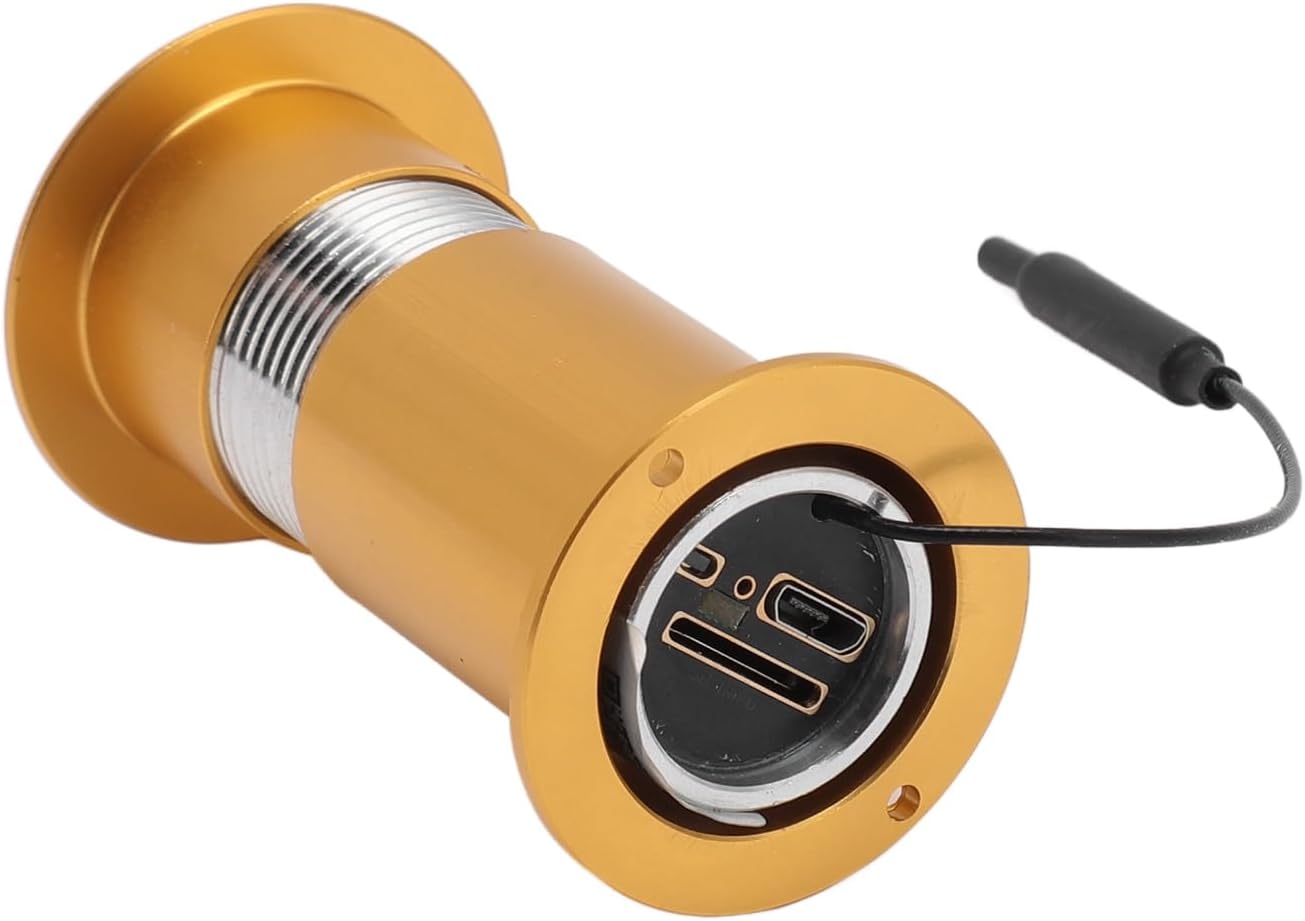
Figure 1: Main unit of the Jectse Door Peephole Camera, featuring the camera lens and connection cable.

Àwòrán 2: Àfihàn àwòrán kanasing the Jectse Door Peephole Camera's HD 1080P resolution, Wi-Fi connectivity, SD card support, and Open Network Video Interface Forum compatibility.
3. Awọn pato
| Sipesifikesonu | Iye |
|---|---|
| Ipinnu Ipetele | 1080P |
| Iwọn sensọ | 1/2.8 |
| Iru Voice | Voice Talk (Two-Way) |
| Lẹnsi | Approx. 1.6mm/0.06in (Fisheye) |
| Viewigun igun | Isunmọ. 170 iwọn |
| Iṣẹ-ṣiṣe itaniji | Wiwa išipopada |
| Infurarẹẹdi Night Iran ijinna | Approx. 1-3 Meters / 3.3-9.8ft |
| Atilẹyin kika | H.264 |
| Supported Wi-Fi | Ẹgbẹ meji |
| Kaadi Iranti Support | Maximum 128G (Not Included) |
| Voltage | 100-240V |
| Iwọn Nkan | 5.6 iwon |
| Package Mefa | 6.3 x 3.54 x 1.57 inches |
4. Eto ati fifi sori
Follow these steps to install your Jectse Door Peephole Camera:
- Measure Door Dimensions: Ensure your door's thickness and the existing peephole diameter are compatible with the camera. Refer to the product dimensions.
- Prepare the Peephole: If replacing an existing peephole, remove it. If drilling a new hole, ensure it matches the camera's diameter.
- Insert Outdoor Unit: Push the outdoor camera unit through the door hole from the outside. Ensure the camera is oriented correctly.
- Awọn okun Sopọ: From the inside, connect the camera's cable to the indoor display unit.
- Ẹka inu ile Oke: Secure the mounting bracket to the inside of the door, aligning it with the camera cable. Then, attach the indoor display unit to the bracket.
- Agbara Tan: Insert the required batteries (4pcs AAA, not included) into the indoor unit or connect the power adapter.
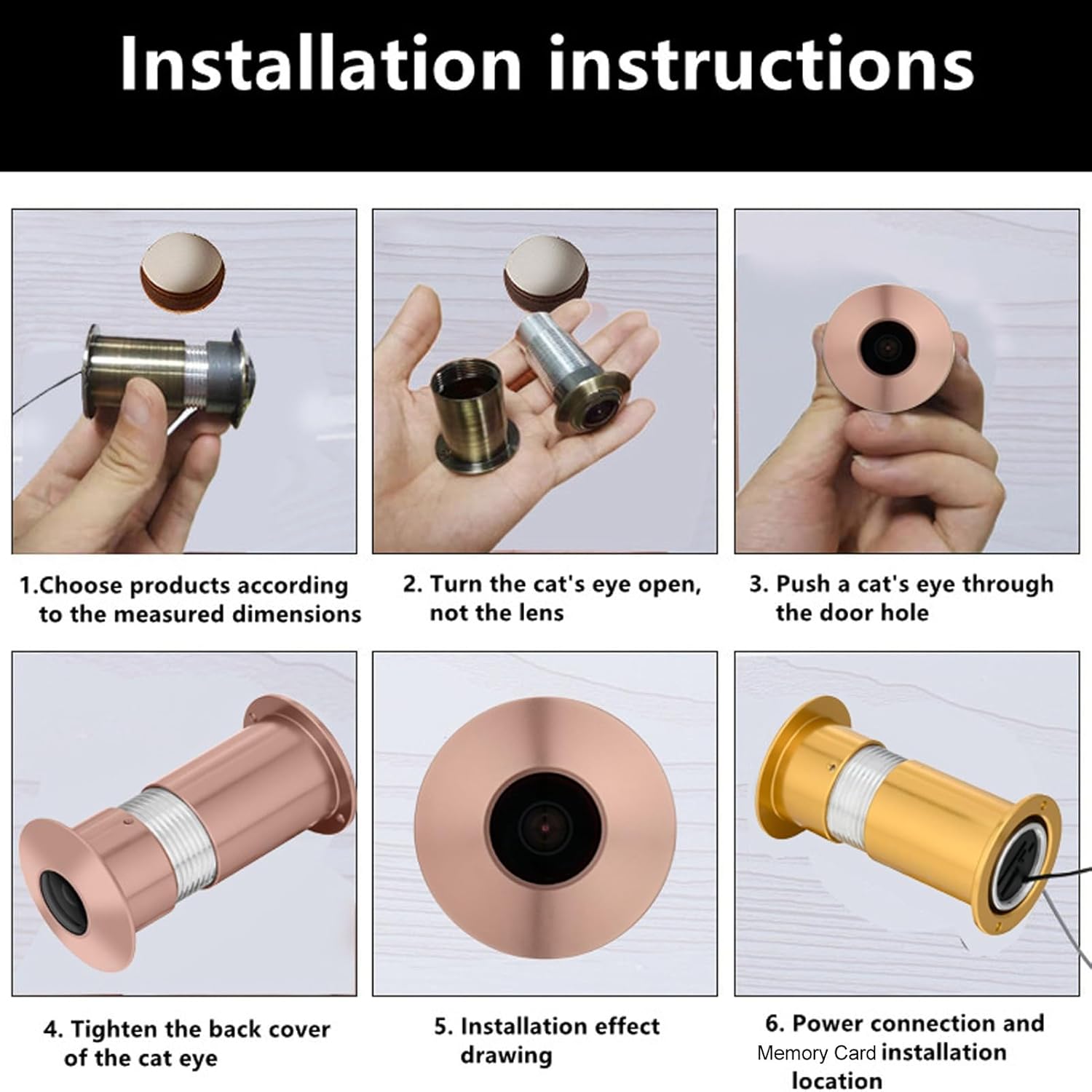
Figure 3: Visual guide detailing the installation process, from choosing the correct product dimensions to power connection and memory card installation.

Figure 4: Demonstrating how to accurately measure door thickness and door hole diameter to ensure proper installation of the peephole camera.

Figure 5: Diagram showing the physical dimensions of the peephole camera, including its length and diameter, and suitable door thickness.
4.1 Awọn fidio fifi sori ẹrọ
Video 1: This video demonstrates the installation process of a digital peephole viewer, showing how to mount the outdoor camera and connect it to the indoor display unit.
Fidio 2: A kukuru ṣaajuview video illustrating the basic steps for installing a digital peephole camera, including connecting the components.
Video 3: A brief demonstration of installing a generic peephole camera, focusing on the physical mounting of the camera unit.
5. Awọn ilana Iṣiṣẹ
5.1 Agbara Tan / Pa
Press and hold the power button on the indoor display unit to turn the device on or off. The screen will activate, displaying the live view from the outdoor camera.
5.2 Remote APP Control
Download the TUYA mobile application from your device's app store (e.g., Google Play Store). Follow the in-app instructions to connect your Jectse Door Peephole Camera to your home Wi-Fi network. Once connected, you can view gbe footage, receive alerts, and control features remotely.

Figure 6: This image emphasizes the camera's Wi-Fi capability, allowing connection to a home wireless router and control via the Tuya mobile app, available on Google Play and other application stores.
5.3 Wiwa išipopada
The camera is equipped with motion detection capabilities. When motion is detected, the device can trigger an alarm and send notifications to your connected mobile app. Adjust motion sensitivity settings within the TUYA app to suit your environment.
5.4 Meji-Ona Ọrọ
Utilize the built-in speaker and microphone for two-way communication with visitors at your door. This feature can be accessed via the indoor display unit or remotely through the TUYA mobile app.
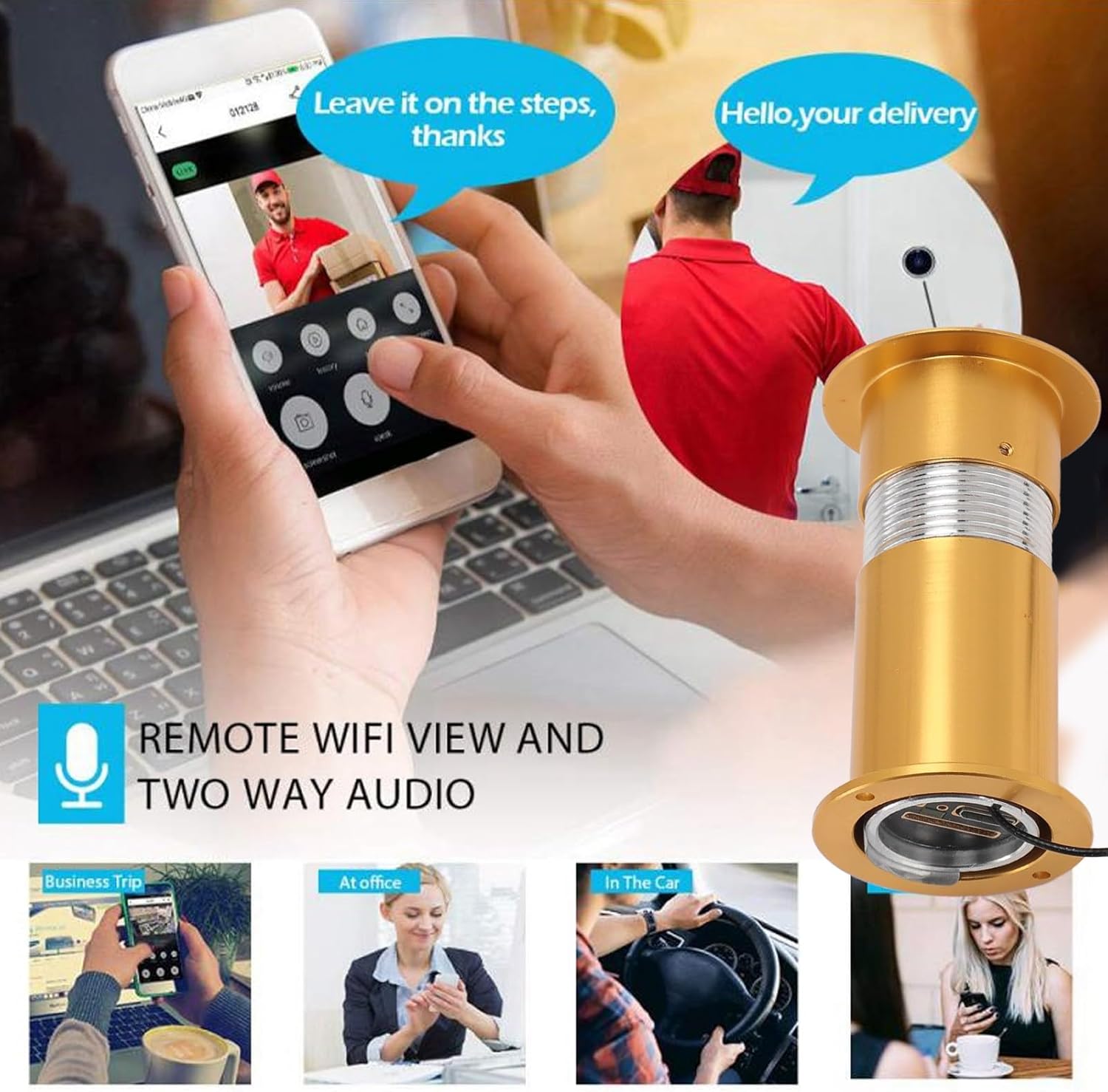
Figure 7: This image illustrates the remote viewing capabilities via a mobile app and the two-way audio function, showing a user interacting with a delivery person through the camera.
5.5 Night Vision
The integrated infrared night vision ensures clear visibility even in low-light conditions or complete darkness, with an effective range of approximately 1-3 meters.
5.6 Ibi ipamọ
Insert a compatible memory card (up to 128GB, not included) into the designated slot on the indoor unit for local video storage. Alternatively, configure cloud storage options through the TUYA app. The camera also supports Open Network Video Interface Forum protocol for integration with NVR systems.

Figure 8: The camera installed in a door peephole, highlighting its anti-theft design and the ability to view potential threats or unwanted visitors remotely on a smartphone.
6. Itọju
- Ninu: Gently wipe the camera lens and display screen with a soft, dry cloth. Avoid using abrasive cleaners or solvents.
- Rirọpo Batiri: If using AAA batteries, replace them when the low battery indicator appears on the display.
- Awọn imudojuiwọn famuwia: Periodically check the TUYA app for any available firmware updates to ensure optimal performance and security.
7. Laasigbotitusita
- Ko si aworan lori Ifihan:
- Ensure the camera unit is properly connected to the indoor display unit.
- Check if the device is powered on and batteries are charged/power adapter is connected.
- Ko le Sopọ si Wi-Fi:
- Verify your Wi-Fi network is 2.4GHz (dual-band routers often support both 2.4GHz and 5GHz).
- Rii daju pe kamẹra wa laarin aaye ti olulana Wi-Fi rẹ.
- Restart your router and the camera, then try connecting again.
- Iwari išipopada Ko Ṣiṣẹ:
- Check motion detection settings in the TUYA app.
- Rii daju pe lẹnsi kamẹra jẹ mimọ ati ainidilọwọ.
- Iran Alẹ Ko dara:
- Ensure there are no obstructions blocking the infrared sensors on the outdoor unit.
- Nu lẹnsi kamẹra nu.
8. Atilẹyin ọja ati Support
For warranty information and technical support, please refer to the product packaging or contact Jectse customer service directly. Keep your purchase receipt as proof of purchase.