
1. Ifihan
Thank you for choosing the Hoco HC17 Mini Portable Speaker. This manual provides essential information for the safe and efficient operation of your device. Please read it carefully before use and retain it for future reference.
2. Alaye Aabo
- Ma ṣe fi agbọrọsọ si awọn iwọn otutu to gaju, imọlẹ orun taara, tabi ọriniinitutu giga.
- Yago fun sisọ tabi tẹriba agbọrọsọ si awọn ipa to lagbara.
- Ma ṣe tuka, tunṣe, tabi tun ẹrọ naa funrararẹ. Kan si oṣiṣẹ iṣẹ ti o pe fun iranlọwọ.
- Pa agbohunsoke kuro lati omi ati awọn olomi miiran.
- Lo okun gbigba agbara ti a pese nikan tabi iwe-ẹri deede.
3. Package Awọn akoonu
Rii daju pe gbogbo awọn nkan wa ninu package:
- Hoco HC17 Mini Portable Speaker
- Okun Ngba agbara USB
- Afowoyi Olumulo (iwe-ipamọ yii)

Image: The Hoco HC17 Mini Portable Speaker shown in its retail packaging, highlighting its compact size and clip design.
4. Ọja Ipariview
The Hoco HC17 is a compact and versatile portable speaker designed for on-the-go audio. It features Bluetooth 5.3 connectivity, a built-in microphone for hands-free calls, and multiple playback options including FM radio, TF card, and USB flash drive support. Its clip design enhances portability.

Aworan: A alaye view of the grey Hoco HC17 speaker, showcasing its textured grille, control buttons, and integrated carabiner clip.

Image: A display of the Hoco HC17 speaker available in multiple vibrant color options, each with a metallic carabiner clip.
5. Eto
5.1 Gbigba agbara si Agbọrọsọ
- So okun gbigba agbara USB ti a pese si ibudo gbigba agbara ti agbọrọsọ.
- So opin okun USB pọ si ohun ti nmu badọgba agbara USB (kii ṣe pẹlu) tabi ibudo USB ti kọnputa kan.
- Ina Atọka gbigba agbara yoo tan imọlẹ. Ni kete ti o ti gba agbara ni kikun, ina le yipada awọ tabi paa.
- Gbigba agbara ni kikun pese to awọn wakati 2 ti akoko ere.
5.2 Titan / Pa a
- To power on: Press and hold the Power button for a few seconds until you hear an audible prompt or see an indicator light.
- Láti pa agbára: Tẹ̀ kí o sì di bọ́tìnnì agbára mú lẹ́ẹ̀kan sí i fún ìṣẹ́jú díẹ̀ títí tí agbọ́hùnsọrí náà yóò fi pa agbára.
5.3 Sisopọ Bluetooth
- Rí i dájú pé a ti tan agbọrọsọ naa ati pe o wa ni ipo asopọ Bluetooth (nigbagbogbo a maa n fi LED ti n tan imọlẹ han).
- Lori ẹrọ rẹ (foonuiyara, tabulẹti, ati bẹbẹ lọ), mu Bluetooth ṣiṣẹ ki o wa awọn ẹrọ to wa.
- Select "HC17" from the list of found devices.
- Nígbà tí a bá so wọ́n pọ̀, agbọ́hùnsọ̀ náà yóò fi ìfọhùn tí a lè gbọ́ hàn, àmì LED náà yóò sì dáwọ́ dúró láti tànmọ́lẹ̀.
- Agbọrọsọ yoo tun sopọ laifọwọyi si ẹrọ ti o so pọ to kẹhin nigbati o ba wa ni ina, ti o ba wa ni ibiti o wa.
5.4 TF Card / USB Flash Drive Playback
- Insert a TF card or USB flash drive (with supported audio files) into the corresponding slot on the speaker.
- The speaker will automatically detect the storage device and begin playing music.
- Use the speaker's control buttons to navigate tracks and adjust volume.
5.5 FM Radio isẹ
- Switch the speaker to FM radio mode (this might be a dedicated button or a mode cycle button).
- Press the Play/Pause button to initiate an automatic station scan. The speaker will save available stations.
- Use the Next/Previous track buttons to switch between saved FM stations.
6. Ṣiṣẹ Agbọrọsọ
6.1 Orin Sisisẹsẹhin idari
- Ṣiṣẹ/Daduro: Tẹ bọtini Play/Sinmi ni ẹẹkan.
- Orin t’okan: Tẹ bọtini "+".
- Tẹlẹ Orin: Tẹ bọtini "-".
- Iwọn didun Up: Tẹ bọtini "+" mọlẹ.
- Iwọn didun isalẹ: Tẹ bọtini "-" mọlẹ.
6.2 Ọwọ-Ọfẹ Npe
Nígbà tí a bá sopọ̀ mọ́ fóònù alágbéka nípasẹ̀ Bluetooth:
- Idahun Ipe: Tẹ bọtini Play/Duro lẹẹkan nigbati ipe ti nwọle ba dun.
- Ipe Ipari: Tẹ bọtini Play/Sinmi ni ẹẹkan lakoko ipe kan.
- Kọ Ipe: Tẹ bọtini Play/Duro ki o si dimu fun iṣẹju-aaya meji nigbati ipe ti nwọle ba dun.
- Gbohungbohun ti a ṣe sinu ngbanilaaye fun ibaraẹnisọrọ mimọ.
7. Itọju
- Ninu: Lo asọ asọ ti o gbẹ lati nu dada agbọrọsọ naa. Ma ṣe lo abrasive ose tabi epo.
- Ibi ipamọ: Tọju agbohunsoke ni itura, aye gbigbẹ kuro lati orun taara ati awọn iwọn otutu ti o pọju nigbati o ko ba wa ni lilo fun awọn akoko ti o gbooro sii.
- Itọju Batiri: Lati pẹ aye batiri, yago fun gbigba agbara si batiri ni kikun nigbagbogbo. Gba agbara si agbọrọsọ nigbagbogbo, paapaa ti kii ṣe ni lilo.
8. Laasigbotitusita
| Isoro | Owun to le Fa | Ojutu |
|---|---|---|
| Agbọrọsọ ko ni agbara lori. | Batiri kekere. | Gba agbara si agbọrọsọ ni kikun. |
| Ko le so pọ nipasẹ Bluetooth. | Agbọrọsọ kii ṣe ni ipo sisopọ; Bluetooth ẹrọ pa; ju jina yato si. | Ensure speaker is in pairing mode. Turn on Bluetooth on your device. Move speaker closer to device (within 10 meters). |
| Ko si ohun nigba šišẹsẹhin. | Volume too low; speaker not connected; incorrect source. | Increase volume on both speaker and connected device. Re-pair Bluetooth. Ensure correct input source (Bluetooth, TF, USB, FM) is selected. |
| Gbigba redio FM ti ko dara. | Ifihan agbara; kikọlu ayika. | Move to an open area. Try rescanning for stations. |
9. Awọn pato
- Awoṣe: HC17
- Ẹya Bluetooth: 5.3
- Ẹka Agbọrọsọ: 45mm
- Agbara Batiri: 500mAh
- Àkókò eré: Titi di wakati 2
- Asopọmọra: Bluetooth, FM, TF Card, USB Flash Drive
- Gbohungbohun ti a ṣe sinu: Bẹ́ẹ̀ni (fún ìpè láìsí ọwọ́)
- Awọn iwọn: Nǹkan bí 13.3D x 8.5W x 4.9H centimeters
- Awọn eroja to wa: USB Charger (cable)
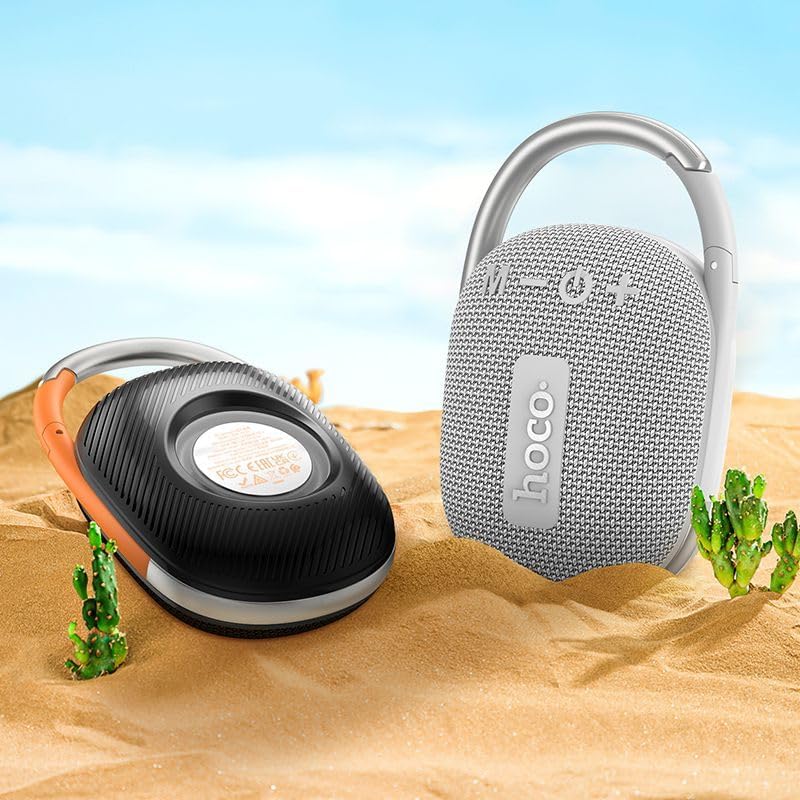
Image: The Hoco HC17 speaker positioned on sand with small cacti, illustrating its portability and suitability for outdoor use.
10. Atilẹyin ọja ati Support
This product comes with a standard manufacturer's warranty. For detailed warranty terms and conditions, please refer to the warranty card included with your purchase or contact your retailer. For technical support or service inquiries, please contact the point of purchase or the official Hoco support channels.