
1. Ifihan
The 1Mii DS70 Audio Bluetooth Transmitter is designed to seamlessly connect your non-Bluetooth TV or other audio sources to Bluetooth-enabled headphones, speakers, or hearing aids. Featuring Bluetooth 5.2, aptX Low Latency technology, and multiple input/output options, the DS70 provides a versatile solution for wireless audio transmission, ensuring a high-quality, synchronized listening experience. Its clear LCD screen and intuitive controls make setup and operation straightforward.
2. Alaye Aabo
Jọwọ ka ki o si tẹle awọn itọsona ailewu lati rii daju isẹ to dara ati ki o se ibaje si ẹrọ tabi ipalara.
- Avoid placing the device near other wireless devices to prevent signal interference.
- Ma ṣe fi ẹrọ naa han si awọn iwọn otutu to gaju, ọriniinitutu, tabi imọlẹ orun taara.
- Jeki ẹrọ naa kuro ninu omi tabi awọn olomi miiran.
- Má ṣe gbìyànjú láti tú ẹ̀rọ náà ká, tún un ṣe, tàbí ṣe àtúnṣe fúnra rẹ. Tọ́ka gbogbo iṣẹ́ ìtọ́jú náà sí àwọn òṣìṣẹ́ tó mọ̀ nípa rẹ̀.
- Use only the supplied charging cable and power adapter.
- Do not dispose of the USB power cable or the device with regular household trash; follow local regulations for electronic waste disposal.
3. Ohun ti o wa ninu Apoti
Nigbati o ba ṣii package, jọwọ rii daju pe gbogbo awọn nkan wọnyi wa pẹlu:
- 1Mii DS70 Audio Bluetooth Transmitter
- Okun Opitika
- 3.5mm Audio USB
- 3.5mm to RCA Cable
- USB-C Ngba agbara Cable
- Ohun ti nmu badọgba Agbara USB
- Itọsọna olumulo
Fidio 1: Unboxing the 1Mii DS70 Bluetooth Transmitter. This video demonstrates the contents of the product package, including the transmitter unit, various audio cables, charging accessories, and the user manual.
4. Ọja Ipariview
The 1Mii DS70 is a compact and versatile audio transmitter designed for ease of use and high-quality sound transmission. It features a clear LCD screen for status display and intuitive buttons for control.
4.1 Ifilelẹ ẹrọ

Aworan 1: Iwaju view of the 1Mii DS70 Bluetooth Transmitter, showing the LCD screen and control buttons.

Aworan 2: Labeled diagram of the 1Mii DS70, highlighting the various ports and control buttons for easy identification.
4.2 Awọn ibudo ati Awọn iṣakoso
| Ẹya ara ẹrọ | Apejuwe |
|---|---|
| Iboju LCD | Displays device status, connected devices, volume level, and input/output modes. |
| Search Button (Q) | Initiates Bluetooth device search. |
| Bọtini O dara | Confirms selections and connects to devices. |
| Up/Down Buttons (^) (v) | Navigates menus and adjusts volume. |
| Back Button (U-turn arrow) | Pada si akojọ aṣayan iṣaaju tabi iboju. |
| Input from TV (Mic/AUX/OPT) | Ports for connecting audio source from TV (Microphone, 3.5mm AUX, Optical). |
| Input Switch (OPT/AUX/Mic) | Ó yan orísun ìtẹ̀wọlé ohùn. |
| Bypass/Speaker (AUX/OPT) | Output ports for wired stereo/soundbar in bypass mode. |
| TAN/PA Yipada | Fi agbara ẹrọ si tan tabi pa. |
| DC IN (Iru-C) | Ibudo agbara titẹ sii fun ẹrọ naa. |
5. Eto & Fifi sori
5.1 Connecting to TV (TX Mode)
The DS70 can connect to your TV using Optical, AUX, or RCA inputs. Ensure your TV's audio output settings are configured correctly (e.g., PCM for Optical output).
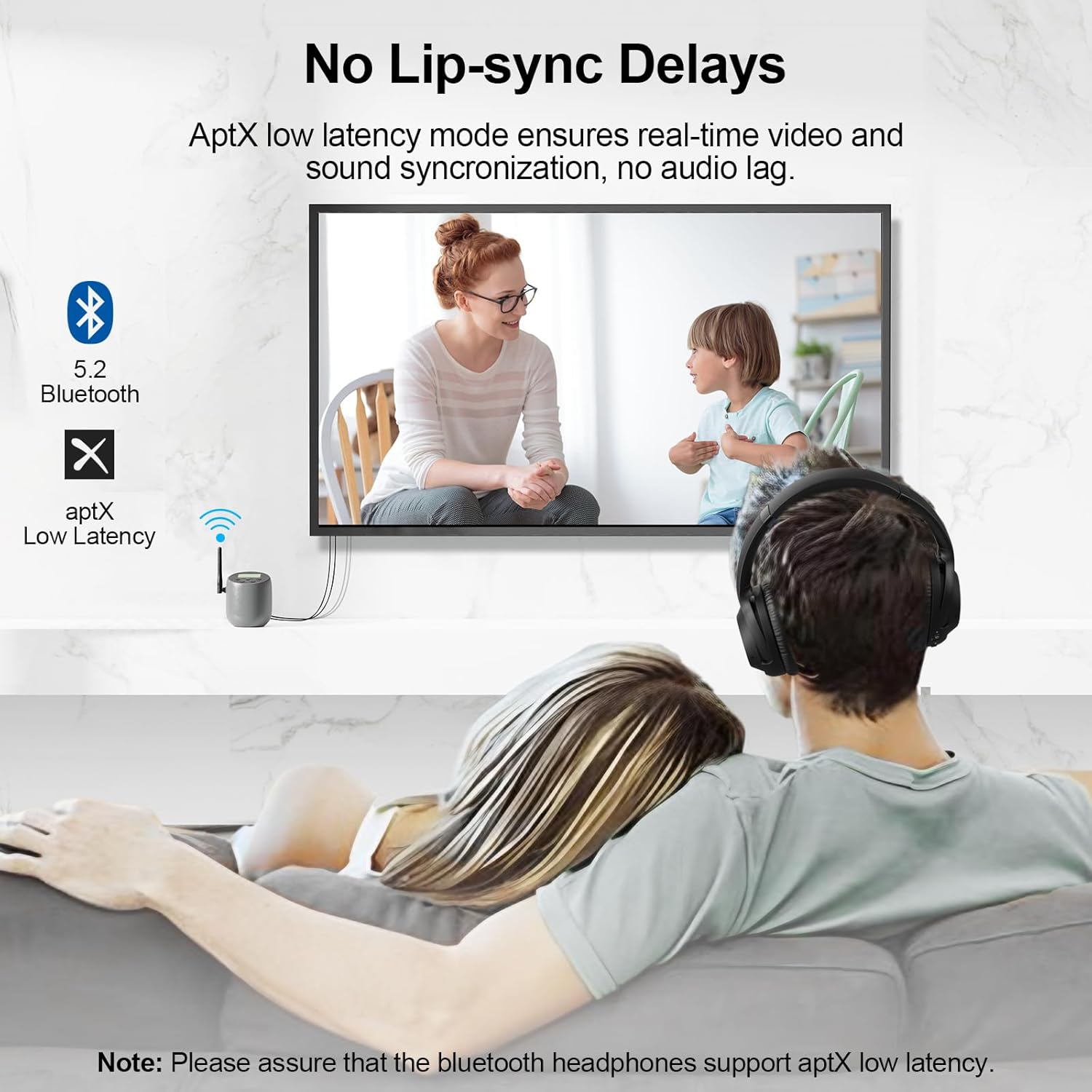
Aworan 3: The 1Mii DS70 connected to a TV, illustrating its role in providing audio to wireless headphones with minimal latency.
- Agbara Tan: Connect the supplied USB-C charging cable to the DC IN port on the DS70 and plug the USB-A end into the power adapter. Plug the adapter into a power outlet. Slide the ON/OFF switch to 'ON'.
- Sopọ si TV: Choose one of the following audio output connections from your TV to the 'Input From TV' section of the DS70:
- Ojú: Use the optical cable to connect your TV's optical output to the DS70's OPT input.
- AUX: Use the 3.5mm audio cable to connect your TV's 3.5mm audio output to the DS70's AUX input.
- RCA: Use the 3.5mm to RCA cable to connect your TV's RCA audio outputs (red and white) to the DS70's AUX input.
- Yan Igbewọle: Slide the input switch on the DS70 to match the cable type you used (OPT, AUX, or Mic).
- Configure TV Audio: Access your TV's sound settings. Select 'Sound Output' and choose 'Optical' or 'HDMI ARC' (if using HDMI ARC with an adapter, ensure it supports audio extraction). For Optical output, navigate to 'Expert Settings' or 'Digital Output Audio Format' and set it to 'PCM'.
Fidio 2: Detailed guide on connecting the 1Mii DS70 Bluetooth Transmitter to a TV and pairing headphones. This video covers various connection types and TV audio settings.
5.2 Pairing Bluetooth Headphones
Once the DS70 is connected to your TV, you can pair your Bluetooth headphones or speakers.
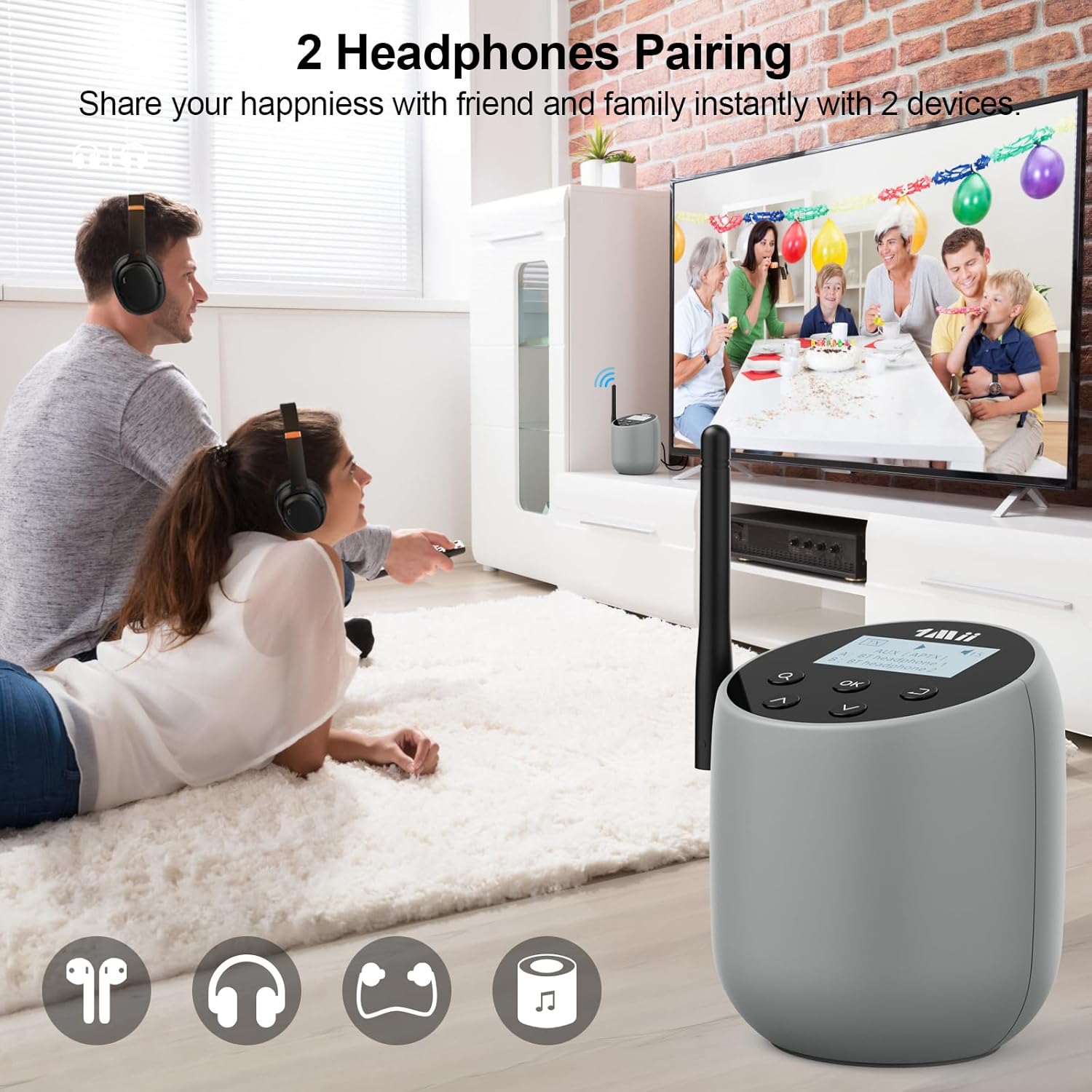
Aworan 4: The 1Mii DS70 facilitating simultaneous audio streaming to two pairs of headphones, ideal for shared viewing awọn iriri.
- Headphone Pairing Mode: Put your Bluetooth headphones into pairing mode. Refer to your headphone's user manual for specific instructions (usually indicated by a flashing LED light).
- Wa fun Awọn ẹrọ: On the DS70, press the 'Search' button (magnifying glass icon) once. The LCD screen will display 'Searching...' and list available Bluetooth devices.
- Sopọ: Use the Up/Down buttons to select your headphone's name from the list on the DS70's LCD screen. Press the 'OK' button to connect.
- Ìmúdájú: Once connected, the LCD screen will show 'Connected' and the headphone's name (e.g., 'A: [Headphone Name]'). Audio from your TV should now be transmitted to your headphones.
5.3 Connecting a Second Pair of Headphones
The DS70 supports dual device connection, allowing two Bluetooth headphones/speakers to receive audio simultaneously.
- Second Headphone Pairing Mode: Fi awọn agbekọri Bluetooth keji rẹ sinu ipo sisọpọ.
- Search Again: Press the 'Search' button on the DS70 again. The DS70 will search for the second device.
- So Ẹrọ Keji pọ: Select the second headphone's name from the list and press 'OK'.
- Isopọ meji: Once connected, the LCD screen will show both connected devices (e.g., 'A: [Headphone 1 Name]', 'B: [Headphone 2 Name]').
5.4 Bypass Mode (Soundbar/Wired Stereo)
Bypass mode allows you to simultaneously output audio to both Bluetooth headphones and a wired soundbar or stereo system. This is useful if you want to hear audio through external speakers while also having it transmitted wirelessly.

Aworan 5: Diagram illustrating the bypass mode, where the DS70 transmits audio to Bluetooth headphones while also passing it through to a wired soundbar or vintage stereo system.
- Connect TV to DS70 Input: Connect your TV's audio output (Optical or AUX) to the corresponding 'Input From TV' port on the DS70.
- Connect DS70 Output to Stereo/Soundbar: Connect the 'Bypass/Speaker' output port on the DS70 to your wired stereo system or soundbar's input. Ensure the cable type (Optical or AUX) matches the input from the TV. For example, if using Optical input from TV, use Optical output to the soundbar.
- Agbekọri So pọ: Pair your Bluetooth headphones as described in section 5.2.
- Activate Bypass: Ensure the 'Bypass/Speaker' switch on the DS70 is set to 'ON'.
6. Awọn ilana Iṣiṣẹ
6.1 Basic Controls and LCD Screen
The DS70 features an intuitive LCD screen and physical buttons for easy control and status monitoring.

Aworan 6: Close-up of the 1Mii DS70's clear LCD screen and control buttons, emphasizing ease of operation and volume control.
- The LCD screen displays the current mode (TX), input source (e.g., AUX, OPT), connected devices (A, B), and volume level.
- Use the 'Search' button to find and list available Bluetooth devices.
- The 'OK' button confirms selections and initiates connections.
- The Up/Down arrow buttons are used for navigating through device lists and adjusting volume.
- The 'Back' button allows you to return to previous screens or cancel an action.
6.2 Iṣakoso iwọn didun
You can adjust the audio volume directly from the DS70 unit.
- While audio is playing, press the Up arrow button to increase the volume.
- Press the Down arrow button to decrease the volume.
- The current volume level will be displayed on the LCD screen.
7. Laasigbotitusita
If you encounter issues with your 1Mii DS70, please refer to the following common problems and solutions:
| Isoro | Owun to le Fa & Solusan |
|---|---|
| Kò sí ohùn láti inú headphones/agbọrọsọ. |
|
| Audio delay (lip-sync issues). |
|
| Ko le so pọ pẹlu ẹrọ Bluetooth. |
|
| Ẹrọ naa ko ṣiṣẹ. |
|
8. Awọn pato
| Ẹya ara ẹrọ | Ẹ̀kúnrẹ́rẹ́ |
|---|---|
| Awoṣe | DS70 |
| Ọja Mefa | 3.4 x 3.4 x 4 inches |
| Iwọn Nkan | 15.8 iwon |
| Asopọmọra Technology | Bluetooth, AUX, USB, Optical, MIC |
| Ẹya Bluetooth | 5.2 |
| Awọn kodẹki atilẹyin | aptX AD/HD/LL/aptX/SBC |
| Orisun agbara | Okun Itanna |
| Ohun elo | Acrylonitrile Butadiene Styrene (ABS) |
| Pataki Ẹya | Low Latency, electronic display |
| Olupese | 1 Mii |
| Ilu isenbale | China |
9. Itọju
To ensure the longevity and optimal performance of your 1Mii DS70, follow these maintenance guidelines:
- Ninu: Use a soft, dry cloth to clean the exterior of the device. Do not use liquid cleaners or abrasive chemicals.
- Ibi ipamọ: Nigbati o ko ba wa ni lilo fun awọn akoko ti o gbooro sii, tọju ẹrọ naa ni itura, aye gbigbẹ kuro lati orun taara ati awọn iwọn otutu to gaju.
- Itọju USB: Handle cables gently. Avoid bending or crimping them sharply, which can damage the internal wires.
10. Atilẹyin ọja & Atilẹyin
1Mii products are designed and manufactured to the highest quality standards. For detailed warranty information and customer support, please refer to the official 1Mii webojula tabi kan si wọn onibara iṣẹ.
For a downloadable version of this user guide, please visit: 1Mii DS70 User Guide (PDF)