
Ọrọ Iṣaaju
Thank you for choosing the HyperGear Halo Waterproof LED Wireless Speaker. This manual provides essential information for setting up, operating, and maintaining your speaker to ensure optimal performance and longevity. The Halo speaker combines powerful HD sound with a vibrant 360° multicolor LED light show, designed for both indoor and outdoor use. Its IPX6 waterproof rating makes it suitable for various environments, from poolside parties to everyday listening.
Ohun ti o wa ninu Apoti
- HyperGear Halo Waterproof LED Wireless Speaker
- USB-C Ngba agbara Cable
- 3.5mm Aux Cord
Eto Itọsọna
1. Gbigba agbara Agbọrọsọ
Before first use, fully charge your Halo speaker. Connect the included USB-C charging cable to the speaker's charging port and the other end to a USB power adapter (not included). The LED indicator will show charging status and turn off when fully charged.
2. Agbara lori / Paa
Press and hold the Power button on the speaker's top panel to turn it on or off. A sound prompt will indicate the power status.
3. Sisopọ Bluetooth
- Rii daju pe agbọrọsọ ti wa ni titan ati ni ipo sisọpọ Bluetooth (itọkasi nipasẹ LED didan).
- Lori ẹrọ rẹ (foonuiyara, tabulẹti, kọmputa), mu Bluetooth ṣiṣẹ ki o wa awọn ẹrọ to wa.
- Select "HyperGear Halo" from the list.
- Nígbà tí a bá so wọ́n pọ̀, agbọ́hùnsọ̀ náà yóò mú ohùn ìjẹ́rìí jáde, LED náà yóò sì dáwọ́ dúró.
Agbọrọsọ yoo tun sopọ laifọwọyi si ẹrọ ti o so pọ to kẹhin nigbati o ba wa ni ina, ti o ba wa ni ibiti o wa.

The top panel of the HyperGear Halo speaker, showing controls and its connection to a smartphone via Bluetooth.
Awọn ilana Iṣiṣẹ
Awọn iṣakoso ipilẹ
| Bọtini / Iṣẹ | Iṣe |
|---|---|
| Bọtini agbara | Tẹ mọlẹ lati Tan/Pa a |
| Ṣiṣẹ / Sinmi | Press once to Play/Pause music |
| Iwọn didun soke (+) | Tẹ lẹẹkan lati mu iwọn didun pọ si |
| Iwọn didun isalẹ (-) | Tẹ lẹẹkan lati dinku iwọn didun |
| Next Track | Press and hold Volume Up (+) |
| Ti tẹlẹ Track | Press and hold Volume Down (-) |
| Idahun/Pari Ipe | Press Play/Pause button once |
| Kọ Ipe | Press and hold Play/Pause button |
| Bọtini Ipo Imọlẹ | Tẹ lati yipo nipasẹ awọn ipo ina LED 6 |
Party Mode (Stereo Pairing)
To achieve immersive stereo sound, you can pair two HyperGear Halo speakers together:
- Ensure both Halo speakers are powered on and not connected to any other Bluetooth device.
- On one speaker (this will be the primary speaker), double-press the Power button. It will enter pairing mode for Party Mode.
- Àwọn agbọ́hùnsọ̀kan méjèèjì yóò so ara wọn pọ̀ láìfọwọ́sí. Ohùn ìjẹ́rìísí yóò fi hàn pé ìsopọ̀pọ̀ náà yọrí sí rere.
- Now, connect your device to the primary speaker via Bluetooth as described in the 'Bluetooth Pairing' section. Both speakers will play synchronized audio and light shows.

Two HyperGear Halo speakers paired together for Party Mode, offering synchronized audio and light effects.
Alternative Playback Modes

The side panel of the HyperGear Halo speaker, revealing the AUX, microSD, and USB-C ports for versatile connectivity.
- Aux-In: Connect your device using the included 3.5mm Aux cord to the speaker's AUX port for a wired audio connection.
- kaadi microSD: Insert a microSD card loaded with audio files sinu iho ti a yan. Agbọrọsọ naa yoo mu orin lati inu kaadi naa laifọwọyi.
Awọn ẹya Loriview
- IPX6 Mabomire Rating: Designed to withstand splashes, rain, and spills, making it ideal for outdoor adventures and poolside use.
- Powerful 5W Front-Firing Sound: Equipped with a 52mm full-range driver for rich, dynamic audio with pulse-pounding bass. The front-firing design ensures clearer sound projection.
- 360° Multicolor LED Lights: Features a vibrant light ring that synchronizes with your music, offering 6 different lighting modes to enhance your listening experience.
- Gbohungbohun ti a ṣe sinu: Allows for convenient hands-free calling.
- Bluetooth 5.3 Imọ-ẹrọ: Provides a stable, stutter-free wireless connection with a range of up to 33 feet.
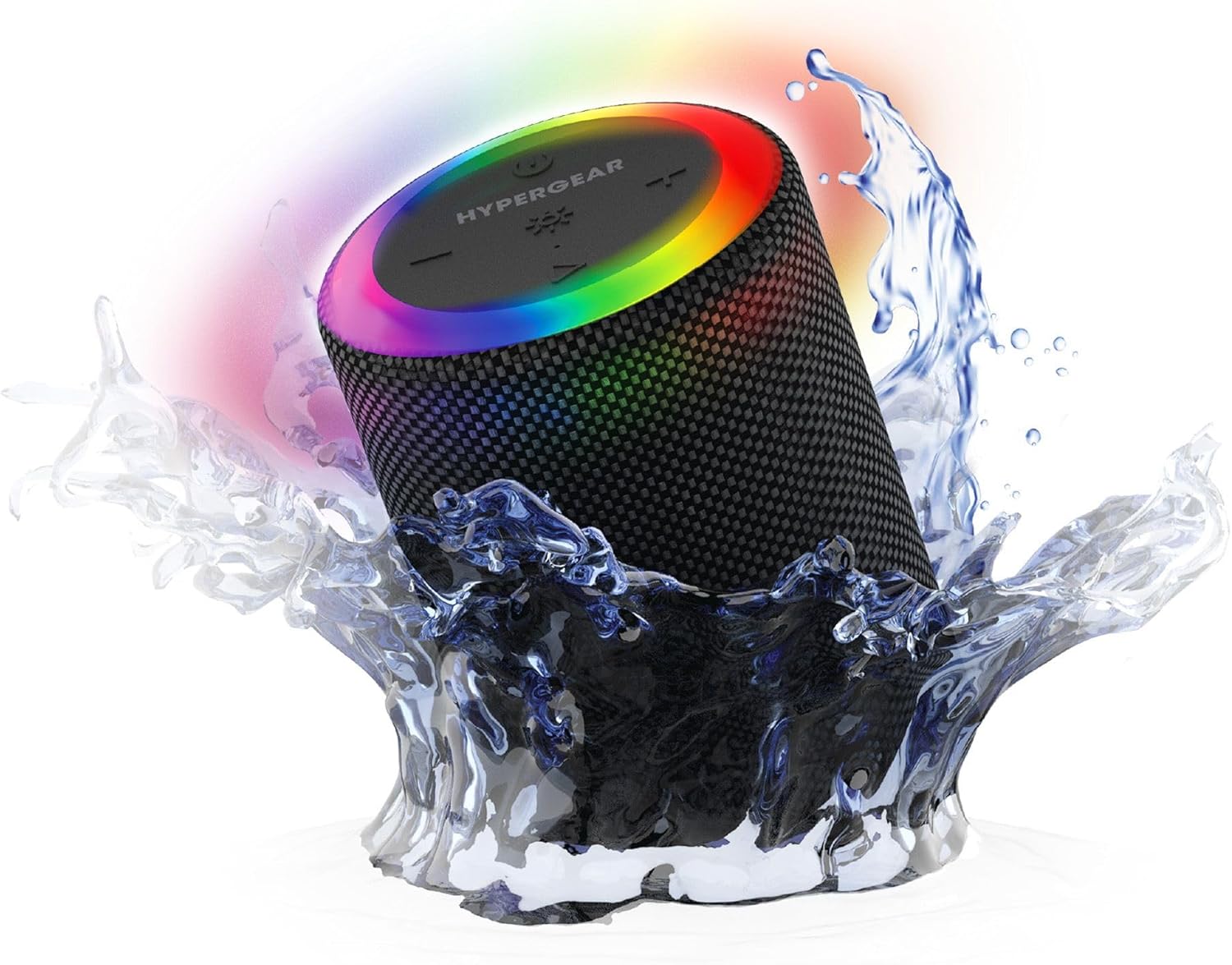
The HyperGear Halo speaker immersed in water, highlighting its robust waterproof design.

Visual representation of the HyperGear Halo speaker's powerful audio features, including its 5W output and 52mm driver.

The HyperGear Halo speaker showcasing its beat-synced 360° multicolor LED light ring with various lighting modes.
Awọn pato
| Ẹya ara ẹrọ | Ẹ̀kúnrẹ́rẹ́ |
|---|---|
| Orukọ awoṣe | Halo Waterproof LED Wireless Speaker |
| Agbọrọsọ Iru | Multimedia |
| Asopọmọra Technology | Bluetooth 5.3 |
| Ipo Ijade Ohun | Mono (Stereo with Party Mode) |
| Agbọrọsọ Agbara Ijade ti o pọju | 5 Wattis |
| Audio Driver Iwon | 52 millimeters |
| Omi Resistance Ipele | IPX6 mabomire |
| Ọja Mefa | 3.27"D x 3.27"W x 4.13"H |
| Iwọn Nkan | 1.05 iwon |
| Orisun agbara | Agbara Batiri |
| Awọn irinše to wa | USB-C Charging Cable, 3.5mm Aux Cord |
| Ọna Iṣakoso | Bọtini |
| UPC | 633755158858 |
Itoju
- Ninu: Nu agbọrọsọ nu pẹlu asọ, damp asọ. Maṣe lo awọn kẹmika ti o lewu tabi awọn afọmọ abrasive.
- Ibi ipamọ: Tọju agbohunsoke ni itura, aye gbigbẹ kuro lati orun taara ati awọn iwọn otutu to gaju.
- Itọju Batiri: Láti pa agbára batiri mọ́, má ṣe jẹ́ kí agbọ́hùnsọ̀ náà máa tú jáde dáadáa nígbà gbogbo. Gba agbára rẹ̀ déédéé, kódà bí a kò bá lò ó fún ìgbà pípẹ́.
- Igbẹhin ti ko ni omi: Ensure the silicone cover for the charging and AUX ports is securely closed when near water to maintain its IPX6 rating.
Laasigbotitusita
| Isoro | Owun to le Solusan |
|---|---|
| Agbọrọsọ ko ni agbara lori. | Rí i dájú pé a ti gba agbára sí agbọ́hùnsọ̀ náà. So ó pọ̀ mọ́ orísun agbára kí o sì tún gbìyànjú lẹ́ẹ̀kan sí i. |
| Ko le so pọ pẹlu ẹrọ Bluetooth. | Make sure the speaker is in pairing mode (flashing LED). Turn off and on Bluetooth on your device. Ensure no other devices are connected to the speaker. Move speaker closer to your device. |
| Ko si ohun lati agbọrọsọ. | Check volume levels on both the speaker and your device. Ensure the correct input mode (Bluetooth, Aux, MicroSD) is selected. If using Aux, ensure the cable is fully inserted. |
| Party Mode not working. | Ensure both speakers are fully charged and not connected to any other Bluetooth devices. Try resetting both speakers by powering them off and on, then re-attempt Party Mode pairing. |
| Awọn imọlẹ LED ko ṣiṣẹ. | Press the Light Mode button to cycle through modes. Ensure the speaker is powered on. |
Atilẹyin ọja ati Support
The HyperGear Halo Waterproof LED Wireless Speaker comes with a Atilẹyin ọja to lopin. For specific details regarding warranty coverage, duration, and claims, please refer to the warranty card included with your product or visit the official HyperGear website. For technical support or further assistance, please contact HyperGear customer service through their official channels.


