
HOCO TWS EW34
HOCO EW34 True Wireless Earphones User Manual
Model: TWS EW34 | Brand: HOCO
Ọrọ Iṣaaju
Thank you for choosing the HOCO EW34 True Wireless Earphones. This manual provides essential information on how to set up, operate, maintain, and troubleshoot your earphones to ensure optimal performance and longevity. Please read this manual carefully before using the product.
Package Awọn akoonu
Ṣaaju ki o to bẹrẹ, jọwọ rii daju pe gbogbo awọn nkan wa ninu package:
- HOCO EW34 True Wireless Earphones (Left and Right)
- Ngba agbara Case
- Ngba agbara USB
- Afowoyi Olumulo (iwe-ipamọ yii)
Ṣeto
1. Gbigba agbara akọkọ
Before first use, fully charge the charging case and earphones. Place both earphones into the charging case. Connect the charging cable to the charging port on the case and to a USB power source.

Image: HOCO EW34 earphones placed inside their open charging case, showing the charging indicators.
The indicator light on the charging case will show the charging status. Ensure the case is fully charged before using the earphones for the first time.

Image: The HOCO EW34 charging case, closed, displaying the USB charging port on the side.
2. Sisopọ Bluetooth
- Rii daju pe awọn agbekọri ti gba agbara ati inu apoti gbigba agbara.
- Open the charging case. The earphones will automatically enter pairing mode, indicated by a flashing light (if applicable).
- Lori ẹrọ rẹ (foonuiyara, tabulẹti, ati be be lo), jeki Bluetooth.
- Wa fun "HOCO EW34" in the list of available Bluetooth devices.
- Select "HOCO EW34" to connect. Once connected, a voice prompt will confirm the successful pairing.
- Awọn agbekọri naa yoo tun sopọ laifọwọyi si ẹrọ ti o so pọ to kẹhin nigbati o ba yọ kuro ninu ọran naa, ti o ba mu Bluetooth ṣiṣẹ lori ẹrọ naa.
Awọn ilana Iṣiṣẹ
Wọ awọn Earphones
Gently insert the earphones into your ears, ensuring a comfortable and secure fit. Adjust them slightly until the sound quality is optimal and they feel stable.
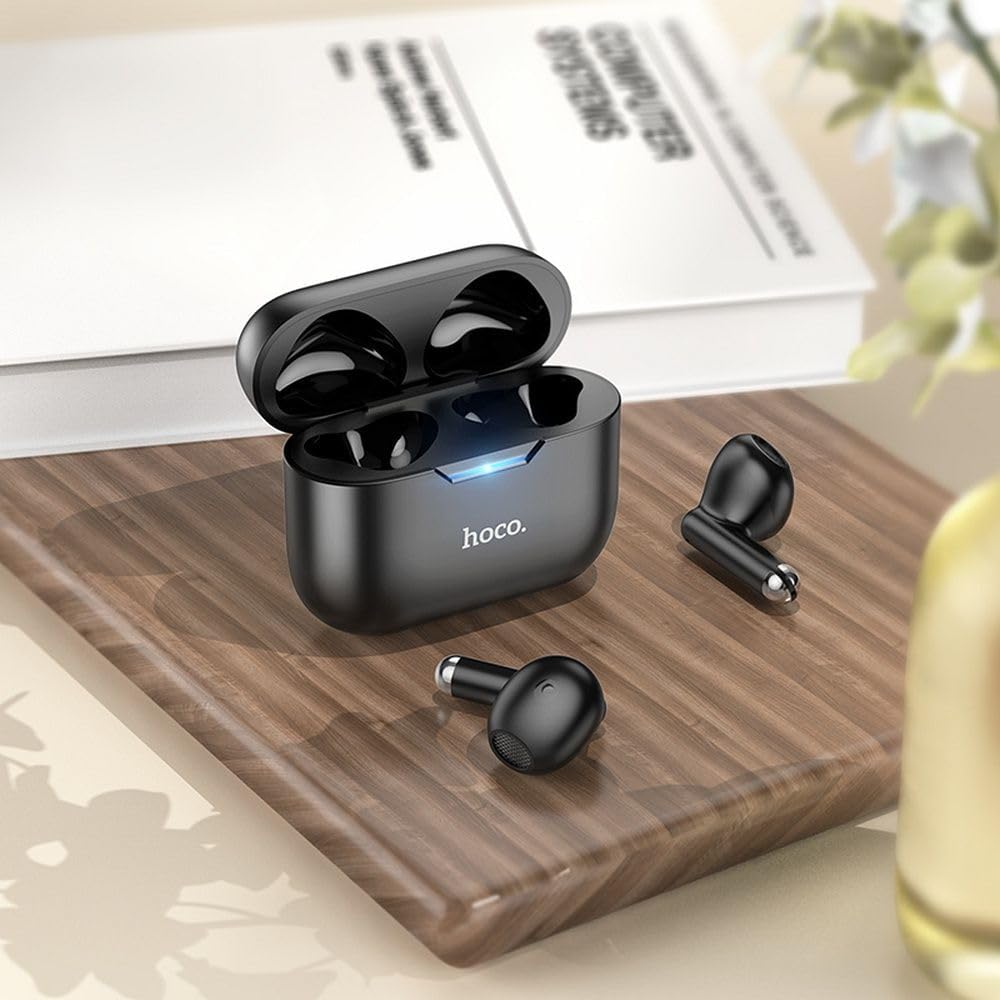
Image: The HOCO EW34 earphones and their charging case resting on a wooden surface next to a book, illustrating their compact size.
Awọn iṣakoso ipilẹ (Ifọwọkan Fọwọkan)
The HOCO EW34 earphones feature touch-sensitive controls. Specific functions may vary slightly based on your device and application.
- Ṣiṣẹ/Daduro: Fọwọ ba ẹyọkan lori boya agbekọri.
- Orin t’okan: Tẹ ni kia kia lẹẹmeji lori agbekọri ọtun.
- Tẹlẹ Orin: Tẹ ni kia kia lẹẹmeji lori agbekọri osi.
- Idahun/Ipe Ipari: Single tap on either earphone during an incoming call.
- Kọ Ipe: Press and hold either earphone for 2 seconds during an incoming call.
- Mu Oluranlọwọ Ohun ṣiṣẹ: Fọwọ́ tẹ ètí méjì náà lẹ́ẹ̀mejì.
Itoju
Proper maintenance ensures the longevity and performance of your HOCO EW34 earphones.
- Ninu: Lo asọ ti o gbẹ, asọ ti ko ni lint lati nu agbekọri ati apoti gbigba agbara. Maṣe lo awọn kẹmika lile tabi awọn ohun elo abrasive.
- Ibi ipamọ: Nigbati o ko ba si ni lilo, tọju awọn agbekọri sinu apoti gbigba agbara wọn lati daabobo wọn lọwọ eruku ati ibajẹ.
- Itọju Batiri: Avoid fully discharging the battery frequently. Charge the earphones and case regularly, even if not in constant use, to maintain battery health.
- Yago fun Omi: Awọn agbekọri ko ni aabo omi. Yago fun ifihan si omi, lagun, tabi ọriniinitutu giga.
Laasigbotitusita
If you encounter issues with your HOCO EW34 earphones, try the following solutions:
| Isoro | Owun to le Solusan |
|---|---|
| Àwọn agbekọri kò sopọ̀ mọ́ ẹ̀rọ náà. |
|
| Kò sí ìró láti inú earphone kan tàbí méjèèjì. |
|
| Ngba agbara ko gba agbara. |
|
| Didara ohun ti ko dara. |
|
Awọn pato
Here are the technical specifications for the HOCO EW34 True Wireless Earphones:
- Ẹya Bluetooth: 5.3
- Chip: JL AC6983
- Ngba agbara Batiri Agbara: 250 mAh
- Agbara Batiri Agbekọri: 30 mAh (kọọkan)
- Aago Ọrọ/Orin: wakati meji 4
- Akoko Iduro: wakati meji 150
- Awọn iwọn (Ọran): 57 × 46 × 23.5 mm
- Apapọ iwuwo: 42 g
- Orukọ awoṣe: TWS EW34
- Àwọ̀: Dudu
Atilẹyin ọja ati Support
For warranty information, please refer to the warranty card included with your purchase or visit the official HOCO webojula. Awọn ofin atilẹyin ọja le yatọ nipasẹ agbegbe.
If you require further assistance or encounter issues not covered in this manual, please contact HOCO customer support through their official website or the retailer from whom you purchased the product. Please have your product model number (TWS EW34) and proof of purchase ready when contacting support.
Ask a question about this manual
Ask about setup, troubleshooting, compatibility, parts, safety, or missing instructions. Manuals+ will review the question and use this page’s manual context to help answer it.