
Ọrọ Iṣaaju
Welcome to your new RadioShack 1702-2 LM Cordless Phone System. This system includes two handsets designed for clear communication in your home or office. This manual provides instructions for setting up, operating, and maintaining your phone system.
Awọn ẹya pataki:
- Ko o ati ki o rọrun-lati-ka àpapọ.
- Quick dialing and easy number editing before calls.
- Access to essential functions with a single button.
- Storage for up to 30 incoming numbers.
- Phonebook capacity for up to 50 numbers (12 characters, 20 digits).
1. Eto
1.1 Ṣiṣii silẹ
Carefully remove all components from the packaging. Ensure you have:
- 2 Awọn imudani
- 2 Charging Bases
- 1 AC Power Adapter
- 1 Tẹlifoonu Line Okun
- Itọsọna olumulo
1.2 Nsopọ Ẹka Mimọ
- Connect the AC power adapter to the main charging base and plug it into a standard electrical outlet.
- Connect the telephone line cord to the main charging base and plug the other end into your telephone wall jack.
1.3 Charging the Handsets
Place each handset onto its respective charging base. The handsets will begin charging automatically. For optimal battery performance, allow the handsets to charge for at least 12-15 hours before initial use.
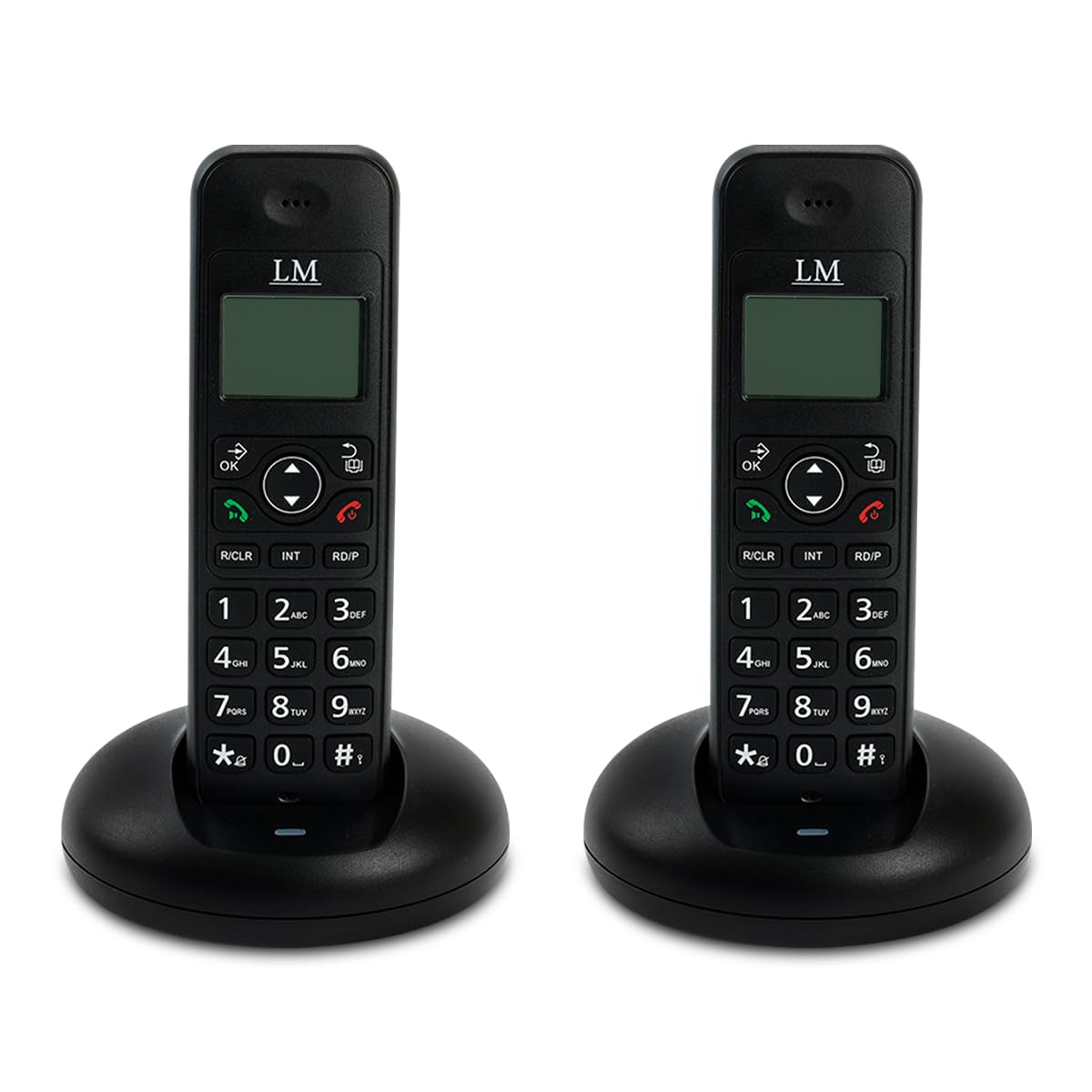
Image: Two RadioShack 1702-2 LM cordless phones on their charging bases, ready for setup.
2. Ṣiṣẹ foonu rẹ
2.1 Ṣiṣe ipe kan
- Pick up a handset from its base or press the SỌRỌ bọtini.
- Dial the desired phone number. The number will appear on the display.
- Tẹ awọn SỌRỌ Bọtini lẹẹkansi ti o ba gbe foonu akọkọ, tabi duro fun ipe lati sopọ.
- Lati mu ipe dopin, tẹ awọn OPIN button or place the handset back on its charging base.
2.2 Ndahun ipe kan
Nigbati foonu ba ndun, gbe foonu tabi tẹ awọn SỌRỌ bọtini.
2.3 Iwe foonu
Your phone can store up to 50 contacts. Refer to the on-screen menu for adding, editing, and deleting entries.
2.4 Tuntun
Tẹ awọn Titunṣe bọtini lati pe awọn ti o kẹhin ipe nọmba.
2.5 Intercom (Internal Calls)
To call another handset within your system, press the INT button and then the number of the desired handset (e.g., 1 or 2).

Image: Close-up of a single RadioShack 1702-2 LM cordless phone on its charging base, highlighting the keypad and display for operation.
3. Itọju
3.1 Ninu
Wipe the phone and base units with a soft, damp asọ. Ma ṣe lo abrasive ose tabi epo.
3.2 batiri Itọju
The handsets use rechargeable batteries. If the battery indicator is low, place the handset on its charging base. Over time, rechargeable batteries may lose capacity. If you notice a significant decrease in talk time, consider replacing the batteries with compatible ones.
3.3 Ibi ipamọ
If storing the phone for an extended period, remove the batteries from the handsets.
4. Laasigbotitusita
Awọn oran ti o wọpọ ati Awọn ojutu:
- Ko si ohun orin ipe:
- Rii daju pe okun laini tẹlifoonu ti sopọ ni aabo si ẹgbẹ ipilẹ ati jaketi ogiri.
- Ṣayẹwo boya ohun ti nmu badọgba agbara AC ti sopọ daradara si ẹyọ ipilẹ ati iṣan itanna ti n ṣiṣẹ.
- Rí i dájú pé iṣẹ́ tẹlifóònù rẹ ń ṣiṣẹ́.
- Ko le ṣe tabi gba awọn ipe wọle:
- Check the battery level of the handset. Place it on the charging base if low.
- Rii daju pe foonu wa laarin ibiti o ti wa ni aaye ipilẹ.
- Temporarily disconnect the base unit's power adapter and telephone line cord, wait a few minutes, then reconnect them.
- Ifihan ti ṣofo tabi baibai:
- Charge the handset battery.
- Adjust contrast settings if available (refer to on-screen menu).
- Dídára ohùn tí kò dára tàbí tí kò dúró ṣinṣin:
- Sunmọ si ẹyọ ipilẹ.
- Ensure the base unit is not near other electronic devices that may cause interference (e.g., microwaves, Wi-Fi routers).
- Ṣayẹwo okun laini tẹlifoonu fun ibajẹ.
5. Awọn pato
- Brand: RadioShack
- Awoṣe: 1702-2 LM
- Àwọ̀: Dudu
- Iru: Cordless Phone System (2 Handsets)
- Ohun elo: Ṣiṣu
- Orisun Agbara: Okun Itanna
- Agbara Iwe foonu: 50 awọn titẹ sii
- Iranti ID olupe: 30 incoming numbers
- Agbara Ipe Alapejọ: 1-ọna
- Multi-line Operation: Single line operation
- Awọn iwọn idii: 20.7 x 17.2 x 10.7 cm; 650g

Aworan: Ẹyin view of the RadioShack 1702-2 LM cordless phone and its base, illustrating the power input and telephone line port connections.
6. Atilẹyin ọja ati Support
6.1 atilẹyin ọja Alaye
This RadioShack 1702-2 LM Cordless Phone System comes with an extended 5-year warranty. Please retain your proof of purchase for warranty claims.
6.2 Onibara Support
For technical assistance or warranty service, please contact RadioShack customer support. Refer to the product packaging or official RadioShack webaaye fun awọn alaye olubasọrọ.

Image: Product packaging for the LM Duo Wireless Phone, clearly indicating the '5 YEARS WARRANTY' for the system.