
1. Ifihan
Welcome to the DITONG HY300 Plus HD Projector user manual. This guide will help you set up, operate, and maintain your new projector. The HY300 Plus is a portable projector equipped with Android 11 and dual-band WiFi 6, offering a seamless and high-quality viewing experience for movies, presentations, and more, both indoors and outdoors.
2. Ọja Ipariview
2.1 irinše
The DITONG HY300 Plus projector package typically includes the following items:
- DITONG HY300 Plus Projector
- Adapter agbara
- Isakoṣo latọna jijin

Image: The DITONG HY300 Plus projector in white, accompanied by its black remote control and a protective cover for the lens.
2.2 Key Awọn ẹya ara ẹrọ
- Android 11 OS: Built-in smart operating system for direct access to streaming apps without external devices.
- Dual-band WiFi 6 (5G + 2.4G): Ensures faster and more reliable wireless connectivity for smooth streaming and screen mirroring.
- Idojukọ Itanna: Easily adjust image clarity using the remote control.
- 4K Decoding & 720P Native Resolution: Supports 4K video input with a native resolution of 1280x720P for clear images.
- Atunse Keystone Aifọwọyi: Automatically adjusts image distortion for a perfectly rectangular picture.
- 180° Flexible Projection Angle: Allows projection onto walls, ceilings, or floors.
- Iṣẹ Ariwo Kekere: Operates at less than 25dB for a quiet viewiriri iriri.
- Imọlẹ giga: 8000 Lux (250 ANSI lumens) for vivid and bright images.
- Multiple Aspect Ratios: Supports 16:9, 4:3, and 16:10.
- Asopọmọra Bluetooth: Fun sisopọ awọn ohun elo ita gbangba.

Aworan: An loriview of the DITONG HY300 Plus features, including electronic focus, Bluetooth 5.0, 4K decoding, 720P native resolution, WiFi 5G/2.4G, and auto keystone correction.

Image: A demonstration of the electronic focus feature, showing a clear image projected onto a screen with the projector and remote control in the foreground.

Image: Illustrates the 180-degree flexible projection angle, showing the projector casting an image onto a wall and a ceiling in a bedroom setting.

Image: Depicts the dual-band WiFi 5G/2.4G capability, showing a fast connection for screen mirroring with a projected image of a car chase.

Image: Illustrates the low noise level of the projector, comparing its sound output to common ambient noises like whispering and a motorcycle passing.
3. Eto
3.1 Unboxing ati ayewo
Carefully remove all components from the packaging. Inspect for any signs of damage. If any items are missing or damaged, contact customer support immediately.
3.2 Asopọ agbara
- So ohun ti nmu badọgba agbara si awọn pirojekito ká agbara input ibudo.
- Pulọọgi ohun ti nmu badọgba agbara sinu iṣan itanna to dara.
3.3 Ibẹrẹ Agbara Lori
Press the power button on the projector or the remote control to turn on the device. The projector will boot up, displaying the Android 11 interface.
3.4 Placement and Projection Distance
Gbé ẹ̀rọ àgbékalẹ̀ náà sí orí ilẹ̀ tí ó dúró ṣinṣin, tí ó tẹ́jú. Fún ohun tí ó dára jùlọ. viewing, consider the projection distance:
- For a 130-inch display, an optimal projection distance is approximately 1.68 meters.
- The projector supports various screen sizes from 40 inches to 130 inches depending on distance.

Image: A diagram illustrating optimal projection distances for different screen sizes, showing that 1.68 meters is ideal for a 130-inch display.
3.5 iṣagbesori Aw
The HY300 Plus is designed for versatile placement:
- Lilo gbigbe: Place it on a table or flat surface.
- Oke Oke: The bottom of the projector features a 1/4-inch screw hole, compatible with standard ceiling mounts or camera tripods.
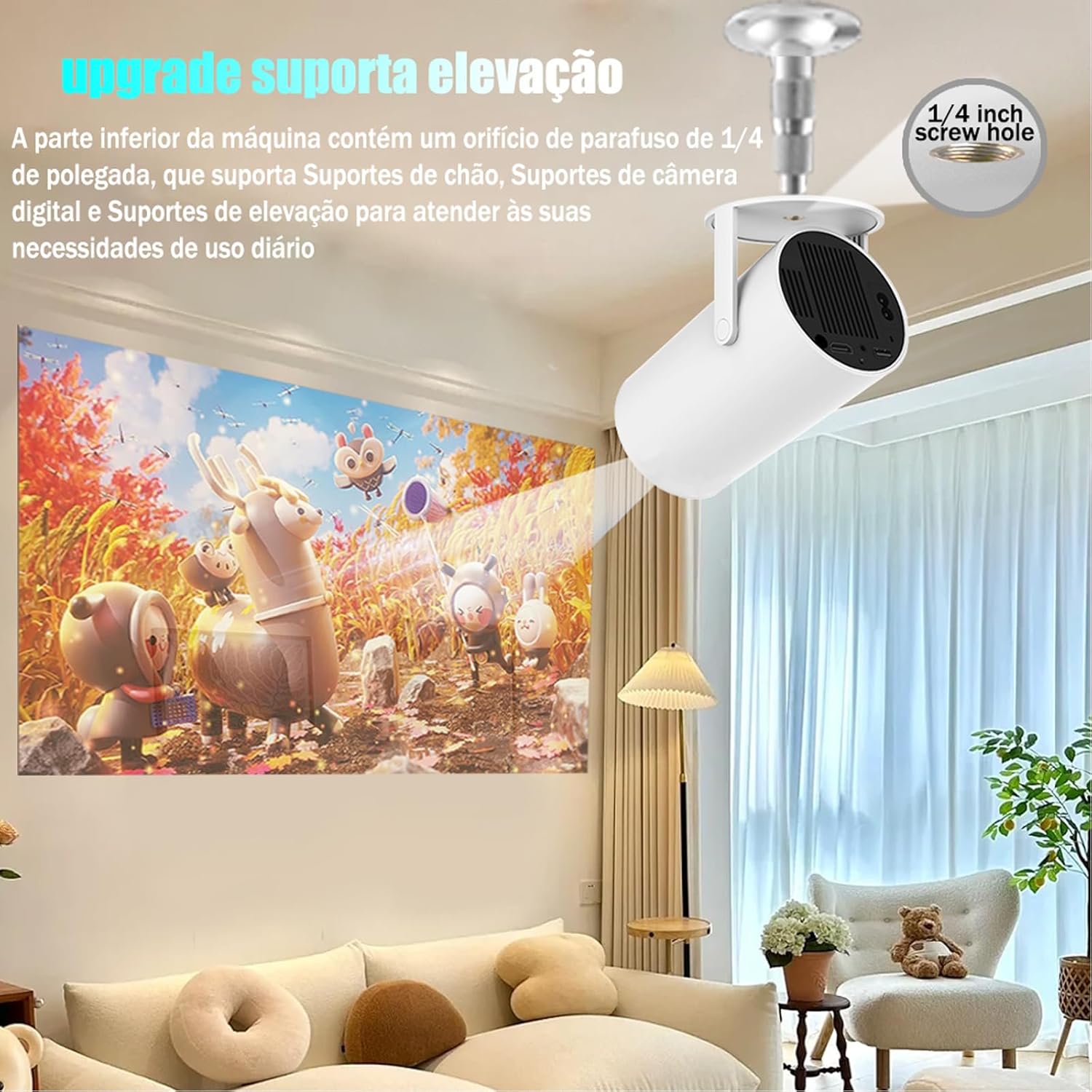
Image: The projector shown mounted to a ceiling, highlighting the 1/4-inch screw hole for various mounting solutions.
4. Awọn ilana Iṣiṣẹ
4.1 Latọna Iṣakoso Awọn iṣẹ
Use the included remote control to navigate the projector's interface. Key functions include:
- Titan / Paa
- Lilọ kiri (Soke, Isalẹ, Osi, Ọtun, O DARA)
- Back/Home buttons
- Iṣakoso iwọn didun
- Atunṣe idojukọ

Image: The DITONG HY300 Plus projector with its remote control, demonstrating the electronic focus feature.
4.2 Electronic Focus Adjustment
Láti ṣàtúnṣe kedere àwòrán náà:
- Point the remote control at the projector.
- Press the dedicated focus buttons (usually marked with a circle or 'F' icon) on the remote to sharpen the image.
4.3 Àtúnṣe Òkúta Àìfọwọ́ṣe
The HY300 Plus features automatic keystone correction. When the projector is moved or angled, it will automatically adjust the image to maintain a rectangular shape. Manual adjustments are typically not required.
4.4 Nsopọ Awọn ẹrọ ita
- HDMI: Connect laptops, gaming consoles, or other HDMI-enabled devices using an HDMI cable.
- Screen Mirroring (WiFi): Connect your smartphone or tablet wirelessly via WiFi for screen mirroring. Ensure both devices are connected to the same WiFi network.
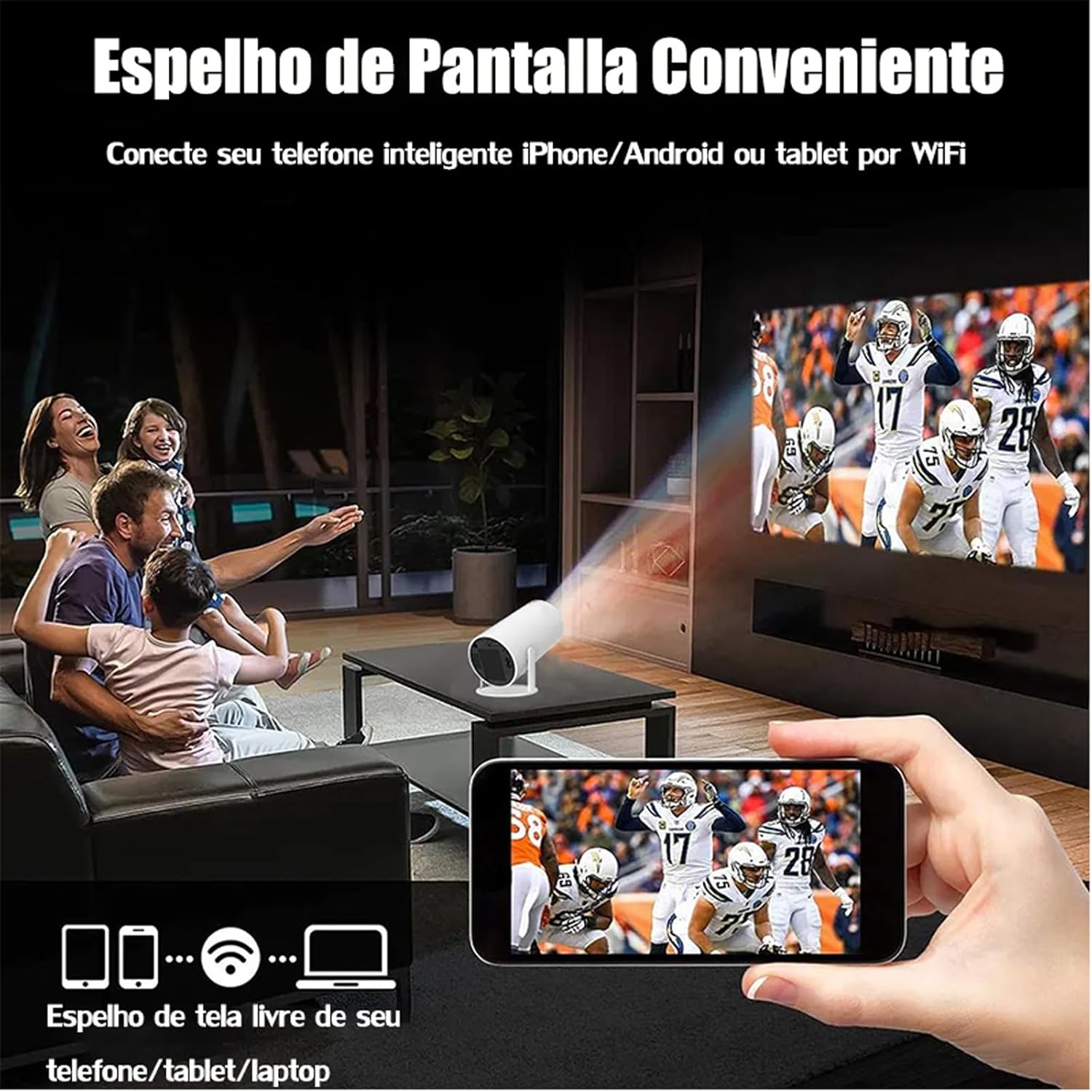
Image: A family watching a football game projected onto a screen, with a smartphone in the foreground demonstrating wireless screen mirroring.
4.5 Lílọ kiri lórí Android 11
The projector's smart interface allows you to download and use various applications. Use the remote control to navigate through menus, select apps, and adjust settings. Connect to your home WiFi network to access online content.
4.6 Audio wu
The projector has built-in speakers. For enhanced audio, you can connect external Bluetooth speakers or headphones via the Bluetooth interface.
5. Itọju
Itọju to dara ṣe idaniloju gigun ati iṣẹ ti o dara julọ ti pirojekito rẹ.
- Fifọ lẹnsi: Gently wipe the projector lens with a soft, lint-free cloth or a lens cleaning brush. Avoid abrasive materials that could scratch the lens.
- Afẹfẹ: Ensure the projector's ventilation ports are clear of dust and obstructions to prevent overheating. Do not block the air vents during operation.
- Ibi ipamọ: When not in use, store the projector in a cool, dry place, away from direct sunlight and extreme temperatures. Use the protective cover if provided.
6. Laasigbotitusita
If you encounter issues with your DITONG HY300 Plus projector, refer to the following common problems and solutions:
- Ko si Aworan:
- Ensure the power adapter is securely connected and the projector is powered on.
- Check the input source. Make sure the correct HDMI or mirroring input is selected.
- Aworan blurry:
- Use the remote control to adjust the electronic focus.
- Rii daju pe dada asọtẹlẹ jẹ alapin ati pe pirojekito jẹ iduroṣinṣin.
- Ko si Ohun:
- Check the volume level on the projector and the connected device.
- If using external speakers, ensure they are properly connected via Bluetooth.
- Awọn iṣoro pẹlu asopọ Wi-Fi:
- Rí i dájú pé pirojekito naa wa laarin ibiti olulana WiFi rẹ wa.
- Restart the projector and your WiFi router.
- Verify the WiFi password is entered correctly.
If the problem persists, please contact DITONG customer support for further assistance.
7. Awọn pato
Below are the detailed specifications for the DITONG HY300 Plus HD Projector:
| Ẹya ara ẹrọ | Sipesifikesonu |
|---|---|
| Brand | DITONG |
| Awoṣe | HY300 PLUS |
| Eto isesise | Android 11 |
| Alailowaya Asopọmọra | Dual-band WiFi 6 (5G + 2.4G) |
| Bluetooth | Bẹẹni |
| Ifihan ọna ẹrọ | LCD |
| Imọlẹ | 8000 Lux (250 ANSI lumens) |
| Ipinnu abinibi | 1280 x 720P |
| Ipinnu atilẹyin | Titi di 4K |
| Apakan Ipin | 16:9, 4:3, 16:10 |
| Oṣuwọn sọtun | 60 Hz |
| Idojukọ | Itanna Idojukọ |
| Keystone Atunse | Laifọwọyi |
| Awọn ẹrọ ibaramu | Smartphones, devices with HDMI output |
| Asopọmọra Iru | Bluetooth, HDMI, Wifi |
| Fọọmù ifosiwewe | Gbigbe |
| Iṣagbesori Iru | Oke Oke |
| Iwọn Ọja | 2.27 g |
| Voltage | 1.2E + 2 folti |
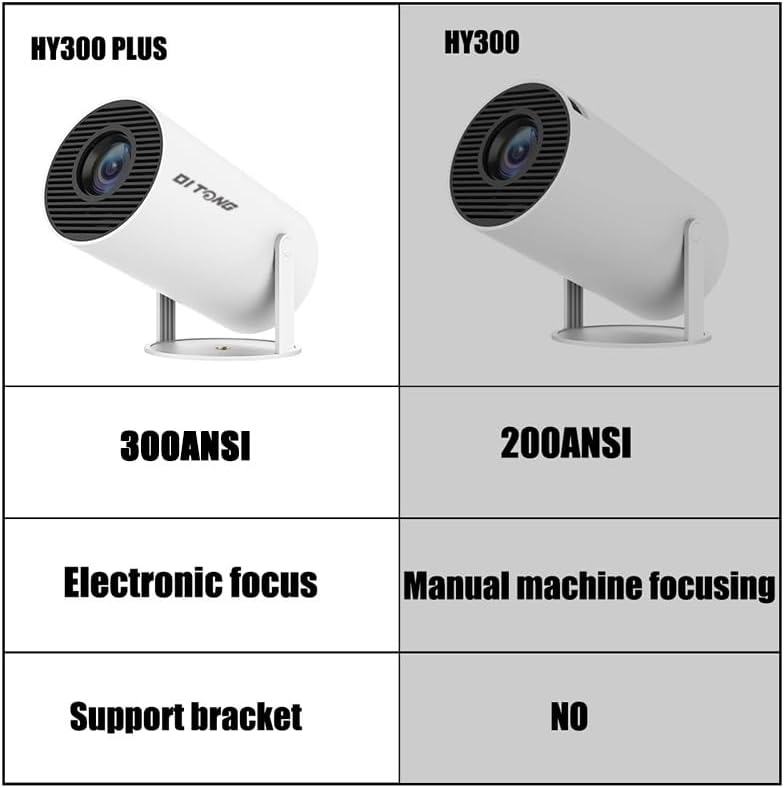
Image: A comparison table highlighting the differences between the HY300 Plus and the original HY300, showing the Plus model has 300 ANSI lumens, electronic focus, and a support bracket.
8. Atilẹyin ọja ati Support
The DITONG HY300 Plus Projector comes with a manufacturer's warranty. Please refer to the product packaging or the official DITONG webAaye fun pato awọn ofin ati ipo atilẹyin ọja.
For technical support, troubleshooting assistance, or warranty claims, please contact DITONG customer service through the contact information provided with your purchase or on the official DITONG support channels.