
1. Ifihan
Thank you for choosing the LanLuk 200W GaN IV 8-Port USB-C Charging Station. This device is designed to provide efficient and safe charging for a wide range of electronic devices, including laptops, smartphones, tablets, and more. Please read this manual carefully before use to ensure proper operation and to maximize the lifespan of your product.
2. Awọn ilana aabo
- Ma ṣe fi ẹrọ naa han si omi, ọrinrin, tabi awọn iwọn otutu to gaju.
- Yago fun sisọ silẹ tabi tẹriba ẹrọ si awọn ipa to lagbara.
- Má ṣe tú ẹ̀rọ náà ká, má ṣe yí i padà tàbí gbìyànjú láti tún un ṣe fúnra rẹ. Èyí yóò sọ àtìlẹ́yìn náà di òfo, ó sì lè fa ìbàjẹ́ tàbí ìpalára.
- Lo okun agbara ti a pese nikan.
- Ensure proper ventilation around the charging station during use to prevent overheating.
- Jeki kuro ni arọwọto awọn ọmọde.
- Unplug the charging station from the power outlet when not in use or during electrical storms.
3. Package Awọn akoonu
Daju pe gbogbo awọn nkan wa ninu apo rẹ:
- 1 x LanLuk 200W 8-in-1 USB-C Charging Station
- 1 x Okun Agbara
- 1 x Ilana itọnisọna
4. Ọja Ipariview
The LanLuk 200W GaN IV 8-Port USB-C Charging Station features advanced GaN IV technology for higher energy efficiency, upgraded heat dissipation, and a compact design. It provides a total of 200W power output across 8 ports, allowing you to charge multiple devices simultaneously.
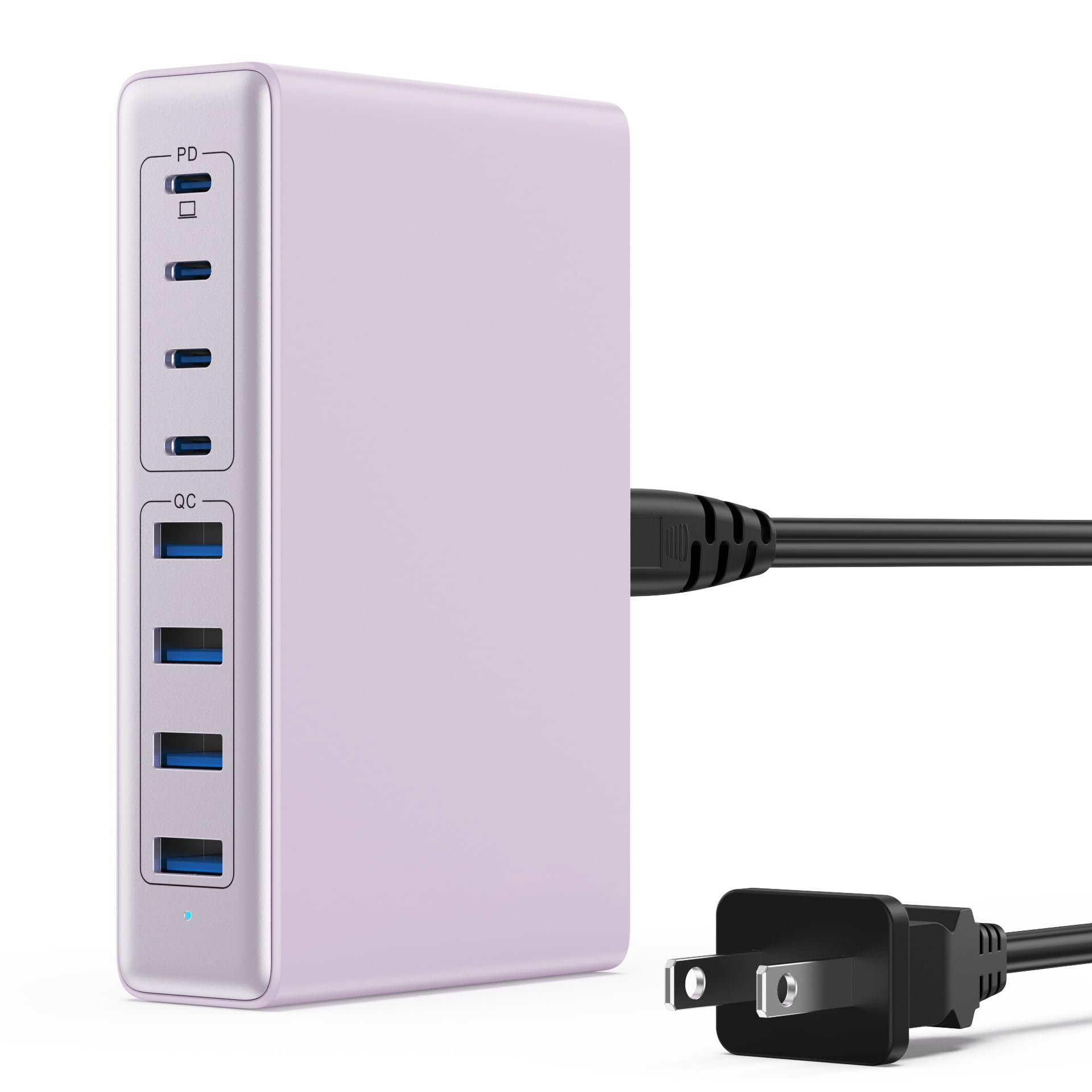
Image: The LanLuk 200W GaN IV 8-Port USB-C Charging Station in purple.
Awọn ẹya pataki:
- GaN IV Technology: Utilizes the latest Gallium Nitride (GaN) IV chip for enhanced efficiency, reduced heat, and a smaller form factor.
- 200W Lapapọ Abajade Agbara: Delivers optimal power to charge up to 8 devices simultaneously at full speed.
- 8 Charging Ports: Includes 4 USB-C ports (PD 3.0) and 4 USB-A ports (QC 4.0) for broad compatibility.
- 65W Agbara Ifijiṣẹ (PD): One dedicated USB-C port provides up to 65W, capable of fast-charging laptops like MacBook Pro/Air, Dell XPS, and more.
- Ètò Ààbò Onírúurú: Built-in intelligent IC with six safety protections: over-voltage, over-current, over-charge, over-temperature, static electricity, and short circuit.
- Ibamu Agbaye: Supports a wide range of devices including iPhones, iPads, Android phones, laptops, gaming consoles (Steam Deck, Nintendo Switch), smartwatches, and headphones.
- Apẹrẹ to gbe: Compact size (approximately 5 inches by 3 inches) with a 1.5M/5FT AC extension power cord for flexible placement.
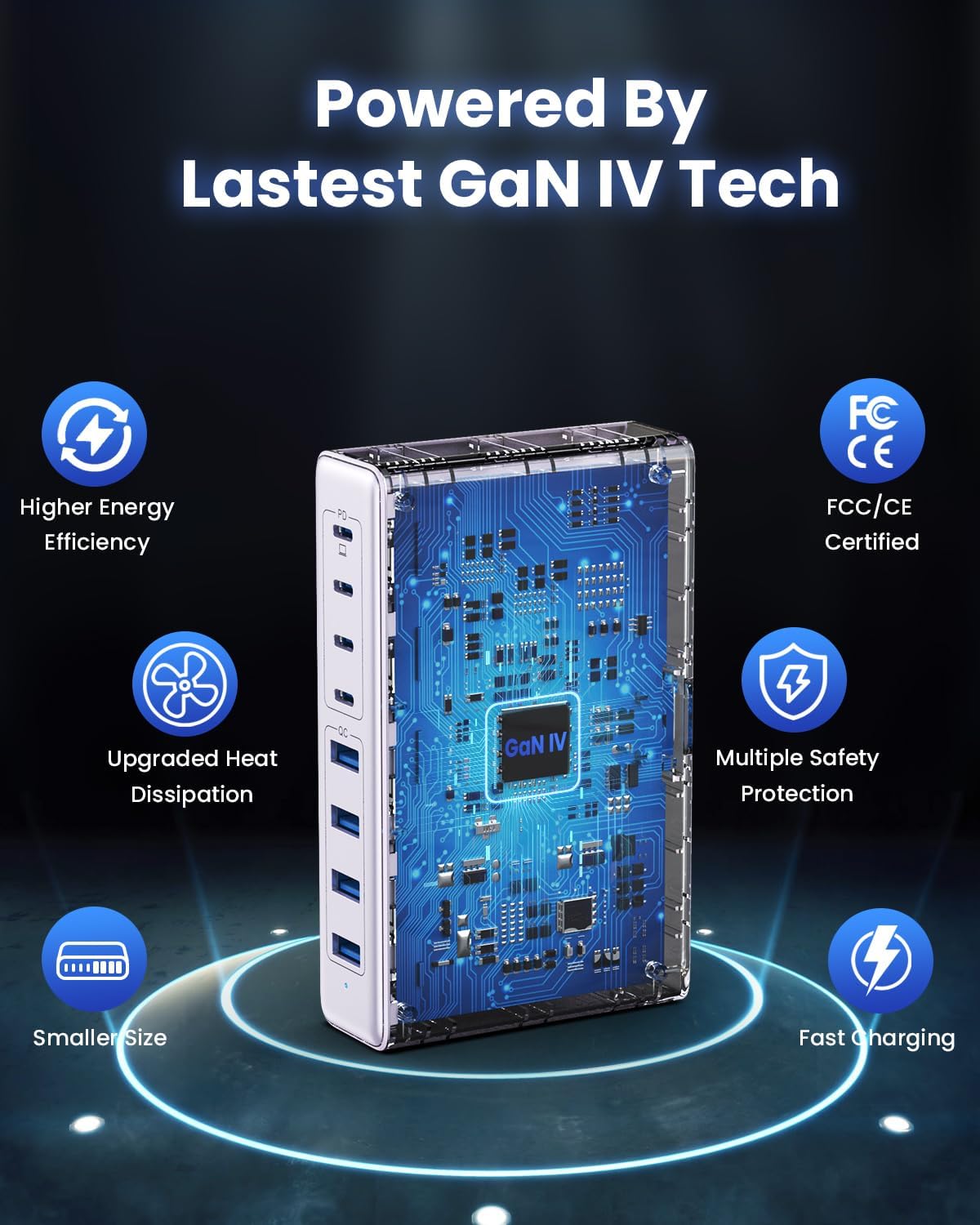
Image: Diagram illustrating the benefits of GaN IV technology, including higher energy efficiency, upgraded heat dissipation, smaller size, multiple safety protections, and fast charging.

Image: Visual representation of the charging station connecting to 8 different devices (4 USB-C, 4 USB-A).

Image: Infographic showing the universal compatibility with laptops/tablets (MacBook Pro, Dell XPS, iPad Pro), smartphones (iPhone, Samsung Galaxy, Google Pixel), and gaming devices/others (ROG ALLY, Steam Deck, AirPods, Switch).

Image: Illustration highlighting the USB-C1 port's 65W output, perfect for laptops, showing a MacBook charging.
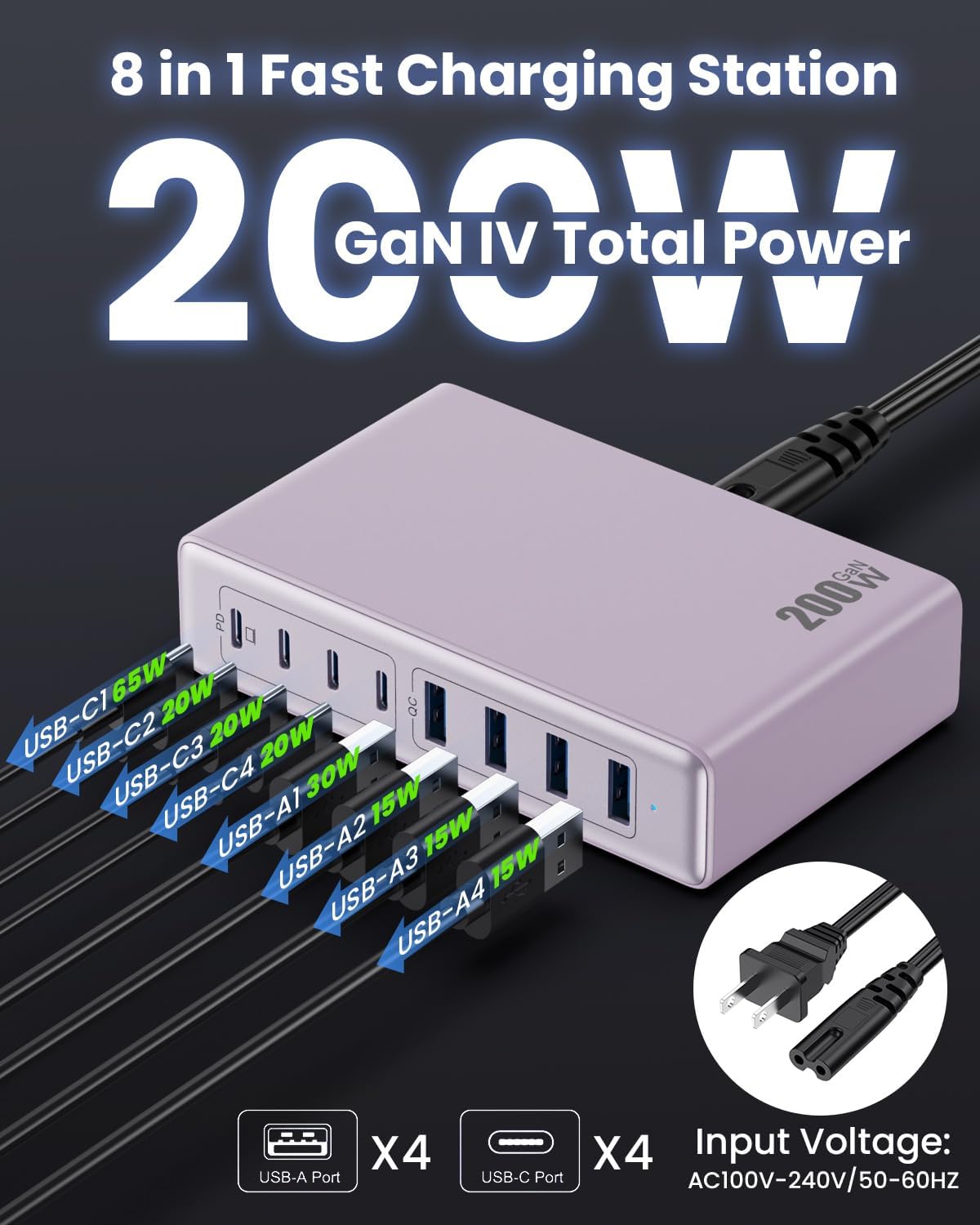
Aworan: Alaye view of the charging station's ports and their individual power outputs (USB-C1 65W, USB-C2 20W, USB-C3 20W, USB-C4 20W, USB-A1 15W, USB-A2 15W, USB-A3 15W, USB-A4 15W).

Image: Comparison chart showing the LanLuk charger's advantages over other chargers in terms of total max output, one port output, number of ports, devices charged, portability, and sustainability.
5. Eto
- Yọọ kuro: Fara yọọ ibudo gbigba agbara ati gbogbo awọn ẹya ẹrọ kuro ninu apoti.
- So okun agbara pọ: Insert the included power cord into the AC input port on the back of the charging station.
- Pulọọgi sinu Ijade: Plug the other end of the power cord into a standard AC wall outlet (100-240V, 50/60Hz).
- Ṣetan fun Lilo: The charging station is now ready to charge your devices.
6. Awọn ilana Iṣiṣẹ
- Identify Port Type: Determine whether your device requires a USB-C or USB-A connection.
- So ẹrọ pọ: Plug your device's charging cable into the appropriate port on the charging station. For optimal laptop charging, use the 65W PD USB-C1 port.
- Bẹrẹ gbigba agbara: Your device should begin charging automatically. The intelligent chip will identify the device and deliver the optimal charging current.
- Abojuto gbigba agbara: Some devices may display a charging indicator.
- Ge asopọ: Once charging is complete, safely disconnect your device from the charging station.
7. Awọn pato
| Ẹya ara ẹrọ | Apejuwe |
|---|---|
| Brand | LanLuku |
| Nọmba awoṣe | HX-P21 |
| Wattage | 200 Wattis (Lapapọ) |
| Lapapọ Awọn ibudo USB | 8 (4 USB-C, 4 USB-A) |
| USB-C o wu | PD USB C (up to 65W on one port) |
| Ṣiṣejade USB-A | QC4.0 USB-A |
| Iṣagbewọle Voltage | 100-240 Volts (AC), 50-60 Hz |
| Ijade lọwọlọwọ | 4 Amps (Max) |
| Ohun elo | Plastic (ABS and PC fireproof materials) |
| Pataki Awọn ẹya ara ẹrọ | GaN IV Technology, Fast Charging, Lightweight Design, Charging Indicator, Universal Compatibility, Short Circuit Protection |
| Awọn iwọn | Approximately 5 inches x 3 inches (portable) |
| Orisun agbara | Okun Itanna |
8. Laasigbotitusita
- Ẹrọ ko gba agbara:
- Ensure the charging station is properly plugged into a live power outlet.
- Ṣayẹwo boya okun gbigba agbara ti sopọ ni aabo si aaye gbigba agbara ati ẹrọ rẹ.
- Try a different charging cable or port to rule out a faulty cable or port.
- Verify your device is compatible with the charging station's output specifications.
- Gbigba agbara lọra:
- Ensure you are using a fast-charging compatible cable for your device.
- For laptops, use the dedicated 65W PD USB-C1 port.
- Charging multiple devices simultaneously may distribute the total power, potentially reducing individual port speeds.
- Check if your device supports fast charging protocols (PD, QC).
- Igbóná púpọ̀:
- Ensure the charging station has adequate ventilation and is not covered.
- If excessive heat persists, discontinue use and contact customer support.
9. Itọju
- Ninu: Ge asopọ aaye gbigba agbara lati inu iṣan agbara ṣaaju ṣiṣe mimọ. Lo asọ ti o rọ, ti o gbẹ lati nu dada. Maṣe lo awọn olutọpa olomi tabi awọn aerosols.
- Ibi ipamọ: Tọju ẹrọ naa ni itura, aye gbigbẹ kuro lati orun taara ati ọrinrin nigbati ko si ni lilo.
- Itọju USB: Avoid bending or crimping charging cables excessively to prevent damage.
10. Atilẹyin ọja ati Support
LanLuk provides a 3-odun atilẹyin ọja for free replacement. If you encounter any issues or have questions regarding your product, please contact our customer support team for assistance.
Atilẹyin Onibara: Jọwọ tọka si alaye olubasọrọ ti a pese lori apoti ọja tabi osise wa webojula fun support.


