
Ọrọ Iṣaaju
The Mycket Star Projector (Model 012-2402B) is a versatile device designed to create a relaxing and engaging atmosphere. It combines an aurora projector, star light, LED night light, and a Bluetooth speaker into one unit. This manual provides detailed instructions for its proper setup, operation, and maintenance.

Image: The Mycket Star Projector, featuring its unique snail design and vibrant light projections.
Alaye Aabo
- Ma ṣe tuka tabi yi ẹrọ naa pada.
- Jeki ẹrọ naa kuro ni omi ati ọriniinitutu giga.
- Use only the provided USB cable for power.
- Avoid direct eye exposure to the laser light.
- Ẹrọ yii jẹ ipinnu fun lilo inu ile nikan.
Package Awọn akoonu
Jọwọ ṣayẹwo package fun awọn nkan wọnyi:
- 1 x Snail Galaxy Star Projector
- 1 x Okun USB
- 1 x Isakoṣo latọna jijin
- 1 x Itọsọna olumulo

Image: The Mycket Star Projector, its packaging, remote control, USB cable, and user manual.
Ọja Pariview
The Mycket Star Projector features intuitive controls on both the device and the included remote control.

Aworan: Iwaju ati ẹgbẹ view of the projector with labeled buttons and ports.
Awọn iṣakoso ẹrọ:
- Bọtini agbara: Yi pirojekito tan tabi pa.
- Star Lights Mode/Northern Lights Mode Button: Cycles through different light projection modes.
- Bọtini isalẹ iwọn didun: Din iwọn didun ohun silẹ.
- Bọtini Soke Iwọn: Ṣe iwọn didun ohun pọ si.
- Ibudo Ngba agbara Iru-C: Connects the device to a power source using the provided USB cable.
Awọn iṣẹ iṣakoso latọna jijin:
Image: The remote control with all its buttons clearly labeled for various functions.
- Star Power Button: Turns the star projection on/off.
- R (Red Aurora): Activates red aurora light.
- G (Green Aurora): Activates green aurora light.
- B (Blue Aurora): Activates blue aurora light.
- W (White Aurora): Activates white aurora light.
- Iwọn didun Soke/Isalẹ: Ṣatunṣe iwọn didun agbọrọsọ.
- Ti tẹlẹ/Orin atẹle: Navigates music tracks.
- Northern Lights Mode 1/2: Selects different aurora light patterns.
- Atunse Imọlẹ: Cycles through 5 brightness levels (20%, 40%, 60%, 80%, 100%).
- Speeds Up/Down: Adjusts the rotation speed of the lights (Stop, Slow, Medium, Fast).
- Fagilee Aago: Deactivates any set timer.
- 1 Hour Timing: Sets an automatic shut-off timer for 1 hour.
- 2 Hour Timing: Sets an automatic shut-off timer for 2 hours.
- Bluetooth Link: Ti bẹrẹ ipo sisọpọ Bluetooth.
Ṣeto
- Asopọ agbara: Connect the provided USB cable to the Type-C charging port on the projector and plug the other end into a compatible USB power adapter (not included) or a USB port.
- Awọn batiri Iṣakoso Latọna jijin: Ensure the remote control has 1 AAA battery installed (included).
- Ibi: Place the projector on a stable, flat surface in the desired room. For optimal projection, ensure there are no obstructions between the projector and the ceiling/walls.
Awọn ilana Iṣiṣẹ
1. Agbara Tan / Paa
Press the Power Button on the device or the remote control to turn the projector on or off.
2. Light Modes and Colors
The projector offers various light effects, including star mode, aurora effects, and combinations.

Image: Visual representation of the three main light types and their variations.
- Ipo Irawọ: Press the 'Star Power Button' on the remote to activate or deactivate the star projection.
- Awọn ipa Aurora: Use the 'Northern Lights Mode 1' or 'Northern Lights Mode 2' buttons on the remote to cycle through different aurora patterns.
- Aṣayan awọ: Press the R, G, B, or W buttons on the remote to select individual aurora colors (Red, Green, Blue, White). Combinations of these colors will create mixed aurora effects.
3. Tolesese Imọlẹ
Adjust the light intensity using the 'Brightness Adjustment' button on the remote control. There are 5 levels: 20%, 40%, 60%, 80%, and 100%.
4. Rotation Speed Adjustment
Control the movement speed of the projected lights with the 'Speeds Up' and 'Speeds Down' buttons on the remote. Options include Stop, Slow, Medium, and Fast.
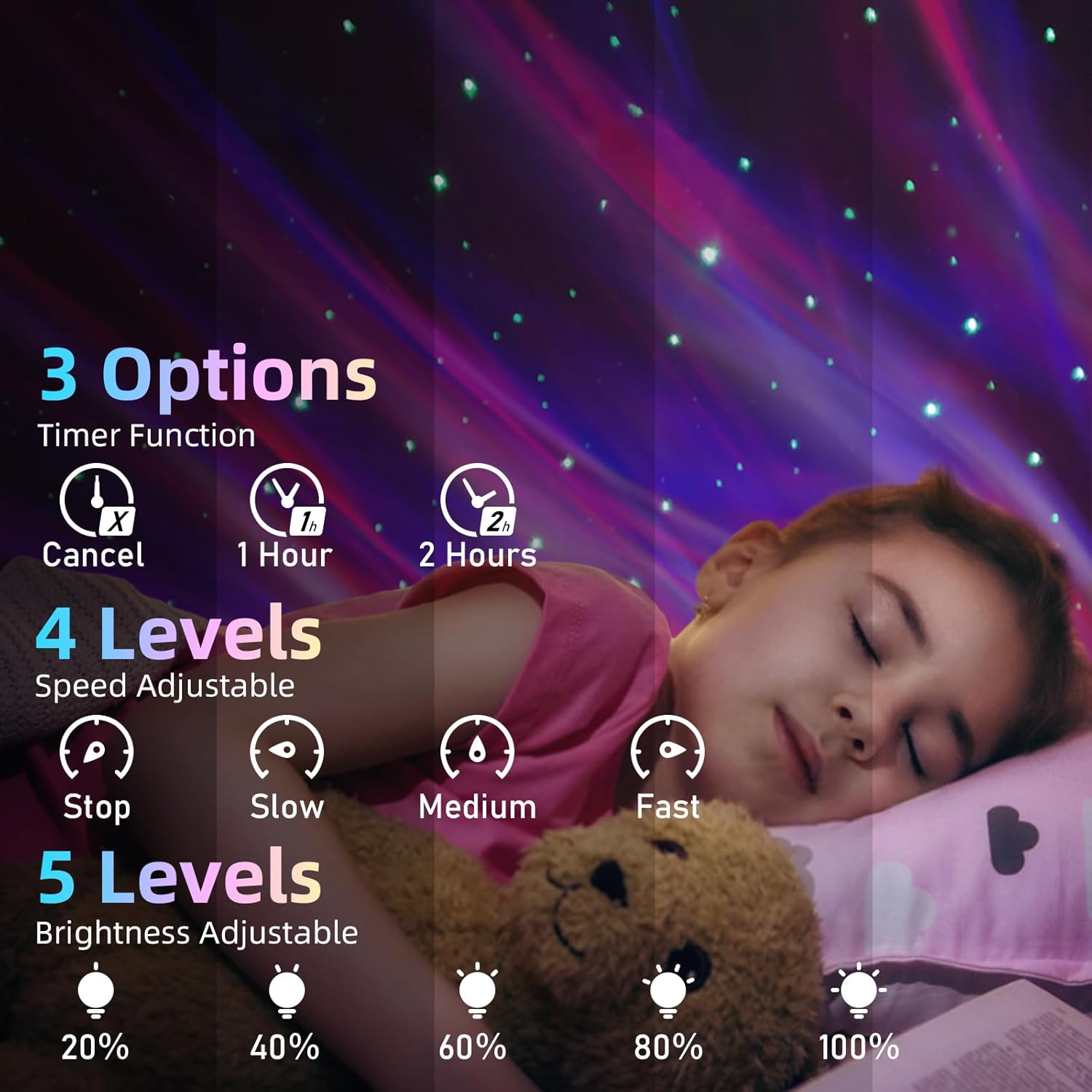
Image: Visual guide for timer, speed, and brightness settings.
5. Bluetooth Speaker Pairing
The projector includes a built-in Bluetooth speaker for audio playback.

Image: The projector connected to a smartphone via Bluetooth, ready for music playback.
- Rii daju pe ẹrọ pirojekito ti wa ni titan.
- Mu Bluetooth ṣiṣẹ lori ẹrọ alagbeka rẹ (foonuiyara, tabulẹti, ati bẹbẹ lọ).
- Wa fun Bluetooth devices and select 'XB2308' from the list.
- Once connected, you can play audio through the projector's speaker.
6. Music Rhythm Mode
When music is playing through the Bluetooth speaker, the lights can synchronize with the beat. This mode is automatically active when music is detected.
7. Iṣẹ Aago
Set an automatic shut-off timer for convenience.
- Press '1 Hour Timing' on the remote to set the projector to turn off after 1 hour.
- Press '2 Hour Timing' on the remote to set the projector to turn off after 2 hours.
- To cancel the timer, press the 'Cancel Timer' button.
- If no timer is set, the projector will automatically turn off after 4 hours of continuous operation.
Itoju
- Ninu: Use a soft, dry cloth to wipe the surface of the projector. Do not use abrasive cleaners or solvents.
- Ibi ipamọ: When not in use for extended periods, store the projector in a cool, dry place, away from direct sunlight.
Laasigbotitusita
| Isoro | Owun to le Fa | Ojutu |
|---|---|---|
| Àwòrán kò tan. | Ko si asopọ agbara tabi okun waya ti ko ni abawọn. | Ensure the USB cable is securely connected and the power source is active. Try a different USB port or adapter. |
| Isakoṣo latọna jijin ko ṣiṣẹ. | Awọn batiri ti o ku tabi idilọwọ. | Replace the AAA battery in the remote. Ensure there is no obstruction between the remote and the projector's sensor. |
| Bluetooth cannot connect. | Projector not in pairing mode or device too far. | Ensure the projector is on. Activate Bluetooth on your device and search for 'XB2308'. Move your device closer to the projector. |
| Ko si ohun lati agbọrọsọ. | Volume too low or not connected. | Increase volume on both the projector/remote and your connected device. Verify Bluetooth connection. |
| Awọn imọlẹ ti wa ni baibai. | Eto imọlẹ ti lọ silẹ. | Use the 'Brightness Adjustment' button on the remote to increase brightness. |
Awọn pato
- Orukọ awoṣe: Star pirojekito
- Nọmba Awoṣe Nkan: Ọdun 012-2402B
- Awọn iwọn: 5.83"D x 3.94"W x 4.8"H (14.8 cm x 10 cm x 12.2 cm)
- Ìwọ̀n Nkan: 0.37 kilogram (13 iwon)
- Ohun elo: Ṣiṣu
- Orisun Agbara: Okun Itanna (USB)
- Wattage: 4 watt
- Orisun Imọlẹ Imọlẹ: Star Light, LED
- Ọna Iṣakoso: Latọna jijin, Fọwọkan
- Awọn ẹya pataki: Color Changing, Dimmable, Remote Control, Timer, Bluetooth Speaker
- Batiri Latọna jijin: 1 x AAA (pẹlu)
- Lilo inu ile/ita gbangba: Ninu ile
Atilẹyin ọja ati Support
For warranty information or technical support, please refer to the contact details provided with your purchase documentation or visit the official Mycket webojula. Tọju iwe-ẹri rira rẹ bi ẹri rira fun eyikeyi awọn ibeere atilẹyin ọja.