
1. Ifihan
This manual provides essential information for the safe and efficient installation, operation, and maintenance of the XP POWER C10N Non-Isolated DC/DC Converter. Please read this manual thoroughly before attempting to install or operate the device. Retain this manual for future reference.
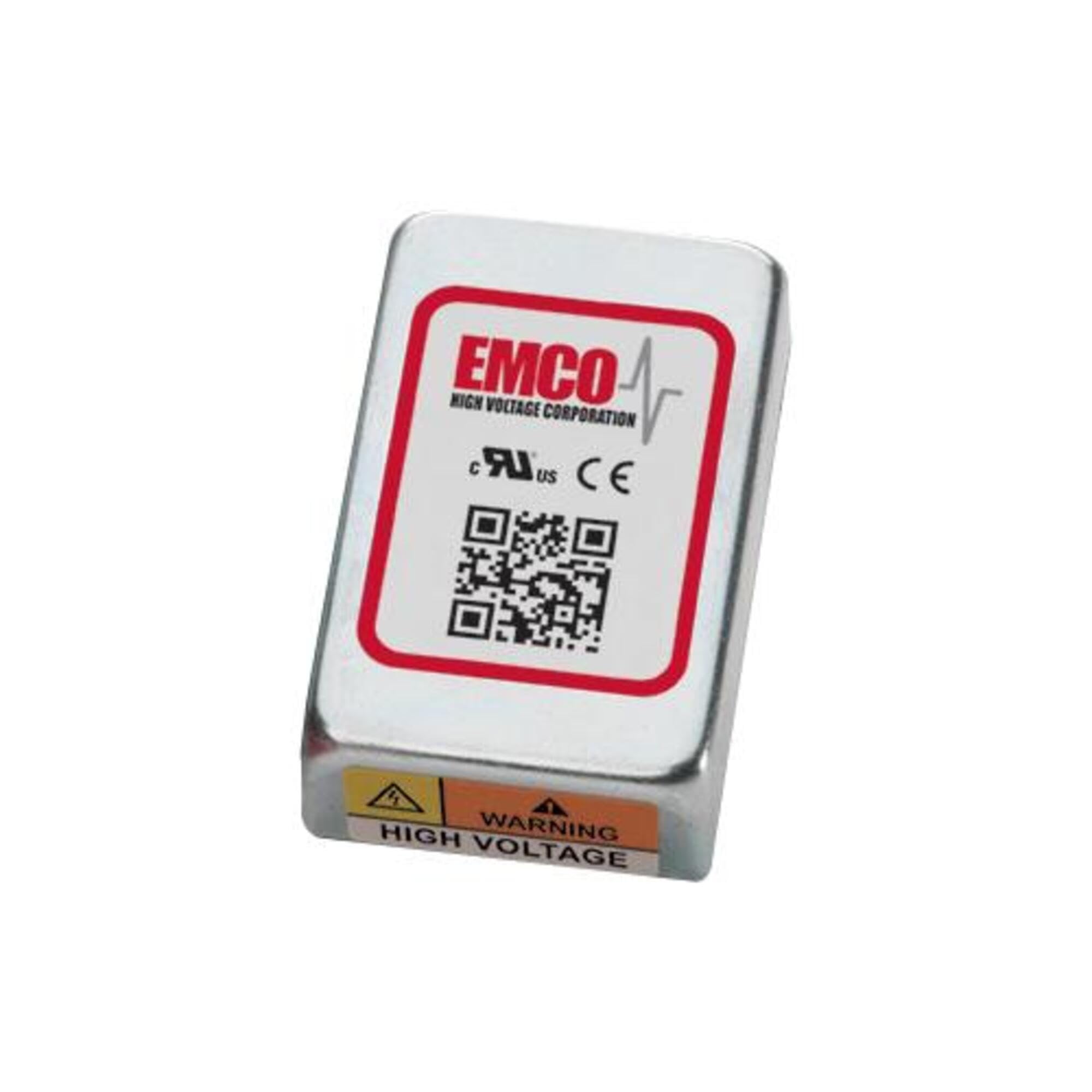
Image showing the physical unit of the XP POWER C10N Non-Isolated DC/DC Converter, typically displaying its casing and connection terminals.
2. Alaye Aabo
Always observe the following safety precautions to prevent injury and damage to the device or connected equipment.
- Oṣiṣẹ ti o peye: Fifi sori ẹrọ ati iṣẹ gbọdọ jẹ nipasẹ oṣiṣẹ ti o peye nikan.
- Ewu Itanna: This device operates with electrical voltages that can cause severe injury or death. Ensure all power sources are disconnected before installation, wiring, or maintenance.
- Asopọ to tọ: Verify correct input and output polarity and voltage levels before applying power. Incorrect wiring can damage the converter and connected devices.
- Afẹfẹ: Ensure adequate ventilation around the converter to prevent overheating. Do not obstruct airflow.
- Awọn ipo Ayika: Operate the converter within its specified environmental limits (temperature, humidity).
- Agbara fifuye: Do not exceed the maximum output current or power rating of the converter. Overloading can lead to damage or failure.
3. Eto
3.1 Unpacking ati ayewo
Upon receiving the C10N converter, carefully unpack it and inspect for any signs of physical damage. If damage is found, do not proceed with installation and contact your supplier immediately.
3.2 Iṣagbesori
Mount the converter in a secure location that provides sufficient airflow for cooling. Ensure the mounting surface is stable and capable of supporting the converter's weight. Avoid mounting near heat sources or in enclosed spaces without ventilation.
3.3 Awọn isopọ onirin
Refer to the product datasheet for specific pin assignments and wiring diagrams. Ensure all connections are secure and correctly polarized. Use appropriate wire gauges for the expected current levels.
- Agbara titẹ sii: So DC input voltage source to the designated input terminals. Observe correct polarity (+IN, -IN).
- Agbara Ijade: Connect the load to the designated output terminals. Observe correct polarity (+OUT, -OUT).
- Ilẹ: Ensure proper grounding practices are followed according to local electrical codes and product specifications.
3.4 Ibẹrẹ Agbara-soke
Before applying power, double-check all wiring connections. Once verified, apply the specified input voltage. Bojuto o wu voltage and current to ensure proper operation. If any anomalies are observed, immediately disconnect power and troubleshoot.
4. Ṣiṣẹ
The C10N converter is designed for continuous operation within its specified parameters. Once properly installed and powered, it will provide a stable DC output voltage.
- Isakoso fifuye: Ensure the connected load does not exceed the converter's maximum output current or power rating.
- Abojuto Ayika: Maintain the operating environment within the specified temperature and humidity ranges to ensure optimal performance and longevity.
- Output Monitoring: Periodically verify the output voltage and current to confirm stable operation, especially in critical applications.
5. Itọju
The C10N converter is designed for minimal maintenance. However, periodic checks can help ensure long-term reliability.
- Ninu: Jẹ́ kí ẹ̀rọ ìyípadà náà wà ní ìpamọ́ kúrò nínú eruku àti ìdọ̀tí. Lo aṣọ rírọ̀ tí ó gbẹ fún ìwẹ̀nùmọ́. Má ṣe lo àwọn ohun ìfọṣọ omi tàbí àwọn ohun èlò ìfọṣọ.
- Awọn ayẹwo Asopọmọra: Periodically inspect all wiring connections for tightness and signs of corrosion or damage.
- Afẹfẹ: Ensure that ventilation openings remain clear and unobstructed.
6. Laasigbotitusita
If the converter is not functioning as expected, perform the following basic troubleshooting steps:
| Isoro | Owun to le Fa | Ojutu |
|---|---|---|
| Ko si voltage | Ko si agbara titẹ sii Asopọmọra ti ko tọ Idaabobo apọju ti mu ṣiṣẹ | Check input power source and connections. Verify wiring against datasheet. Reduce load, then cycle input power. |
| O wu voltage riru | Iwọn titẹ siitage awọn iyipada Apọju ipo Awọn isopọ ti ko dara | Ensure stable input power. Din fifuye. Ṣayẹwo gbogbo awọn asopọ onirin fun wiwọ. |
| Converter is overheating | Ti ko to fentilesonu Apọju ipo Iwọn otutu ibaramu giga | Rí i dájú pé afẹ́fẹ́ tó péye wà ní àyíká ẹ̀rọ náà. Din fifuye. Relocate converter to a cooler environment. |
If the problem persists after performing these steps, contact XP POWER technical support.
7. Awọn pato
The following are key specifications for the XP POWER C10N Non-Isolated DC/DC Converter. For a complete list of detailed electrical and environmental specifications, please refer to the official product datasheet available on the XP POWER webojula.
- Olupese: XP AGBARA
- Awoṣe: C10N
- ASIN: B0D38GP8ZW
- Ọjọ Akọkọ Wa: Oṣu Karun ọjọ 3, Ọdun 2024
- Iru: Non-Isolated DC/DC Converter
8. Atilẹyin ọja ati Support
For information regarding the warranty period and terms for your XP POWER C10N converter, please refer to the official warranty statement provided with your purchase or visit the XP POWER official website. Technical support is available to assist with any questions or issues not covered in this manual.
Ibi iwifunni: Please visit the official XP POWER website for the most current contact details for technical support and customer service in your region.