
Ọrọ Iṣaaju
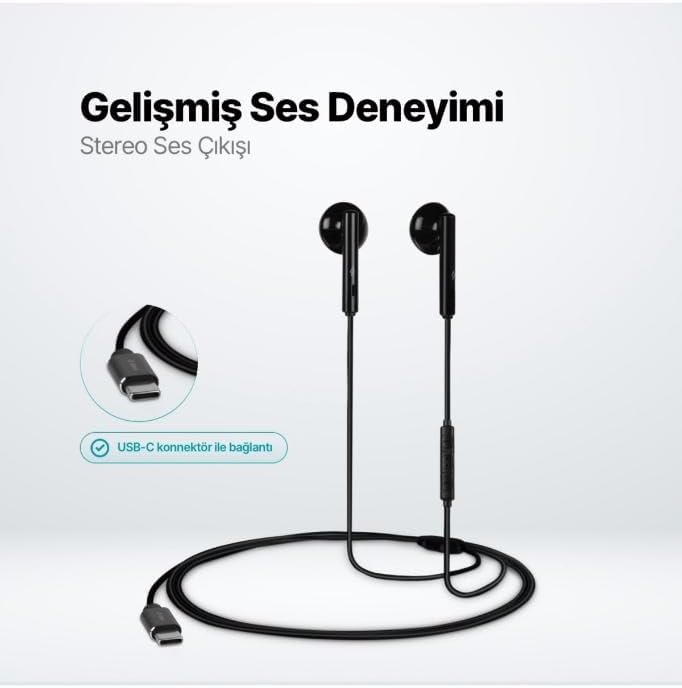
The TTEC Rio 2 Stereo USB-C Headset with Microphone is designed to provide a high-quality audio experience for music and calls. Its comfortable, lightweight design ensures a perfect fit and effective ambient noise isolation, allowing for hands-free communication and entertainment.
Awọn ẹya pataki:
- Advanced stereo sound output for an immersive audio experience.
- Integrated microphone for clear phone calls.
- Smart inline controller for easy management of volume, calls, and music playback.
- Lightweight and ergonomic design for extended comfort.
- Universal USB-C connection.
Ṣeto
To begin using your TTEC Rio 2 headset, follow these simple steps:
- So Agbekọri pọ: Locate the USB-C port on your device (smartphone, tablet, laptop, etc.). Insert the USB-C connector of the TTEC Rio 2 headset firmly into the device's USB-C port.
- Idanimọ ẹrọ: Your device should automatically recognize the headset. If prompted, select the TTEC Rio 2 as the audio output and input device.
- Ṣatunṣe ibamu: Place the earbuds comfortably in your ears. The ergonomic design ensures a snug fit for optimal sound quality and noise isolation.
Awọn ilana Iṣiṣẹ
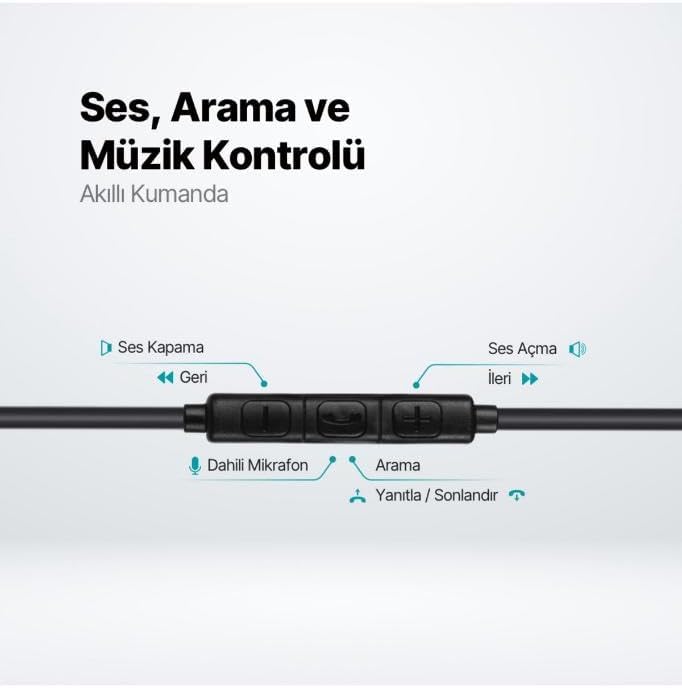
The TTEC Rio 2 headset features an inline smart controller for convenient management of your audio and calls.
Inline Controller Functions:
- Iwọn didun soke (+): Tẹ lati mu iwọn didun ohun pọ si.
- Iwọn didun isalẹ (-): Tẹ lati dinku iwọn didun ohun.
- Play/Pause/Answer/End Call (Center Button):
- Single press to play or pause music.
- Single press to answer an incoming call.
- Single press to end an active call.
- Tẹ pẹ lati kọ ipe ti nwọle.
- Next Track (Forward Button): Tẹ lati fo si orin atẹle.
- Previous Track (Backward Button): Press to go back to the beginning of the current song or to the previous song.
- Gbohungbohun ti a ṣe sinu: Located on the inline controller, it captures your voice for calls and voice commands.
Itoju
Proper care will extend the life and performance of your TTEC Rio 2 headset.
- Ninu: Fi aṣọ gbígbẹ tó rọra nu àwọn ètí àti okùn náà. Má ṣe lo àwọn kẹ́míkà líle tàbí àwọn ohun èlò ìfọ́.
- Ibi ipamọ: When not in use, store the headset in a clean, dry place. Avoid extreme temperatures. The included cable organizer clip can help prevent tangling.
- Yago fun Ọrinrin: Do not expose the headset to water or excessive moisture.
- Mu pẹlu Itọju: Avoid pulling on the cable or applying excessive force to the connectors.

Laasigbotitusita
If you encounter issues with your TTEC Rio 2 headset, refer to the following common solutions:
| Isoro | Owun to le Solusan |
|---|---|
| Ko si ohun lati agbekari. |
|
| Gbohungbohun ko ṣiṣẹ. |
|
| Didara ohun ko dara tabi daru. |
|
| Hissing or static noise. |
|
Awọn pato
| Ẹya ara ẹrọ | Ẹ̀kúnrẹ́rẹ́ |
|---|---|
| Brand | TTEC |
| Nọmba awoṣe | 2KMM14S |
| Asopọmọra | USB-C |
| Agbekọri Fọọmù ifosiwewe | Ninu Eti |
| Gbigbe Eti | Ninu Eti |
| Gbohungbohun | Ti a ṣe sinu |
| Package Mefa | 19.8 x 8.5 x 3.1 cm |
| Iwọn Nkan | 40 giramu |
| ASIN | B0D3XJ5SP7 |
Atilẹyin ọja ati Support
For warranty information and customer support, please refer to the documentation included with your purchase or visit the official TTEC webojula. Jeki ẹri rira rẹ fun eyikeyi awọn ibeere atilẹyin ọja.