
1. Ifihan
The ttec Spoti Smart Tracker 2SMT01S is an Apple-certified device designed to help you locate your personal belongings. It integrates seamlessly with the Apple Find My network, allowing you to track items such as keys, bags, and luggage using your iOS device. The tracker features audible alerts for easy detection and boasts a compact, lightweight design for portability. Advanced wireless connectivity is provided by Bluetooth 5.1, and with iOS 17 or later, you can utilize multiple profiles within the Find My app.
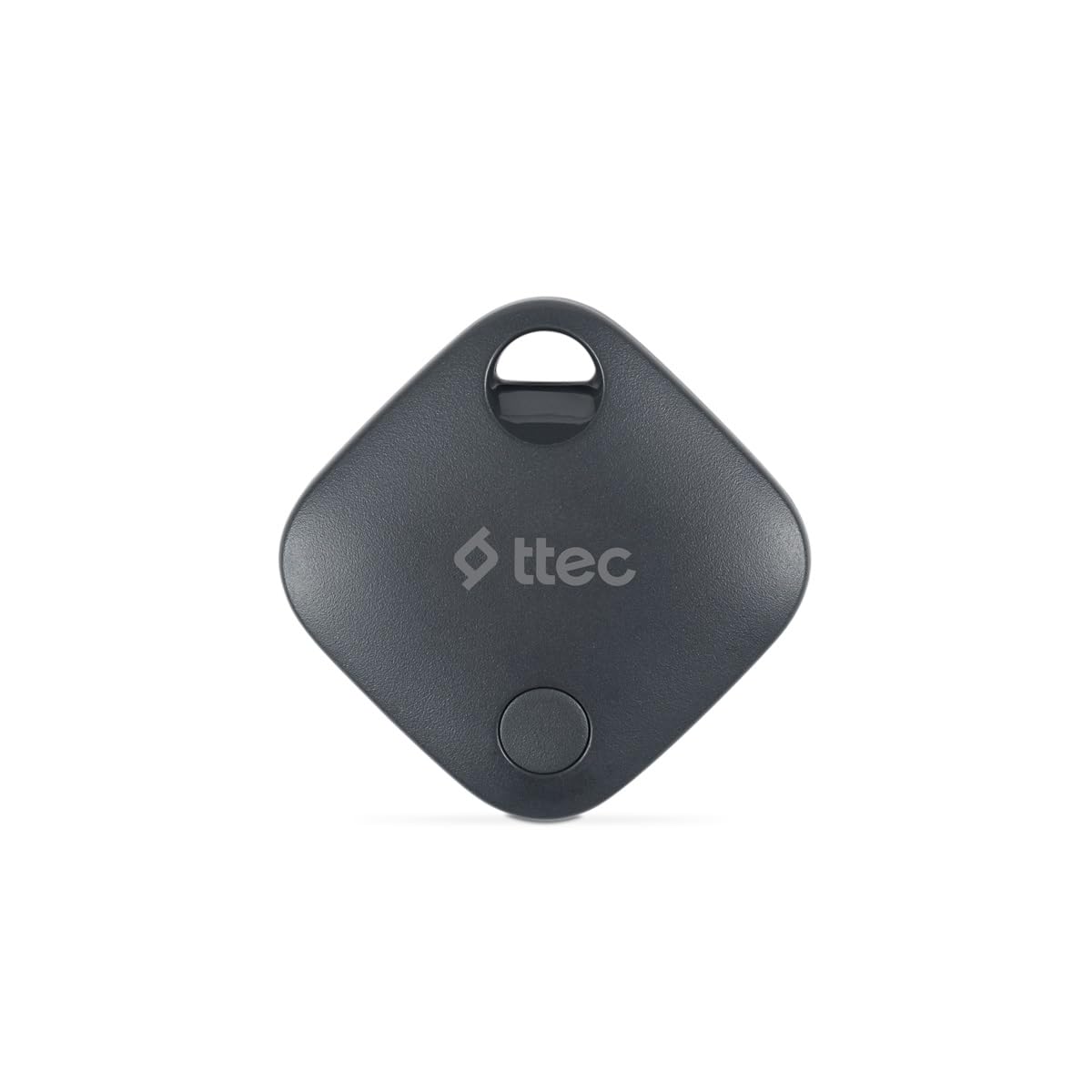
Image 1.1: ttec Spoti Smart Tracker 2SMT01S product packaging, showing the device and key features.
2. Package Awọn akoonu
Jọwọ ṣayẹwo package fun awọn nkan wọnyi:
- 1 x ttec Spoti Smart Tracker 2SMT01S
- 1 x Itọsọna olumulo (iwe yii)
- Note: A CR2032 battery is required and is included in the package.

Image 2.1: The ttec Spoti Smart Tracker 2SMT01S device.
3. Eto
3.1. Fifi Batiri naa sori ẹrọ
The ttec Spoti Smart Tracker uses one CR2032 coin cell battery. Ensure the battery is correctly inserted before use.
- Wa yara batiri ni ẹhin olutọpa naa.
- Open the compartment cover by twisting it counter-clockwise or by gently prying it open with a small tool if indicated.
- Fi batiri CR2032 sii pẹlu ẹgbẹ rere (+) ti nkọju si oke.
- Pa ideri iyẹwu naa ni aabo.
3.2. Ṣíṣepọ̀ pẹ̀lú Apple Find My
The ttec Spoti Smart Tracker is designed to work with the Apple Find My network. Follow these steps to pair your tracker with your iOS device:
- Ensure your iOS device (iPhone, iPad, or iPod touch) is running iOS 14.5 or later.
- Ṣii awọn Wa Mi app lori rẹ iOS ẹrọ.
- Fọwọ ba Awọn nkan taabu ni isalẹ iboju naa.
- Fọwọ ba Fi Nkan kun, lẹhinna yan Ohun miiran Atilẹyin.
- Bring your ttec Spoti Smart Tracker close to your iOS device.
- The app will detect the tracker. Follow the on-screen instructions to name your item and register it to your Apple ID.
- Once paired, the tracker will appear on the map in the Find My app.
Note: For iOS 17 and later, the Find My app supports using multiple profiles, allowing for more flexible item management.
4. Operating the Smart Tracker
4.1. Locating Your Item
To find an item attached to your ttec Spoti Smart Tracker:
- Ṣii awọn Wa Mi app lori rẹ iOS ẹrọ.
- Lọ si awọn Awọn nkan taabu.
- Select your ttec Spoti Smart Tracker from the list.
- The app will display the tracker's last known location on a map.
- Tí ohun náà bá wà nítòsí, tẹ ọwọ́ rẹ Mu Ohun ṣiṣẹ to make the tracker emit an audible alert, helping you pinpoint its exact location.
- If the item is not nearby, the Find My network will help locate it. When another Apple device user passes by your item, its location will be anonymously updated in the Find My app.
4.2. Ipo ti o sọnu
If your item is lost, you can enable Lost Mode:
- Ninu awọn Wa Mi app, select your ttec Spoti Smart Tracker.
- Yi lọ si isalẹ ki o tẹ ni kia kia Mu ṣiṣẹ labẹ Ipo ti sọnu.
- Follow the instructions to enter a phone number or email address where you can be contacted.
- Ti ẹnikan ba rii nkan rẹ, wọn le lo iPhone wọn lati ọlọjẹ olutọpa ati wo alaye olubasọrọ rẹ.
5. Batiri Rirọpo
The ttec Spoti Smart Tracker uses a standard CR2032 coin cell battery. When the battery level is low, you will receive a notification on your iOS device via the Find My app. To replace the battery:
- Wa yara batiri ni ẹhin olutọpa naa.
- Ṣii ideri iyẹwu naa.
- Yọ batiri CR2032 atijọ kuro.
- Fi batiri CR2032 titun sii pẹlu ẹgbẹ rere (+) ti nkọju si oke.
- Pa ideri iyẹwu naa ni aabo.
Warning: Dispose of used batteries responsibly according to local regulations. Keep batteries out of reach of children.
6. Itọju
To ensure the longevity and optimal performance of your ttec Spoti Smart Tracker:
- Keep the device clean and dry. Wipe with a soft, dry cloth if necessary.
- Avoid exposing the tracker to extreme temperatures, direct sunlight, or harsh chemicals.
- Má ṣe gbìyànjú láti tú tàbí yí ẹ̀rọ náà padà, nítorí èyí yóò sọ àtìlẹ́yìn náà di òfo.
- Ensure the battery compartment is always securely closed to prevent dust and moisture ingress.
7. Laasigbotitusita
| Isoro | Owun to le Fa | Ojutu |
|---|---|---|
| Tracker not appearing in Find My app. | Not paired, out of battery, or out of Bluetooth range during initial setup. |
|
| Cannot hear the sound alert. | Tracker is too far, battery is low, or environmental noise is too high. |
|
| Ipo ko ni imudojuiwọn. | Tracker is out of range of any Apple Find My network device, or battery is dead. |
|
| Connection frequently drops. | Interference, low battery, or device malfunction. |
|
8. Awọn pato
| Brand | ttec |
| Awoṣe | 2SMT01S |
| Asopọmọra Technology | Bluetooth 5.1 |
| Iwọn Ọja | 0.02 kilogram |
| Batiri Iru | 1 x CR2032 (pẹlu) |
| Olupese | ttec |
| Ilu isenbale | China |
| ASIN | B0D49TPB9Y |
9. Atilẹyin ọja ati Support
The ttec Spoti Smart Tracker 2SMT01S comes with a 2-year Official Distributor Warranty. Atilẹyin ọja yi ni wiwa awọn abawọn ninu awọn ohun elo ati iṣẹ ṣiṣe labẹ lilo deede.
For warranty claims, technical support, or any questions regarding your product, please contact ttec customer service through their official webaaye tabi alaye olubasọrọ ti a pese pẹlu iwe rira rẹ.
Please have your proof of purchase and the product model number (2SMT01S) ready when contacting support.
10. Alaye Aabo
Jọwọ ka ki o si tẹle awọn itọsona aabo lati yago fun ibaje si ẹrọ rẹ tabi ipalara si ara rẹ:
- Ma ṣe mu batiri wọle. Ewu Kemikali Iná.
- Jeki titun ati ki o lo batiri kuro lati awọn ọmọde.
- Ti iyẹwu batiri naa ko ba tii ni aabo, da lilo ọja duro ki o pa a mọ kuro lọdọ awọn ọmọde.
- Ti o ba ro pe awọn batiri le ti gbe tabi gbe sinu eyikeyi apakan ti ara, wa itọju ilera lẹsẹkẹsẹ.
- Do not expose the device to water or moisture unless specified as waterproof.
- Yago fun sisọ silẹ tabi tẹriba ẹrọ si awọn ipa to lagbara.
- Do not attempt to open, disassemble, or repair the device yourself.
- Dispose of the device and batteries according to local environmental regulations.
- This device complies with European Union Standards (CE).