
Imọlẹ ṣiṣan 88817
Streamlight 88817 Wedge Flat Everyday Carry Flashlight User Manual
Awoṣe: 88817
1. Ifihan
This manual provides detailed instructions for the safe and effective use of your Streamlight Wedge Everyday Carry Flashlight. The Wedge is designed for reliable performance and durability, suitable for daily use, professional tasks, and outdoor activities.

Aworan 1.1: Iwaju view of the Streamlight Wedge Flashlight.
2. Package Awọn akoonu
Daju pe gbogbo awọn nkan wa ninu apo rẹ:
- Streamlight Wedge Flashlight (with integrated Lithium Polymer battery)
- Okun USB-C
- Pocket Clip (pre-installed or included)
- Ọwọ Lanyard
- Itọsọna olumulo (iwe yii)
3. Key Awọn ẹya ara ẹrọ
- Dual-Mode Brightness: Offers a standard 300 Lumens constant-on mode and a 1,000-Lumen THRO (Temporarily Heightened Regulated Output) burst mode for quick, intense illumination.
- Slim EDC Design: Ergonomic profile for comfortable handling and discreet pocket carry. Includes a deep-carry pocket clip that can be attached to either side.
- Intuitive Thumb-Rotary Control: Seamless, one-handed operation with a tactile rotary switch for mode selection and battery-level feedback.
- USB-C Gbigba agbara: Integrated battery recharges via USB-C in approximately 3 hours. An LED indicator shows charging status.
- Ikole ti o tọ: Made from rugged Type II MIL-Spec anodized aluminum housing with a polycarbonate lens. IPX7-rated for waterproofing (up to 1 meter) and drop-tested to 1 meter.

Image 3.1: The intuitive rotating thumb switch provides tactile control over light modes.
4. Eto: Gbigba agbara ni ibẹrẹ
Before first use, fully charge your Streamlight Wedge flashlight.
- Locate the USB-C charging port on the end of the flashlight.
- So okùn USB-C tí a pèsè mọ́ ibudo gbigba agbara iná mànàmáná náà.
- So opin keji okun USB-C pọ mọ orisun agbara USB ti o baamu (fun apẹẹrẹ, adapter odi, ibudo USB kọmputa).
- Ṣe akiyesi itọkasi LED:
- Pupa duro: Tọkasi batiri gbigba agbara.
- Alawọ ewe: Tọkasi batiri ti gba agbara ni kikun.
- Pupa ti n paju: Indicates low battery and requires charging soon.
- Gbigba agbara ni kikun maa n gba to wakati mẹta.

Image 4.1: LED indicator for battery status during charging.

Image 4.2: The USB-C charging port for convenient recharging.
5. Awọn ilana Iṣiṣẹ
5.1 Agbara Tan / Pa ati Aṣayan Ipo
The Streamlight Wedge features a thumb-rotary switch for easy operation.
- Standard Mode (300 Lumens): Rotate the thumb switch forward to the first detent. The flashlight will activate in standard mode, providing 300 lumens of constant illumination.
- THRO Mode (1,000 Lumens Burst): From the off position, rotate and hold the thumb switch fully forward past the first detent. The flashlight will activate in THRO mode, providing a temporary burst of 1,000 lumens. Release the switch to return to the off position. This mode is designed for short, intense illumination needs.
- Pipa: Rotate the thumb switch backward to the off position.
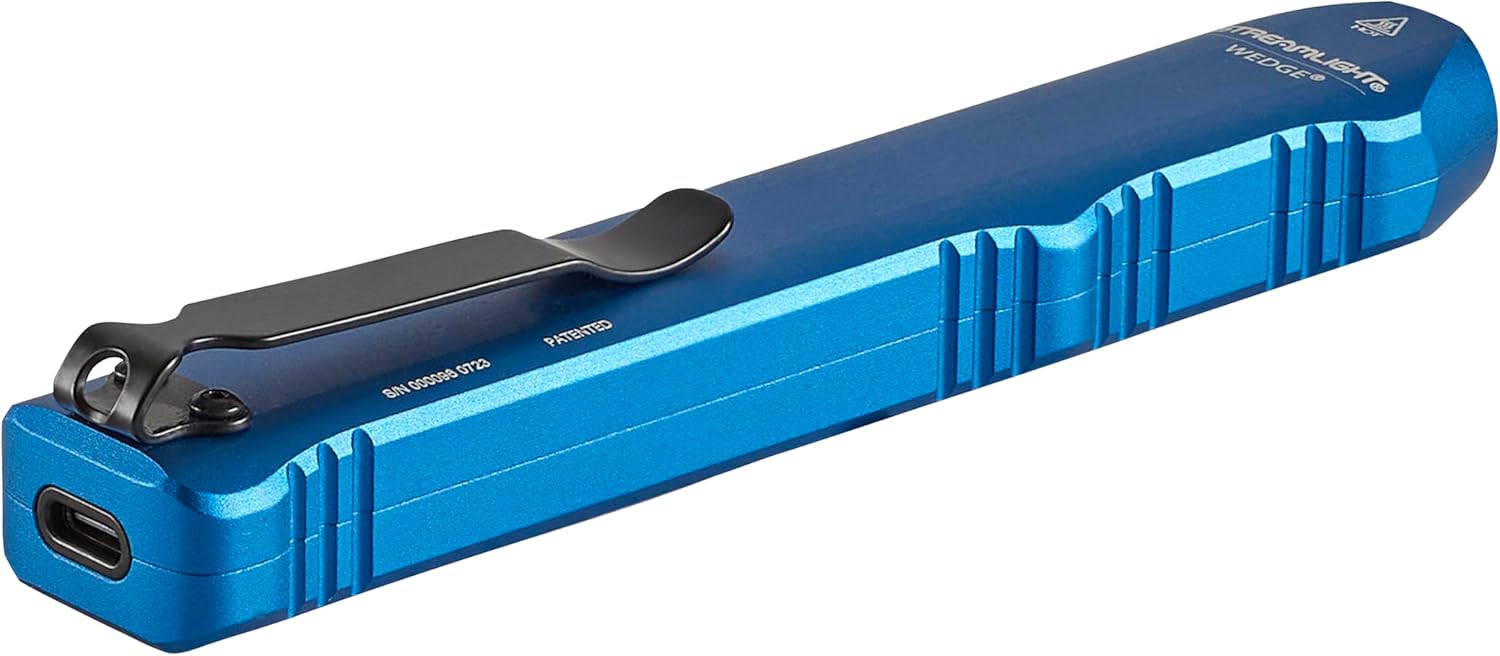
Image 5.1: Operating the flashlight with a single hand.

Image 5.2: Activating THRO (Temporarily Heightened Regulated Output) mode for 1000 lumens.
5.2 Pocket Clip Installation
The deep-carry pocket clip can be reversed to suit your preferred carry method.
- Using a small Phillips head screwdriver, carefully remove the two screws securing the pocket clip.
- Yọ agekuru apo kuro.
- Align the pocket clip on the opposite side of the flashlight.
- Re-insert and tighten the two screws to secure the clip. Do not overtighten.

Image 5.3: The strong pocket clip allows for secure carry in a pocket or attached to gear.
6. Itọju
- Ninu: Nu ara filaṣi nu pẹlu asọ, damp asọ. Ma ṣe lo abrasive ose tabi epo.
- Itọju lẹnsi: Clean the polycarbonate lens with a soft, lint-free cloth. For stubborn dirt, use a small amount of mild soap and water.
- Ibudo gbigba agbara: Jeki ibudo gbigba agbara USB-C laisi idoti.
- Ibi ipamọ: Store the flashlight in a cool, dry place when not in use for extended periods. Recharge the battery periodically to maintain its health.
7. Laasigbotitusita
- Ina filaṣi ko tan:
- Ensure the battery is charged. Connect the flashlight to a USB-C power source and check the LED indicator.
- Verify the thumb switch is fully rotated to the desired mode (Standard or THRO).
- Ìjáde ìmọ́lẹ̀ jẹ́ aláìlágbára:
- Batiri naa le jẹ kekere. Saji si flashlight.
- Rí i dájú pé lẹ́ńsì náà mọ́ tónítóní, kò sì ní ìdènà kankan.
- Flashlight does not charge:
- Check the USB-C cable for damage and ensure it is securely connected to both the flashlight and the power source.
- Gbiyanju okun USB-C ti o yatọ tabi ohun ti nmu badọgba agbara.
- Ensure the charging port on the flashlight is clean.
8. Awọn pato
| Ẹya ara ẹrọ | Ẹ̀kúnrẹ́rẹ́ |
|---|---|
| Nọmba awoṣe | 88817 |
| Orisun Imọlẹ | LED |
| Imọlẹ (Boṣewa) | 300 Lumens |
| Brightness (THRO Burst) | 1000 Lumens |
| Beam Distance (Standard) | 69 Mita |
| Candela | 1200 Candela |
| Orisun agbara | Integrated Lithium Polymer Battery |
| Igba Tunse | Isunmọ. Awọn wakati 3 (nipasẹ USB-C) |
| Runtime (Standard) | Awọn wakati 3 |
| Ohun elo | Aluminiomu anodized |
| Omi Resistance | IPX7 (Waterproof up to 1 Meter) |
| Atako Ipa | Drop-tested to 1 Meter |
| Awọn iwọn | 5.46"D x 0.6"W x 1"H |
| Iwọn Nkan | 3.2 iwon |
| Awọn iwe-ẹri | ANSI FL1, CE, IPX7 |
9. Atilẹyin ọja ati Support
9.1 atilẹyin ọja Alaye
The Streamlight Wedge Flashlight is covered by a Atilẹyin ọja to lopin. For specific details regarding warranty coverage and claims, please refer to the official Streamlight webojula tabi kan si wọn onibara iṣẹ.
9.2 Onibara Support
For technical assistance, service, or further inquiries, please visit the Imọlẹ ṣiṣan webojula or contact their customer support department.
Ask a question about this manual
Ask about setup, troubleshooting, compatibility, parts, safety, or missing instructions. Manuals+ will review the question and use this page’s manual context to help answer it.