
Ọrọ Iṣaaju
This manual provides detailed instructions for the proper setup, operation, and maintenance of your WOOPKER AK35 200W Stereo Audio Amplifier. Please read this manual thoroughly before using the product to ensure optimal performance and longevity.
Package Awọn akoonu
Kí o tó tẹ̀síwájú pẹ̀lú ìṣètò náà, jọ̀wọ́ rí i dájú pé gbogbo àwọn ohun tí a kọ sí ìsàlẹ̀ wà nínú àpò rẹ:
- 1x WOOPKER AK35 Audio Ampitanna
- 1x Okun Agbara
- 1x Itọsọna olumulo (iwe yii)
- 1x Isakoṣo latọna jijin

Image: Contents of the WOOPKER AK35 package, including the amplifier, power cable, remote control, and user manual.
Ṣeto
1. Amplifier Loriview
Familiarize yourself with the front and back panels of the AK35 amplifier to understand its various inputs, outputs, and controls.

Image: Front panel of the AK35 amplifier, showing the power switch, bass and treble knobs, audio input, LED display, function buttons, TF/USB port, and master volume control.

Image: Labeled diagram of the front panel, indicating: 1. Power Switch, 2. Bass Knob, 3. Treble Knob, 4. Audio Input, 5. LED Display, 6. Master Volume, 7. Function Buttons, 8. TF/USB Port.

Image: Back panel of the AK35 amplifier, showing RCA audio input, speaker output jacks, DC power input, AC power input, and FM antenna port.

Image: Labeled diagram of the back panel, indicating: 1. Audio Input Jack, 2. Speaker Output Jack, 3. DC 12V/5A Power, 4. AC 110-240V Power, 5. FM Radio Antenna.
2. Agbọrọsọ Asopọ
Follow these steps to connect your passive speakers to the AK35 ampolutọpa:
- Identify the positive and negative terminals of your speakers. The positive terminal is typically marked red, and the negative terminal is black.
- Press the clasp on the back of the AK35 amplifier's speaker output terminal. Insert the bare speaker wires into the corresponding positive (+) and negative (-) terminals. Ensure a secure connection.
- Avoid plugging and unplugging USB drives, SD cards, RCA audio cables, or speaker cables while the amplifier is powered on to prevent damage.

Image: Diagram illustrating how to connect passive speakers to the AK35 amplifier's speaker output terminals using bare wires. Also shows RCA input from a CD or DVD player.
3. Asopọ agbara
Connect the provided power cable to the AC power input on the back of the amplifier, then plug it into a standard wall outlet. Alternatively, if using a DC 12V/5A power source, connect it to the DC input jack.
Awọn ilana Iṣiṣẹ
1. Agbara Tan / Paa
Press the 'POWER' switch on the front panel to turn the amplifier tan tabi pa.
2. Aṣayan Ipo Input
Use the 'MODE' button on the front panel or the remote control to cycle through available input modes: Bluetooth (BT), AUX, USB, SD Card, and FM Radio.
3. Iṣakoso iwọn didun
Adjust the 'VOLUME' knob on the front panel to control the master output volume. The remote control also provides volume adjustment buttons.
4. Iṣakoso ohun orin
Use the 'BASS' and 'TREBLE' knobs on the front panel to adjust the low and high frequencies of the audio output, respectively.
5. Sisopọ Bluetooth
- Yipada awọn amplifier to 'BT' mode using the 'MODE' button. The LED display will show 'BT'.
- Lori ẹrọ alagbeka rẹ, mu Bluetooth ṣiṣẹ ki o wa awọn ẹrọ to wa.
- Select 'AK35' from the list of devices to pair. A confirmation sound will indicate successful pairing.
- The Bluetooth 5.0 chip ensures a stable connection within approximately 30 feet (10 meters).
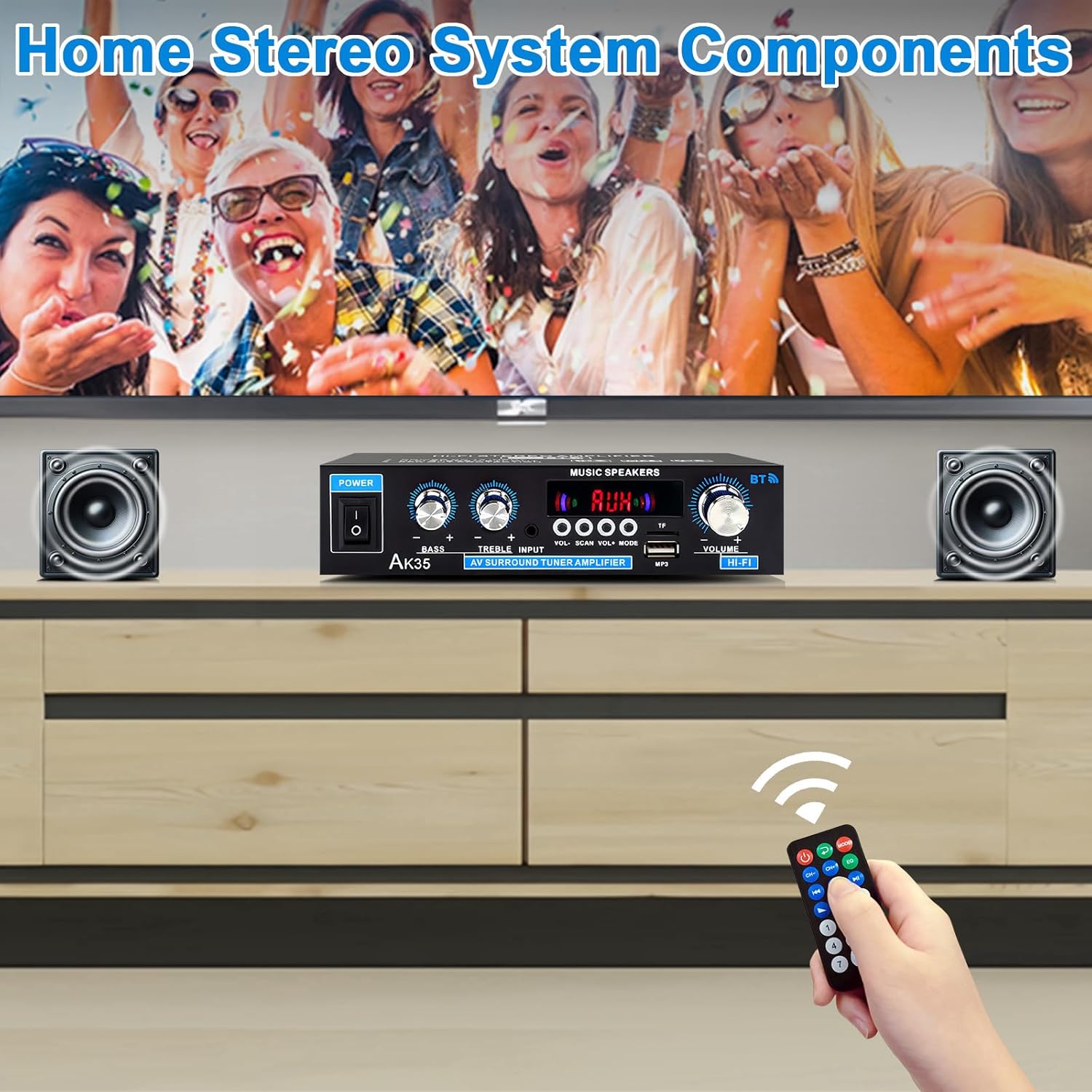
Image: The AK35 amplifier wirelessly streaming music via Bluetooth 5.0 from a smartphone to connected speakers.

Image: A close-up of the AK35 amplifier highlighting the bass and treble control knobs for sound customization.
6. USB / SD Kaadi Sisisẹsẹhin
Insert a USB flash drive or SD card into the designated port on the front panel. The amplifier will automatically switch to USB/SD mode and begin playing compatible audio files. Use the function buttons (play/pause, next/previous track) on the front panel or remote control to manage playback.
7. Isẹ Iṣakoso latọna jijin
The included remote control allows for convenient adjustment of volume, input mode, track selection, and other functions from a distance.

Image: The remote control for the AK35 amplifier, featuring buttons for power, mode, EQ, volume, track control, and number pad.
8. Ifihan fidio
Video: A demonstration of the WOOPKER AK35 amplifier in use, showcasing its connection to speakers and a smartphone, and the adjustment of volume and input modes.
Itoju
To ensure the longevity and optimal performance of your AK35 amplifier, tẹle awọn itọnisọna itọju wọnyi:
- Pa awọn ampìfọ́mọ́ra ní agbègbè gbígbẹ, tí afẹ́fẹ́ ń fẹ́ dáadáa, tí ó jìnnà sí oòrùn tààrà, àwọn orísun ooru, àti ọrinrin.
- Mọ ode pẹlu asọ ti o gbẹ. Ma ṣe lo awọn olutọpa omi tabi awọn ohun elo abrasive.
- Ensure proper ventilation by not blocking the vents on the amplifier.
- Ge okun ina kuro ninu ibudo ogiri ti a ko ba lo ẹrọ naa fun igba pipẹ.
Laasigbotitusita
If you encounter any issues with your AK35 amplifier, tọka si awọn iṣoro ti o wọpọ ati awọn ojutu wọnyi:
| Isoro | Owun to le Fa | Ojutu |
|---|---|---|
| Ko si ohun jade |
|
|
| Bluetooth ko sopọ |
|
|
| USB/SD kaadi ko dun |
|
|
| Isakoṣo latọna jijin ko ṣiṣẹ |
|
|
Awọn pato
The following table outlines the technical specifications for the WOOPKER AK35 Stereo Audio Ampolutọpa:
| Ẹya ara ẹrọ | Sipesifikesonu |
|---|---|
| Nọmba awoṣe | AK35 |
| Ijade agbara ti o ga julọ | 100W + 100W |
| Iṣajade agbara ti a ṣe iwọn (RMS) | 30W x 2 |
| Ẹya Bluetooth | 5.0 |
| Bluetooth Ibiti | Titi de 30 ẹsẹ (10 mita) |
| Awọn igbewọle | AUX (RCA), USB 2.0, SD Card |
| Awọn iṣakoso | Bass, Treble, Master Volume, Input Mode |
| Ibi ti ina elekitiriki ti nwa | AC 110-240V (50-60Hz) or DC 12V/5A |
| Iwọn Nkan | 1.28 iwon |
| Package Mefa | 8.03 x 6.93 x 2.13 inches |
Atilẹyin ọja ati Support
WOOPKER products are designed for reliability and performance. This product is covered by a standard manufacturer's warranty against defects in materials and workmanship. For specific warranty details, please refer to the documentation provided at the time of purchase or contact WOOPKER customer support.
If you require technical assistance, have questions about your product, or need to report an issue, please contact WOOPKER customer support through the retailer where the product was purchased or visit the official WOOPKER webojula fun alaye olubasọrọ.