
1. Ọja Ipariview
The Linocell 48W USB-C PD&QC Car Charger is designed to provide rapid and safe charging for your Apple devices on the go. Featuring a built-in MFi Certified 6FT coiled Lightning cable and an additional USB-C port, this charger ensures efficient power delivery and broad compatibility within your vehicle.

Image: Linocell 48W USB-C PD&QC Car Charger with Coiled Lightning Cable.
Awọn ẹya pataki:
- Ifọwọsi MFi: Ensures full compatibility and safe charging for Apple Lightning devices.
- 48W Lapapọ Abajade: Delivers high-speed charging with 30W output per port.
- Awọn ibudo Gbigba agbara Meji: Features one built-in 6FT coiled Lightning cable and one USB-C PD&QC3.0 port.
- Pinpin Agbara Ọlọgbọn: Automatically adapts output power for optimal charging.
- Awọn ẹya Aabo To ti ni ilọsiwaju: Includes Dynamic Temperature Sensor, Power Tuner Chip, over-voltage, lori-alapapo, ati lori-lọwọlọwọ Idaabobo.
- Premium All-Zinc Alloy Housing: Offers enhanced durability and heat dissipation.
2. Eto ati fifi sori
Follow these steps to set up your Linocell Car Charger:
- Locate Vehicle's Cigarette Lighter Socket: Identify the 12V/24V cigarette lighter or power outlet in your car.
- Fi Ṣaja sii: Firmly insert the Linocell car charger into the cigarette lighter socket. Ensure it is seated securely to establish a stable connection. The ring indicator LED light will illuminate, indicating the charger is powered on.
- So Ẹrọ Rẹ pọ:
- For Apple Lightning devices (iPhone, iPad, AirPods): Use the built-in 6FT coiled Lightning cable. Plug the Lightning connector into your device's charging port.
- For other USB-C compatible devices: Use your own USB-C to USB-C cable (not included) and plug it into the additional USB-C port on the charger.
- Bẹrẹ gbigba agbara: Your device will automatically begin charging. The intelligent power management chip will detect your device and deliver the appropriate current for fast and safe charging.
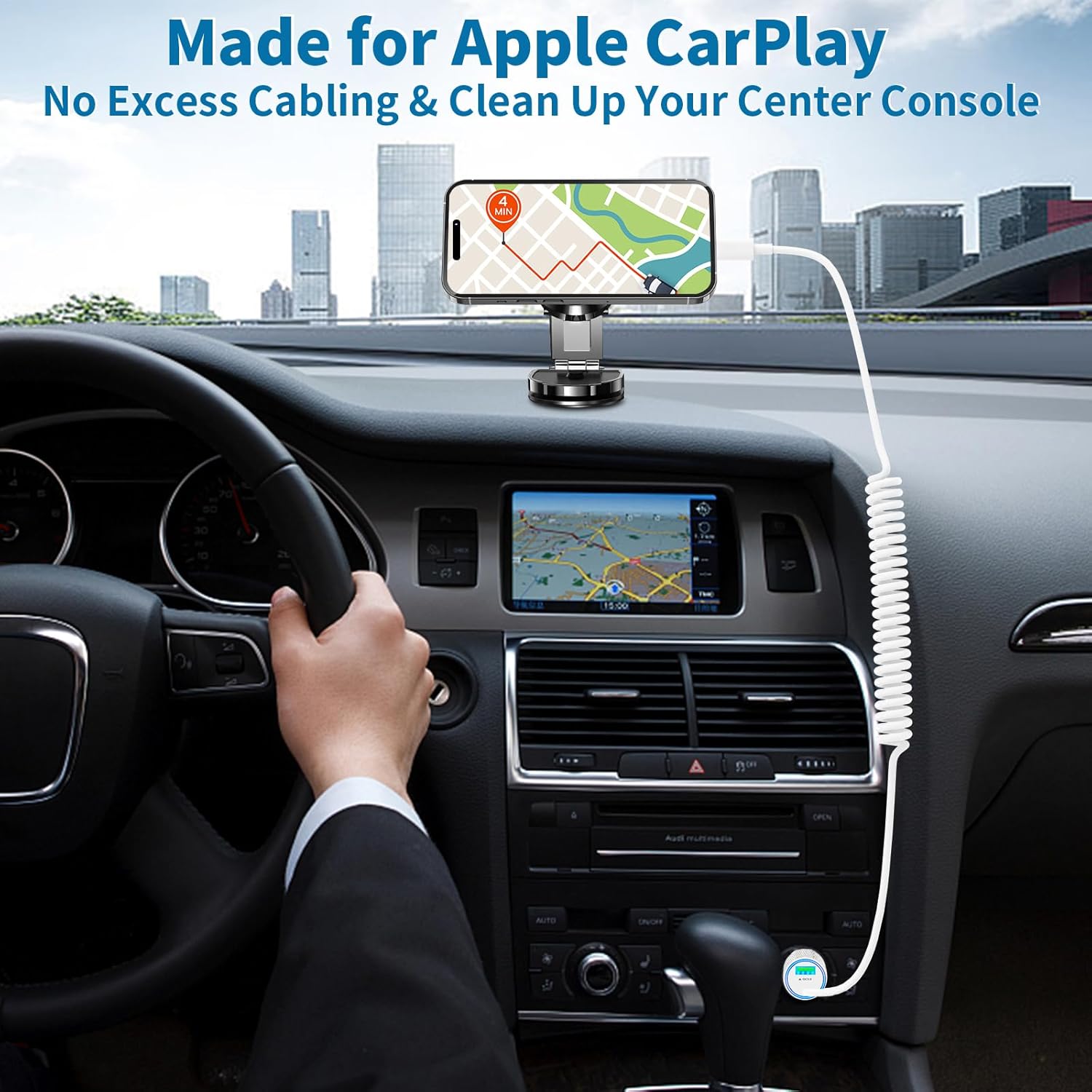
Image: Car charger installed in vehicle, showing coiled cable reaching a phone mounted on the dashboard.
3. Awọn ilana Iṣiṣẹ
The Linocell car charger is designed for simple plug-and-play operation. Once connected to your vehicle's power outlet and your device, it will automatically manage the charging process.
Agbara Gbigba agbara Yara:
This charger supports Power Delivery (PD) and Quick Charge 3.0 (QC3.0) technologies, allowing it to charge compatible devices up to 80% in approximately 35 minutes. For optimal fast charging, ensure your device supports PD or QC3.0.

Image: Graphic illustrating 8X faster charging, achieving 80% charge in 35 minutes.
Gbigba agbara nigbakanna:
The charger can simultaneously fast charge two iPhone series devices. The intelligent power management chip ensures that power output is automatically adapted to each connected device, maximizing charging efficiency without compromising safety.

Image: Illustration of simultaneous high-speed charging for two Apple devices.
4. Itọju
To ensure the longevity and optimal performance of your Linocell car charger, follow these simple maintenance guidelines:
- Ninu: Ge asopọ ṣaja kuro ni iṣan agbara ṣaaju ṣiṣe mimọ. Lo asọ asọ ti o gbẹ lati nu ita. Maṣe lo awọn olutọpa olomi tabi awọn aerosols.
- Ibi ipamọ: Nigbati o ko ba si ni lilo, tọju ṣaja ni itura, aye gbigbẹ kuro lati orun taara ati awọn iwọn otutu to gaju.
- Itọju USB: Avoid excessive pulling, bending, or twisting of the coiled Lightning cable to prevent internal damage. Allow the coil to naturally retract when not extended.
- Awọn aaye Asopọmọra: Periodically check the cigarette lighter plug and the Lightning connector for any debris or corrosion. Clean gently if necessary.
5. Laasigbotitusita
If you encounter issues with your Linocell car charger, refer to the following common problems and solutions:
| Isoro | Owun to le Fa | Ojutu |
|---|---|---|
| Ṣaja ko ni agbara (LED ti pa) | Loose connection; Vehicle power outlet issue; Blown fuse in vehicle. | Ensure charger is firmly inserted. Test with another vehicle outlet. Check vehicle's fuse box for the cigarette lighter fuse. |
| Ẹrọ ko gba agbara | Device cable issue; Device compatibility; Charger malfunction. | Ensure the Lightning cable is securely connected to your device. Verify your device is compatible (see Compatibility section). Try charging a different device. |
| Gbigba agbara lọra | Device not supporting fast charging; High power consumption by device; Cable damage. | Ensure your device supports PD/QC3.0. Close background apps on your device. Inspect the cable for damage. |
| Charger or device getting hot | Normal operation during fast charging; Overload; Poor ventilation. | Slight warmth is normal. If excessively hot, disconnect immediately. Ensure charger is not covered. The built-in temperature sensor should prevent overheating. |
6. Awọn pato
| Ẹya ara ẹrọ | Ẹ̀kúnrẹ́rẹ́ |
|---|---|
| Nọmba awoṣe | HS-2C-40WE |
| Lapapọ Ijade | 48W (O pọju) |
| Ijade QC | 5V/3A, 9V/2A, 12V/1.5A (O pọju 18W) |
| Monomono USB wu | 5V/3A, 9V/3A, 12V/2.5A, 15V/2A, 20V/1.5A (O pọju 30W) |
| Iṣagbewọle Voltage | 12V - 24V DC |
| USB Ipari | 6FT Coiled Lightning Cable |
| Ohun elo | Ilé Gbogbo-Sinki Alloy |
| Awọn iwe-ẹri | Ifọwọsi MFi, UL, ETL, FCC, CE, ROHS |
| Awọn iwọn | 6.54 x 4.13 x 1.18 inches (Apapọ) |
| Iwọn | 2.08 iwon |
Awọn ẹrọ ibaramu:
The built-in MFi Certified Lightning cable is compatible with all Lightning-enabled Apple devices, including but not limited to:
- iPhone 14, 14 Plus, 14 Pro, 14 Pro Max
- iPhone 13, 13 Mini, 13 Pro, 13 Pro Max
- iPhone 12, 12 Mini, 12 Pro, 12 Pro Max
- iPhone SE (2020 and later)
- iPhone 11, 11 Pro, 11 Pro Max
- iPhone X, XR, XS, XS Max
- iPhone 8, 8 Plus
- Older iPhone models (7, 6S, 6, 5S, 5C, 5)
- iPad (all generations with Lightning port)
- AirPods (all generations with Lightning charging case)
The additional USB-C port is compatible with any device that charges via USB-C, including various smartphones, tablets, and other portable electronics.

Image: Graphic illustrating universal compatibility with various devices (iPhone, Samsung, Google, Laptop, iPad, Driving Recorder, PSP) and vehicle types (Sedan, Off-Road Vehicle, Truck, Coach).
7. Atilẹyin ọja ati Support
Linocell stands behind the quality of its products. This iPhone Fast Car Charger comes with a comprehensive warranty and dedicated customer support.
Alaye Atilẹyin ọja:
A pese a 6-odun atilẹyin ọja for your Linocell 48W PD&QC3.0 USB-C Car Charger. This warranty covers manufacturing defects and ensures reliable performance under normal use conditions.
Refund or Replacement Service:
In addition to the warranty, we offer a refund or replacement service for any issues covered under the warranty terms. Please retain your proof of purchase for warranty claims.
Atilẹyin Onibara:
For any questions, technical assistance, or warranty claims, please contact Linocell customer support through the retailer's platform or visit our official website. Our support team is ready to assist you.