
1. Ọja Ipariview
The pTron Zenbuds 1 V2 ANC Bluetooth Earbuds are designed to provide an immersive audio experience with advanced noise cancellation and clear call quality. Featuring 32dB Active Noise Cancellation (ANC) and Quadpro ANC Microphones with TruTalk Environmental Noise Cancellation (ENC), these earbuds minimize background distractions and enhance voice clarity during calls. Dynamic 13mm Hyperdrivers deliver rich sound with deep bass, while Bluetooth v5.3 ensures stable wireless connectivity. The earbuds also offer a low-latency mode for gaming and music, and a combined playtime of up to 40 hours with the charging case.

Image: pTron Zenbuds 1 V2 ANC Bluetooth Earbuds and their charging case.
2. Ohun ti o wa ninu Apoti
Jọwọ ṣayẹwo awọn akoonu package lati rii daju pe gbogbo awọn ohun kan wa:
- pTron Zenbuds 1 V2 ANC Earbuds
- Ngba agbara Case
- USB Iru-C Ngba agbara USB
- S/M/L Soft Silicone Eartips
- Itọsọna olumulo

Image: The pTron Zenbuds 1 V2 earbuds, charging case, and included accessories.
3. Eto ati gbigba agbara
3.1 Gbigba agbara akọkọ
Before first use, fully charge the earbuds and the charging case. Connect the provided USB Type-C cable to the charging port on the case and a compatible power source. The charging time is approximately 1.5 hours for a full charge.

Image: The pTron Zenbuds 1 V2 charging case connected via a USB-C cable, highlighting its 40-hour playtime.
3.2 Sisopọ Bluetooth
- Rii daju pe awọn agbekọri ti gba agbara ati gbe sinu apoti gbigba agbara.
- Ṣii ideri apoti gbigba agbara. Awọn agbekọri yoo tẹ ipo isọpọ sii laifọwọyi.
- Lori ẹrọ rẹ (foonuiyara, tabulẹti, kọǹpútà alágbèéká), mu Bluetooth ṣiṣẹ.
- Wa fun available Bluetooth devices and select "pTron Zenbuds 1 V2" from the list.
- Ni kete ti o ti sopọ, iwọ yoo gbọ itọsi ohun kan, ati pe awọn ina atọka agbekọri yoo yipada.
The earbuds feature 1-step pairing for quick and easy connection. They support Bluetooth v5.3 technology for a stable wireless connection up to 10 meters.
4. Awọn ilana Iṣiṣẹ
4.1 Agbara Tan / Pa
- Agbara Tan: Open the charging case lid, or long-press the touch sensor on both earbuds for a few seconds if they are outside the case and off.
- Agbara Pa: Place the earbuds back into the charging case and close the lid, or long-press the touch sensor on both earbuds for a few seconds until they power off.
4.2 Fọwọkan Iṣakoso
The pTron Zenbuds 1 V2 feature intuitive touch controls for managing music, calls, and voice assistant functions. Specific touch gestures may vary; refer to the quick start guide included in your package for detailed controls.
4.3 Active Noise Cancellation (ANC) & Transparency Mode
The earbuds offer 32dB ANC to reduce ambient noise, providing a focused listening experience. Transparency Mode allows you to hear your surroundings without removing the earbuds, which is useful for situational awareness. Switch between these modes using the touch controls.

Image: Explanation of ANC and ENC features, showing how background noise is cancelled and voice clarity is enhanced.
4.4 Game/Music Modes
Optimize your audio experience with dedicated modes:
- Ipo Ere: Provides ultra-low latency (40ms) for synchronized audio during gaming, ensuring a seamless experience.
- Ipo Orin: Offers in-depth analysis of sound quality and HiFi audio for an enhanced music listening experience.
Switch between these modes using the touch controls on the earbuds.
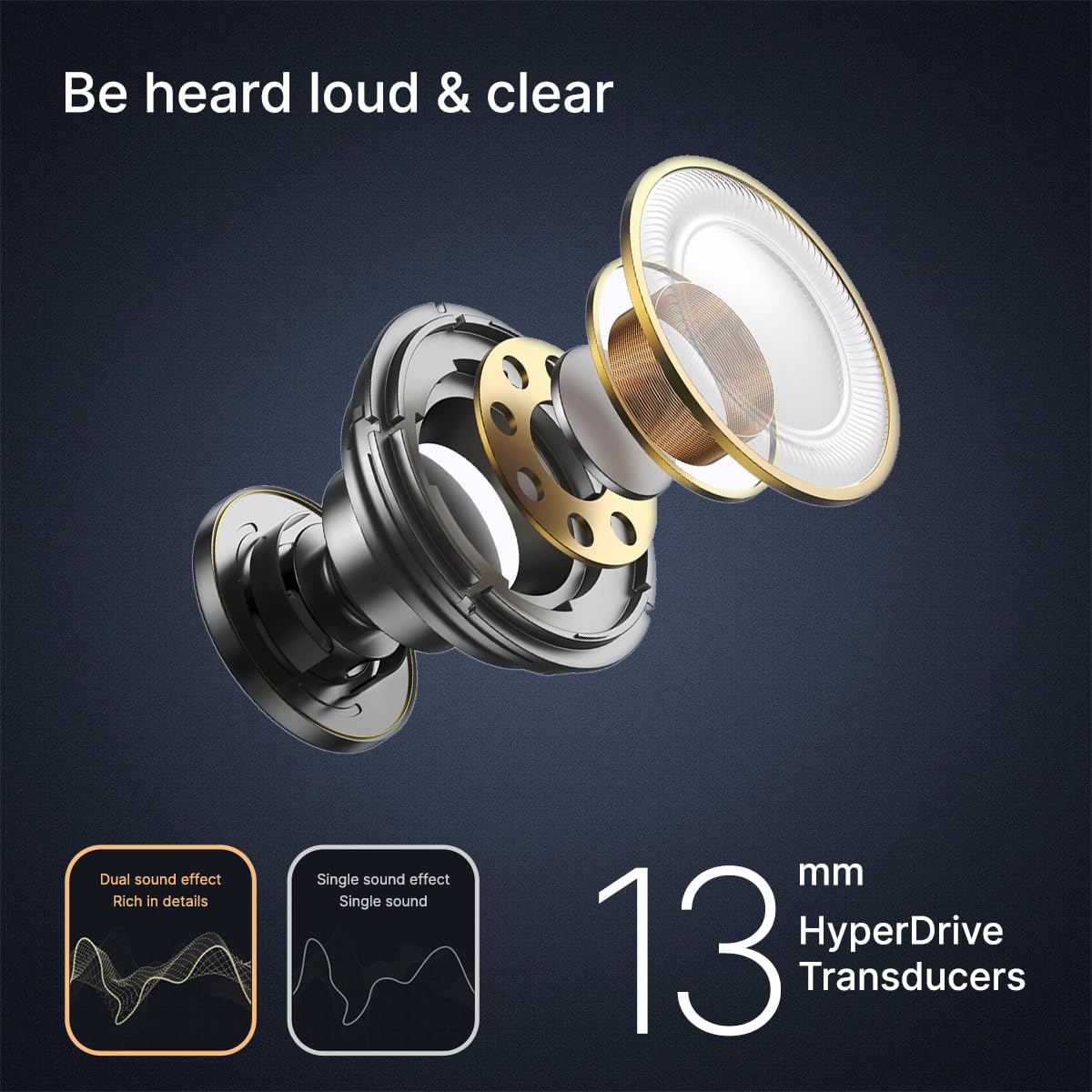
Image: Visual representation of Game Mode and Music Mode, detailing their respective benefits.
4.5 Awọn iṣẹ ipe
The earbuds are equipped with 4 Quadpro ANC Microphones and TruTalk ENC technology to ensure clear voice calls by filtering out environmental noise.
5. Itọju
5.1 Ninu
Regularly clean your earbuds and charging case to maintain optimal performance and hygiene. Use a soft, dry, lint-free cloth. Do not use abrasive cleaners or immerse the earbuds in water.
5.2 Omi Resistance
The pTron Zenbuds 1 V2 are IPX5 rated for sweat and water resistance. This means they can withstand splashes of water and sweat, making them suitable for workouts and light rain. They are not designed for swimming or submersion in water.
5.3 Eartips
The package includes S/M/L soft silicone eartips. Choose the size that provides the most comfortable and secure fit for your ear canal to ensure optimal sound quality and noise isolation.
6. Laasigbotitusita
If you encounter issues with your pTron Zenbuds 1 V2, try the following steps:
- Ko si Ohun: Rii daju pe awọn agbekọri ti gba agbara, so pọ daradara, ati pe iwọn didun lori mejeeji agbekọri ati ẹrọ rẹ ti wa ni titan.
- Awọn oran Isopọpọ: Turn off Bluetooth on your device, then turn it back on. Reset the earbuds by placing them in the case, closing the lid, and then reopening it. Try pairing again.
- Asopọmọra Laarin: Rí i dájú pé o wà láàárín ìwọ̀n Bluetooth tó tó mítà 10, àti pé kò sí ìdíwọ́ pàtàkì láàárín àwọn agbekọri àti ẹ̀rọ rẹ.
- Awọn iṣoro gbigba agbara: Check the charging cable and adapter. Ensure the charging contacts on the earbuds and inside the case are clean and dry.
Fun iranlọwọ siwaju, jọwọ kan si atilẹyin alabara.
7. Awọn pato
| Ẹya ara ẹrọ | Sipesifikesonu |
|---|---|
| Orukọ awoṣe | Zenbuds |
| Ariwo Iṣakoso | Ifagile Ariwo Nṣiṣẹ (32dB) |
| Awọn gbohungbohun | 4 Quadpro ANC Mics with TruTalk ENC |
| Audio Driver Iwon | Awakọ Agbára 13 Millimeters |
| Ẹya Bluetooth | 5.3 |
| Bluetooth Ibiti | 10 Mita |
| Latency Ohun | 40 Miliseconds (Ipo Ere) |
| Igbesi aye batiri | Titi di Awọn wakati 40 (pẹlu ọran gbigba agbara) |
| Akoko gbigba agbara | Awọn wakati 1.5 |
| Gbigba agbara Port | USB Iru-C |
| Omi Resistance | IPX5 (Oògùn tí kò lè gbà omi àti oorùn) |
| Ọna Iṣakoso | Fọwọkan |
| Iwọn Nkan | 45 giramu |
| Awọn irinše to wa | Cable, Eartip, User Manual |
8. Awọn fidio ọja
8.1 pTron Zenbuds 1 V2 Overview
Fidio: A finifini loriview of the pTron Zenbuds 1 V2, highlighting key features like ANC, quad microphones, 13mm drivers, and Type-C charging.
8.2 Detailed Product Features
Video: A comprehensive presentation of the pTron Zenbuds 1 V2, covering design, key features, battery life, and included accessories.
9. Atilẹyin ọja ati Support
The pTron Zenbuds 1 V2 ANC Bluetooth Earbuds come with a 1-Odun olupese atilẹyin ọja lati ọjọ rira, ibora awọn abawọn iṣelọpọ.
For any support, queries, or warranty claims, please contact:
- Imeeli: support@ptron.in
- Foonu: 040-67138888
Manufacturer details: Palred Electronics Pvt. Ltd., SY.NO. 56, 1ST FLOOR, GUNDLAPOCHAMPALLY VILLAGE, TECH PARK MTP, TSIIC-IALA NACHARAM, HYDERABAD - 500076, TELANGANA, INDIA.