
iKF iKF Alive
iKF Alive Wireless Noise-Cancelling Neckband Earphones User Manual
Model: iKF Alive
1. Ọja Ipariview
The iKF Alive Wireless Noise-Cancelling Neckband Earphones offer an immersive audio experience with advanced features. Designed for comfort and durability, these earphones are suitable for daily use, sports, and gaming.
- Ifagile Ariwo Nṣiṣẹ: Up to -49dB noise reduction for undisturbed listening.
- Magnetic Neckband Design: Prevents loss and offers convenient storage.
- IPX5 mabomire: Resistant to sweat and rain, ideal for workouts.
- Akoko Idaraya: Up to 20 hours of playback (16 hours with ANC).
- Ohun Sitẹrio HiFi: Equipped with 13mm composite speakers for superior audio quality.
- Ipo Airi Kekere: Ensures seamless audio synchronization for gaming and videos.
- Asopọmọra Multipoint: Connects to two devices simultaneously for easy switching.

Figure 1: iKF Alive Wireless Noise-Cancelling Neckband Earphones.
2. Ohun ti o wa ninu Apoti
Jọwọ ṣayẹwo awọn akoonu ti package lori unboxing:
- iKF Alive Earphones x 1
- Okun Gbigba agbara USB x 1
- Ilana olumulo x 1
3. Eto
3.1 Ngba agbara si Awọn Agbekọri
Before first use, fully charge the earphones. A full charge takes approximately 1.5 hours.
- Connect the provided USB charging cable to the charging port on the neckband and a power source.
- Atọka LED yoo fihan ipo gbigba agbara.
- Once fully charged, the earphones provide up to 20 hours of playtime (16 hours with Active Noise Cancellation enabled).

Figure 2: Battery life and charging indication.
3.2 Sisopọ Bluetooth
The iKF Alive earphones use Bluetooth 5.4 for stable connectivity.
- Rii daju pe awọn agbekọri ti gba agbara ati agbara si pipa.
- Tẹ mọlẹ bọtini iṣẹ-ọpọlọpọ titi ti afihan LED yoo tan bulu ati pupa, nfihan ipo sisopọ.
- Lori ẹrọ rẹ (foonuiyara, tabulẹti, ati bẹbẹ lọ), mu Bluetooth ṣiṣẹ ki o wa awọn ẹrọ to wa.
- Select "iKF Alive" from the list of devices to connect.
- Ni kete ti a ti sopọ, Atọka LED yoo tan buluu to lagbara.
3.3 Multipoint Asopọ
The earphones support connecting to two devices simultaneously.
- Pair the earphones with the first device as described above.
- Mu Bluetooth ṣiṣẹ lori ẹrọ akọkọ.
- Put the earphones back into pairing mode and connect to the second device.
- Tun Bluetooth ṣiṣẹ lori ẹrọ akọkọ. Awọn agbekọri yẹ ki o sopọ mọ awọn ẹrọ mejeeji laifọwọyi.

Figure 3: Multipoint connection via the iKF App.
4. Awọn ilana Iṣiṣẹ
4.1 Ipilẹ idari
The earphones feature a 3-button control panel on the neckband for easy management of music and calls.
- Titan/Apapa: Tẹ mọlẹ bọtini iṣẹ-ọpọlọpọ.
- Ṣiṣẹ/Daduro: Nikan tẹ bọtini iṣẹ-ọpọlọpọ.
- Iwọn didun Soke/Isalẹ: Tẹ awọn bọtini '+' tabi '-'.
- Itele / Tẹlẹ Orin: Long press the '+' or '-' buttons.
- Idahun/Ipe Ipari: Nikan tẹ bọtini iṣẹ-ọpọlọpọ.
- Kọ Ipe: Gun tẹ bọtini iṣẹ-ọpọlọpọ.
- Mu Oluranlọwọ Ohun ṣiṣẹ: Tẹ bọtini iṣẹ-ọpọlọpọ lẹẹmeji.
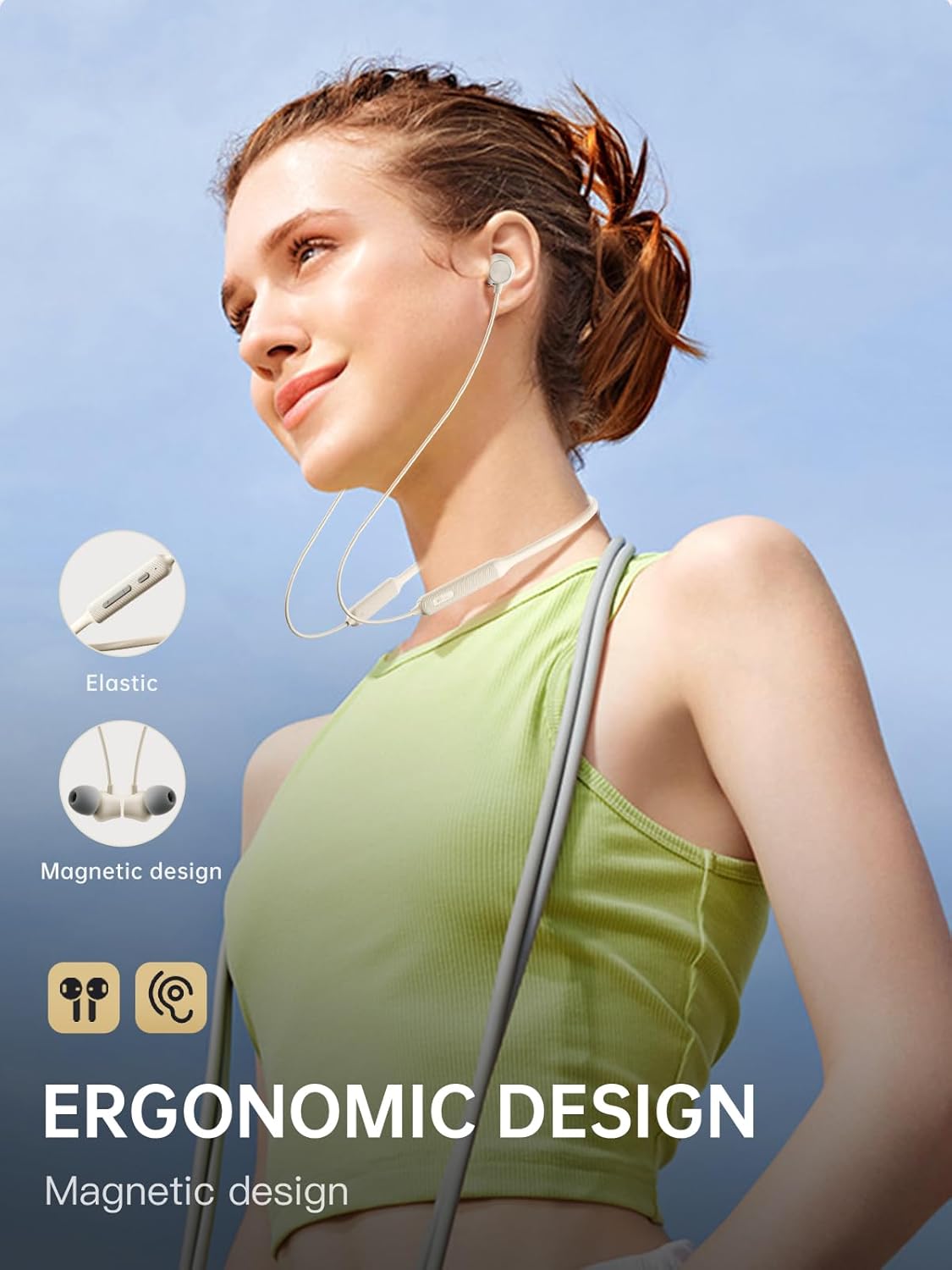
Figure 4: Ergonomic design and magnetic earbud feature.
4.2 Ifagile Ariwo Nṣiṣẹ (ANC)
The iKF Alive earphones feature up to -49dB Active Noise Cancellation to minimize ambient noise.
- Yipada ANC: Use the dedicated ANC button on the neckband or control via the iKF App.
- The iKF App allows for three adjustable noise reduction gears to suit different environments.

Àwòrán 5: Ìfàsẹ́yìn Ariwo Tí Ń Ṣiṣẹ́.
4.3 HiFi Stereo Sound and Low Latency
Experience high-fidelity audio and seamless synchronization.
- The 13mm composite speakers deliver rich, detailed HiFi stereo sound.
- Activate the low latency mode (38ms) for gaming and video streaming to ensure audio and visuals are perfectly synchronized.

Figure 6: Internal structure of the 13mm HiFi speaker driver.
4.4 iKF App Control
Enhance your experience with the iKF App, available for both Android and iOS devices.
- Customize noise cancellation levels.
- Access headphone positioning features.
- Manage in-ear detection settings.
- Configure sleep mode and custom touch controls.
5. Itọju
5.1 Omi Resistance
The iKF Alive earphones are IPX5 waterproof, providing protection against sweat and light rain.
- Avoid submerging the earphones in water.
- Rii daju pe ideri ibudo gbigba agbara ti wa ni pipade ni aabo lati yago fun titẹ omi.
- Wipe off any sweat or moisture after use with a soft, dry cloth.

Figure 7: Designed for sports with IPX5 water resistance.
5.2 Ninu ati Ibi ipamọ
- Regularly clean the ear tips and earphone surfaces with a soft, slightly damp asọ.
- Maṣe lo awọn kẹmika lile tabi awọn ohun elo abrasive.
- Tọ́jú àwọn agbekọri náà sí ibi tí ó tutù tí ó sì gbẹ, tí kò sí ibi tí oòrùn lè tàn dé àti ibi tí ó gbóná janjan.
- The magnetic earbuds help keep the neckband tidy and prevent tangling when not in use.
6. Laasigbotitusita
Ti o ba pade awọn iṣoro eyikeyi, jọwọ tọka si awọn solusan ti o wọpọ wọnyi:
| Isoro | Owun to le Solusan |
|---|---|
| Awọn agbekọri ko ṣiṣẹ | Rii daju pe awọn agbekọri ti gba agbara ni kikun. |
| Ko le so pọ pẹlu ẹrọ | Make sure earphones are in pairing mode (flashing blue/red). Turn off and on Bluetooth on your device. Forget previous pairings and try again. |
| Ko si ohun tabi iwọn didun kekere | Check volume levels on both earphones and connected device. Ensure earphones are properly connected. |
| ANC ko ṣiṣẹ daradara | Ensure ANC is enabled. Adjust ear tips for a secure seal. Clean any debris from the microphone ports. |
| Asopọmọra igba diẹ | Ensure no obstacles between earphones and device. Move closer to the device. Avoid strong electromagnetic interference. |
Ti iṣoro naa ba wa, jọwọ kan si atilẹyin alabara.
7. Awọn pato
| Ẹya ara ẹrọ | Ẹ̀kúnrẹ́rẹ́ |
|---|---|
| Orukọ awoṣe | iKF Alive |
| Brand | iKF |
| Asopọmọra | Ailokun (Bluetooth 5.4) |
| Gbigbe Eti | Ninu Eti |
| Fọọmù ifosiwewe | Okùn ọrun |
| Ti nṣiṣe lọwọ Noise Ifagile | Titi di -49dB |
| Omi Resistance Ipele | IPX5 |
| Akoko ere | Titi di wakati 20 (wakati 16 pẹlu ANC) |
| Akoko gbigba agbara | Isunmọ. wakati meji 1.5 |
| Latency Ohun | 38 Milise-aaya |
| Awakọ Iru | Dynamic Driver (13mm composite speakers) |
| Ipalara | 32 ohm |
| Iṣakoso Iru | Button, Touch (via App) |
| Pataki Awọn ẹya ara ẹrọ | Multipoint Pairing, Noise Cancellation, Fast Charging |
| Awọn ẹrọ ibaramu | Cellular Phones, Phones |
| Ohun elo | Silikoni |
8. Atilẹyin ọja ati Support
iKF provides a standard warranty for this product. Please refer to the warranty card included in your package for specific terms and conditions.
For technical support, troubleshooting assistance, or warranty claims, please contact iKF customer service through the official webaaye tabi alagbata rẹ.
Ask a question about this manual
Ask about setup, troubleshooting, compatibility, parts, safety, or missing instructions. Manuals+ will review the question and use this page’s manual context to help answer it.