
1. Ifihan
Welcome to the user manual for your Thomson RT850BT Bluetooth Speaker, FM Radio, and Alarm Clock. This guide provides detailed instructions on how to set up, operate, and maintain your device. Please read this manual thoroughly before use to ensure proper functionality and to maximize your experience with the RT850BT.
2. Alaye Aabo
Lati rii daju iṣẹ ailewu ati yago fun ibajẹ, jọwọ ṣe akiyesi awọn iṣọra ailewu atẹle:
- Ma ṣe fi ẹrọ naa han si ojo, ọrinrin, tabi awọn iwọn otutu to gaju.
- Yago fun gbigbe ẹrọ naa si nitosi awọn orisun ooru tabi ni imọlẹ orun taara.
- Rii daju pe fentilesonu to dara; maṣe dina eyikeyi awọn ṣiṣi atẹgun.
- Lo oluyipada agbara ti a pese nikan.
- Ma ṣe gbiyanju lati ṣajọpọ tabi yi ẹyọ naa pada. Tọkasi gbogbo iṣẹ si oṣiṣẹ oṣiṣẹ.
- Jeki ẹyọ kuro lati awọn aaye oofa to lagbara.
3. Package Awọn akoonu
Jẹrisi pe gbogbo awọn ohun kan wa ninu package:
- Thomson RT850BT Unit
- Adapter agbara
- Itọsọna olumulo

Image: Thomson RT850BT packaging, illustrating the product and its key features.
4. Ọja Ipariview
4.1 Igbimọ iwaju
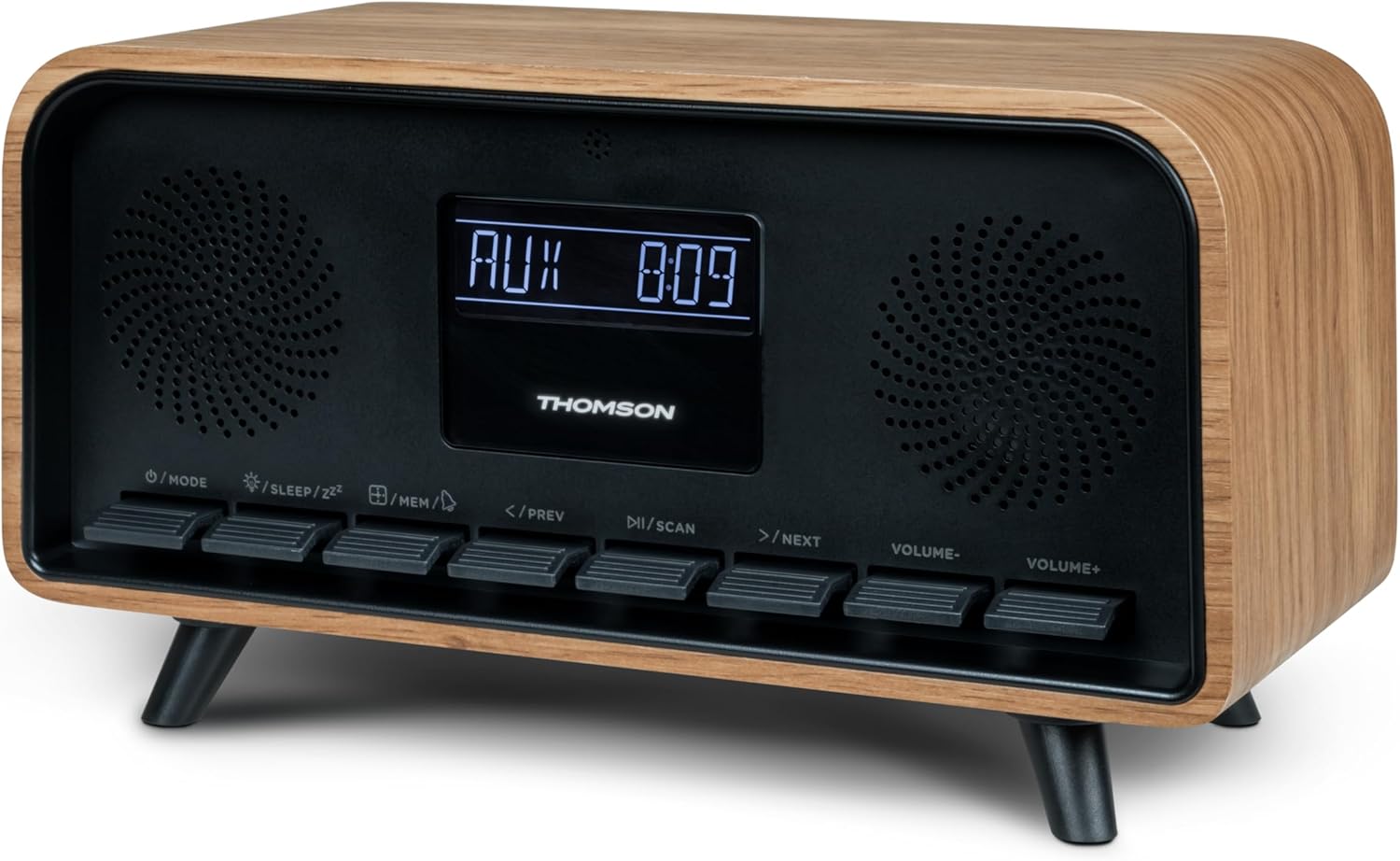
Aworan: Iwaju view of the Thomson RT850BT unit, showing the LCD display, speakers, and control buttons.
- Ifihan LCD: Shows time, mode, and other information.
- /MODE Button: Power On/Off, switch between modes (Bluetooth, FM, AUX).
- /SLEEP/ZZ Bọtini: Set sleep timer, activate snooze.
- /MEM Button: Set alarm, save/recall radio stations.
- </PREV Button: Previous track (Bluetooth), tune down (FM).
- /SCAN Button: Play/Pause (Bluetooth), auto scan (FM).
- >/NEXT Button: Next track (Bluetooth), tune up (FM).
- VOLUME- Button: Din iwọn didun silẹ.
- VOLUME+ Button: Mu iwọn didun pọ si.
4.2 ru Panel

Aworan: Ẹyin view of the Thomson RT850BT, highlighting the power supply, Line In (AUX-IN), and USB-C charge output ports.
- Power Supply (DC IN 5V): So ohun ti nmu badọgba agbara ti a pese.
- Line In (AUX-IN): 3.5mm ohun igbewọle fun ita awọn ẹrọ.
- Charge Output (USB-C): USB Type-C port for charging external devices.
5. Eto
5.1 Asopọ agbara
- Connect the power adapter to the DC IN 5V port on the rear of the RT850BT.
- Pulọọgi ohun ti nmu badọgba agbara sinu iṣan ogiri boṣewa kan.
- The unit will power on automatically or enter standby mode.
5.2 Initial Power On and Clock Setting
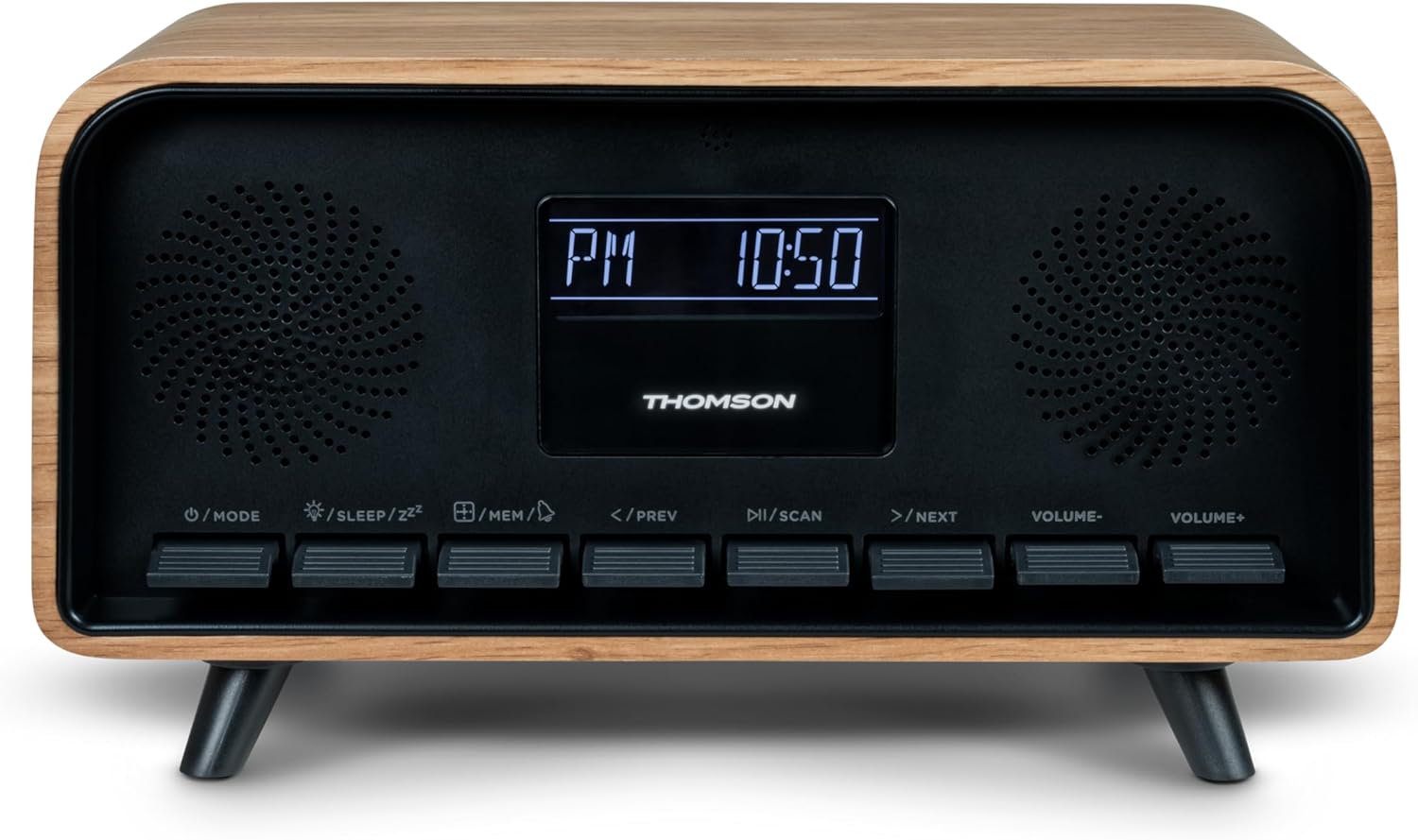
Image: Close-up of the RT850BT's LCD display showing the time, 10:50 PM, and the 'PM' indicator.
- If the unit is in standby, press the / Ipo bọtini lati tan-an.
- Lati ṣeto aago, tẹ mọlẹ /MEM bọtini titi ti ifihan akoko seju.
- Lo awọn </PREV ati >/NEXT awọn bọtini lati ṣatunṣe awọn wakati. Tẹ /MEM lati jẹrisi.
- Lo awọn </PREV ati >/NEXT awọn bọtini lati ṣatunṣe iseju. Tẹ /MEM lati jẹrisi.
- Aago ti ṣeto bayi.
6. Awọn ilana Iṣiṣẹ
6.1 Ipo Bluetooth

Image: Close-up of the RT850BT's LCD display indicating 'bt' for Bluetooth mode, along with the current time.
- Tẹ awọn / Ipo button repeatedly until 'bt' appears on the display. The unit is now in Bluetooth pairing mode.
- Lori ẹrọ alagbeka rẹ, mu Bluetooth ṣiṣẹ ki o wa awọn ẹrọ to wa.
- Select 'RT850BT' from the list to pair. A confirmation tone will sound upon successful connection.
- You can now play audio from your device through the RT850BT.
- Lo awọn /Ṣiṣayẹwo button to Play/Pause, and </PREV / >/NEXT awọn bọtini lati foju awọn orin.
- Satunṣe iwọn didun lilo awọn Iwọn- ati Iwọn didun + awọn bọtini.
6.2 FM Redio Ipo
- Tẹ awọn / Ipo button repeatedly until the FM frequency appears on the display.
- Ṣiṣayẹwo Aifọwọyi: Tẹ mọlẹ /Ṣiṣayẹwo button to automatically scan and save available FM stations (up to 50 stations).
- Itọsọna Afowoyi: Ni soki tẹ </PREV or >/NEXT to fine-tune the frequency. Press and hold to scan for the next available station.
- Recall Saved Stations: Ni soki tẹ awọn /MEM bọtini lati yipo nipasẹ awọn ibudo ti a fipamọ.
6.3 Itaniji Aago Išė
The RT850BT supports setting multiple alarms.
- Ni ipo imurasilẹ, tẹ mọlẹ /MEM button until 'AL1' or 'AL2' flashes.
- Lo </PREV ati >/NEXT lati ṣeto wakati itaniji, lẹhinna tẹ /MEM lati jẹrisi.
- Tun ṣe fun iṣẹju diẹ.
- Yan orisun itaniji (Buzzer tabi FM Radio) nipa lilo </PREV ati >/NEXT, lẹhinna tẹ /MEM.
- To activate/deactivate an alarm, briefly press the /MEM button in standby mode to cycle through alarm settings (AL1 ON/OFF, AL2 ON/OFF).
- Nigbati itaniji ba ndun, tẹ /SLEEP/ZZ fun lẹẹkọọkan (itaniji yoo dun lẹẹkansi lẹhin iṣẹju 9) tabi tẹ / Ipo láti pa itaniji fún ọjọ́ náà.
6.4 Ipo AUX-IN
- Connect an external audio device (e.g., MP3 player, smartphone) to the 'Line In' (AUX-IN) port on the rear panel using a 3.5mm audio cable (not included).
- Tẹ awọn / Ipo bọtini leralera titi 'AUX' yoo han loju ifihan.
- Audio from the connected device will now play through the RT850BT. Control playback from your external device.
6.5 Iṣẹ́ Dimmer
The display brightness can be adjusted to three intensity levels.
- In any mode, briefly press the /SLEEP/ZZ button to cycle through the brightness levels.
6.6 orun Išė
Set a timer for the unit to automatically turn off.
- Lakoko ti ẹrọ naa ba wa ni titan, tẹ bọtini naa /SLEEP/ZZ button repeatedly to select the desired sleep timer duration (e.g., 15, 30, 60, 90 minutes, OFF).
- Ẹrọ naa yoo pa laifọwọyi lẹhin akoko ti a yan.
6.7 Ibudo gbigba agbara USB-C
The USB-C port on the rear panel is for charging external devices.
- Connect your compatible device's USB-C charging cable to the 'Charge output' port.
- Ensure the RT850BT is powered on or in standby mode for charging functionality.
7. Itọju
To maintain the performance and appearance of your RT850BT:
- Ninu: Use a soft, dry cloth to clean the exterior. Do not use abrasive cleaners, waxes, or solvents.
- Ibi ipamọ: Ti o ba tọju ẹyọ naa fun akoko ti o gbooro sii, ge asopọ kuro ni iṣan agbara ki o tọju rẹ ni itura, aaye gbigbẹ.
- Afẹfẹ: Ensure the ventilation grilles are free from dust and obstructions.
8. Laasigbotitusita
If you encounter issues with your RT850BT, refer to the following table for common problems and solutions:
| Isoro | Owun to le Fa | Ojutu |
|---|---|---|
| Ko si agbara | Ohun ti nmu badọgba agbara ko ti sopọ tabi aṣiṣe iṣan. | Rii daju pe ohun ti nmu badọgba agbara ti sopọ ni aabo ati pe iṣan jade jẹ iṣẹ-ṣiṣe. |
| Ko si ohun | Volume too low, incorrect mode, or device not paired (Bluetooth). | Increase volume. Check if the correct mode (BT, FM, AUX) is selected. Re-pair Bluetooth device. |
| Sisopọ Bluetooth kuna | Device too far, Bluetooth not enabled on source, or RT850BT not in pairing mode. | Ensure devices are within range. Enable Bluetooth on your device. Set RT850BT to 'bt' mode. |
| Gbigba FM ti ko dara | Ifihan agbara. | Adjust the unit's position to improve reception. |
| Itaniji ko dun | Itaniji ko mu ṣiṣẹ tabi ṣeto ti ko tọ. | Verify alarm settings and ensure it is set to ON. |
9. Awọn pato
- Awoṣe: RT850BT
- Ẹya Bluetooth: 5.3
- Redio Tuner: FM (87.5-108 MHz)
- Iranti Ibusọ: 50 FM ibudo
- Iṣawọle Olohun: Aux-IN (3.5mm)
- Ifihan: LCD with 3-intensity dimmer
- Ijade agbara: 30W Total Music Power
- Ibudo gbigba agbara: USB-C (for external devices)
- Orisun Agbara: Ina mọnamọna ti o ni okun (DC 5V)
- Ìwúwo: 600 giramu
10. Atilẹyin ọja ati Support
For warranty information and technical support, please refer to the documentation provided at the time of purchase or contact your local Thomson customer service. Keep your proof of purchase for warranty claims.