
1. Ifihan
O ṣeun fun riraasing the Jectse USB Computer Speakers. These speakers are designed to provide clear, high-fidelity audio for your PC, laptop, tablet, and other devices with a 3.5mm AUX output. This manual will guide you through the setup, operation, and maintenance of your new speakers to ensure optimal performance.
2. Alaye Aabo
- Má ṣe fi àwọn agbọ́rọ̀sọ náà sí omi tàbí ọrinrin tó pọ̀ jù.
- Yẹra fún gbígbé àwọn agbọ́hùnsọrọ̀ sí ibi tí ooru ti ń gbóná tàbí sí ibi tí oòrùn ti ń tàn tààrà.
- Do not attempt to disassemble or repair the speakers yourself. Refer all servicing to qualified personnel.
- Rí i dájú pé afẹ́fẹ́ ń yọ́ ní àyíká àwọn agbọ́hùnsọ̀ náà dáadáa.
- Use only the provided cables or compatible replacements.
3. Package Awọn akoonu
Jọwọ ṣayẹwo package fun awọn nkan wọnyi:
- Jectse USB Computer Speakers (1 unit)
- Integrated USB Power Cable (1 unit)
- Integrated 3.5mm AUX Audio Cable (1 unit)
- Ilana Afowoyi (iwe yii)
4. Ọja Ipariview
The Jectse USB Computer Speakers feature a compact design with advanced audio technology for an enhanced listening experience.
Awọn ẹya pataki:
- Ohùn HiFi Clear: Equipped with 5W active full-frequency drivers and anti-magnetic technology to minimize static noise and deliver vivid, clear audio.
- Iwapọ ati Apẹrẹ Modern: Measuring 31.5x6x5.6cm (12.4x2.36x2.2 inches), these speakers are designed to fit seamlessly into any desk setting.
- Intuitive Volume Control: Features a digital volume knob for precise adjustment, which can also synchronize with your computer's system volume.
- Asopọmọra Wapọ: Utilizes a 3.5mm AUX input for compatibility with various devices including PCs, laptops, tablets, and mobile phones.
- Intelligent EQ Tuning: Built-in smart chip automatically identifies and switches between optimized sound modes for music, games, and movies.
Awọn eroja:
Refer to the images below for a visual guide to the speaker components.
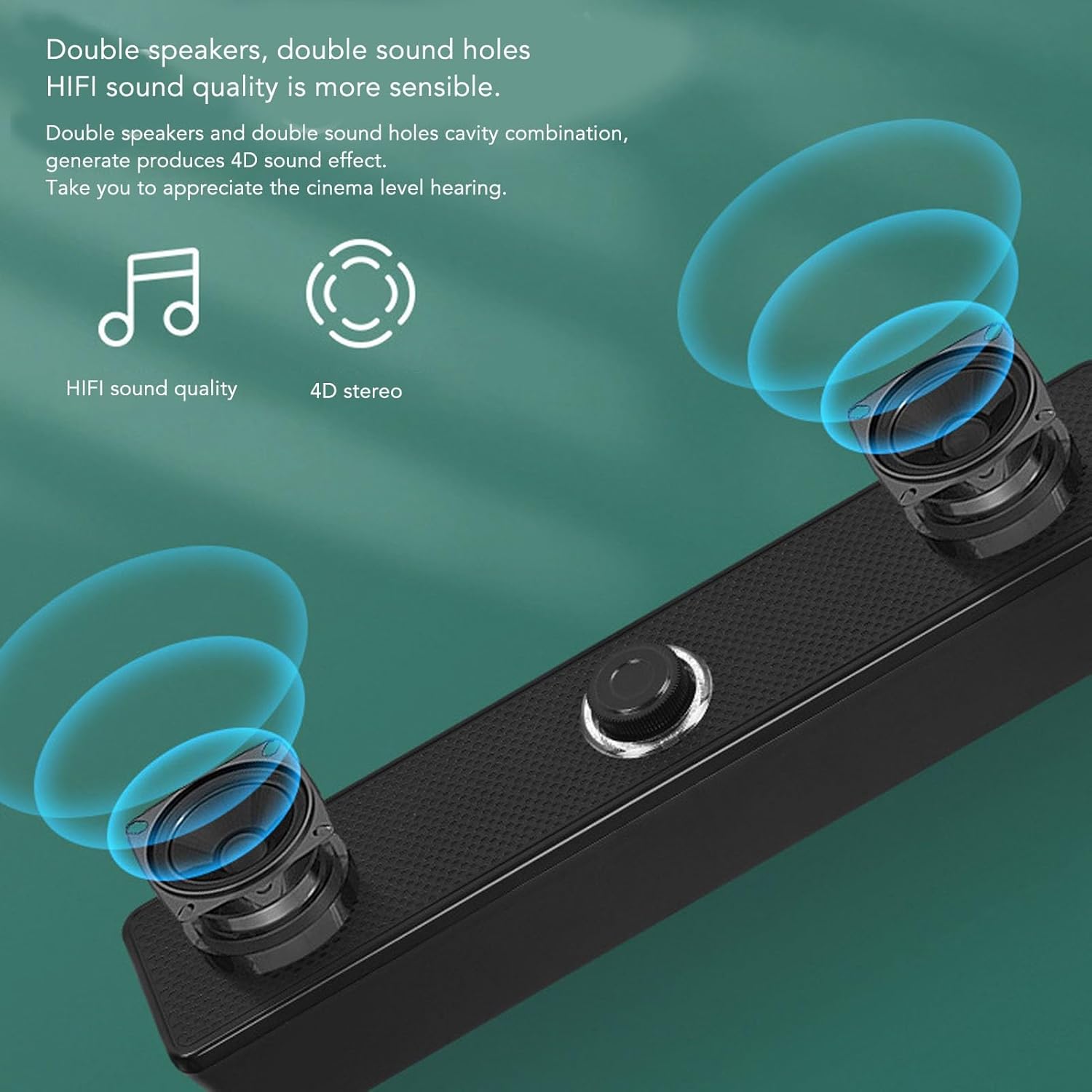
Nọmba 4.1: Iwaju view of the Jectse USB Computer Speakers, showing the dual speaker grilles and the central volume knob with LED illumination.

Nọmba 4.2: Close-up of the speaker's integral honeycomb decorative cover, designed for durability and heat dissipation.
5. Eto
Follow these steps to connect your Jectse USB Computer Speakers:
- Ibi: Place the speakers on a stable, flat surface near your computer or audio source. Ensure there is adequate space for sound dispersion.
- So agbara USB pọ: Plug the integrated USB cable from the speakers into an available USB port on your computer, laptop, or a compatible USB power adapter (5V/1A recommended). The speakers will power on, and the volume knob LED will illuminate.
- Connect 3.5mm AUX Audio: Plug the integrated 3.5mm AUX audio cable into the headphone jack or audio output port of your device (PC, laptop, tablet, mobile phone).
- Jẹrisi Asopọmọra: Once both cables are connected, your speakers are ready for use. You may need to select the correct audio output device in your computer's sound settings.
6. Awọn ilana Iṣiṣẹ
Iṣakoso iwọn didun:

Nọmba 6.1: The LED illuminated volume knob for adjusting audio levels.
- Mu iwọn didun pọ si: Turn the volume knob clockwise.
- Din iwọn didun silẹ: Turn the volume knob counter-clockwise.
- Titan/Apapa: The speakers power on automatically when connected via USB. To turn off the speakers, turn the volume knob fully counter-clockwise until it clicks or the LED light turns off.
- The built-in sound decoding chip allows the digital volume knob to synchronously control the computer system's volume.
Intelligent EQ Tuning:

Nọmba 6.2: The speaker's intelligent EQ tuning automatically optimizes sound for different content types.
The smart chip within the speakers automatically identifies the sound field environment and adjusts the audio output for optimal listening. It presets and switches between three exclusive sound modes:
- Ipo Orin: Iṣapeye fun gbigbọ orin.
- Ipo Ere: Enhanced audio for gaming experiences.
- ViewIpo: Tailored for watching movies and videos.
This automatic adjustment ensures the best possible sound quality for your current activity.
Anti-Magnetic Noise Reduction:

Nọmba 6.3: Anti-magnetic noise reduction technology helps eliminate interference from other electronic devices.
The speakers incorporate anti-magnetic technology to suppress static noise and avoid interference from other electronic products in the surrounding environment, ensuring a cleaner audio output.
7. Itọju
- Ninu: Lo aṣọ rírọrùn tí ó gbẹ láti nu ìta àwọn agbọ́hùnsọ náà. Má ṣe lo àwọn ohun èlò ìfọmọ́ omi tàbí àwọn ohun èlò ìpara.
- Ibi ipamọ: Nigbati o ko ba wa ni lilo fun awọn akoko ti o gbooro sii, tọju awọn agbohunsoke ni itura, aye gbigbẹ kuro lati orun taara ati awọn iwọn otutu to gaju.
- Itọju USB: Yago fun atunse tabi yiyi awọn kebulu ti a ṣepọ pọ ju lati yago fun ibajẹ.
8. Laasigbotitusita
| Isoro | Owun to le Fa | Ojutu |
|---|---|---|
| Ko si ohun lati awọn agbohunsoke. |
|
|
| Ohun ti daru tabi koyewa. |
|
|
| Awọn agbohunsoke ko ni agbara lori. |
|
|
9. Awọn pato
| Brand: | Jectse |
| Orukọ awoṣe: | Jectseghfm19q6pa |
| Agbara Ijade ti o pọju Agbọrọsọ: | 5 Wattis |
| Imọ-ẹrọ Asopọmọra: | Wired (USB for power, 3.5mm AUX for audio) |
| Iru fifi sori: | Ojú-iṣẹ |
| Awọn iwọn (L x W x H): | 31.5 x 6 x 5.6 cm (12.4 x 2.36 x 2.2 inches) |
10. Atilẹyin ọja ati Support
Jectse products are designed for reliability and performance. For warranty information or technical support, please refer to the warranty card included with your purchase or contact Jectse customer service through the retailer where the product was purchased. Please have your model number (Jectseghfm19q6pa) and purchase date ready when contacting support.