
1. Ifihan
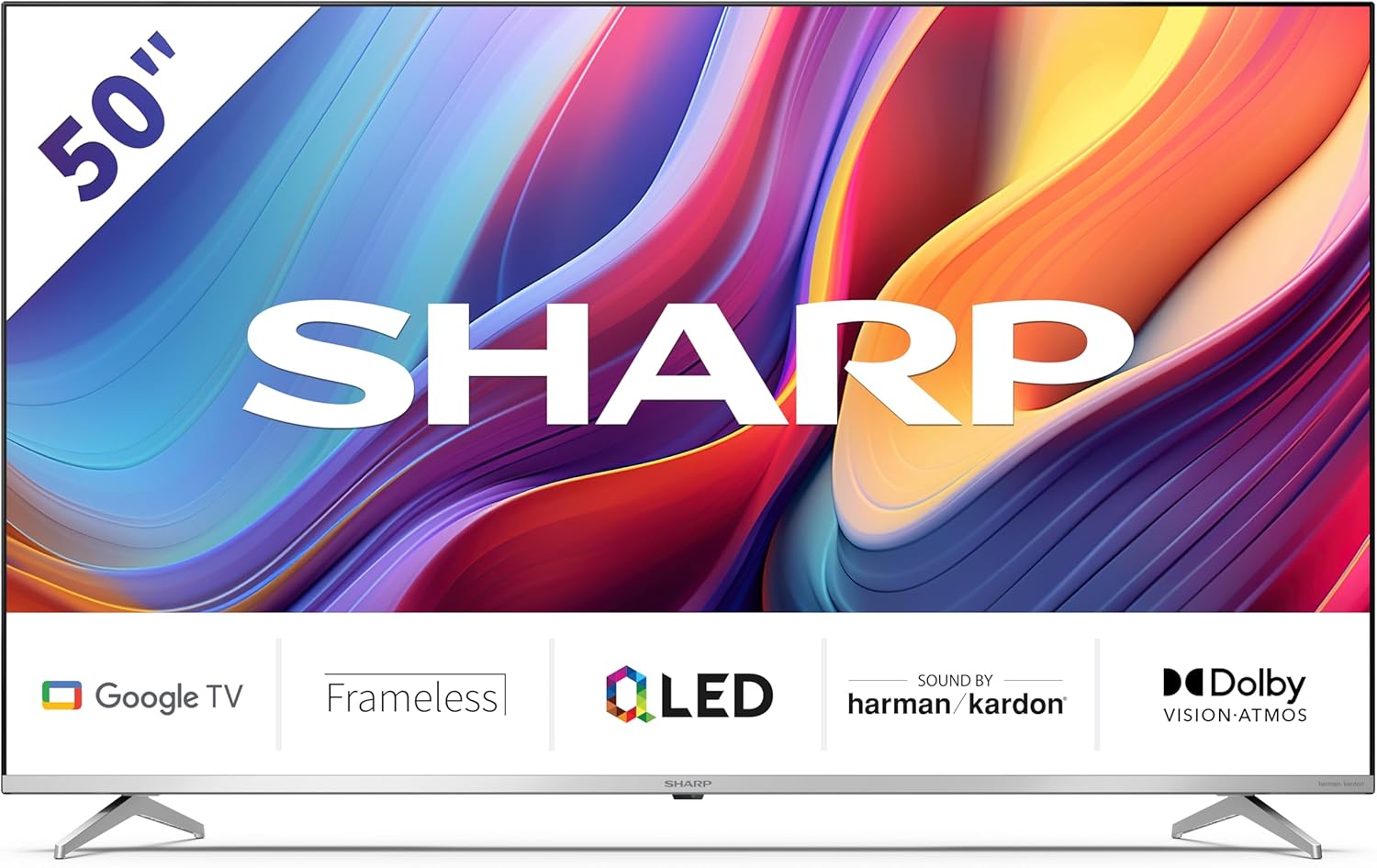
Welcome to the user manual for your new Sharp 50GP6265E 50-inch QLED 4K Ultra HD Google TV. This manual provides essential information for the safe and efficient use of your television. Please read it thoroughly before operating the device and retain it for future reference.
Alaye Aabo pataki
- Rí i dájú pé tẹlifíṣọ̀n náà wà lórí ibi tí ó dúró ṣinṣin láti dènà kí ó má baà jábọ́.
- Má ṣe dí àwọn ihò afẹ́fẹ́. Afẹ́fẹ́ tó yẹ ṣe pàtàkì láti dènà ìgbóná jù.
- Dabobo okun agbara lati rin lori tabi pinched.
- Do not expose the TV to rain or moisture to reduce the risk of fire or electric shock.
- Tọkasi gbogbo iṣẹ si awọn oṣiṣẹ iṣẹ ti o peye.
2. Ohun ti o wa ninu Apoti
Lẹhin ṣiṣi silẹ, jọwọ rii daju pe gbogbo awọn paati wọnyi wa pẹlu:
- Sharp 50GP6265E 50-inch QLED 4K Ultra HD Google TV
- Isakoṣo latọna jijin
- Batiri AAA 2 x (fun iṣakoso latọna jijin)
- Itọsọna ibere ni kiakia
- TV stands (if not wall-mounted)
- Okun agbara
3. Eto
3.1 Ṣiṣii silẹ
Carefully remove the television from its packaging. It is recommended to keep the original packaging for potential future transport or servicing.
3.2 Duro fifi sori
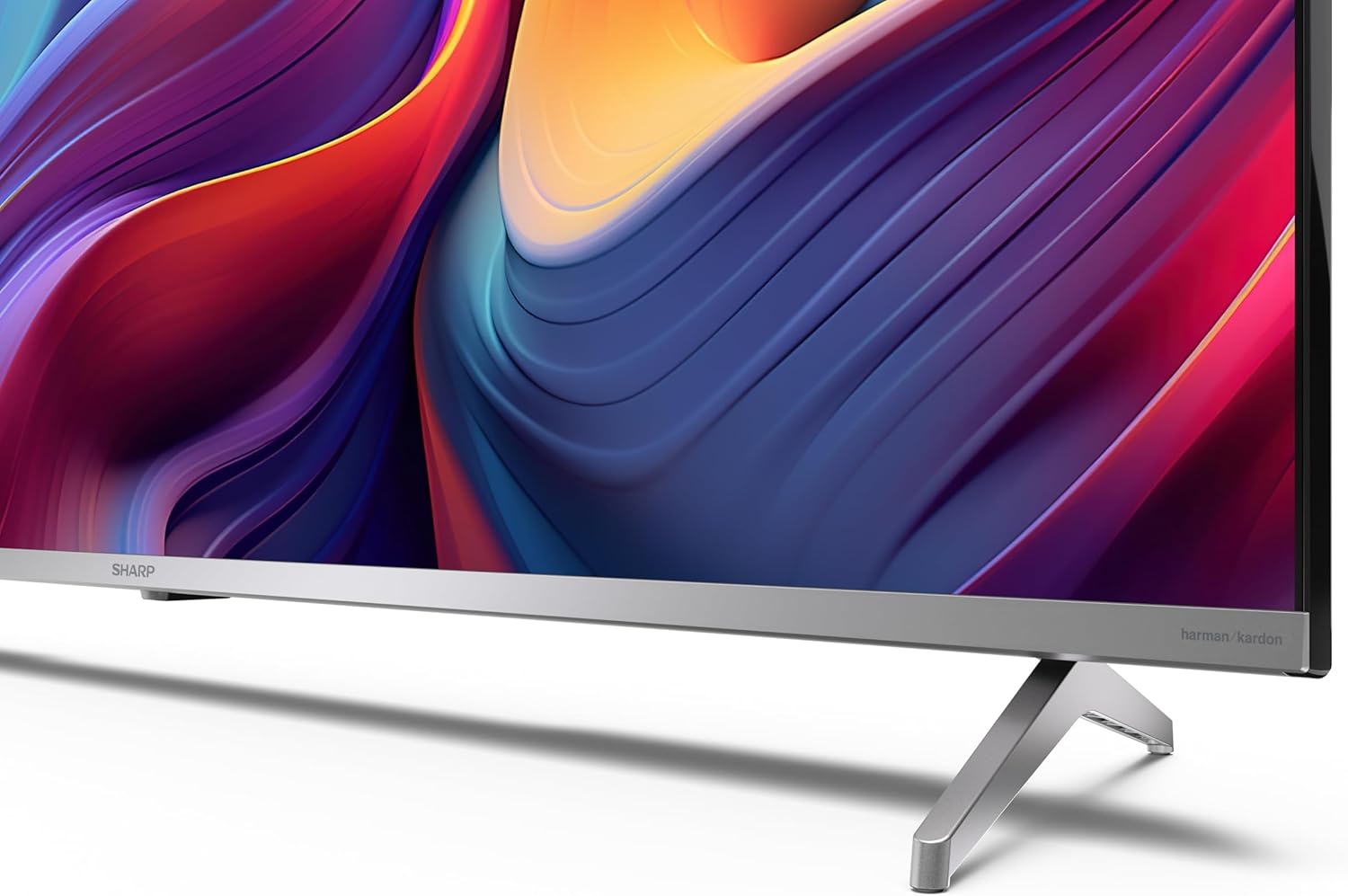
If you are not wall-mounting the television, attach the included stands to the bottom of the TV. Ensure the screws are securely fastened. Refer to the quick start guide for detailed diagrams.
3.3 odi iṣagbesori
For wall mounting, the VESA dimensions required are 400 x 300 mm. Use a compatible wall mount bracket (sold separately) and follow the instructions provided with the bracket. Ensure the wall can support the weight of the television (9.7 kg net weight).

3.4 Nsopọ Peripherals
Your Sharp TV offers various connectivity options:
- HDMI: Connect external devices such as Blu-ray players, gaming consoles, or set-top boxes using the 4 HDMI 2.1 ports. One port supports eARC for enhanced audio return channel functionality.
- USB: Use the 2 USB ports for connecting external storage devices to play media or for service updates.
- Àjọlò: Fun asopọ intanẹẹti onirin iduroṣinṣin.
- Wi-Fi: Fun Asopọmọra intanẹẹti alailowaya.
- Bluetooth: Connect wireless headphones, soundbars, or other Bluetooth-enabled accessories.

3.5 First Time Oṣo
After connecting the power cable and turning on the TV, follow the on-screen instructions to complete the initial setup. This typically includes language selection, network connection, and Google account sign-in for Google TV features.
4. Ṣiṣẹ TV rẹ
4.1 Iṣakoso latọna jijin
The included remote control allows you to navigate the TV's interface, adjust volume, change channels, and access smart features. Insert the 2 AAA batteries into the remote control, ensuring correct polarity.
4.2 Google TV Interface
Your Sharp TV runs on Google TV, which organizes movies, shows, and live TV from all your apps and subscriptions. The home screen provides personalized recommendations and quick access to your favorite content.

Supported internet services include Netflix, Amazon Prime Video, HBO, Disney+, Movistar+, DAZN, Atresmedia, KODI, IPTV, Steamlink, Twitch, VLC, YouTube, Puffin TV Browser, Spotify, Deezer, TuneIn Radio, and many more available on Google Play for Google TV.
4.3 Aworan Eto
Experience stunning visuals with 4K Ultra HD resolution and Quantum Dot technology for vibrant colors. The TV supports Dolby Vision and HDR10 for enhanced contrast and brightness. Access picture settings through the TV menu to customize brightness, contrast, color, and sharpness to your preference. AQUOS Smooth Motion technology provides image interpolation for smoother motion.
4.4 Ohun Eto
The integrated Harman/Kardon speaker system (2 x 12 W) delivers immersive audio. With Dolby Atmos support, you can enjoy a rich, multi-dimensional sound experience. Adjust sound modes and equalizer settings in the audio menu.
4.5 Smart Awọn ẹya ara ẹrọ
- Oluranlọwọ Google: Lo awọn pipaṣẹ ohun lati wa akoonu, ṣakoso awọn ẹrọ ile ti o gbọn, ati gba alaye.
- Chromecast ti a ṣe sinu: Cast content from your smartphone, tablet, or computer directly to your TV screen.
5. Itọju
5.1 Ninu TV
- Yọọ TV nigba gbogbo ṣaaju ṣiṣe mimọ.
- Lo asọ ti o gbẹ lati nu iboju ati minisita. Fun awọn ami alagidi, fẹẹrẹ dampen awọn asọ pẹlu omi tabi a specialized iboju regede.
- Yago fun lilo abrasive ose, waxes, tabi epo.
5.2 Software imudojuiwọn
TV rẹ le gba awọn imudojuiwọn sọfitiwia lati mu iṣẹ ṣiṣe dara si ati lati ṣafikun awọn ẹya tuntun. Rii daju pe TV rẹ sopọ mọ intanẹẹti lati gba awọn imudojuiwọn wọnyi laifọwọ tabi ṣayẹwo fun wọn pẹlu ọwọ ninu akojọ eto.
6. Laasigbotitusita
Ti o ba pade awọn ọran pẹlu TV rẹ, tọka si awọn iṣoro ti o wọpọ ati awọn ojutu wọnyi:
| Isoro | Owun to le Solusan |
|---|---|
| Ko si agbara | Ṣàyẹ̀wò bóyá okùn agbára náà so mọ́ TV àti ibi tí agbára náà ti ń jáde dáadáa. Rí i dájú pé ibi tí agbára náà ti ń jáde ṣiṣẹ́ dáadáa. |
| Ko si aworan, ṣugbọn ohun wa | Daju pe orisun titẹ sii to pe ti yan. Ṣayẹwo awọn isopọ ẹrọ ita. |
| Ko si ohun, ṣugbọn aworan wa | Check the volume level and mute status. Ensure audio cables are correctly connected for external devices. |
| Isakoṣo latọna jijin ko ṣiṣẹ | Rọpo awọn batiri AAA. Rí i dájú pé kò sí ìdènà láàárín remote àti sensọ IR ti TV. |
| Awọn oran asopọ Wi-Fi | Restart your router and the TV. Re-enter the Wi-Fi password. Ensure the TV is within range of your Wi-Fi network. |
7. Awọn pato
| Ẹya ara ẹrọ | Ẹ̀kúnrẹ́rẹ́ |
|---|---|
| Brand | Dinku |
| Nọmba awoṣe | 50GP6265E |
| Iwon iboju | 50 inches |
| Ifihan ọna ẹrọ | QLED, Quantum Dot |
| Ipinnu | 4K Ultra HD (3840 x 2160 awọn piksẹli) |
| Oṣuwọn sọtun | 60 Hz |
| Eto isesise | Google TV |
| HDR atilẹyin | Dolby Vision, HDR10 |
| Ohun System | Harman/Kardon (2 x 12 W), Dolby Atmos |
| Asopọmọra | 4x HDMI 2.1 (with eARC), 2x USB, Wi-Fi, Bluetooth, Ethernet |
| Pataki Awọn ẹya ara ẹrọ | Google Assistant, Chromecast built-in, AQUOS Smooth Motion |
| VESA Odi Oke | 400 x 300 mm |
| Awọn iwọn (pẹlu iduro) | 111.6P x 26.5l x 69.3H cm (1116.4 x 692.9 x 264.7 mm) |
| Awọn iwọn (laisi iduro) | 111.6P x 9.2l x 65.1H cm (1116.4 x 651.3 x 91.5 mm) |
| Apapọ iwuwo | 9.7 kg |
| Kilasi Ṣiṣe Agbara Agbara (SDR) | G (69 kWh/1000h) |
| Kilasi Ṣiṣe Agbara Agbara (HDR) | G (98 kWh/1000h) |

Fun alaye alaye ọja ati data ṣiṣe agbara, jọwọ wo ibi ipamọ data EPREL: https://eprel.ec.europa.eu/qr/1942440
8. Atilẹyin ọja ati Support
Information regarding spare parts availability and software updates is not explicitly provided for a guaranteed period. Please refer to the manufacturer's official website for the most up-to-date warranty terms and support information.
Olupese: SHARP
Osise Webojula: www.sharpconsumer.com
For customer service inquiries, please visit the Sharp consumer website or contact their support channels as listed on their official site.