
1. Ifihan
Thank you for choosing the PRIXTON Multisport DV800 Action Camera. This manual provides essential information for setting up, operating, and maintaining your device. Please read it thoroughly before use to ensure optimal performance and longevity of your camera.
2. Package Awọn akoonu
Daju pe gbogbo awọn nkan ti a ṣe akojọ rẹ si isalẹ wa ninu package rẹ:
- PRIXTON Multisport DV800 Action Camera
- Mabomire Case
- Batiri gbigba agbara
- Okun USB
- Bicycle Oke
- Agekuru
- Iṣagbesori Adapter
- Three Helmet Mounts
- Strap/Bandage
- 3M alemora
- Itọsọna olumulo

Image: The PRIXTON DV800 Action Camera and its various accessories, including mounts, cables, and the waterproof case.
3. Ọja Ipariview
The PRIXTON DV800 features a compact design with dual screens for versatile shooting and monitoring. It is designed for capturing high-quality video and photos in various environments.
Awọn ẹya pataki:
- Iboju Meji: Front screen for selfies and a rear screen for camera control.
- 5K Video Resolution: Up to 5K at 30 frames per second (FPS).
- 24 MP Photo Resolution: High-quality still images.
- 6-AXIS EIS Optical Stabilizer: For smooth and stable footage.
- Mabomire: Up to 30 meters with the included waterproof case.
- Asopọmọra: Built-in Wi-Fi for mobile app control and content transfer.
- Ibi ipamọ: Supports MicroSD cards up to 128 GB.

Image: The PRIXTON DV800 Action Camera, showcasing its dual-screen capability and the waterproof housing, alongside several mounting accessories.
4. Eto
4.1. Fifi sori batiri
- Wa yara batiri lori kamẹra.
- Ṣii ideri iyẹwu naa.
- Fi batiri gbigba agbara sii, ni idaniloju polarity to pe.
- Pa ideri batiri naa ni aabo.
4.2. MicroSD Kaadi Fi sii
A MicroSD card (up to 128 GB, not included) is required to store recordings and photos.
- Wa iho kaadi MicroSD ni ẹgbẹ kamẹra naa.
- Gently insert the MicroSD card with the contacts facing the correct direction until it clicks into place.
- Láti yọ ọ́ kúrò, tẹ káàdì náà sínú títí yóò fi yọ jáde.
4.3. Nsopọ Ọran ti ko ni omi
For underwater use or protection against impacts, place the camera inside the waterproof case.
- Open the latch on the waterproof case.
- Carefully place the camera inside the case, ensuring it fits snugly.
- Close the latch firmly to seal the case. Ensure no debris is caught in the seal.
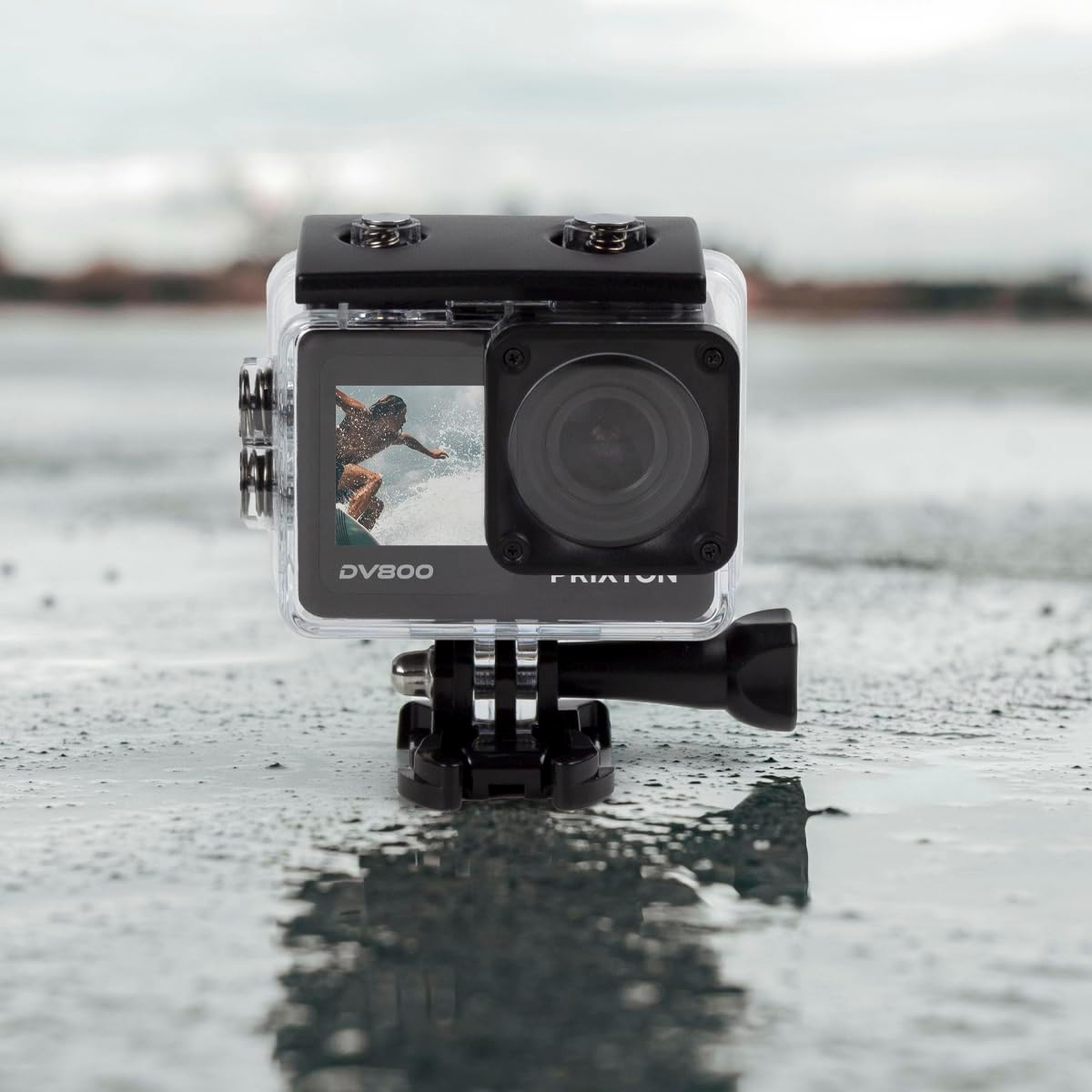
Image: The PRIXTON DV800 Action Camera securely housed within its waterproof casing, ready for use in aquatic environments.
5. Awọn ilana Iṣiṣẹ
5.1. Agbara Tan / Paa
- Lati Fi agbara: Tẹ bọtini Power/Mode ki o si dimu fun iṣẹju-aaya diẹ titi iboju yoo fi tan imọlẹ.
- Lati Paarẹ: Tẹ bọtini Power/Mode ki o si di i mu lẹẹkansi titi iboju yoo fi pa.
5.2. Aṣayan Ipo
Tẹ bọtini Agbara/Ipo leralera lati yipo nipasẹ awọn ipo oriṣiriṣi: Fidio, Fọto, Sisisẹsẹhin, ati Eto.
5.3. Gbigbasilẹ fidio
- Switch to Video Mode.
- Press the Shutter/OK button to start recording. A red indicator light will flash.
- Press the Shutter/OK button again to stop recording. The indicator light will stop flashing.
5.4. Gbigba Awọn fọto
- Switch to Photo Mode.
- Ṣe àwòrán rẹ nípa lílo ìbòjú.
- Press the Shutter/OK button to take a photo.
5.5. Wi-Fi Connectivity and Mobile App
The camera can connect to your mobile device via Wi-Fi using the "XDV PRO" application.
- Download and install the "XDV PRO" app on your smartphone or tablet.
- On the camera, navigate to the settings menu and enable Wi-Fi.
- On your mobile device, connect to the camera's Wi-Fi network (SSID and password will be displayed on the camera screen).
- Open the "XDV PRO" app to control the camera, view gbe footage, ati gbigbe files.

Image: A close-up of the PRIXTON DV800 Action Camera's rear screen, showing its 5K Ultra HD capability and Wi-Fi connectivity.
5.6. Using as a Webkamẹra
Connect the camera to a computer via USB to use it as a webKame.awo-ori.
- So kamẹra pọ mọ kọmputa rẹ nipa lilo okun USB ti a pese.
- Select the 'PC Camera' or 'Webcam' option on the camera's screen if prompted.
- Your computer should recognize the camera as a webcam, which can then be selected in video conferencing applications.
6. Itọju
6.1. Ninu
- Use a soft, lint-free cloth to clean the camera lens and screens.
- For the waterproof case, rinse with fresh water after saltwater use and allow it to air dry.
- Yago fun lilo awọn kẹmika lile tabi awọn ohun elo abrasive.
6.2. Itọju batiri
- Gba agbara si batiri ni kikun ṣaaju lilo akọkọ.
- Ma ṣe fi batiri han si awọn iwọn otutu to gaju.
- Ti o ba tọju kamẹra fun igba pipẹ, yọ batiri kuro.
6.3. Ibi ipamọ
Store the camera in a cool, dry place away from direct sunlight and dust when not in use.
7. Laasigbotitusita
- Kamẹra ko tii: Rii daju pe batiri ti gba agbara ati fi sii daradara.
- Awọn iṣoro igbasilẹ: Check if the MicroSD card is inserted correctly and has sufficient free space. Format the card if necessary (this will erase all data).
- Awọn iṣoro asopọ Wi-Fi: Ensure Wi-Fi is enabled on the camera and your mobile device. Restart both devices if issues persist.
- Didara aworan/fidio ti ko dara: Clean the lens. Ensure adequate lighting. Check resolution settings.
8. Awọn pato
| Orukọ awoṣe | DV800 |
| Brand | PRIXTON |
| Ipinnu Yaworan fidio | 5K |
| Fọto sensọ Technology | Omiiran |
| Flash Memory Iru | MicroSD (to 128GB) |
| Fidio Yaworan kika | MOV |
| Atilẹyin Audio kika | MP4 |
| Asopọmọra Technology | Wi-Fi |
| Àwọ̀ | Dudu |
| Kamẹra Iru | Kamẹra Ise |
| Igbesi aye batiri | O fẹrẹ to iṣẹju 90 |
9. Atilẹyin ọja ati Support
The PRIXTON Multisport DV800 Action Camera comes with a standard manufacturer's warranty. For detailed warranty information, technical support, or service inquiries, please refer to the warranty card included in your package or visit the official PRIXTON webojula. Tọju iwe-ẹri rira rẹ bi ẹri rira fun awọn iṣeduro atilẹyin ọja.