
1. Ifihan
Thank you for choosing the SUNOL GS08 Smart Glasses. These open-ear audio glasses combine stylish eyewear with advanced audio technology, allowing you to enjoy music, make calls, and access navigation while remaining aware of your surroundings. This manual provides detailed instructions for the proper use and maintenance of your device.
Awọn ẹya pataki pẹlu:
- Audio Eti-Ṣí: Enjoy sound without blocking your ears, maintaining situational awareness.
- Bluetooth 5.3 Asopọmọra: Stable and efficient wireless connection to your smart devices.
- Gbohungbohun ti a ṣepọ: For clear hands-free calls and voice assistant interaction.
- Awọn lẹnsi Polari 100% UV protection to shield your eyes from harmful rays and reduce glare.
- IPX4 Omi Resistance: Designed to resist sweat and light rain, suitable for various activities.
- Iṣakoso ohun AI: Access navigation, phone calls, and music without needing to pull out your phone.
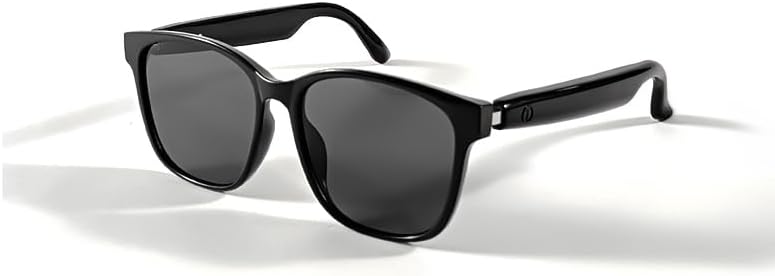
Image 1.1: The SUNOL GS08 Smart Glasses in gray, showcasing wọn aso oniru.
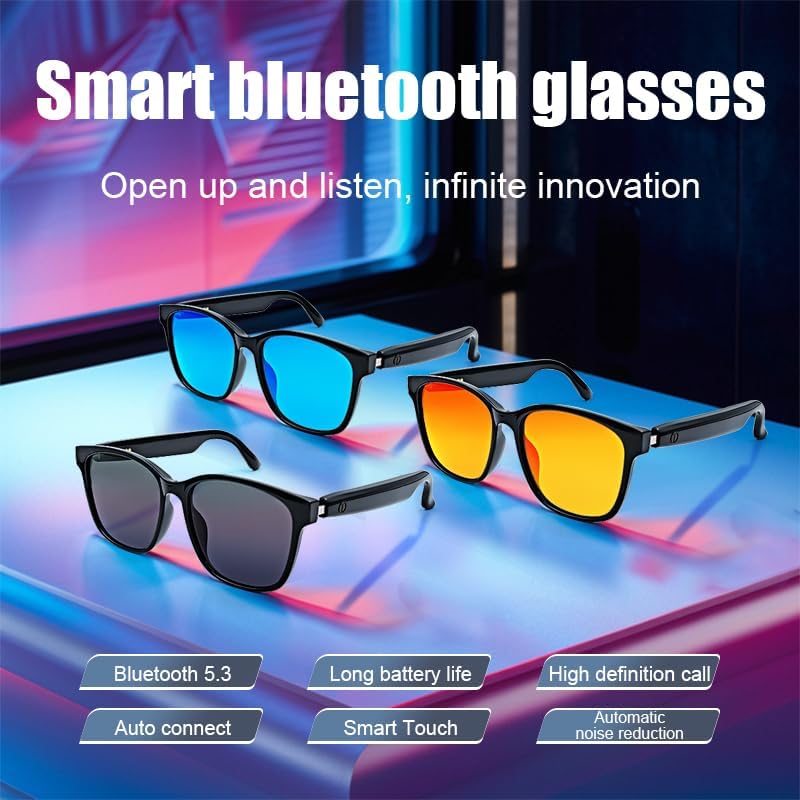
Image 1.2: Multiple color variants of the smart glasses highlighting features like Bluetooth 5.3, long battery life, high-definition calls, auto-connect, smart touch, and automatic noise reduction.
2. Eto
2.1. Package Awọn akoonu
Ṣaaju ki o to tẹsiwaju, jọwọ rii daju pe gbogbo awọn nkan wa ninu package:
- SUNOL GS08 Smart Glasses
- Ngba agbara USB
- Itọsọna olumulo
- Cleaning Cloth (may vary by package)
2.2. Gbigbe awọn gilaasi
For optimal performance, fully charge your smart glasses before first use.
- So okùn gbigba agbara pọ mọ ibudo gbigba agbara lori awọn gilaasi naa.
- So opin keji okun gbigba agbara naa sinu adapter agbara USB (ko si ninu rẹ) tabi ibudo USB kọmputa kan.
- The indicator light on the glasses will illuminate during charging and turn off or change color when fully charged.
- Gbigba agbara ni kikun maa n gba to wakati 1.5 si 2.
2.3. Sisopọ Bluetooth
Follow these steps to pair your SUNOL GS08 Smart Glasses with your smartphone or other Bluetooth-enabled device:
- Rí i dájú pé àwọn gilaasi náà ti gba agbára tí wọ́n sì ti pa.
- Press and hold the power button on the glasses until the indicator light flashes rapidly (usually blue and red), indicating pairing mode.
- On your smart device, go to Bluetooth settings and turn Bluetooth on.
- Wa fun available devices. You should see "GS08" or "SUNOL GS08" in the list.
- Select "GS08" to connect. Once connected, the indicator light on the glasses will typically stop flashing and remain solid blue or turn off.
- The glasses will automatically connect to the last paired device when powered on, if the device's Bluetooth is active and within range.
3. Awọn ilana Iṣiṣẹ
3.1. Agbara Tan / Paa
- Agbara Tan: Press and hold the power button for approximately 3 seconds until you hear a power-on prompt or see the indicator light.
- Agbara Pa: Press and hold the power button for approximately 5 seconds until you hear a power-off prompt or the indicator light turns off.
3.2. Sisisẹsẹhin Orin
Control your music directly from the smart glasses:
- Ṣiṣẹ/Daduro: Single press the multi-function button (often the power button or a dedicated button).
- Orin t’okan: Tẹ bọtini iṣẹ-ọpọlọpọ lẹẹmeji.
- Tẹlẹ Orin: Meteta tẹ bọtini iṣẹ-ọpọlọpọ.
3.3. Iṣakoso ipe
Manage phone calls hands-free:
- Idahun Ipe: Single press the multi-function button when a call comes in.
- Ipe Ipari: Tẹ bọtini iṣẹ-pupọ kan lakoko ipe kan.
- Kọ Ipe: Tẹ ki o si mu bọtini iṣẹ-pupọ naa fun awọn aaya meji nigbati ipe ba wọle.
3.4. Voice Assistant (AI Voice Control)
Activate your device's voice assistant for navigation, information, and more:
- Mu ṣiṣẹ: Press and hold the multi-function button for 2 seconds (when not on a call) to activate your smartphone's voice assistant (e.g., Siri, Google Assistant).
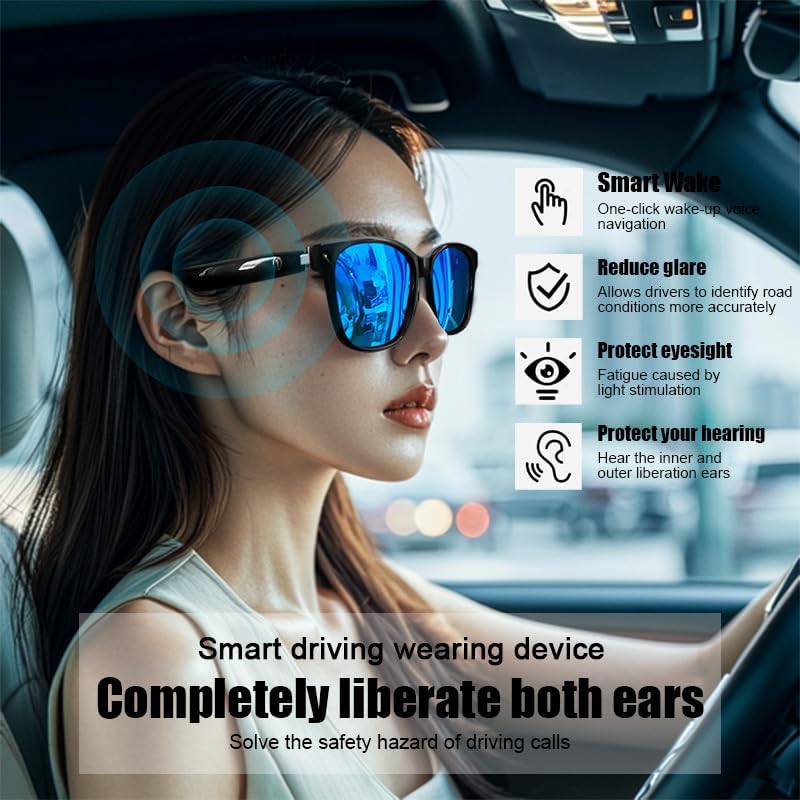
Image 3.1: The smart glasses in use while driving, demonstrating features such as Smart Wake for voice navigation, reduced glare, eye protection, and open-ear audio for hearing protection.
3.5. Iṣakoso iwọn didun
Adjust the audio volume using the dedicated volume buttons on the glasses (if available) or directly from your connected smart device.

Aworan 3.2: Examples of the smart glasses being used in various activities such as cycling, hiking, driving, and fishing, highlighting their versatility.
4. Itọju
4.1. Cleaning the Glasses
To maintain clarity and hygiene:
- Lo aṣọ ìwẹ̀nùmọ́ tí a pèsè tàbí aṣọ rírọ̀ tí kò ní àwọ̀ láti fi fọ àwọn lẹ́ńsì náà àti férémù rẹ̀ pẹ̀lú ìrọ̀rùn.
- Fun agidi smudges, sere dampen the cloth with water or a lens cleaning solution specifically designed for eyewear.
- Avoid using harsh chemicals, abrasive materials, or paper towels, as these can scratch the lenses or damage the frame.
4.2. Ibi ipamọ
When not in use, store your smart glasses in their protective case to prevent scratches and damage. Avoid exposing them to extreme temperatures, direct sunlight for prolonged periods, or high humidity.
4.3. Omi Resistance (IPX4)
The SUNOL GS08 Smart Glasses are rated IPX4, meaning they are resistant to splashing water from any direction. This makes them suitable for use during workouts or in light rain. However, they are not designed for submersion in water. Do not wear them while swimming, showering, or in heavy rain.
5. Laasigbotitusita
If you encounter issues with your smart glasses, please refer to the following common solutions:
| Isoro | Owun to le Fa | Ojutu |
|---|---|---|
| Glasses won't power on. | Batiri kekere. | Gba agbara si awọn gilaasi naa ni kikun. |
| Ko le so pọ pẹlu ẹrọ. | Bluetooth off on device; glasses not in pairing mode; too far from device. | Ensure Bluetooth is on. Put glasses in pairing mode (see Section 2.3). Move glasses closer to the device. Try unpairing and re-pairing. |
| Ko si ohun tabi iwọn kekere. | Volume too low on glasses or device; glasses not connected; audio source paused. | Increase volume on both glasses and connected device. Verify Bluetooth connection. Check if audio is playing on the source device. |
| Asopọmọra igba diẹ. | kikọlu; ẹrọ jina ju; kekere batiri. | Move closer to the connected device. Avoid areas with strong Wi-Fi or other Bluetooth interference. Ensure glasses are charged. |
Ti iṣoro naa ba wa lẹhin igbiyanju awọn solusan wọnyi, jọwọ kan si atilẹyin alabara.
6. Awọn pato
| Ẹya ara ẹrọ | Ẹ̀kúnrẹ́rẹ́ |
|---|---|
| Nọmba awoṣe | F06 |
| Ẹya Bluetooth | 5.3 |
| Batiri Iru | 1 Batiri litiumu polima (pẹlu) |
| Omi Resistance | IPX4 (sooro asesejade) |
| Lẹnsi Iru | Polarized, 100% UV Protection |
| Audio Sisisẹsẹhin Time | O to wakati 3 (lori idiyele kikun) |
| Ẹka | Unisex-agbalagba |
| Ọjọ Akọkọ Wa | Oṣu Kẹfa Ọjọ 24, Ọdun 2024 |
| Ipilẹṣẹ | Akowọle |
7. atilẹyin ọja Information
SUNOL products are manufactured to the highest quality standards. This product is covered by a limited warranty against defects in materials and workmanship from the date of original purchase. Please retain your proof of purchase for warranty claims.
The warranty does not cover damage caused by misuse, accident, unauthorized modification, or normal wear and tear. For specific warranty terms and conditions, please refer to the warranty card included with your product or contact customer support.
8. Onibara Support
Tí o bá ní ìbéèrè èyíkéyìí, tí o nílò ìrànlọ́wọ́ ìmọ̀-ẹ̀rọ, tàbí tí o bá nílò láti ṣe ìbéèrè ìdánilójú, jọ̀wọ́ kan sí ẹgbẹ́ ìrànlọ́wọ́ oníbàárà wa:
- Imeeli: support@sunol.com
- Webojula: www.sunol.com/support
Please have your product model number (F06) and purchase date ready when contacting support.