
Next YE-65GFSG8-QLED
Next YE-65GFSG8-QLED 65-inch UHD 4K QLED Google TV User Manual
Model: YE-65GFSG8-QLED
1. Ifihan
O ṣeun fun riraasing the Next YE-65GFSG8-QLED 65-inch UHD 4K QLED Google TV. This manual provides essential information for setting up, operating, and maintaining your new television. Please read it thoroughly before use and keep it for future reference.

Aworan 1.1: Iwaju view of the Next YE-65GFSG8-QLED 65-inch QLED Google TV.
2. Alaye Aabo
Please observe the following safety precautions to prevent damage and ensure safe operation:
- Ma ṣe fi TV han si ojo tabi ọrinrin.
- Maṣe ṣe idiwọ awọn ṣiṣi eefin.
- Ensure proper grounding for electrical connections.
- Keep the TV away from direct sunlight, heat sources, and open flames.
- Lo okun agbara nikan ti a pese pẹlu TV.
- Má ṣe gbìyànjú láti ṣe àtúnṣe sí tẹlifíṣọ̀n fúnra rẹ. Tọ́ka gbogbo iṣẹ́ ìtọ́jú sí àwọn òṣìṣẹ́ tó péye.
- Gbé TV sori ibi ti o duro ṣinṣin, ti o dada tabi so o mọ odi lailewu.
3. Package Awọn akoonu
Jẹrisi pe gbogbo awọn ohun kan wa ninu package:
- Next YE-65GFSG8-QLED 65-inch UHD 4K QLED Google TV
- Isakoṣo latọna jijin
- Okun agbara
- Afowoyi Olumulo (iwe-ipamọ yii)
- Awọn ohun elo Iduro TV (ti o ba wulo)
- Screws for Stand Assembly (if applicable)
4. Eto
4.1. Àkójọpọ̀ Iduro (Àṣàyàn)
Tí o kò bá ń gbé TV náà sórí ògiri, so ìdúró náà mọ́ bí a ṣe ń sọ ọ́ yìí:
- Fi iṣọra gbe TV ni oju-isalẹ lori rirọ, dada mimọ lati ṣe idiwọ ibajẹ iboju.
- Mö awọn imurasilẹ irinše pẹlu awọn iṣagbesori ihò lori isalẹ ti awọn TV.
- Ṣe aabo iduro ni lilo awọn skru ti a pese. Maṣe ṣe apọju.
- Fi ìṣọ́ra gbé tẹlifíṣọ̀n náà sókè sí ibi tí ó dúró ṣánṣán lórí ilẹ̀ tí ó dúró ṣinṣin.
4.2. Nsopọ Awọn ẹrọ
So awọn ẹrọ ita rẹ pọ si awọn ebute oko oju omi ti o yẹ lori ẹhin TV.
Aworan 4.1: Ẹyin view of the TV with connection ports labeled.
- HDMI (3 ports, one with ARC): Connect Blu-ray players, game consoles, set-top boxes, etc. Use the HDMI (ARC) port for audio return channel functionality with compatible sound systems.
- USB (Awọn ibudo 2): So awọn ẹrọ ibi ipamọ USB pọ fun ṣiṣiṣẹsẹhin media tabi awọn imudojuiwọn sọfitiwia.
- DVB-S / DVB-T (TV 1, TV 2): Connect satellite (DVB-S) or terrestrial (DVB-T) antenna cables for broadcast TV reception.
- CI Module: Insert a Conditional Access Module (CAM) for encrypted digital TV services.
- Mini AV-IN: Connect older devices using an AV adapter cable (not always included).
- Ojú Jade: Sopọ̀ mọ́ ibi ìgbóhùn tàbí ohun tí a ń gbà láti gbọ́ ohùn fún ìgbóhùn oní-nọ́ńbà.
- Àjọlò: So okùn Ethernet pọ fun asopọ intanẹẹti onirin.
4.3. Asopọ agbara
Plug the power cord into the TV's power input, then into a wall outlet. The TV will enter standby mode.
5. Awọn ilana Iṣiṣẹ
5.1. Iṣeto akoko-akọkọ
When you power on the TV for the first time, follow the on-screen instructions to:
- Yan ede ati agbegbe rẹ.
- Connect to a Wi-Fi network or use the wired Ethernet connection.
- Wọlé pẹ̀lú àkọọ́lẹ̀ Google rẹ láti wọlé sí àwọn ẹ̀yà ara Google TV.
- Scan for available TV channels (if using antenna/satellite).

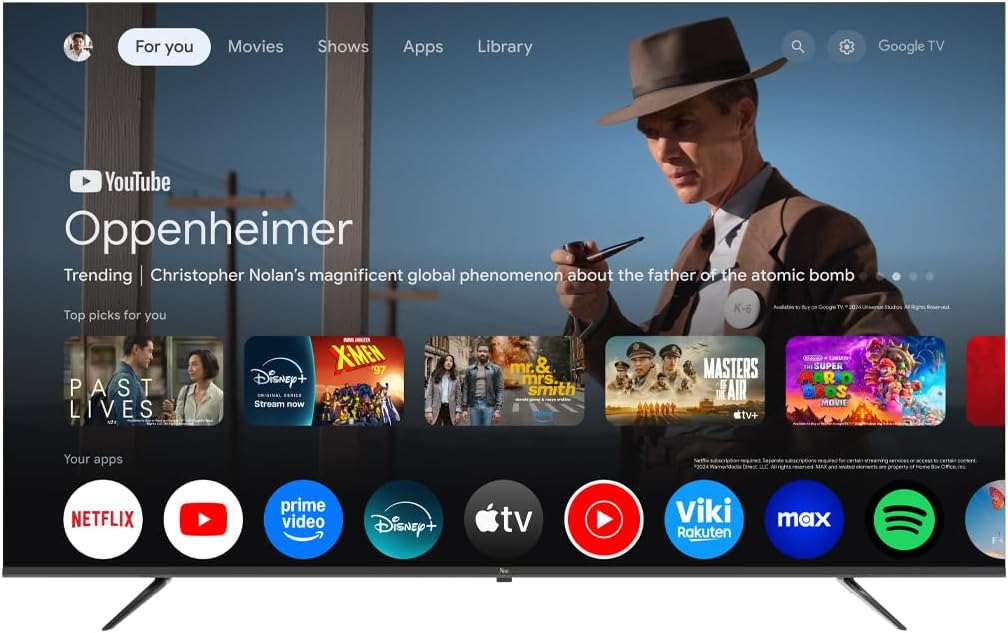
Image 5.1: Google TV interface on the Next QLED TV.
5.2. Google TV Awọn ẹya ara ẹrọ
Your TV runs on Google TV, providing access to a wide range of content and smart features:
- Àwọn Ìmọ̀ràn Tí A Yàn fún Ẹni: Get suggestions based on your viewitan itan.
- Iṣakoso ohun: Use the built-in Google Assistant via the remote control to search for content, control smart home devices, and more.
- Wiwọle App: Download and stream from popular services like YouTube, Netflix, Disney+, and more via the Google Play Store.
- Chromecast ti a ṣe sinu: Fi akoonu lati awọn ẹrọ alagbeka rẹ ti o baamu taara si TV.
5.3. QLED Display Technology
The QLED display technology in your TV offers enhanced picture quality:
- Awọn awọ gbigbọn: Quantum Dot technology produces a wider color gamut and higher color saturation.
- Imọlẹ giga: Experience brighter images with improved contrast.
- HDR atilẹyin: High Dynamic Range (HDR) content delivers greater detail in both bright and dark scenes.

Image 5.2: Visual representation of QLED technology's enhanced color saturation.

Image 5.3: Visual representation of HDR technology's improved dynamic range.
5.4. Isakoṣo latọna jijin
The included remote control allows you to navigate the TV's interface, adjust settings, and access smart features. Refer to the remote control diagram (if available in the physical manual) for specific button functions.
5.5. Ọja Ipariview Fidio
Wo fidio yii fun alaye kukuruview of the Next QLED Google TV's key features, including QLED technology, Ultra HD quality, Google TV integration, and frameless design.
Fidio 5.1: Pariview of Next QLED Google TV features.
6. Itọju
Lati rii daju igbesi aye gigun ati iṣẹ to dara julọ ti TV rẹ:
- Ninu iboju: Rọra nu iboju naa pẹlu asọ ti ko ni lint. Fun awọn ami agidi, lo ojutu mimọ-iboju kan ti a lo si asọ, kii ṣe taara si iboju naa.
- Ninu Igbimọ Ile-igbimọ: Lo aṣọ rírọrùn tí ó gbẹ láti nu àpótí tẹlifíṣọ̀n náà. Má ṣe lo àwọn ohun ìfọmọ́ tàbí àwọn ohun èlò ìfọ́mọ́ra.
- Afẹfẹ: Rii daju pe awọn šiši fentilesonu ko kuro ninu eruku ati awọn idena lati ṣe idiwọ igbona.
- Agbara Pa: Disconnect the TV from the power outlet during electrical storms or when it will be unused for extended periods.
7. Laasigbotitusita
Ti o ba pade awọn ọran pẹlu TV rẹ, tọka si awọn solusan ti o wọpọ wọnyi:
| Isoro | Owun to le Solusan |
|---|---|
| Ko si agbara | Ṣayẹwo boya okun agbara ti sopọ ni aabo si TV mejeeji ati iṣan ogiri. Rii daju pe iṣan jade jẹ iṣẹ-ṣiṣe. |
| Ko si aworan, ṣugbọn ohun wa | Daju pe orisun titẹ sii to pe ti yan. Ṣayẹwo awọn asopọ okun si awọn ẹrọ ita. |
| Ko si ohun, ṣugbọn aworan wa | Check the volume level and mute status. Ensure audio cables are correctly connected. Check TV audio output settings. |
| Isakoṣo latọna jijin ko ṣiṣẹ | Rọpo awọn batiri. Rii daju pe ko si awọn idena laarin isakoṣo latọna jijin ati sensọ IR ti TV. |
| Didara aworan ti ko dara | Check antenna/cable connections. Adjust picture settings (brightness, contrast, sharpness). Ensure the source content is high quality. |
| Ko le sopọ si Wi-Fi | Restart your router. Ensure the Wi-Fi password is correct. Move the TV closer to the router or use a wired Ethernet connection. |
Ti iṣoro naa ba wa lẹhin igbiyanju awọn solusan wọnyi, jọwọ kan si atilẹyin alabara.
8. Awọn pato
Key technical specifications for the Next YE-65GFSG8-QLED 65-inch UHD 4K QLED Google TV:
| Ẹya ara ẹrọ | Ẹ̀kúnrẹ́rẹ́ |
|---|---|
| Awoṣe | YE-65GFSG8-QLED |
| Iwon iboju | 65 inches (165 cm) |
| Ifihan ọna ẹrọ | QLED |
| Ipinnu | 4K UHD (Ultra High Definition) |
| Oṣuwọn sọtun | 60 Hz |
| Eto isesise | Google TV |
| Asopọmọra | Bluetooth, Ethernet, HDMI (3 ibudo), USB (2 ebute oko), Wi-Fi |
| Apakan Ipin | 16:9 |
| Awọn iwọn Ọja (D x W x H) | 27.8D x 144.6W x 88.9H cm |
| Iwọn Ọja | 16.3 kilo |
| Awọn irinše to wa | Isakoṣo latọna jijin |
| Pataki Ẹya | Apẹrẹ Frameless |
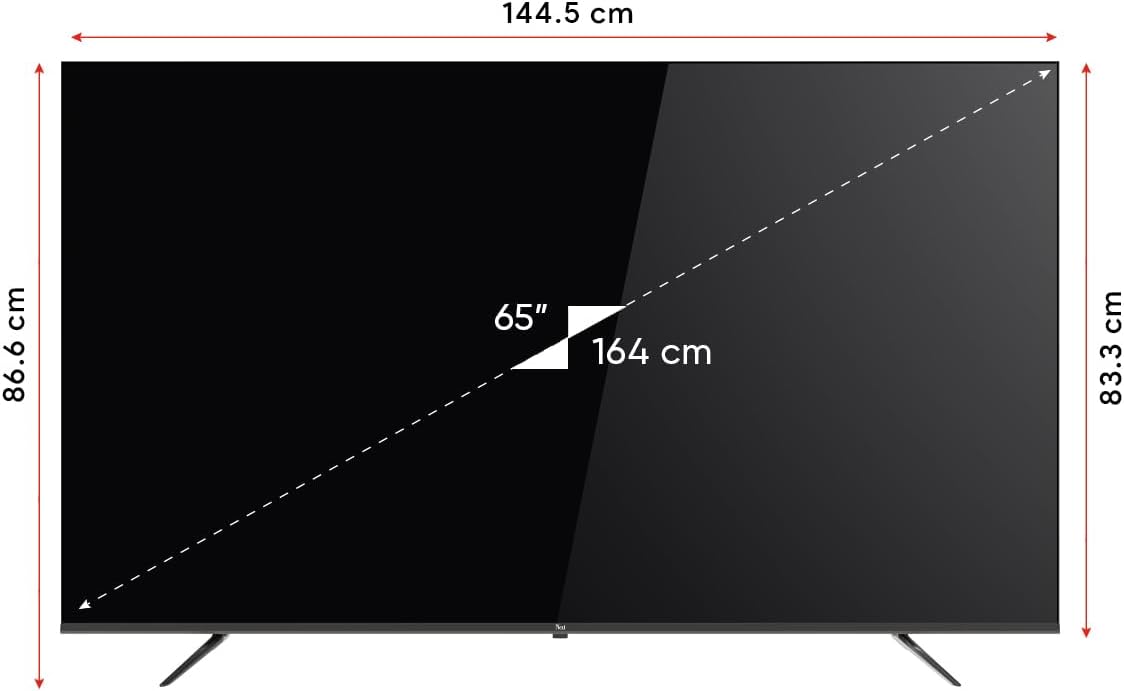
Image 8.1: TV dimensions (144.5 cm width, 86.6 cm height, 65" / 164 cm diagonal).
9. Atilẹyin ọja ati Support
Your Next YE-65GFSG8-QLED TV comes with a manufacturer's warranty:
- Akoko atilẹyin ọja: 2 Years Manufacturer Warranty.
- Atilẹyin: For technical assistance, warranty claims, or further inquiries, please refer to the contact information provided in your warranty card or visit the official Next webojula.
Ask a question about this manual
Ask about setup, troubleshooting, compatibility, parts, safety, or missing instructions. Manuals+ will review the question and use this page’s manual context to help answer it.