
1. Ifihan
Thank you for choosing the Polti Smart 110 Eco steam cleaner. This manual provides essential information for the safe and efficient use, maintenance, and troubleshooting of your appliance. Please read these instructions carefully before first use and keep them for future reference.

Figure 1: Polti Smart 110 Eco Steam Cleaner. This image shows the complete steam cleaner unit with its hose and floor brush attachment.
2. Awọn ilana aabo
Nigbagbogbo ṣe akiyesi awọn iṣọra aabo ipilẹ nigba lilo awọn ohun elo itanna lati dinku eewu ina, mọnamọna, ati ipalara ti ara ẹni.
- Má ṣe darí èéfín sí àwọn ènìyàn, ẹranko tàbí àwọn ohun èlò iná mànàmáná. èéfín máa ń gbóná gan-an, ó sì lè fa ìjóná.
- Ensure the power cord is not damaged and do not operate the appliance if the cord or plug is compromised.
- Maṣe fi ohun elo naa bọ inu omi tabi awọn olomi miiran.
- Do not open the boiler cap while the appliance is under pressure or hot.
- Keep the appliance out of reach of children and supervise children to ensure they do not play with the appliance.
- Use only tap water. Do not add detergents, perfumes, or other chemicals to the water tank.
- Always unplug the appliance before filling, cleaning, or performing maintenance.
3. Ọja Ipariview
3.1 Irinše ati Awọn ẹya ẹrọ
Your Polti Smart 110 Eco comes with the following components and accessories:
- Main Steam Cleaner Unit
- Flexible Steam Hose with Gun
- Extension Tubes (2)
- VaporForce Brush (rectangular floor brush)
- Brush Storage Insert
- Fẹlẹ Kekere
- Nozzle Olutọju
- Window Tool
- Small Round Brushes (various sizes)
- Cloth for Floor Brush
- Funnel
- Idiwọn Jug

Figure 2: All included accessories for the Polti Smart 110 Eco. This image displays the steam cleaner unit alongside all its attachments, including various brushes, nozzles, and cloths.
3.2 Awọn iṣakoso ati awọn Atọka
- Bọtini agbara: Tan ohun elo naa tan ati pa.
- Steam Adjustment Dial: Regulates the steam output (Min, Eco, Standard, Max).
- Steam Ready Indicator Light: Illuminates when the appliance has reached operating temperature.
- Water Tank Cap: Fun àgbáye omi ojò.
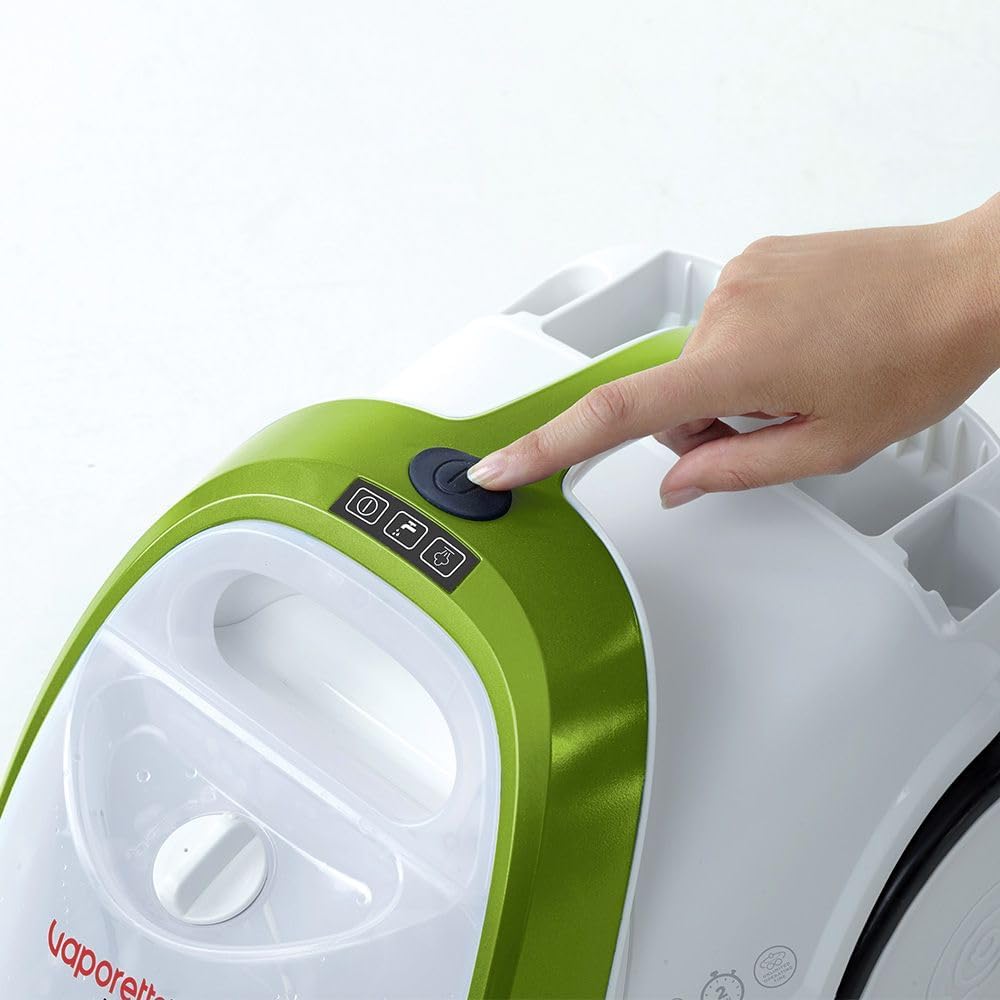
Figure 3: Power button location. A hand is shown pressing the main power button located on the top of the steam cleaner unit.
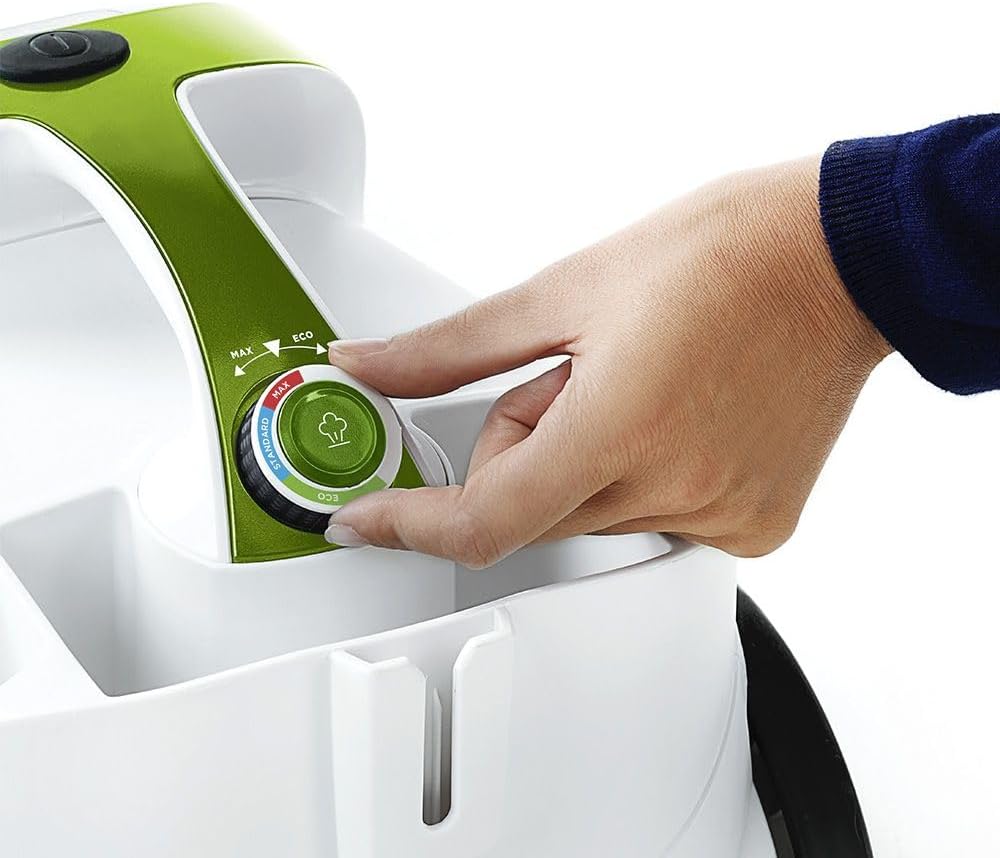
Figure 4: Steam adjustment dial. A hand is shown rotating the dial to select the desired steam intensity.
4. Eto
4.1 Ṣiṣii silẹ
Carefully remove all components from the packaging. Retain the packaging for future storage or transport if needed. Ensure all accessories listed in Section 3.1 are present.
4.2 Kikun Omi Omi
- Rii daju pe ohun elo naa ti yọọ kuro ati tutu.
- Yọ ideri ojò omi kuro.
- Using the provided measuring jug and funnel, carefully pour up to 1.5 liters of tap water into the tank. Do not overfill.
- Fi ideri ojò omi náà pa mọ́ra dáadáa.

Figure 5: Filling the water tank. A hand is shown pouring water from a jug into the transparent water tank of the steam cleaner.
4.3 Asopọmọra Awọn ẹya ẹrọ
Connect the flexible steam hose to the main unit by aligning the connectors and pushing firmly until it clicks into place. Attach desired accessories (e.g., extension tubes, VaporForce brush) to the steam gun or to each other as needed for your cleaning task. For the VaporForce brush, ensure the cloth is securely attached.

Figure 6: VaporForce brush attachment. A close-up view of the rectangular VaporForce brush connected to the steam cleaner's handle.
5. Awọn ilana Iṣiṣẹ
5.1 Powering On ati alapapo Up
- Pulọọgi ohun elo naa sinu iṣan itanna to dara.
- Press the power button (refer to Figure 3). The indicator light will illuminate.
- The appliance will begin to heat up. This process takes approximately 2 minutes. The steam ready indicator light will turn on when the optimal operating temperature is reached.
5.2 Adjusting Steam Output
Use the steam adjustment dial (refer to Figure 4) to select the appropriate steam intensity for your cleaning task:
- Min: For delicate surfaces or light cleaning.
- Iwoyi: Energy-saving mode for general cleaning.
- Iwọnwọn: Fun awọn iṣẹ mimọ ojoojumọ.
- O pọju: For stubborn dirt and heavily soiled surfaces.
5.3 Cleaning o yatọ si dada
The Polti Smart 110 Eco is suitable for cleaning glass, hard floors, laminate, and tiles. Always test on a small, inconspicuous area first.
- Hard Floors/Tiles: Attach the extension tubes and VaporForce brush with a cloth. Move the brush slowly over the surface to allow the steam to work.
- Laminate: Use the Eco or Min steam setting and move the brush quickly to avoid excessive moisture.
- Glass/Mirrors: Use the window tool. Apply steam to loosen dirt, then use the squeegee to remove moisture and dirt.
- Grout/Small Areas: Use the concentrator nozzle or small round brushes for targeted cleaning.
6. Itọju ati Cleaning
6.1 Lẹhin lilo kọọkan
- Yọọ ohun elo naa ki o jẹ ki o tutu patapata.
- Carefully unscrew the water tank cap and empty any remaining water.
- Clean accessories with water and mild soap if necessary. Allow them to dry completely before storing.
- Store the appliance and accessories in a dry, safe place. The unit has an integrated accessory storage compartment.

Figure 7: Accessory storage. The steam cleaner is shown with its various small accessories neatly stored in the integrated compartment on the unit.
6.2 Nipasẹ
Depending on the hardness of your water, descaling may be required periodically to maintain optimal performance. Refer to the specific descaling instructions provided in the full product manual or Polti's official website. Do not use harsh chemical descalers not approved for steam cleaners.

Figure 8: Anti-calc filter/cap. A hand is shown interacting with the cap on the side of the unit, likely for maintenance or descaling.
7. Laasigbotitusita
| Isoro | Owun to le Fa | Ojutu |
|---|---|---|
| Ko si iṣẹjade nya si | No water in tank; appliance not heated; steam lock engaged. | Fill water tank; wait for steam ready light; disengage steam lock. |
| Low nya titẹ | Low water level; steam adjustment set to Min/Eco; limescale buildup. | Refill water tank; adjust steam dial to Standard/Max; descale the appliance. |
| Water dripping from nozzle | Ẹ̀rọ ìṣiṣẹ́ náà kò gbóná dáadáa; ìtútù. | Wait for steam ready light; direct first bursts of steam into a cloth. |
If you encounter problems not listed here or if the suggested solutions do not resolve the issue, please contact Polti customer support.
8. Awọn pato
- Awoṣe: PTEU0317
- Agbara: 1500 Wattis
- Titẹ Nya si: 4 igi
- Àkókò gbígbóná: 2 iṣẹju
- Ohun elo igbona: Irin ti ko njepata
- Awọn iwọn Ọja (L x W x H): 40 x 27 x 29 cm
- Ìwọ̀n Nkan: 1 kilogram
- Niyanju Awọn oju-ilẹ: Glass, hard floor, laminate, tile
- Àwọ̀: Dúdú, Àwọ̀ Ewé, Fúnfun
9. Atilẹyin ọja ati Support
For information regarding the product warranty, please refer to the warranty card included with your purchase or visit the official Polti website. For technical assistance, spare parts, or further inquiries, please contact Polti customer support through their official channels.
O le wa alaye siwaju sii ati support lori awọn Polti Brand Store.