
1. Ifihan
This manual provides essential information for the safe and effective use of your GT POWER AC Power Adapter. This adapter is specifically designed to provide power to Nordictrack Commercial VR25 Elite and VR25 Exercise Bikes. Please read this manual thoroughly before installation and operation to ensure proper functionality and safety.
The power adapter features built-in circuit protection, including Over Voltage Protection (OVP), Over Current Protection (OCP), and Short Circuit Protection (SCP), to safeguard your equipment.
2. Ọja Ipariview
The GT POWER AC Power Adapter consists of a main adapter unit and an integrated heavy-duty power cable. It is designed for reliable power delivery to compatible exercise equipment.

Nọmba 2.1: GT POWER AC Power Adapter unit with integrated power cable.
Nọmba 2.2: Alaye view of the AC Power Adapter, showing the plug and output cable.
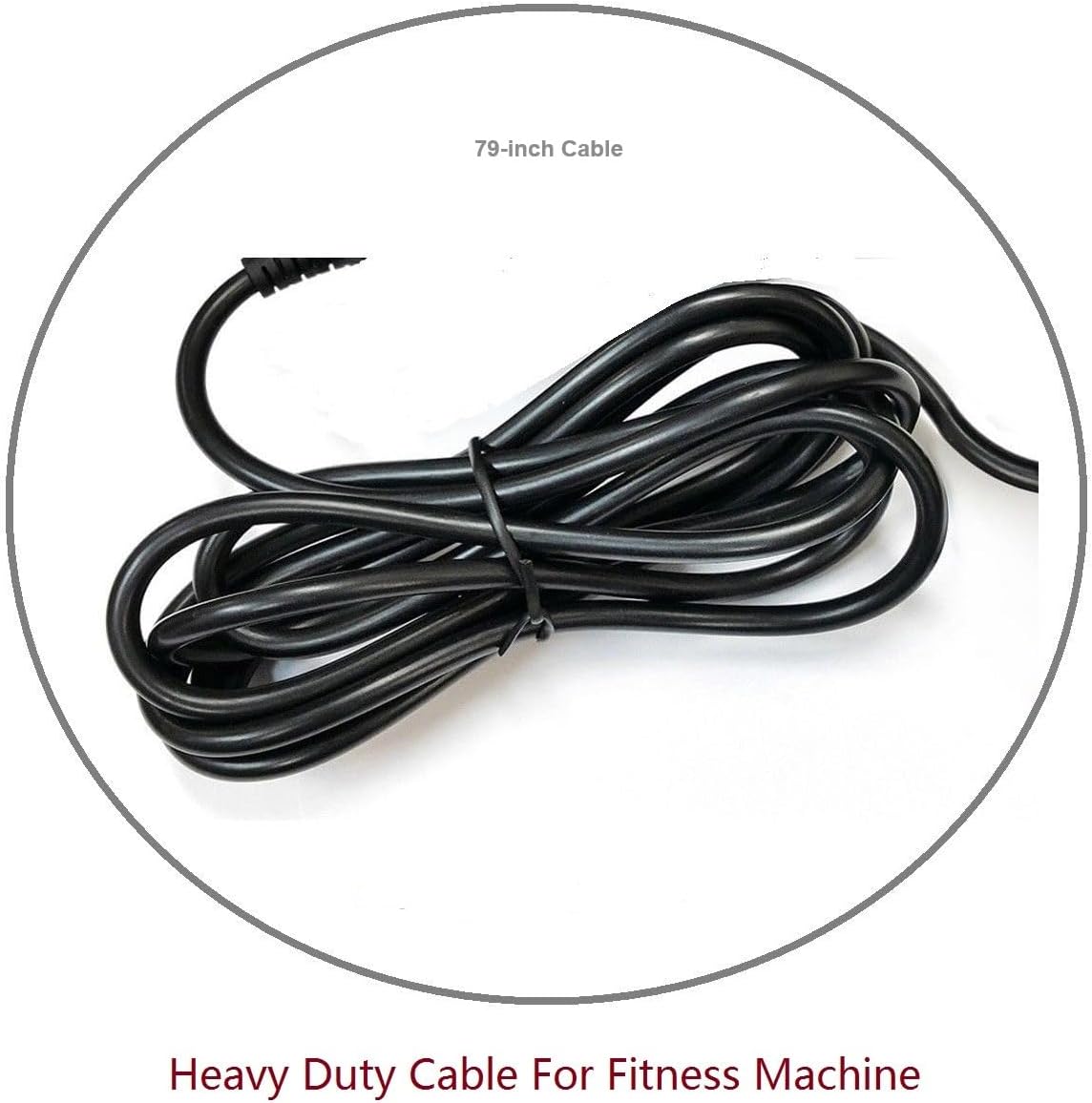
The power cable is approximately 6.5 feet (79 inches) long, providing ample reach for connecting to your exercise bike and a power outlet.

Nọmba 2.3: The heavy-duty power cable, coiled for storage.
2.1 ibamu Models
This AC Power Adapter is compatible with the following Nordictrack exercise bike models:
- Nordictrack Commercial VR25 Elite
- Nordictrack VR25
- NTEX89918NB
- NTEX89918.4
- NTEX89914.0 (7” Smart HD Touchscreen Exercise Bike)

Nọmba 2.4: Examples of compatible Nordictrack exercise bikes: Commercial VR25 Elite and VR25.
3. Alaye Aabo
Please observe the following safety precautions to prevent injury or damage to the product and connected equipment:
- Ma ṣe fi ohun ti nmu badọgba han si omi, ọrinrin, tabi awọn iwọn otutu to gaju.
- Do not attempt to open or modify the adapter. There are no user-serviceable parts inside.
- Ensure the power outlet is easily accessible and located near the equipment.
- Avoid placing the power cord in high-traffic areas where it could be tripped over or damaged.
- Ge asopọ adapter naa kuro ninu ibudo agbara nigbati ko ba si ni lilo fun awọn akoko pipẹ.
- Use only with compatible Nordictrack exercise bikes as specified.
4. Awọn ilana iṣeto
Follow these steps to connect your GT POWER AC Power Adapter to your Nordictrack exercise bike:
- Yọ Adapter kuro: Carefully remove the AC Power Adapter from its packaging.
- Locate the Power Port: Identify the power input port on your Nordictrack Commercial VR25 Elite or VR25 Exercise Bike. Refer to your exercise bike's user manual for the exact location if needed.
- Connect to Exercise Bike: Insert the DC output connector of the GT POWER adapter firmly into the power input port on your exercise bike.
- Sopọ si Ile-iṣẹ Agbara: Plug the AC input plug of the adapter into a standard 110-volt AC wall outlet. Ensure the outlet is functional and properly grounded.
- Jẹrisi Asopọmọra: Confirm that both connections are secure. The exercise bike should now be ready for operation.
Pataki: Ensure the power adapter is fully inserted into both the exercise bike and the wall outlet before attempting to power on the equipment.
5. Awọn ilana Iṣiṣẹ
Once the GT POWER AC Power Adapter is correctly connected to your Nordictrack exercise bike and a power outlet, the bike is ready for use. Simply follow the operating instructions provided with your exercise bike to power it on and begin your workout.
The adapter provides continuous power to the exercise bike. There are no additional controls on the adapter itself.
6. Itọju
To ensure the longevity and proper functioning of your AC Power Adapter, follow these simple maintenance guidelines:
- Ninu: Disconnect the adapter from the power outlet and the exercise bike before cleaning. Use a soft, dry cloth to wipe the exterior of the adapter. Do not use liquid cleaners or solvents.
- Ibi ipamọ: When not in use, store the adapter in a cool, dry place, away from direct sunlight and moisture. Avoid tightly coiling the cable to prevent damage.
- Ayewo: Periodically inspect the power cord and adapter for any signs of damage, such as cuts, frayed wires, or bent prongs. If any damage is observed, discontinue use immediately and replace the adapter.
7. Laasigbotitusita
If you encounter issues with your AC Power Adapter, refer to the following troubleshooting steps:
| Isoro | Owun to le Fa | Ojutu |
|---|---|---|
| Exercise bike does not power on. |
|
|
| Adapter kan lara pọnran gbona. |
|
|
Ti iṣoro naa ba wa lẹhin igbiyanju awọn iṣeduro wọnyi, jọwọ kan si atilẹyin alabara.
8. Awọn pato
| Ẹya ara ẹrọ | Ẹ̀kúnrẹ́rẹ́ |
|---|---|
| Brand | AGBARA GT |
| Nọmba awoṣe | 108 |
| Iṣagbewọle Voltage | 110 Volt (AC) |
| Pulọọgi kika | Iru A |
| Nọmba ti iÿë | 1 |
| USB Ipari | 6.5 feet (approximately 79 inches) |
| Idaabobo Awọn ẹya ara ẹrọ | OVP (Lori VoltagIdaabobo e), OCP (Aabo Lori Lọwọlọwọ), SCP (Aabo Kukuru Circuit) |
9. Atilẹyin ọja ati Support
Your GT POWER AC Power Adapter comes with a Atilẹyin ọja Ọdun kan lati ọjọ ti o ra. Ni afikun, a 30-Day Owo Back Garanti ni a funni.
For warranty claims, technical support, or any questions regarding your product, please contact GT POWER customer service through the retailer where the product was purchased or visit the official GT POWER webojula fun alaye olubasọrọ.
Jọwọ ṣe idaduro ẹri rira rẹ fun awọn idi atilẹyin ọja.