
mophie PSPLUS-2024-10KAC
Ìwé Àgbékalẹ̀ Olùlò Mophie Powerstation Plus Ultra 10,000mAh Power Bank
Model: PSPLUS-2024-10KAC
Ọrọ Iṣaaju
This manual provides essential information for the safe and efficient operation of your Mophie Powerstation Plus Ultra 10,000mAh Power Bank. Please read this manual thoroughly before using the device and retain it for future reference.

Image: The Mophie Powerstation Plus Ultra 10,000mAh Power Bank, showcasing its compact design with integrated cables and foldable wall prongs.
Ọja Pariview ati Awọn ẹya ara ẹrọ
The Mophie Powerstation Plus Ultra is designed to provide portable power for your electronic devices. Key features include:
- Batiri Agbara giga: Equipped with a 10,000mAh battery, capable of providing up to two full phone charges.
- Gbigba agbara yiyara: The 30W USB-C port delivers rapid charging, achieving up to a 50% charge in approximately 25 minutes for compatible devices.
- Awọn okun Iṣọkan: Features built-in USB-C and Lightning cables for convenient charging without needing external cables.
- Foldable Wall Prongs: Includes integrated foldable wall prongs for direct and easy recharging of the power bank from a wall outlet.
- Ngba agbara ẹrọ pupọ: Capable of charging up to three devices simultaneously using the USB-C port and the integrated cables.
- Ṣe-Nipasẹ Gbigba agbara: Prioritizes charging your connected device first, then recharges the Powerstation battery.
- Apẹrẹ ti o tọ: Constructed with an aluminum frame and a soft-touch silicone exterior. The braided cables are tested for durability, withstanding up to 30,000 bends.

Image: The Mophie Powerstation Plus Ultra connected to and charging three different devices simultaneously, illustrating its multi-device charging capability.

Image: A diagram illustrating the power priority feature, where the connected device charges first, followed by the power bank. Also shows the 2-way charging capability and the LED charging indicator lights.
Ṣeto
Gbigba agbara akọkọ ti Bank Power
Before first use, it is recommended to fully charge your Mophie Powerstation Plus Ultra. This ensures optimal performance and battery longevity.
- Using Integrated Wall Prongs: Extend the foldable wall prongs located on the side of the power bank. Insert the prongs directly into a standard wall outlet. The LED indicator lights on the power bank will illuminate to show charging progress.
- Lilo okun USB-C: Alternatively, connect a USB-C charging cable (not included, but the integrated USB-C cable can be used for input) to the USB-C port on the power bank and the other end to a compatible USB power adapter (not included).
The power bank is fully charged when all LED indicator lights are solid.

Image: The Mophie Powerstation Plus Ultra being recharged by plugging its integrated foldable wall prongs directly into a wall outlet.
Awọn ilana Iṣiṣẹ
Ngba agbara si Awọn ẹrọ rẹ
The Powerstation Plus Ultra can charge various devices, including smartphones, tablets, and other USB-powered electronics.
- Using Integrated Lightning Cable: For Apple devices (iPhone, iPad, AirPods) with a Lightning port, pull out the integrated Lightning cable and connect it to your device's charging port.
- Using Integrated USB-C Cable: For devices with a USB-C port, pull out the integrated USB-C cable and connect it to your device's charging port.
- Lilo Ibudo USB-C: For additional devices or if the integrated cables are in use, connect your device's charging cable to the USB-C output port on the power bank.
Charging will begin automatically. The LED indicator lights on the power bank will show its remaining battery level. When charging multiple devices, the power bank intelligently distributes power, prioritizing the connected device before recharging its internal battery (pass-through charging).
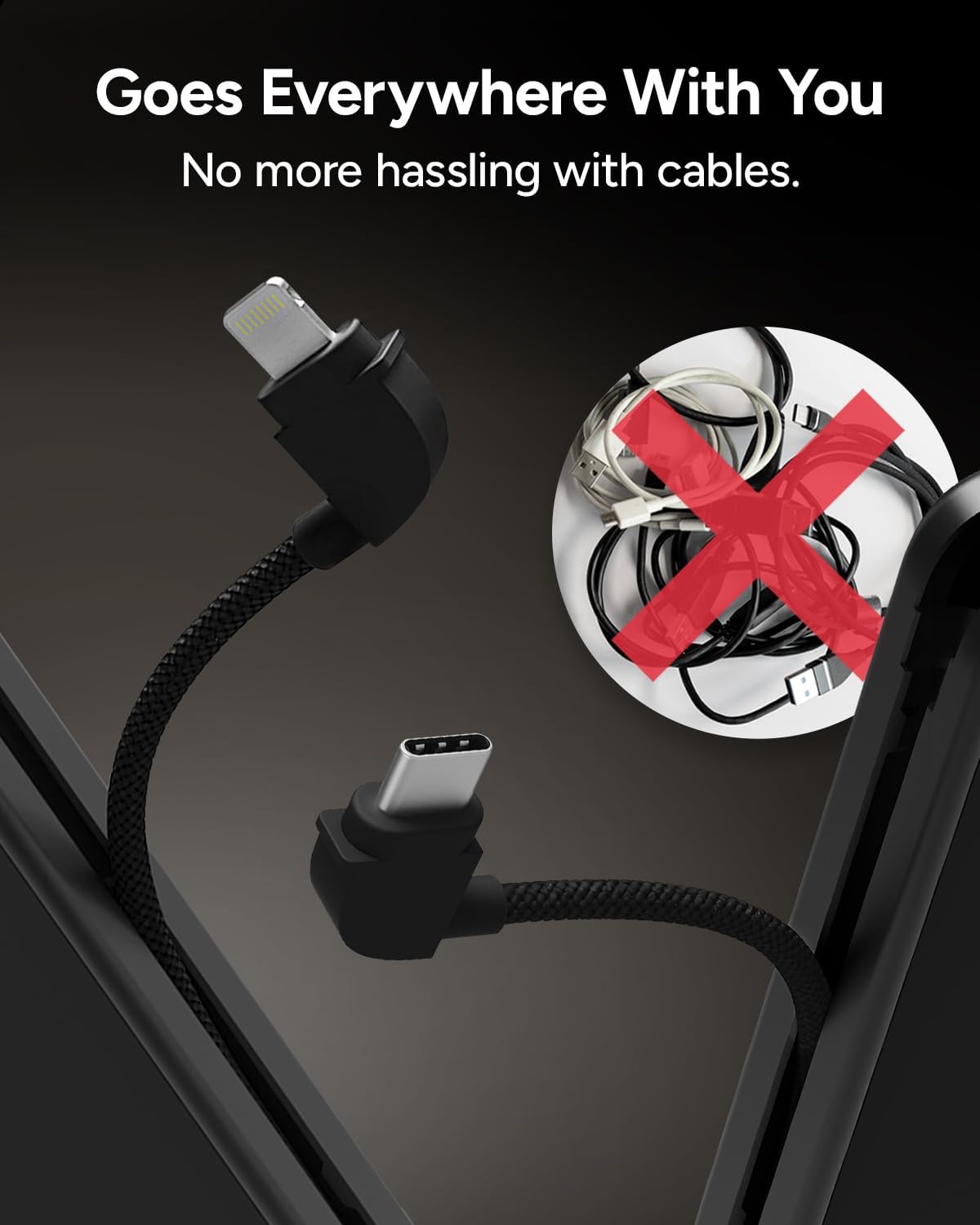
Image: The Mophie Powerstation Plus Ultra with its integrated Lightning and USB-C cables extended, emphasizing the convenience of not needing separate cables.
Itoju
Proper care and maintenance will extend the life of your Mophie Powerstation Plus Ultra.
- Ninu: Use a soft, dry, lint-free cloth to clean the surface of the power bank. Avoid using abrasive cleaners, solvents, or harsh chemicals.
- Ibi ipamọ: Tọju banki agbara ni itura, aye gbigbẹ kuro lati orun taara ati awọn iwọn otutu to gaju.
- Yago fun awọn isunmi ati Awọn ipa: While designed to be durable, avoid dropping the device or subjecting it to strong impacts, which can damage internal components.
- Iwọn otutu: Do not expose the power bank to temperatures above 45°C (113°F) or below 0°C (32°F).
- Ifihan omi: Keep the power bank away from water and moisture. It is not waterproof.
Laasigbotitusita
If you encounter issues with your Mophie Powerstation Plus Ultra, refer to the following common problems and solutions:
| Isoro | Owun to le Fa | Ojutu |
|---|---|---|
| Power bank is not charging. |
|
|
| Device is not charging from the power bank. |
|
|
| Power bank becomes excessively hot during charging/discharging. |
|
|
| Igbesi aye batiri dabi kukuru ju ti a reti lọ. |
|
|
Awọn pato
| Ẹya ara ẹrọ | Ẹ̀kúnrẹ́rẹ́ |
|---|---|
| Nọmba awoṣe | PSPLUS-2024-10KAC |
| Agbara Batiri | 10,000 mAh |
| Batiri Iru | 1 Litiumu polima (pẹlu) |
| Awọn iwọn Ọja (L x W x H) | 4.96 x 2.87 x 1.18 inches |
| Iwọn Nkan | 14.9 iwon |
| Input/Ojade Voltage | 5 Volts |
| Pataki Awọn ẹya ara ẹrọ | Built-in USB-C and Lightning Cables, Foldable Wall Prongs |
| Olupese | Mophie |

Image: A visual representation of the Mophie Powerstation Plus Ultra's technical specifications, including capacity, dimensions, weight, and cable output details.
Atilẹyin ọja ati Support
For warranty information and customer support, please contact Mophie directly. Details regarding product warranty and service can typically be found on the official Mophie webaaye tabi laarin apoti ọja.
Olupese: Mophie
Fun iranlọwọ siwaju, ṣabẹwo si osise naa Mophie Store on Amazon tabi osise wọn webojula.
Ask a question about this manual
Ask about setup, troubleshooting, compatibility, parts, safety, or missing instructions. Manuals+ will review the question and use this page’s manual context to help answer it.