
1. Ifihan
This manual provides detailed instructions for the safe installation, operation, and maintenance of your NOPAARD Smart 52 Inch Wood Flush Mount Ceiling Fan. This fan features smart control capabilities via remote, app, and voice assistants, a quiet DC motor, and an integrated dimmable LED light. Please read all instructions carefully before beginning installation and retain this manual for future reference.
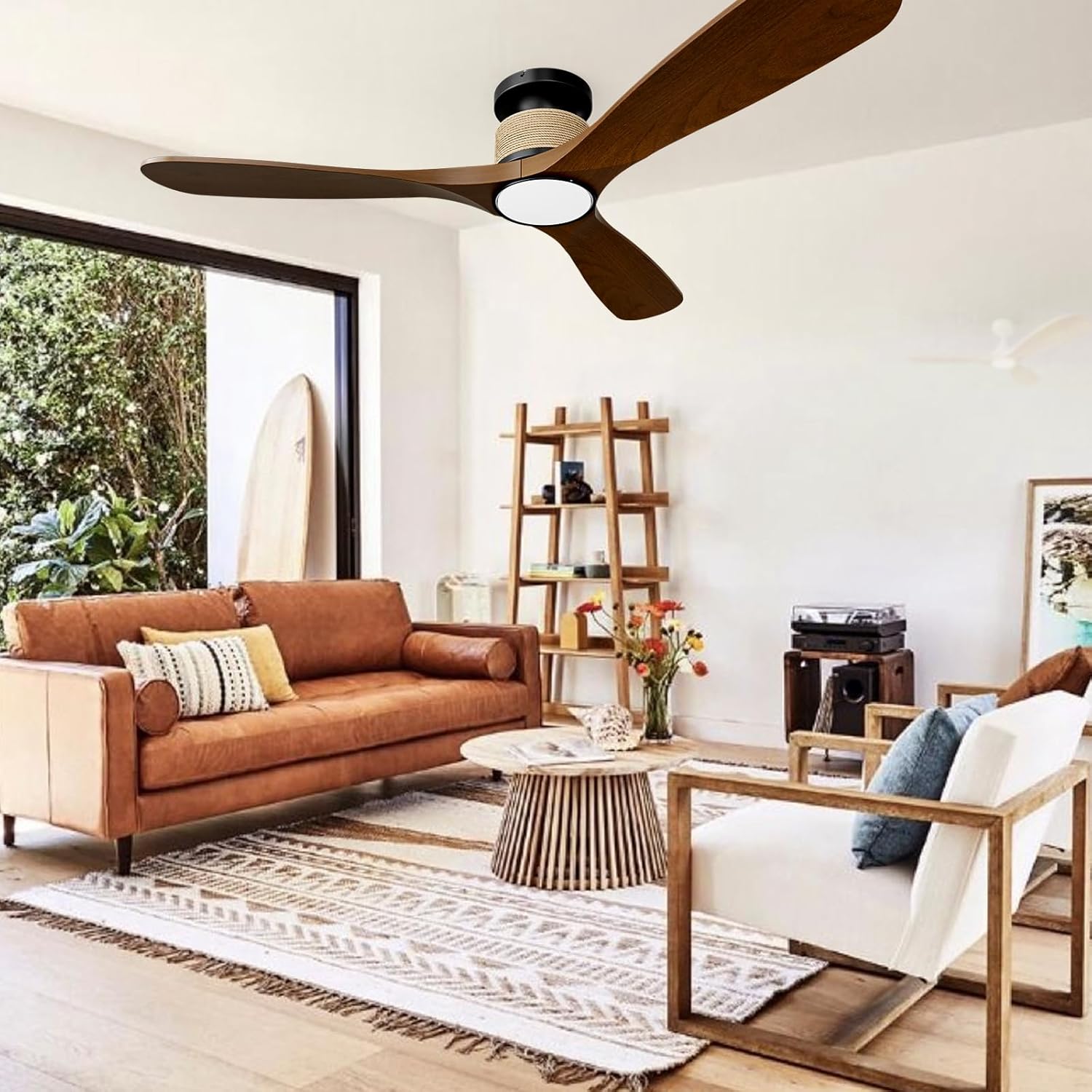
Image 1.1: NOPAARD Smart 52 Inch Wood Flush Mount Ceiling Fan in a living room setting.
2. Alaye Aabo
IKILO: To reduce the risk of fire, electric shock, or personal injury, always follow these safety guidelines:
- Rí i dájú pé a ti ge ina mànàmáná náà kúrò ní àpótí fiusi tàbí ẹ̀rọ ìfọ́mọ́ra kí a tó fi síta tàbí kí a tó ṣe iṣẹ́.
- All electrical wiring must be performed by a qualified electrician and comply with all local and national electrical codes.
- The mounting structure must be capable of supporting the weight of the fan (approximately 8.36 lbs) plus the dynamic load during operation.
- Do not install the fan on vaulted or sloped ceilings. This fan is designed for flush mounting only.
- Keep hands, clothing, and other objects clear of the fan blades during operation.
- This fan is suitable for wet-rated indoor/outdoor use, such as covered patios or porches. Do not expose the fan directly to water.
- Lo awọn ẹya rirọpo nikan nipasẹ olupese.
3. Package Awọn akoonu
Daju pe gbogbo awọn paati wa ṣaaju ki o to bẹrẹ fifi sori:
- Fan Motor Housing
- Awọn abẹfẹfẹ Fan (3)
- Ohun elo Ina LED
- Oke Atẹgun
- Isakoṣo latọna jijin
- Apo ohun elo (skru, eso waya, ati bẹbẹ lọ)
- Ilana itọnisọna
4. Eto ati fifi sori
Tẹle awọn igbesẹ wọnyi fun fifi sori ẹrọ to dara. A ṣe iṣeduro fifi sori ẹrọ ọjọgbọn.
4.1 Pre-Fifi sọwedowo
- Pa a agbara ni Circuit fifọ.
- Ensure the ceiling junction box is securely mounted and rated for fan support.
- Confirm the ceiling height is suitable for a flush mount fan (minimum 8.9 inches clearance from ceiling to bottom of fan).

Image 4.1: Fan dimensions and installation suitability.
4.2 Iṣagbesori akọmọ
- So bracket ìsopọ̀ mọ́ àpótí ìsopọ̀ àjà ilé nípa lílo àwọn skru tí a pèsè. Rí i dájú pé ó ní ààbò tó lágbára.
- The design allows for the mounting bracket to be installed first, then the fan body can be easily attached, eliminating the need to hold the heavy fan overhead during wiring.
4.3 Gbigbe Fan
- Connect the fan's electrical wires to the household wiring according to the wiring diagram in the full manual (typically black to black, white to white, ground to ground). Use wire nuts to secure connections.
- Fara fi gbogbo awọn onirin sinu apoti ipade.
4.4 Attaching awọn Fan Ara ati Blades
- Secure the fan motor housing to the mounting bracket.
- Attach the fan blades to the motor housing using the provided screws. Ensure all screws are tightened securely.
4.5 Fifi Ohun elo Imọlẹ sii
- Connect the light kit wires to the fan motor housing wires.
- Secure the light kit to the bottom of the fan housing.
5. Awọn ilana Iṣiṣẹ
Your NOPAARD Smart Ceiling Fan offers multiple control options for convenience.
5.1 Awọn ọna Iṣakoso

Aworan 5.1: Pariview of control methods.
- Isakoṣo latọna jijin: Use the included remote to adjust fan speed, light settings, and activate the timer.
- Tuya App Control: Download the Tuya Smart app to your smartphone. Follow the in-app instructions to pair your fan for remote control from anywhere.
- Iṣakoso ohun: Integrate with Amazon Alexa or Google Assistant devices. Once paired via the Tuya app, you can use voice commands such as "Alexa, turn on the fan in the bedroom."
- Iṣakoso odi: Note that the fan and lights can only be turned on/off together via a standard wall switch and cannot be operated separately or adjusted. For full functionality, use the remote, app, or voice control.
5.2 Fan Speed Atunṣe
The fan features 6 variable speeds to suit your comfort needs.
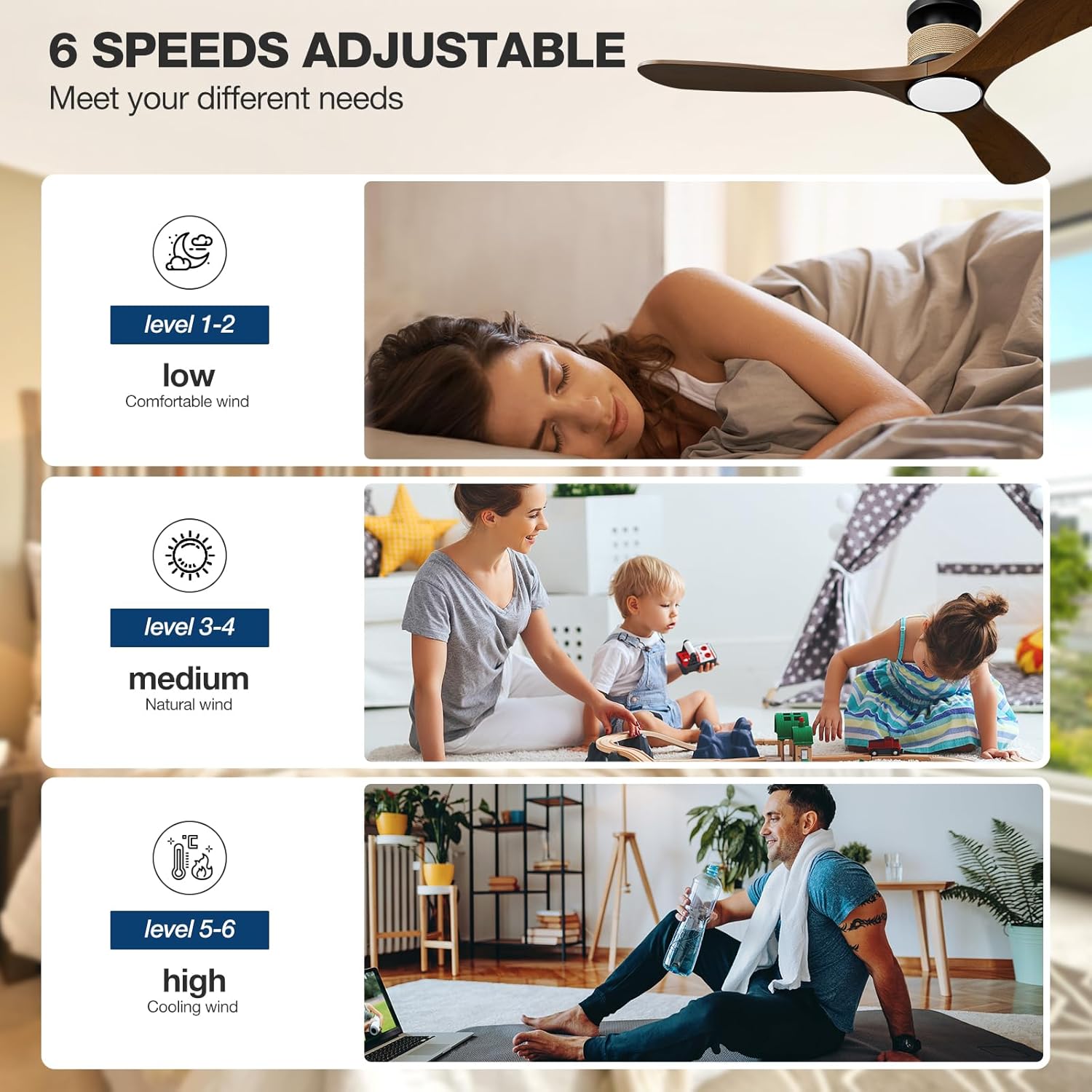
Image 5.2: Fan speed levels.
- Awọn ipele 1-2: Low speed for gentle air circulation, ideal for sleeping.
- Awọn ipele 3-4: Medium speed for natural airflow, suitable for daily activities.
- Awọn ipele 5-6: High speed for maximum cooling, effective in larger spaces or warmer conditions.
5.3 Eto ina
The integrated LED light offers adjustable color temperature and brightness.

Image 5.3: Dimmable LED light with adjustable color temperatures.
- Iwọn awọ: Cycle through 3000K (warm yellow), 4000K (bright daylight), and 6000K (cool white) to match your preference.
- Dimming: Adjust brightness from 0% to 100% (0-2000 lumens) using the remote or app.
5.4 Reversible Fan Blades (Winter/Summer Mode)
The fan features a reversible DC motor to optimize air circulation year-round.

Image 5.4: Reversible fan blade function.
- Ipo Ooru: Àwọn abẹ́ máa ń yípo ní ọ̀nà tí kò báradé, wọ́n á sì máa tì afẹ́fẹ́ tútù sí ìsàlẹ̀ láti mú kí afẹ́fẹ́ náà máa rọ̀.
- Ipo igba otutu: Blades rotate clockwise, drawing cool air up and circulating warm air trapped near the ceiling throughout the room.
5.5 Aago Išė
Set the fan to automatically turn off after a specified period using the timer function (1, 2, 4, or 8 hours).
6. Itọju
Itọju deede ṣe idaniloju iṣẹ ṣiṣe ti o dara julọ ati gigun gigun ti olufẹ aja rẹ.
- Ninu: Lẹ́ẹ̀kọ̀ọ̀kan, nu àwọn abẹ́ afẹ́fẹ́ àti ilé mọ́tò pẹ̀lú ìrọ̀rùn, damp Aṣọ. Má ṣe lo àwọn ohun ìfọṣọ tàbí àwọn ohun èlò ìfọṣọ. Rí i dájú pé agbára ti pa kí o tó fi mọ́.
- Iwontunwonsi Blade: If the fan wobbles, check that all blade screws are tight and that the blades are not bent or damaged.
- Awọn Isopọ Itanna: Lododun ṣayẹwo gbogbo awọn asopọ itanna fun wiwọ.
7. Laasigbotitusita
Tọkasi apakan yii fun awọn ọran ti o wọpọ ati awọn ojutu wọn.
| Isoro | Owun to le Fa | Ojutu |
|---|---|---|
| Fan ko bẹrẹ | No power supply; Loose wiring; Remote battery low. | Check circuit breaker; Verify all wire connections; Replace remote battery. |
| Imọlẹ ko ṣiṣẹ | Loose wiring; LED driver issue. | Check light kit wiring; Contact support if LED driver is suspected. |
| Latọna jijin ko dahun | Battery depleted; Remote not paired. | Replace remote battery; Refer to pairing instructions in the full manual. |
| Ohun elo / Iṣakoso ohun ko ṣiṣẹ | Wi-Fi connectivity issue; Incorrect app pairing. | Ensure stable 2.4GHz Wi-Fi connection; Re-pair the fan with the Tuya app; Check Alexa/Google Assistant integration. |
| Fan wobbles | Àwọn abẹ́ tí kò ní ìwọ̀n; Àwọn abẹ́ tí kò ní ìwọ̀n; Ìsopọ̀ tí kò ní ìwọ̀n. | Tighten all blade screws; Check for bent blades; Ensure mounting bracket is secure. |
| Fan jẹ alariwo | Loose screws; Internal component issue. | Check all screws for tightness; If noise persists, contact support. (Note: DC motor is designed for quiet operation, typically less than 35dB at low speeds). |
8. Awọn pato
| Ẹya ara ẹrọ | Ẹ̀kúnrẹ́rẹ́ |
|---|---|
| Orukọ awoṣe | 52-YJ818 |
| Ọja Mefa | 52"D x 52"W x 8.9"H |
| Iwọn Nkan | 8.36 iwon |
| Nọmba ti Blades | 3 |
| Motor Iru | Brushless DC Motor |
| Lilo Agbara | 75% more energy-efficient than AC fans |
| Air Sisan Agbara | Ẹsẹ onigun 7451 fun Iṣẹju kan (CFM) |
| Ariwo Ipele | 35 Decibels (at low speeds) |
| Wattage | 57 watt |
| Voltage | 110 Volts |
| Nọmba ti Awọn ipele Agbara | 6 |
| Imọlẹ Iru | 3CCT Dimmable LED Light |
| Awọn iwọn otutu awọ | 3000K (Warm Yellow), 4000K (Bright Daylight), 6000K (Cool White) |
| Ijade Lumen | 0-2000 Lumens |
| Awọn ọna Iṣakoso | Remote, Tuya App, Alexa, Google Assistant (Voice) |
| Pataki Awọn ẹya ara ẹrọ | Reversible Blades, Timer (1/2/4/8H), Memory Function |
| Iru fifi sori ẹrọ | Flush Mount (not for vaulted ceilings) |
| inu ile / ita gbangba Lilo | Indoor, Covered Outdoor (Wet-rated) |
| Awọn iwe-ẹri | Akojọ ETL |
9. Atilẹyin ọja ati Support
NOPAARD provides the following warranty for your ceiling fan:
- Didara ìdánilójú: Awọn oṣu 24 lati ọjọ rira.
- DC Motor Warranty: Awọn ọdun 10 lati ọjọ ti o ra.
If you encounter any issues with product installation, operation, or quality, please contact NOPAARD customer support. Our professional team is available to assist you.
For support, please visit the NOPAARD official webaaye tabi tọka si alaye olubasọrọ ti a pese pẹlu iwe rira rẹ.