
Ọrọ Iṣaaju
This manual provides detailed instructions for the safe and efficient operation of your Longer Ray5 20000mW Laser Engraver with Air Assist Kit. Please read this manual thoroughly before using the device to ensure proper setup, operation, and maintenance. Retain this manual for future reference.
Alaye Aabo
IKILO: Laser engravers are powerful tools that can cause serious injury if not used correctly. Always follow these safety guidelines:
- Always wear appropriate laser safety goggles when operating the machine.
- Never look directly into the laser beam or at its reflection.
- Rí i dájú pé afẹ́fẹ́ wà ní ibi iṣẹ́ náà dáadáa kí èéfín àti èéfín má baà lè tú jáde.
- Jeki awọn ohun elo ina kuro ni ọna lesa.
- Maṣe fi ẹrọ naa silẹ laini abojuto lakoko iṣẹ.
- Rii daju pe a gbe ẹrọ naa sori iduro, ipele ipele.
- Pa awọn ọmọde ati awọn ohun ọsin kuro ni agbegbe iṣẹ.
- Ge asopọ agbara ṣaaju ṣiṣe eyikeyi itọju tabi awọn atunṣe.
- Mọ ara rẹ pẹlu awọn ilana tiipa pajawiri.
Package Awọn akoonu
Jẹrisi pe gbogbo awọn paati wa ninu package:
- Longer Ray5 20000mW Laser Engraver Unit
- Air Iranlọwọ fifa
- Air Assist Nozzle and Tubing
- Adapter agbara
- Okun USB
- Aabo Goggles
- Afowoyi Olumulo (iwe-ipamọ yii)
- Material Samples (may vary)

Image: Air assist kit components including the pump, nozzle, and tubing.
Ṣeto
- Ṣii silẹ: Ni ifarabalẹ yọ gbogbo awọn paati kuro ninu apoti.
- Apejọ: Follow the included quick start guide for assembling the main laser engraver frame and attaching the laser module.
- Air Assist Installation:
- Connect the air assist pump to the designated port on the laser module using the provided tubing.
- Ensure the air assist nozzle is securely attached to direct airflow to the engraving/cutting point.
- Asopọ agbara: Connect the power adapter to the engraver and then to a suitable power outlet.
- Asopọ Kọmputa: Connect the engraver to your computer via USB, or prepare for Wi-Fi/TF card connection.

Image: The Longer Ray5 laser engraver with the air assist pump connected and ready for operation.
Awọn ilana Iṣiṣẹ
1. Sọ́fítíwètì àti Ìsopọ̀mọ́ra
The Longer Ray5 supports various software and connection methods:
- Sọfitiwia ibaramu: LaserGRBL and LightBurn.
- Awọn ọna ṣiṣe: Supports Windows 7+, MacOS, and Linux.
- Awọn ọna asopọ: Wi-Fi, USB, App, and TF card.
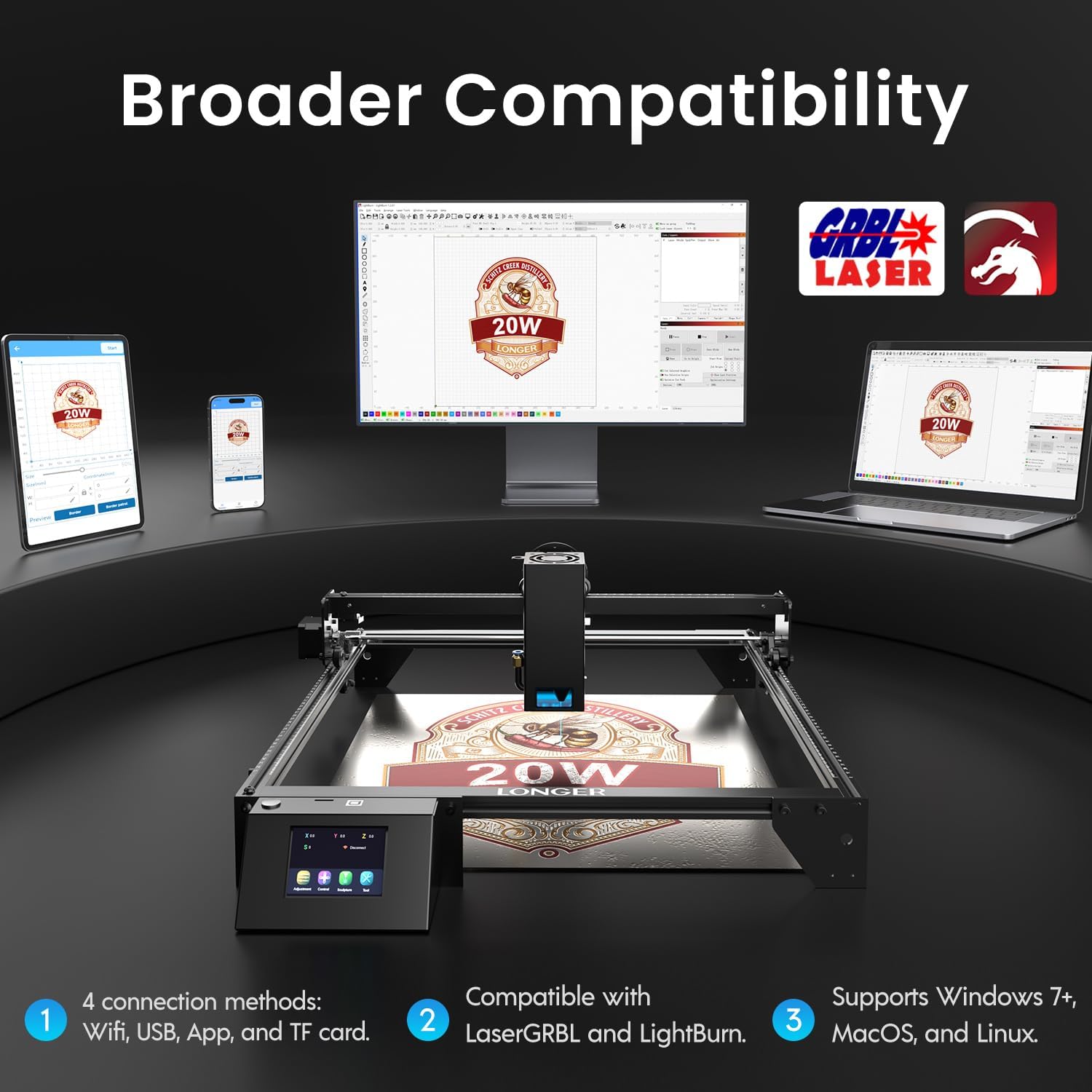
Image: Display showing the Longer Ray5's compatibility with LaserGRBL and LightBurn software, and various connection options including Wi-Fi, USB, App, and TF card across Windows, MacOS, and Linux operating systems.
2. Gígé àti Gígé Àwọn Agbára
The 20W diode laser offers high-efficiency performance for various materials.
- Ige: Capable of cutting up to 25mm of wood and 35mm of acrylic. It can also cut 0.05mm metal.
- Yiyaworan: Engrave hundreds of colors on metallic steel and a wide range of other materials.
- Awọn ohun elo: Acrylic, metal, wood, stainless steel, and more.
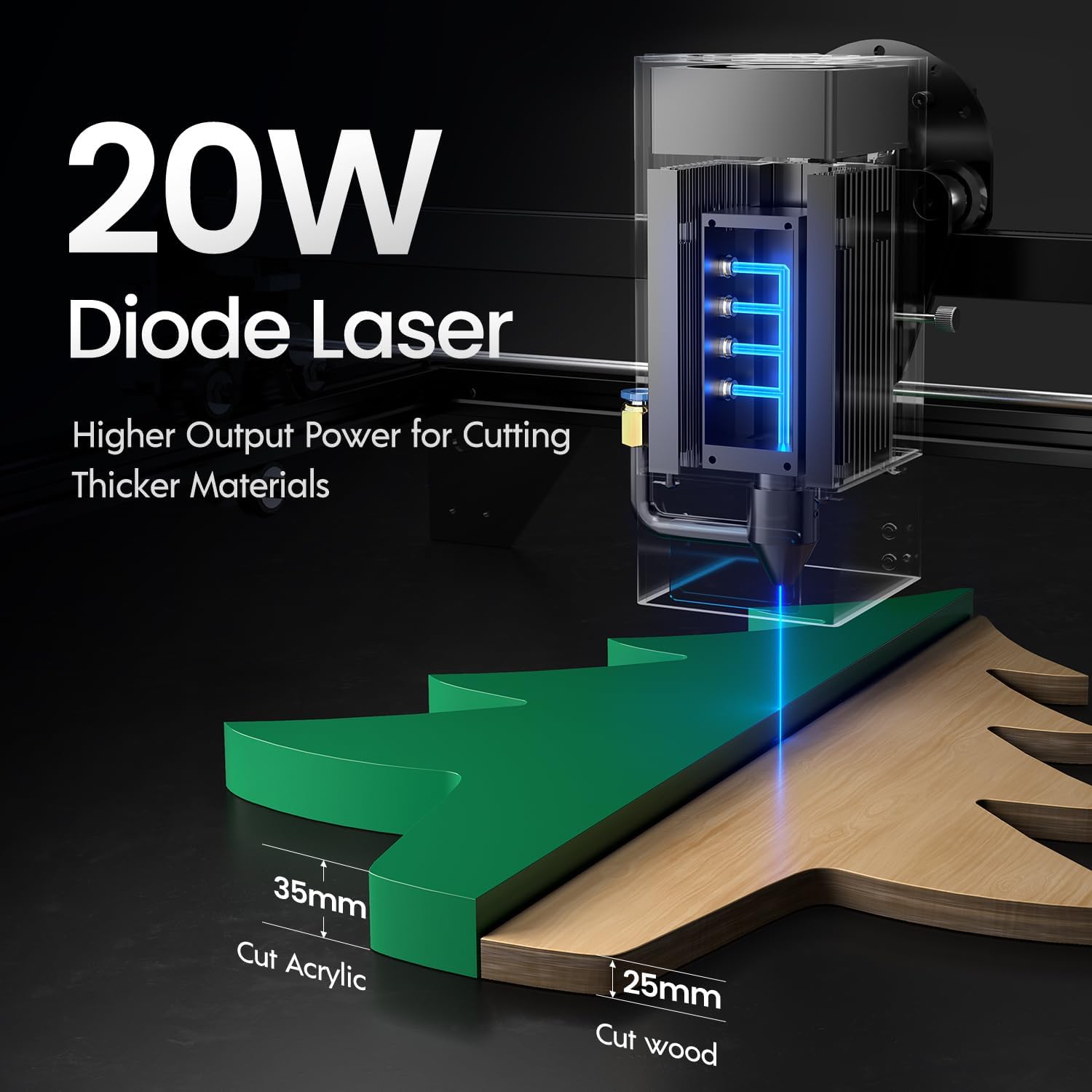
Image: Illustration demonstrating the 20W diode laser's capability to cut 25mm wood and 35mm acrylic.

Aworan: Examples of engraving capabilities, showcasing over 380 colors on metallic surfaces and other DIY artworks.

Image: A collection of various items demonstrating the versatile material selection for engraving and cutting, including wood, metal, and acrylic.
3. Iṣẹ́ Ìrànlọ́wọ́ Afẹ́fẹ́
The integrated air assist kit significantly improves cutting and engraving quality.
- Enhanced Cutting: The adjustable airflow (10-30L/min) suppresses smoke and dust, preventing laser energy attenuation and ensuring cleaner, smoother edges.
- Reduced Yellowing: Air assist helps prevent charring and yellowing on materials during laser processing, especially for wood and acrylic.

Image: A visual comparison showing the benefits of air assist, resulting in cleaner cuts and reduced processing time (e.g., 12 minutes with air assist vs. 20 minutes without).
4. Isẹ ti o tẹsiwaju
The Longer Ray5 is designed for powerful continuous working capacity, supporting 24/7 continuous engraving. A single computer can control multiple machines.

Image: Depiction of multiple Longer Ray5 machines working simultaneously, illustrating continuous operation and the ability for one computer to control several units.
Itoju
Ìtọ́jú déédéé máa ń mú kí iṣẹ́ rẹ̀ dára jù, ó sì máa ń mú kí iṣẹ́ ọwọ́ ẹni tó ń gé mànàmáná lésà rẹ pẹ́ sí i.
- Mọ lẹnsi lesa naa: Periodically clean the laser lens with a soft, lint-free cloth and lens cleaning solution to maintain beam quality.
- Ko idoti kuro: Remove any accumulated dust or debris from the work area and machine components.
- Check Belts and Rails: Inspect drive belts for tension and wear. Keep linear rails clean and lubricated as per manufacturer recommendations.
- Air Assist Filter: If your air assist pump has a filter, clean or replace it regularly to ensure efficient airflow.
- Awọn imudojuiwọn famuwia: Ṣayẹwo awọn olupese ká webojú òpó wẹ́ẹ̀bù fún àwọn àtúnṣe firmware tó wà láti mú iṣẹ́ wọn sunwọ̀n síi tàbí láti fi àwọn ẹ̀yà ara wọn kún un.
Laasigbotitusita
Abala yii n ṣalaye awọn ọran ti o wọpọ ti o le ba pade.
| Isoro | Owun to le Fa | Ojutu |
|---|---|---|
| Lesa ko ibọn | Power not connected, software error, laser module fault. | Check power connections. Verify software settings. Contact support if laser module is suspected faulty. |
| Poor engraving/cutting quality | Incorrect focus, dirty lens, wrong power/speed settings, material issues, no air assist. | Adjust laser focus. Clean the laser lens. Optimize power/speed settings for the material. Ensure air assist is active. |
| Machine not connecting to computer | USB cable issue, driver not installed, Wi-Fi configuration error. | Try a different USB port/cable. Install necessary drivers. Reconfigure Wi-Fi connection. |
| Excessive smoke/fumes | Insufficient ventilation, air assist not active or weak. | Ensure proper ventilation. Check air assist pump and tubing for blockages. Increase air assist flow. |
Awọn pato
| Ẹya ara ẹrọ | Ẹ̀kúnrẹ́rẹ́ |
|---|---|
| Nọmba awoṣe | RAY5 |
| Lesa wu Power | 20000mW (20W) |
| Lesa Iru | Diode lesa |
| Cutting Depth (Wood) | Ti o de 25mm |
| Cutting Depth (Acrylic) | Ti o de 35mm |
| Metal Cutting Capability | 0.05mm |
| Air Assist Flow | 10-30 L/min (Adjustable) |
| Afi ika te | 3.5 inches |
| Asopọmọra | Wi-Fi, USB, App, TF Card |
| Software ibaramu | LaserGRBL, LightBurn |
| OS atilẹyin | Windows 7+, MacOS, Linux |
| Olupese | Siwaju sii |
| Ọjọ Akọkọ Wa | Oṣu Kẹjọ Ọjọ 1, Ọdun 2024 |
Atilẹyin ọja ati Support
For warranty information and technical support, please refer to the official Longer webojula tabi kan si wọn onibara iṣẹ taara. Tọju iwe-ẹri rira rẹ bi ẹri rira fun awọn iṣeduro atilẹyin ọja.
Awọn orisun Ayelujara: Ṣabẹwo si Longer Store on Amazon fun afikun ọja alaye ati support.