
Ọrọ Iṣaaju
The Memorex MX-PDV200 is a portable dual-screen DVD player designed for entertainment on the go. It features two 10-inch digital screens for synchronized playback, supporting various media formats including DVD, CD, MP3, and JPEG files. This system includes options for USB and SD card playback, a rechargeable battery, and accessories for car installation, making it suitable for travel and home use.
Kini To wa
The Memorex MX-PDV200 package contains the following items:
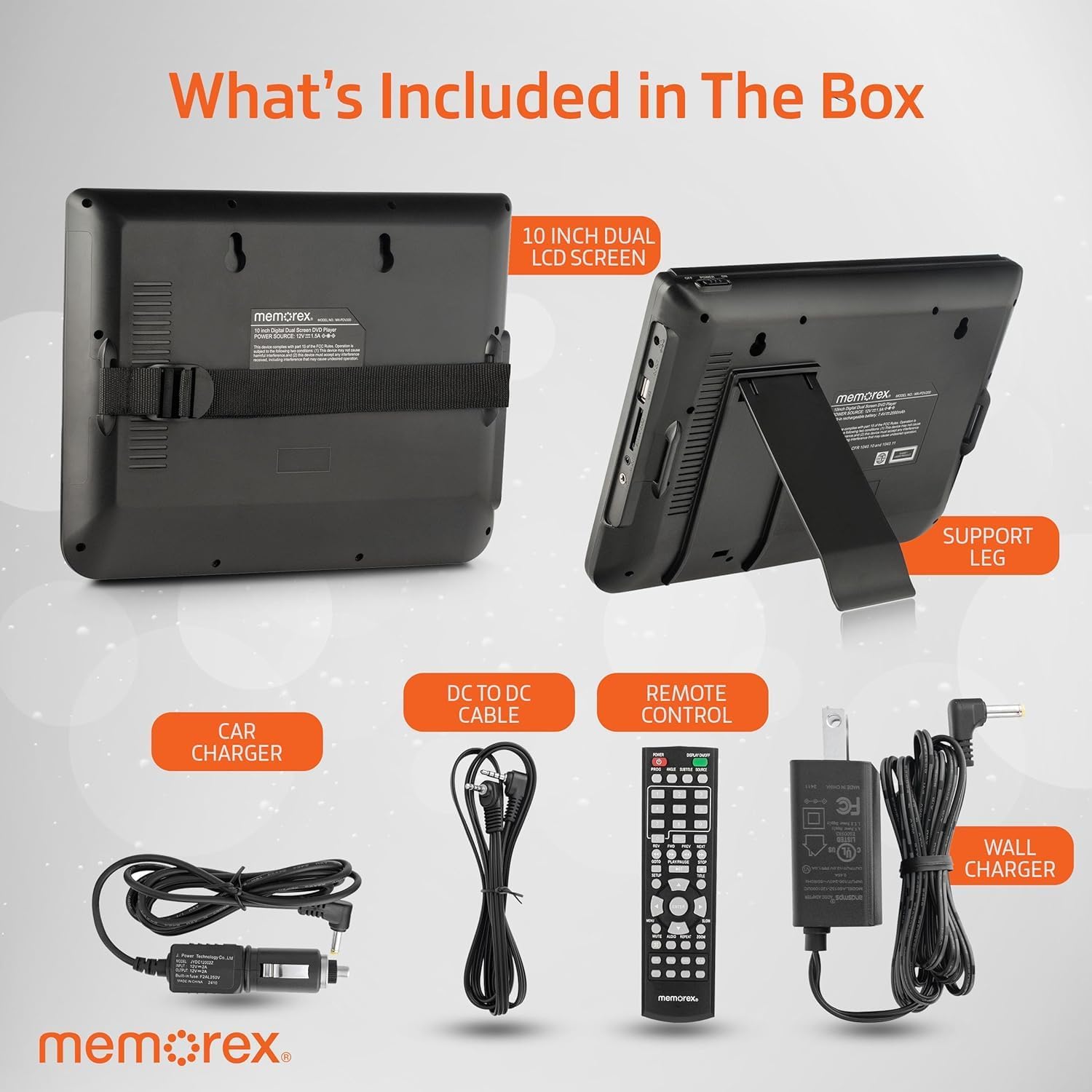
Image: Contents of the Memorex MX-PDV200 package, showing two 10-inch LCD screens, a support leg, car charger, DC to DC cable, remote control, and wall charger.
- Two (2) 10-inch Digital LCD Screens (Master and Slave units)
- AC Adapter (Wall Charger)
- Car Adapter (Car Charger)
- Isakoṣo latọna jijin
- DC-to-DC Cable (for connecting master and slave units)
- AV Cable
- Mounting Straps (for car headrest installation)
Ọja Awọn ẹya ara ẹrọ
- Dual 10-Inch Digital Screens: Provides synchronized playback for a shared viewing experience. The master screen controls playback, and the slave screen mirrors the content.
- Ibamu Media gbooro: Supports DVD, CD, DVD±R/DVD±RW, CD-R/RW, MP3, and JPEG files.
- USB ati SD kaadi Iho: Allows direct playback of digital media files lati USB drives tabi SD kaadi.
- Rechargeable Li-Ion Polymer Battery: Offers up to 3 hours of continuous playback on a single charge, with overheat protection.
- Awọn ẹya ara ẹrọ ti o ni kikun: Includes all necessary cables and mounting hardware for versatile use in vehicles or at home.
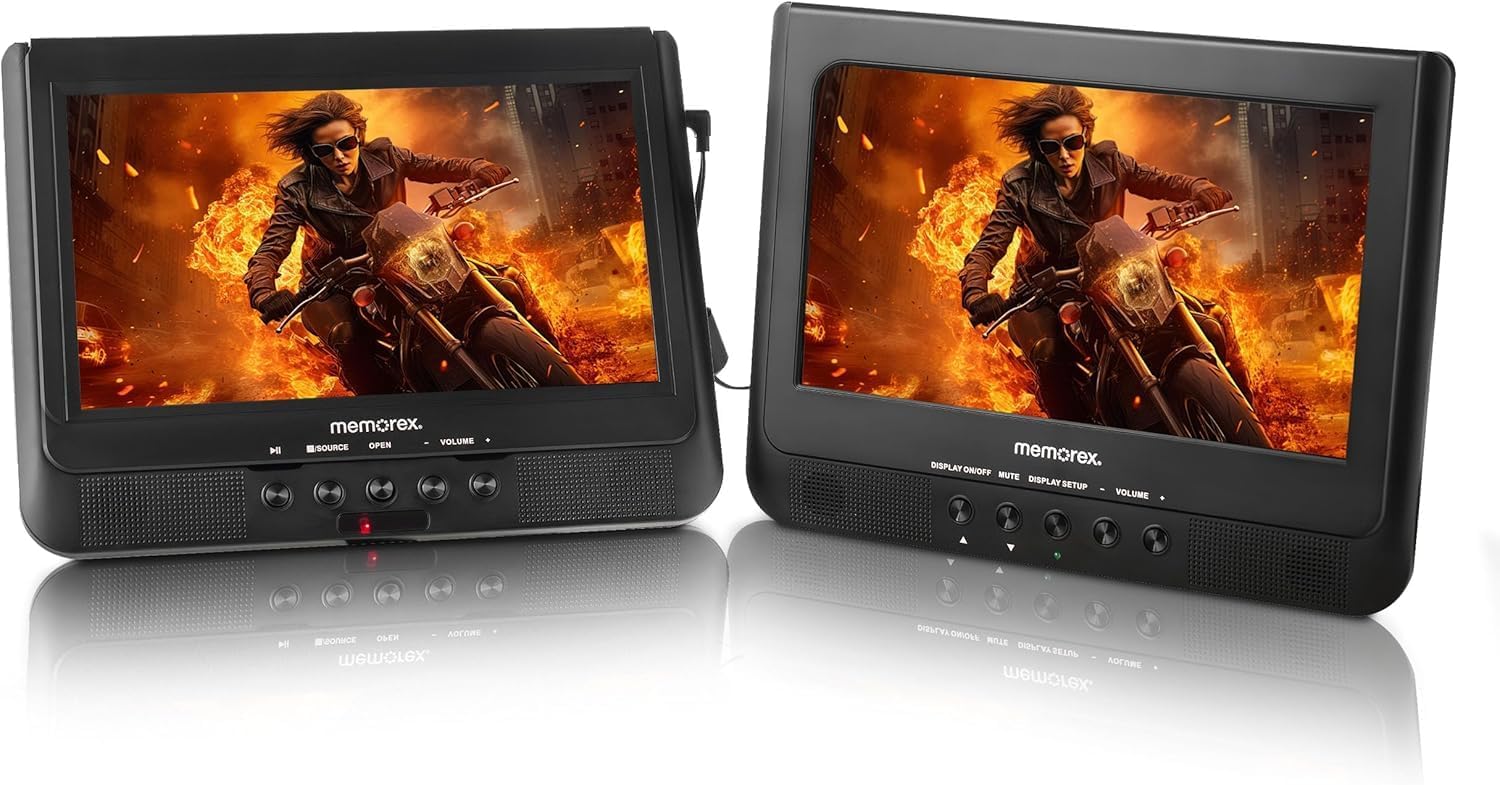
Image: Two Memorex MX-PDV200 10-inch dual screens displaying a movie, shown side-by-side, highlighting the synchronized playback feature.
Ṣeto
Connecting the Dual Screens
To enable synchronized playback, connect the master unit to the slave unit using the provided DC-to-DC cable. Ensure both units are powered on for the slave unit to display content from the master.
Car Mounting
The MX-PDV200 can be securely mounted to car headrests using the included mounting straps or brackets.
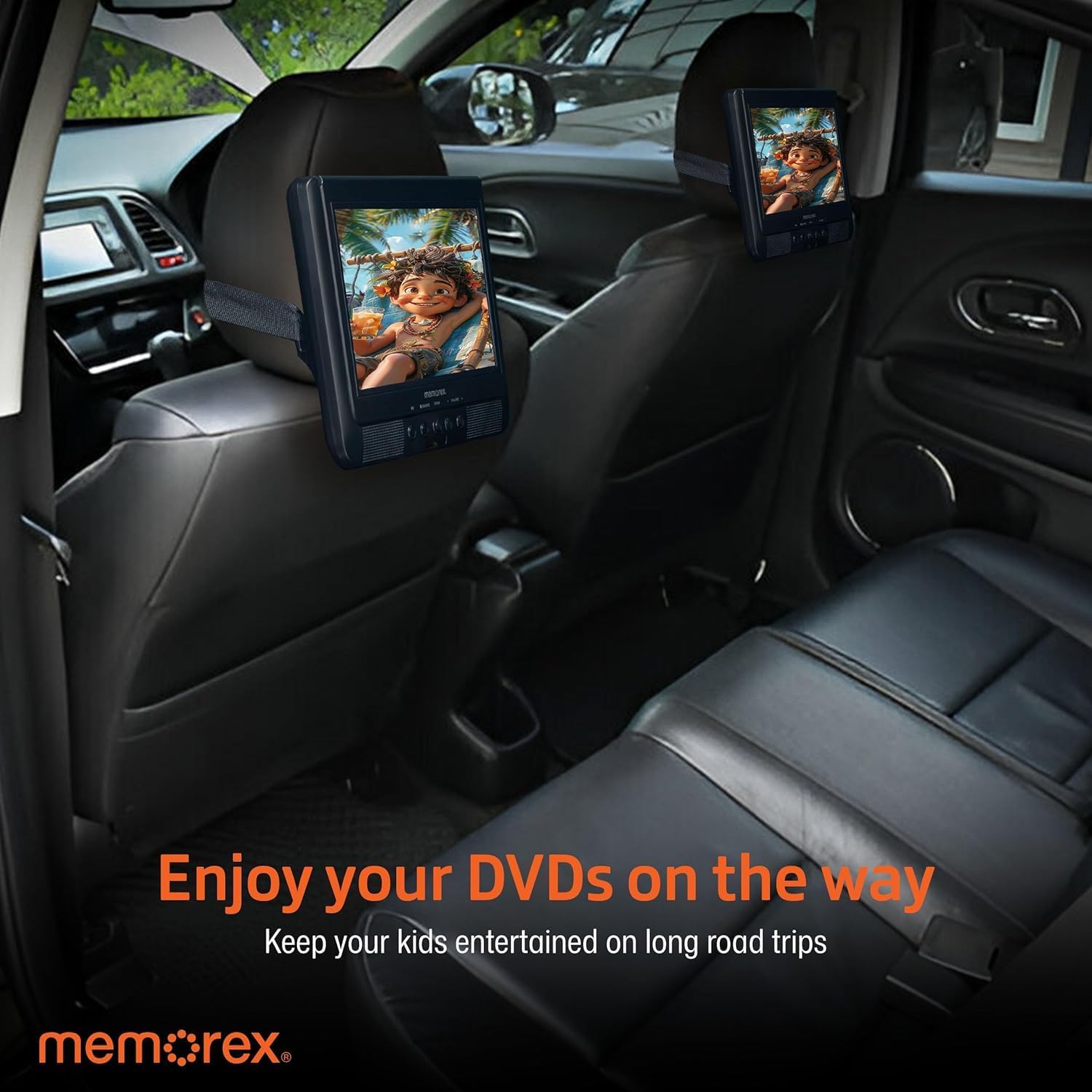
Image: Two Memorex MX-PDV200 DVD players mounted on the back of car seats, providing entertainment for rear passengers during a road trip.
Agbara ẹrọ naa
Use the AC adapter for home use or the car adapter for in-vehicle charging and operation. The built-in rechargeable battery provides portable power for up to 3 hours.
Isẹ
Sisisẹsẹhin Media
The player supports various media types:

Image: Memorex MX-PDV200 DVD player displaying a movie, with a remote control and text indicating supported media types: DVD, CD, CD-R, CD-RW, DVD+R, DVD+RW, MP3, JPEG.
- DVD/CD: Open the disc tray, insert a compatible disc, and close the tray. Playback will typically begin automatically.
- USB/SD Kaadi: Insert a USB drive into the USB port or an SD card into the SD card slot. Use the player's menu to navigate and select media files (MP3, JPEG).
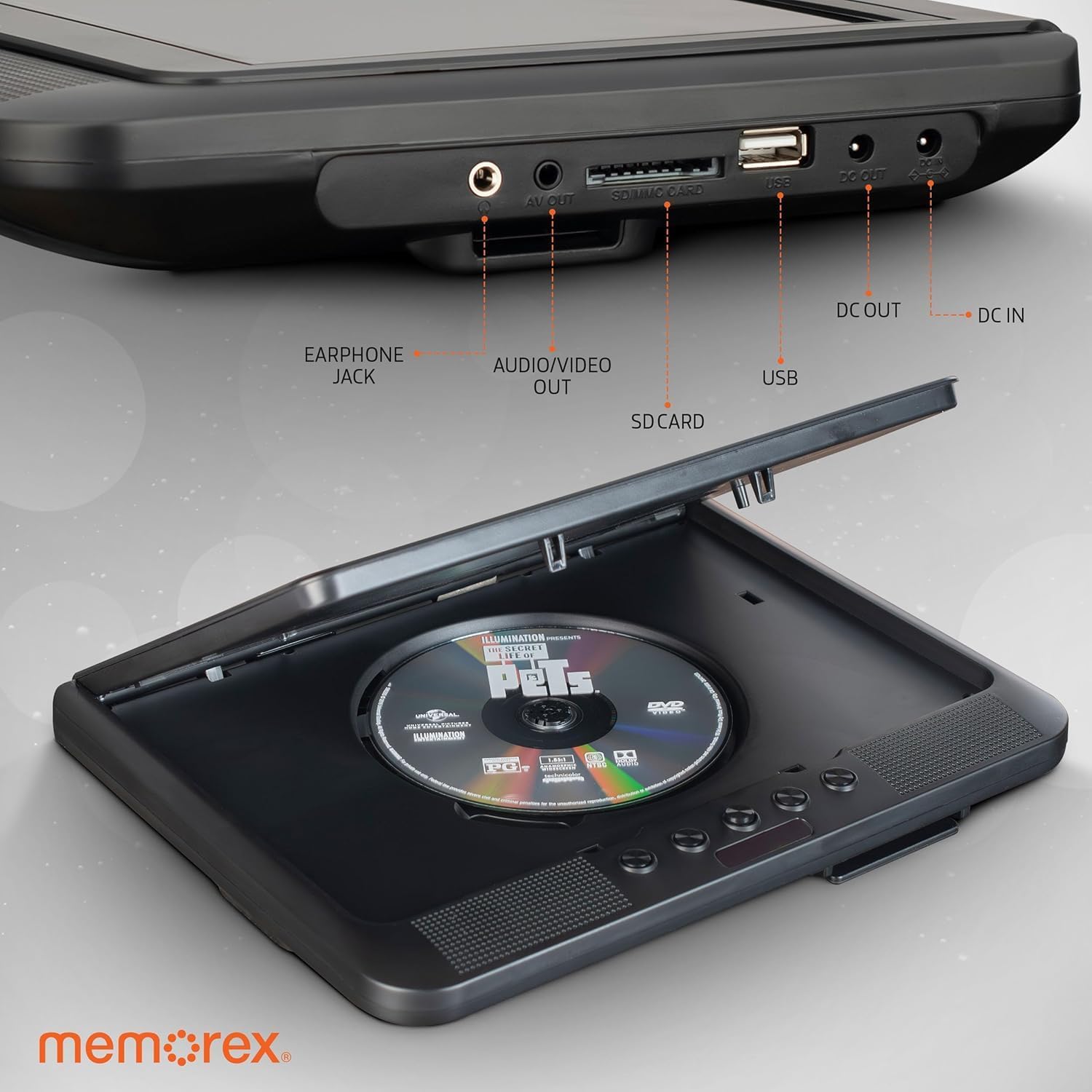
Aworan: Isunmọ view of the Memorex MX-PDV200 DVD player's side ports, including earphone jack, AV out, SD/MMC card slot, USB port, DC out, and DC in, with a DVD disc in the open tray.
Lilo Iṣakoso Latọna jijin
The included remote control allows for convenient operation of playback functions, volume adjustment, menu navigation, and source selection.
Itoju
- Jẹ́ kí ẹ̀rọ náà mọ́ nípa fífi aṣọ rírọ̀ tí ó sì gbẹ nu.
- Avoid exposing the player to extreme temperatures, direct sunlight, or moisture.
- Handle discs and media cards carefully to prevent scratches or damage.
- Store the player and accessories in a safe place when not in use.
Laasigbotitusita
- Ko si Agbara: Ensure the AC adapter or car adapter is securely connected and the power outlet is functional. Check the battery charge level.
- Ko si Aworan/Ohun: Verify that all cables (DC-to-DC, AV) are correctly connected. Ensure the correct input source is selected if connected to an external display. Check volume levels.
- Disc Read Error: Ensure the disc is clean and free of scratches. Try a different disc to confirm the issue is not with the media.
- USB/SD Card Not Recognized: Ensure the USB drive or SD card is inserted correctly and contains compatible media files.
Awọn pato
| Ẹya ara ẹrọ | Sipesifikesonu |
|---|---|
| Brand | Memorex |
| Orukọ awoṣe | MX-PDV200 |
| Iwon iboju | 10-inch (Dual Screens) |
| Ipinnu | 640 x 480 awọn piksẹli |
| Media Iru Atilẹyin | CD, DVD, DVD±R/RW, CD-R/RW, MP3, JPEG |
| Asopọmọra | USB, SD card, AV cable |
| Ipo Ijade Ohun | Sitẹrio |
| Batiri Iru | Gbigba agbara Li-Ion polima |
| Batiri Runtime | Titi di wakati 3 |
| Pataki Awọn ẹya ara ẹrọ | Dual Screen Synchronized Playback |
Atilẹyin ọja ati Support
For warranty information and technical support, please refer to the warranty card included in your product packaging or visit the official Memorex webojula. Tọju iwe-ẹri rira rẹ bi ẹri rira fun eyikeyi awọn ibeere atilẹyin ọja.


