
HyperX 7D0A4AA
HyperX Cloud Mix Buds 2 User Manual
Model: 7D0A4AA | Brand: HyperX
Ọrọ Iṣaaju
The HyperX Cloud Mix Buds 2 are advanced gaming earbuds designed for versatile, low-latency wireless audio. They offer seamless connectivity across various platforms, including PC, PS5, PS4, Nintendo Switch, Android, and Steam Deck, through both a 2.4 GHz dongle and Bluetooth 5.3 LE Audio. Featuring Hybrid Active Noise Cancellation (ANC) and Ambient Sound Mode, these earbuds provide an immersive audio experience while allowing users to stay aware of their surroundings when needed. With up to 26 hours of battery life, they are built for extended use on the go.

Image: HyperX Cloud Mix Buds 2 earbuds resting in their open charging case, with a green indicator light visible.
Ọja Pariview Fidio
Fidio: Ọja osise ti pariview of the HyperX Cloud Mix Buds 2, highlighting key features such as connectivity, noise cancellation, and design.
Ṣeto
Ohun ti o wa ninu Apoti
- HyperX Cloud Mix Buds 2 Earbuds
- Alailowaya Ngba agbara Case
- USB-C si okun USB-A
- Àwọn etí ìgbọ́rọ̀ (àwọn ìwọ̀n mẹ́ta: Kékeré, Àárín, Ńlá)
- 2.4GHz USB-C Dongle
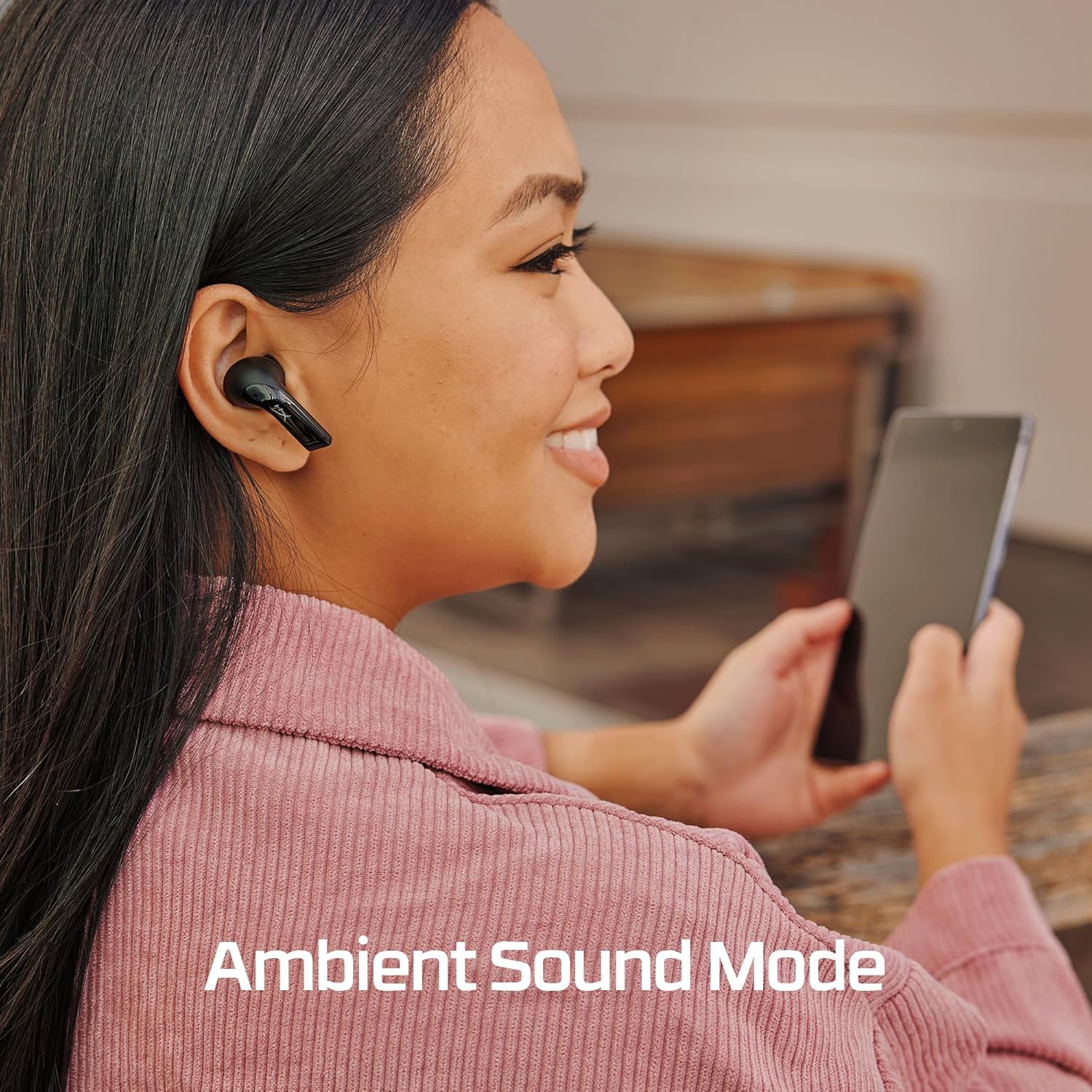
Image: A flat lay showing all included components: the earbuds, charging case, USB-C cable, 2.4GHz dongle, and three sets of ear tips.
Gbigba agbara
Before first use, fully charge the HyperX Cloud Mix Buds 2 and their charging case. Connect the included USB-C to USB-A cable to the charging case and a power source. The earbuds provide up to 7 hours of battery life, and the charging case extends this by an additional 19 hours, for a total of up to 26 hours of combined battery life.

Image: An illustration showing the earbud battery life (7 hours) and the additional charge provided by the case (19 hours), totaling 26 hours.
Asopọmọra
The Cloud Mix Buds 2 offer two primary connection methods:
2.4GHz USB-C Dongle (Ultra-Low Latency)
For the lowest latency gaming experience, use the included 2.4GHz USB-C dongle. Simply plug the dongle into a compatible USB-C port on your PC, PS5, PS4, Nintendo Switch, Android device, or Steam Deck. The earbuds will automatically connect to the dongle, providing a stable and responsive audio connection with latency as low as 20ms.
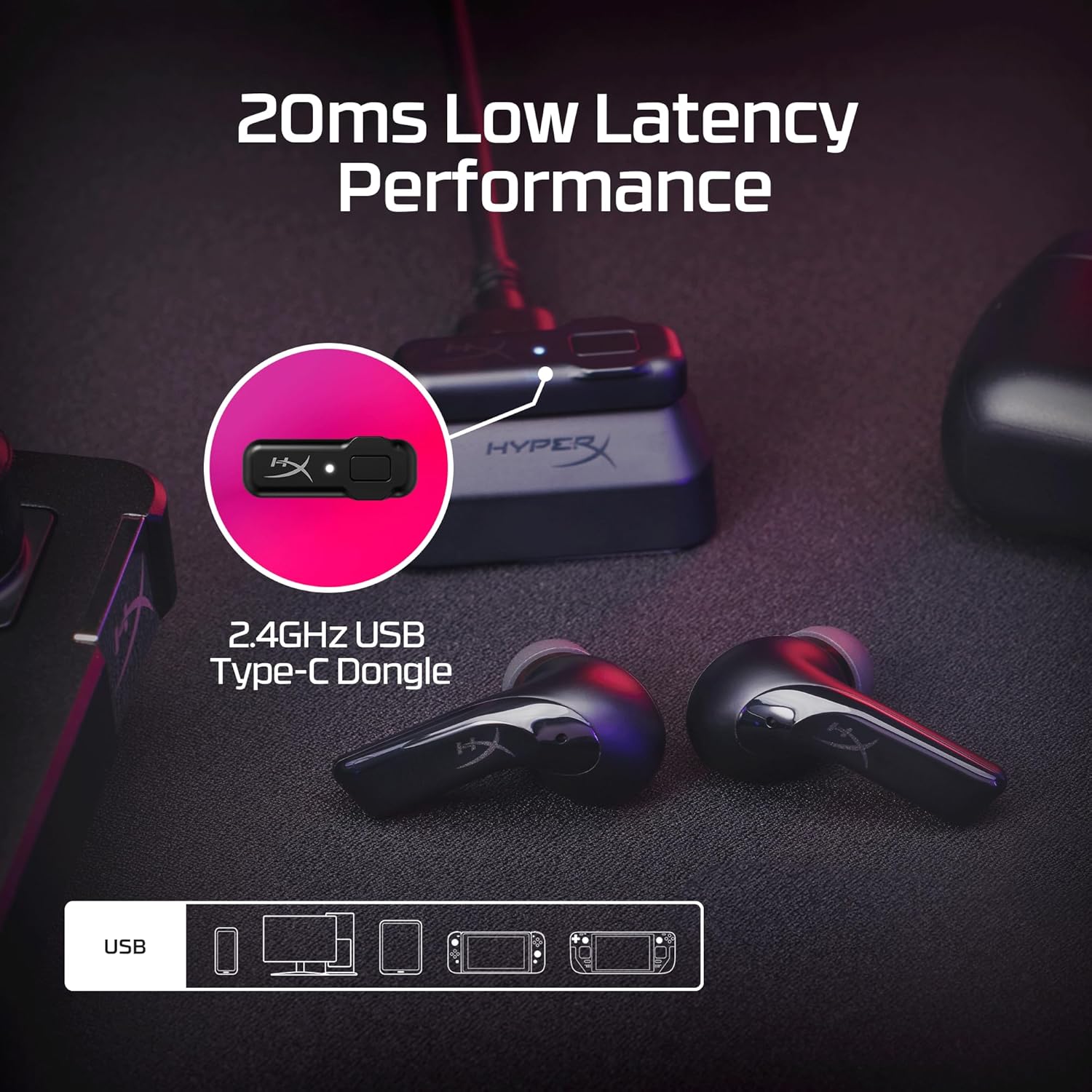
Image: The HyperX Cloud Mix Buds 2 earbuds and their 2.4GHz USB-C dongle, illustrating the ultra-low latency performance for gaming.
Bluetooth 5.3 LE Audio
For general use and mobile devices, connect via Bluetooth 5.3 LE Audio. This technology provides enhanced audio quality, longer battery life, and a more stable wireless connection. To pair, ensure the earbuds are in pairing mode (refer to the quick start guide for specific steps), then select 'HyperX Cloud Mix Buds 2' from your device's Bluetooth settings.

Image: A person smiling while playing a Nintendo Switch with HyperX Cloud Mix Buds 2 in their ears, demonstrating reliable wireless Bluetooth connectivity.
Awọn ilana Iṣiṣẹ
Ifagile Ariwo Ti nṣiṣe lọwọ arabara (ANC)
The Cloud Mix Buds 2 feature hybrid ANC technology to block out external noise, allowing for a more immersive audio experience. This is achieved through a combination of feed-forward and feedback microphones that monitor and cancel distracting sounds around you.

Image: A visual representation of how the HyperX Cloud Mix Buds 2 utilize feed-forward and feedback microphones for Hybrid Active Noise Cancellation, with sound waves being cancelled.
Ipo Ohun Ibaramu
When you need to be aware of your surroundings or engage in conversations without removing the earbuds, activate Ambient Sound Mode. This mode allows background noise to pass through, keeping you connected to the world around you. Refer to the quick start guide for instructions on how to toggle between ANC and Ambient Sound Mode.

Image: A person smiling while using the HyperX Cloud Mix Buds 2, with text indicating 'Ambient Sound Mode', suggesting they can hear their surroundings.
Awọn gbohungbohun
Each earbud is equipped with two beamforming microphones and AI noise reduction technology. This ensures clear communication by focusing on your voice and minimizing distracting background noise during calls or in-game chat.

Aworan: A sihin view of the HyperX Cloud Mix Buds 2 earbud, highlighting the two beamforming microphones within each bud for clear communication.
Didara ohun
The Cloud Mix Buds 2 feature 9mm dynamic drivers that deliver signature HyperX sound, characterized by powerful bass, clear mid-range presence, and pristine highs. Audio profiles can be customized using the HyperX NGENUITY Software for a personalized listening experience.
Awọn iṣakoso
The earbuds feature intuitive touch controls for managing audio playback, calls, and switching between ANC and Ambient Sound modes. Specific touch gestures and their functions can be found in the detailed quick start guide or customized via the HyperX NGENUITY software.
Itoju
Ninu
Regularly clean your earbuds and charging case to maintain optimal performance and hygiene. Use a soft, dry, lint-free cloth to wipe down the surfaces. For the ear tips, remove them from the earbuds and clean with a mild soap solution if necessary, ensuring they are completely dry before reattaching.
Eti Italolobo
The Cloud Mix Buds 2 come with three different ear tip sizes (Small, Medium, Large) to ensure a comfortable and secure fit. Experiment with different sizes to find the best seal for optimal sound quality and noise isolation. Properly fitted ear tips are crucial for effective ANC performance.
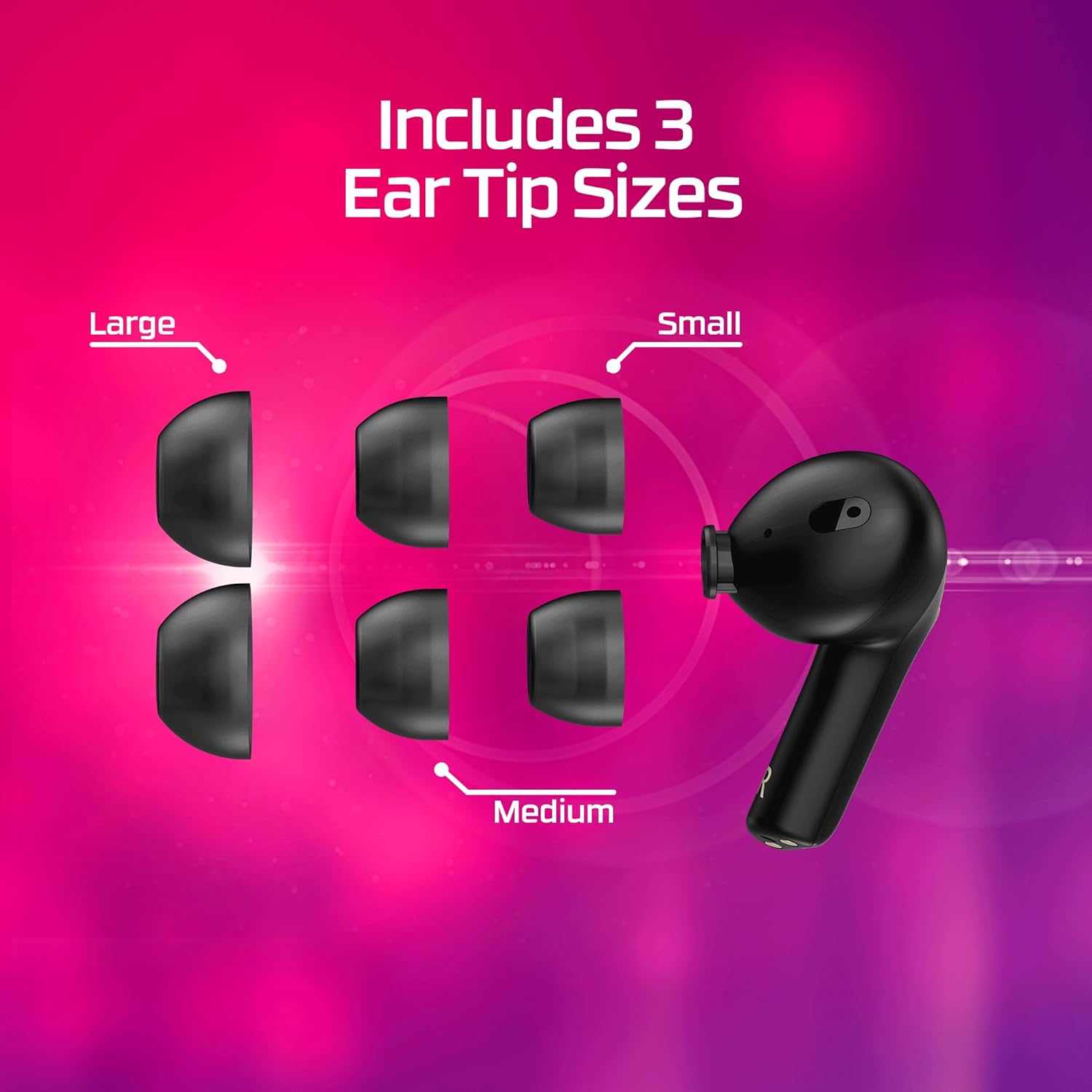
Image: A visual display of the three included ear tip sizes (Large, Small, Medium) alongside a HyperX Cloud Mix Buds 2 earbud, demonstrating the customization options for fit.
Laasigbotitusita
If you encounter issues with your HyperX Cloud Mix Buds 2, consider the following common troubleshooting steps:
- Ko si Didara Ohun/Dídára Ohun Tí Kò Dára: Ensure earbuds are charged and properly connected. Check device volume and audio output settings. Verify ear tip fit.
- Awọn oran Asopọmọra: For 2.4GHz dongle, ensure it's securely plugged in. For Bluetooth, try re-pairing the earbuds. Ensure no interference from other wireless devices.
- ANC Ko Ṣiṣẹ: Ensure earbuds are properly seated in your ears and the correct ear tip size is used for a good seal. Check if ANC is enabled.
- Awọn ọrọ gbohungbohun: Ensure microphones are not obstructed. Check device input settings.
- Igbesi aye Batiri Kuru ju Ti O Tireti lọ: Battery life can vary with usage, especially with ANC enabled. Ensure full charge cycles.
For more detailed troubleshooting and advanced settings, refer to the HyperX NGENUITY software or the official HyperX support webojula.
Awọn pato
| Ẹya ara ẹrọ | Sipesifikesonu |
|---|---|
| Orukọ awoṣe | Mix Buds 2 |
| Asopọmọra Technology | Ailokun (2.4GHz, Bluetooth) |
| Imọ-ẹrọ Ibaraẹnisọrọ Alailowaya | 2.4GHz, Bluetooth 5.3 |
| Ariwo Iṣakoso | Arabara Noise Ifagile |
| Audio Driver Type | Yiyi Awakọ |
| Audio Driver Iwon | 9 millimeters |
| Igbesi aye batiri (Earbuds) | Títí dé wákàtí 7 (ANC ti dínkù) |
| Igbesi aye batiri (pẹlu Ọran) | Titi di awọn wakati 26 |
| Awọn ẹrọ ibaramu | Awọn foonu alagbeka, Awọn kọnputa ere, Awọn tabulẹti, Kọǹpútà alágbèéká, Awọn kọnputa agbeka |
| Iṣakoso Iru | Iṣakoso Media |
| Iwọn Nkan | 0.353 ounces (fún etí kọ̀ọ̀kan) |
| Ọja Mefa | 1.34 x 0.71 x 1.02 inches |
| Olupese | HP Inc. |
| Ilu isenbale | China |
| UPC | 197192096307 |
Atilẹyin ọja ati Support
Your HyperX Cloud Mix Buds 2 are covered by a manufacturer's warranty. Please refer to the warranty card included in your product packaging for specific terms and conditions, including warranty period and coverage details. For technical support, product registration, or to access the latest drivers and software (such as HyperX NGENUITY), please visit the official HyperX support webojula tabi kan si wọn onibara iṣẹ.
Atilẹyin Ayelujara: Visit the HyperX official webAaye fun FAQs, awọn itọnisọna laasigbotitusita, ati awọn igbasilẹ sọfitiwia.
Iṣẹ onibara: Contact HyperX customer support for direct assistance with product issues or inquiries.
Ask a question about this manual
Ask about setup, troubleshooting, compatibility, parts, safety, or missing instructions. Manuals+ will review the question and use this page’s manual context to help answer it.