
Ọrọ Iṣaaju
This manual provides instructions for the proper installation, operation, and maintenance of your cellularline Hug Fit Smartphone Holder. Please read these instructions carefully before use to ensure optimal performance and safety.
The cellularline Hug Fit is a car mount designed for secure and convenient smartphone placement. It features a universal hook for compatibility with various air vent types and a three-point stability system to hold your device firmly. The holder also allows for 360-degree rotation, enabling both horizontal and vertical viewawọn iṣalaye.
Eto ati fifi sori
1. Unboxing ati irinše
Upon opening the package, verify that the following components are included:
- cellularline Hug Fit Car Mount
- Ilana Afowoyi (iwe yii)
2. Attaching to the Air Vent
The Hug Fit holder is designed with a universal hook system for compatibility with various car air vent types.
- Identify a suitable air vent in your vehicle. Ensure the vent is sturdy enough to support the weight of your smartphone and the holder.
- Locate the hook mechanism on the back of the cellularline Hug Fit holder.
- Gently push the hook into one of the slats of your car's air vent.
- Ensure the holder is securely fastened and does not wobble. The unique hook design provides a strong grip.

Apejuwe aworan: This image illustrates the unique arc-shaped support structure and strong hook mechanism of the cellularline Hug Fit holder, designed for secure attachment to car air vents.

Apejuwe aworan: This image demonstrates the cellularline Hug Fit holder's compatibility with different car air vent designs, highlighting its universal attachment capability.
Awọn ilana Iṣiṣẹ
1. Fifi Foonuiyara Rẹ sii
The cellularline Hug Fit holder accommodates smartphones with widths between 60mm and 95mm (approximately 4 to 6.5 inches).
- Gently pull apart the adjustable side arms of the holder.
- Place your smartphone onto the bottom support stand.
- Release the side arms, allowing them to securely grip your smartphone from the sides. The holder provides a stable three-point support system.
- Ensure your smartphone is firmly seated and does not move freely within the holder.

Apejuwe aworan: This image illustrates the size compatibility of the cellularline Hug Fit holder, showing it can hold smartphones ranging from 4 to 6.5 inches, with a width adjustment from 60mm to 95mm.

Apejuwe aworan: This image highlights the stable 3-point support system of the cellularline Hug Fit holder, demonstrating how it securely holds a smartphone even on rugged roads, during sharp turns, or over speed bumps.
2. Ṣíṣe àtúnṣe Viewigun igun
The cellularline Hug Fit holder allows for 360-degree rotation, enabling you to position your smartphone for optimal viewing.
- Gently rotate your smartphone within the holder to switch between portrait and landscape orientations.
- Adjust the angle as needed for clear visibility without obstructing your view ti opopona.

Apejuwe aworan: This image illustrates the 360-degree rotation capability of the cellularline Hug Fit holder, allowing users to easily adjust their smartphone's viewing angle for optimal screen visibility.
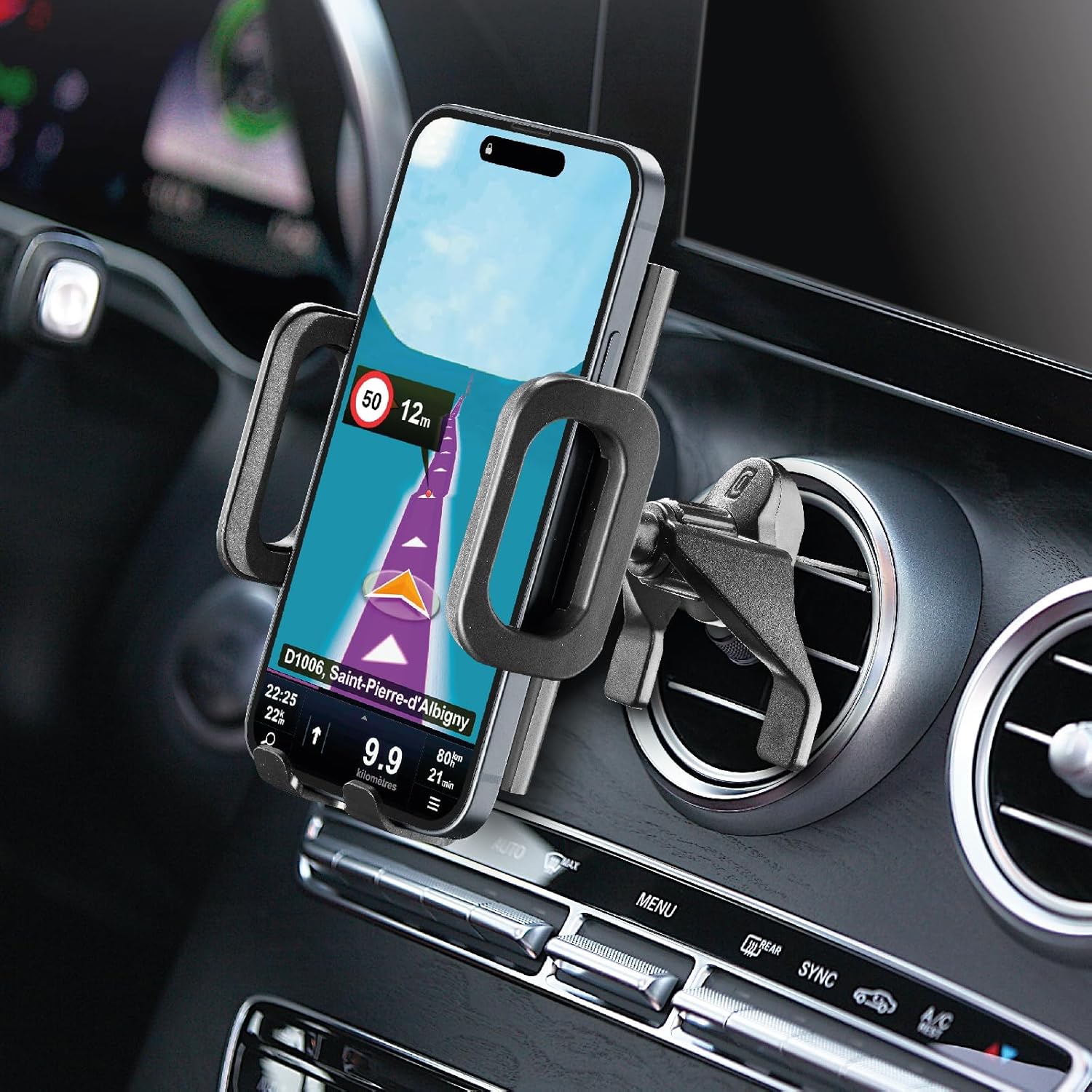
Apejuwe aworan: This image displays the cellularline Hug Fit holder with a smartphone mounted, positioned on a car's air vent, demonstrating its practical application for navigation or hands-free use.
Itoju
To ensure the longevity and proper function of your cellularline Hug Fit Smartphone Holder, follow these simple maintenance guidelines:
- Ninu: Nu ohun tí a fi ń gbé e mọ́ pẹ̀lú ohun rírọ̀, damp Aṣọ. Yẹra fún lílo àwọn kẹ́míkà líle tàbí àwọn ohun ìfọmọ́ tí ó lè pa ara, nítorí pé àwọn wọ̀nyí lè ba ohun èlò náà jẹ́.
- Ayewo: Periodically check the air vent attachment hook and the smartphone gripping arms for any signs of wear or damage.
- Ibi ipamọ: If removing the holder for an extended period, store it in a clean, dry place away from direct sunlight and extreme temperatures.
Laasigbotitusita
If you encounter any issues with your cellularline Hug Fit Smartphone Holder, refer to the following common problems and solutions:
- Holder is not stable on the air vent:
- Ensure the hook is fully inserted into an air vent slat.
- Verify that the air vent slats are not too thin or too thick for the hook mechanism.
- Try a different air vent if the current one seems loose or damaged.
- Smartphone is not held securely:
- Confirm that the side arms are fully closed around your smartphone.
- Check if your smartphone's width is within the compatible range (60mm-95mm).
- Yọ gbogbo awọn apoti foonu ti o tobi ti o le ṣe idiwọ idaduro aabo.
- Difficulty rotating the smartphone:
- Ensure no cables or other objects are obstructing the rotation mechanism.
- The rotation mechanism should move smoothly; avoid forcing it.
Tí ìṣòro náà bá ń bá a lọ, jọ̀wọ́ wo apá ìrànlọ́wọ́ fún ìrànlọ́wọ́ síwájú sí i.
Awọn pato
| Nọmba awoṣe | HUGHOLDERVENTK |
| Brand | cellularline |
| Iṣagbesori Iru | Afowoyi Afe |
| Awọn ẹrọ ibaramu | Awọn fonutologbolori |
| Iwọn Foonu ibaramu | 60mm - 95mm (approx. 4" - 6.5") |
| Yiyi | 360 iwọn |
| Àwọ̀ | Dudu |
| Iwọn Nkan | 6 iwon |
| Package Mefa | 7.28 x 5.16 x 3.23 inches |
| Olupese | Cellularline SpA |
Alaye atilẹyin ọja
Specific warranty details for the cellularline Hug Fit Smartphone Holder are not provided in the available product data. Please refer to the product packaging or the official cellularline webAaye fun okeerẹ atilẹyin ọja ofin ati ipo.
Onibara Support
For further assistance, technical support, or inquiries regarding your cellularline Hug Fit Smartphone Holder, please visit the official cellularline webAaye ayelujara tabi kan si ẹka iṣẹ alabara wọn. Alaye olubasọrọ wa nigbagbogbo lori apoti ọja tabi ti olupese webojula.
You may also refer to the product page on Amazon for additional information: Amazon ọja Page