
Ọja Pariview
The Odokee Wireless Charging Alarm Clock Radio is a versatile bedside companion designed to simplify your daily routine. It integrates multiple functionalities into a sleek, modern design, providing convenience and enhancing your living space.
- All-in-One Modern Nightstand Companion: Features wireless charging, Bluetooth speaker, FM radio, and nightlight.
- Bluetooth Connectivity for Seamless Streaming: Experience exceptional audio with a 10W stereo Bluetooth speaker.
- Convenient for Powering Devices: 10W Qi certified fast wireless charging and a USB charging port keep your nightstand organized.
- FM Radio for Diverse Entertainment: Stay connected to your favorite local stations with the built-in FM radio and set a sleep timer.
- Dimmable Display for Comfortable Viewing: Customize your sleep environment with a digital display that adjusts from 0-100% brightness.
- 8-Color Nightlight for a Peaceful Ambiance: Set the mood with a nightlight that offers adjustable brightness and multiple color options.
Ọja Awọn ẹya ara ẹrọ

Figure 1: All-in-One Bedside Speaker - Combining essential functions for your convenience.
Wireless & USB Charging
The Odokee alarm clock features a 10W Qi-certified wireless charging pad on top, allowing you to simply place your compatible smartphone for fast charging. Additionally, a USB charging port is located on the back for charging other devices like smartwatches or earbuds.

Figure 2: Qi-Certified Wireless and USB Charging capabilities.
10W Stereo Bluetooth Speaker
Connect your smartphone or other Bluetooth-enabled devices to the alarm clock's 10W stereo speaker for clear, powerful audio playback. Enjoy your favorite music, podcasts, or audiobooks with enhanced sound quality.
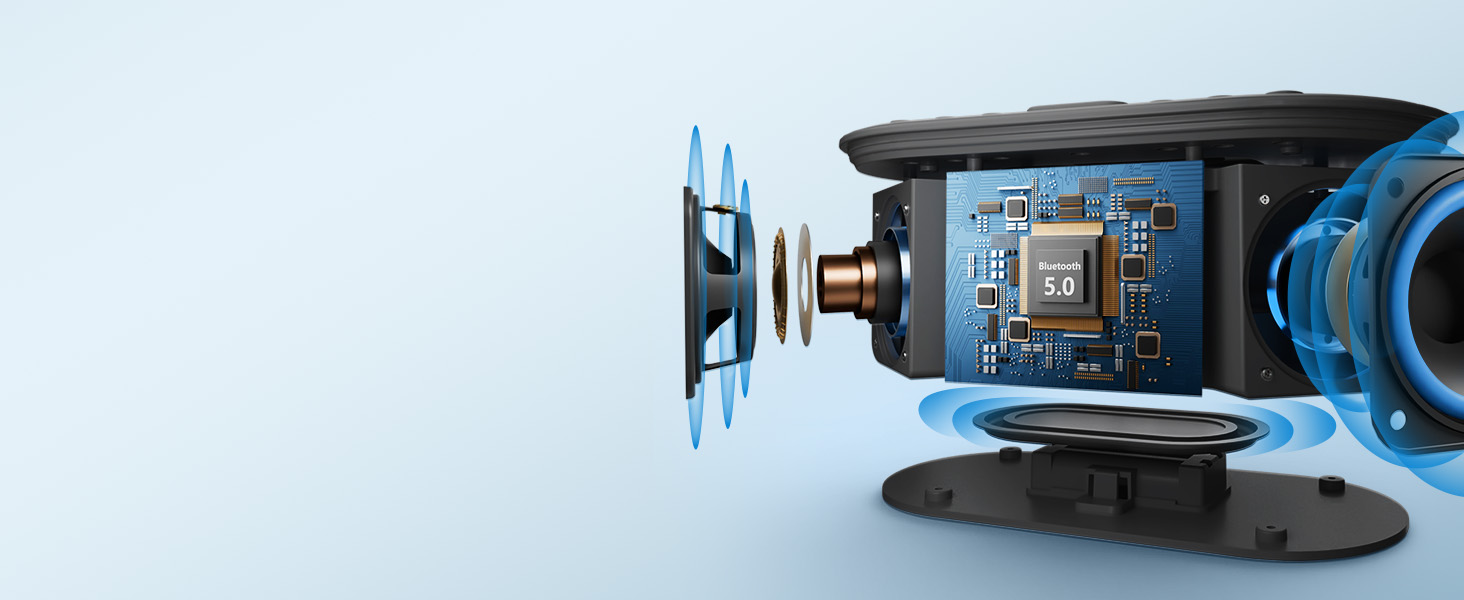
Figure 3: Internal components highlighting the 10W stereo sound system.
Iṣẹ-ṣiṣe Redio FM
Tune into your preferred FM radio stations directly from the device. The built-in FM radio ensures you can stay updated with local news, music, or talk shows. A sleep timer function allows the radio to play for a set duration before automatically turning off.

Figure 4: Enjoying FM radio with the alarm clock.
Dimmable Digital Display & Nightlight
The large digital display offers adjustable brightness from 0% to 100%, ensuring comfortable viewing in any lighting condition, day or night. The integrated nightlight provides 8 different color options to create a soothing ambiance in your bedroom.

Figure 5: Adjustable display brightness for personalized comfort.
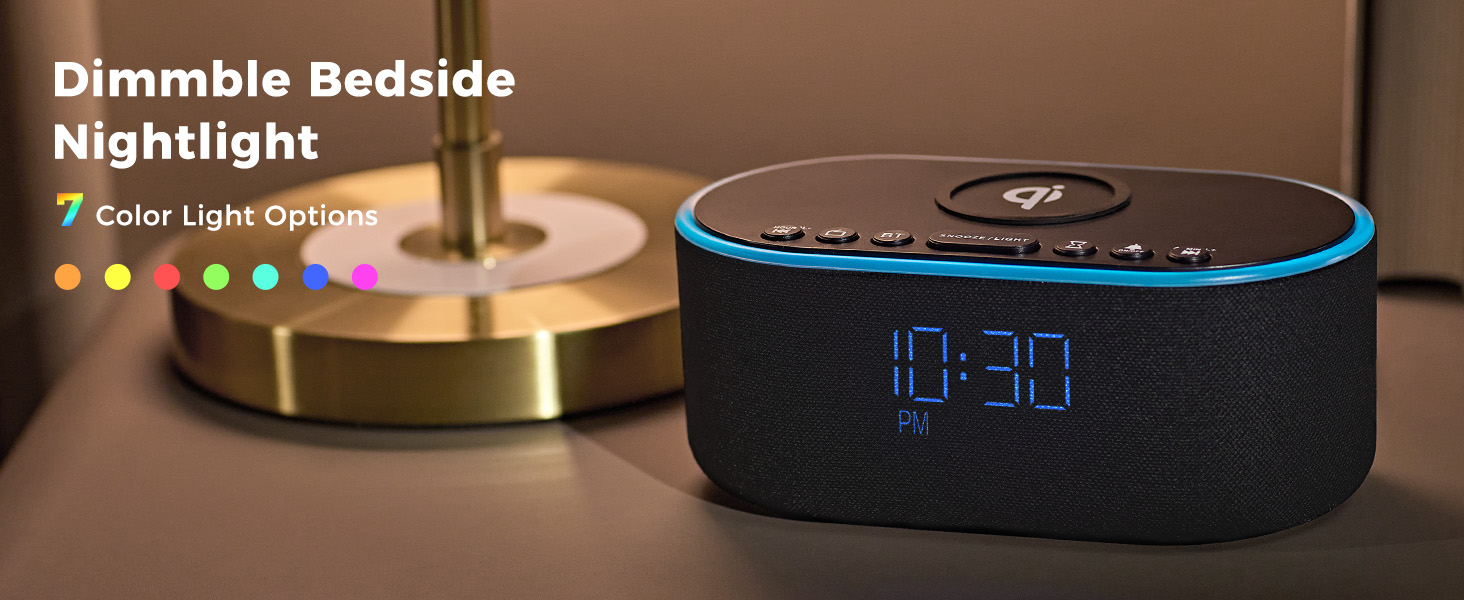
Figure 6: Explore 8 vibrant nightlight colors.
Official ọja Video
Fidio 1: Ọja osise ti pariview of the Odokee Wireless Charging Alarm Clock Radio, demonstrating its key features and design.
Awọn iṣakoso ati Ifihan
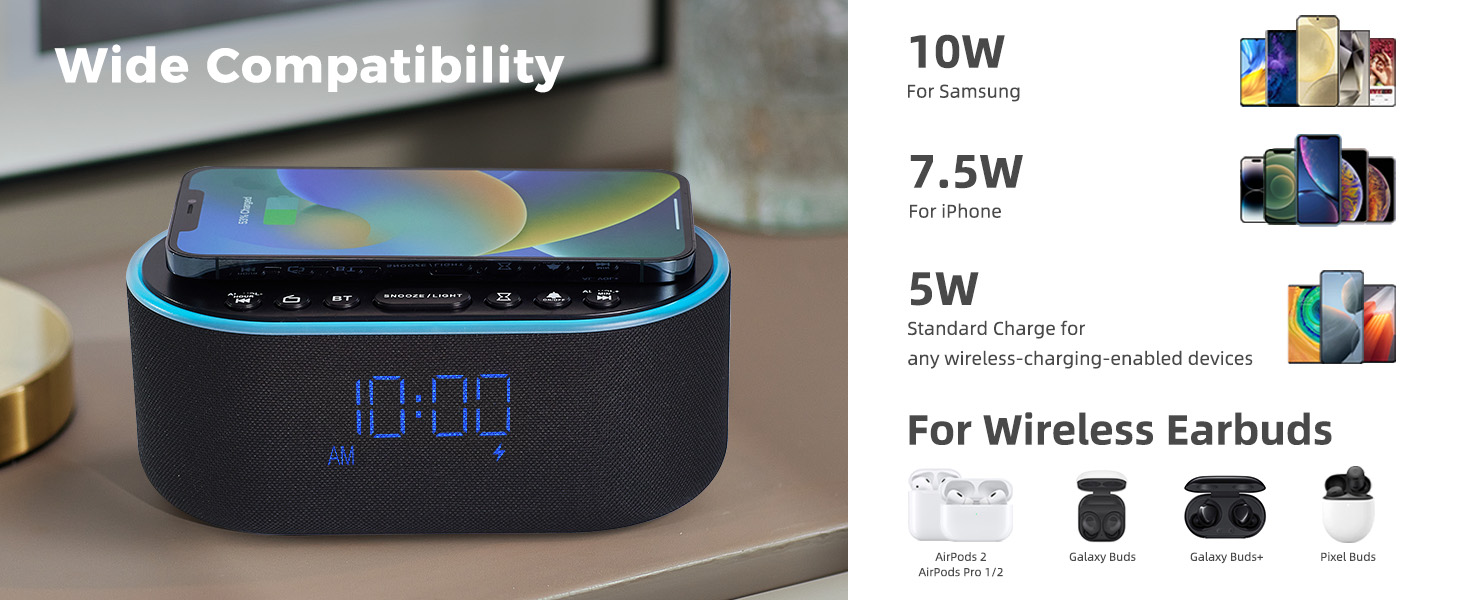
Figure 7: Top and Back Panel Controls Diagram.
Awọn Isakoso Igbimọ Top
- Paadi Ngba agbara Alailowaya: Place Qi-compatible devices here for wireless charging.
- AL VOL- / Hour: Adjust alarm volume down, or set alarm hour.
- Redio Tan/Pa: Toggle FM radio on/off.
- BT (Bluetooth) On/Off: Activate/deactivate Bluetooth pairing mode.
- DUN / Imọlẹ: Snooze active alarm; short press to cycle nightlight colors; long press to turn nightlight off.
- Akoko oorun: Set sleep timer duration.
- Itaniji Tan/Pa: Toggle alarm on/off.
- AL VOL+ / Min: Adjust alarm volume up, or set alarm minute.
Awọn iṣakoso Panel Pada
- FM/BT Volume (High/Low): Adjust overall volume for FM radio and Bluetooth audio.
- DC 9V: Ibudo titẹ agbara.
- USB: Ibudo gbigba agbara USB fun awọn ẹrọ ita.
- Night Light Dimmer: Adjust brightness of the nightlight.
- 12H/24H: Yipada laarin ọna kika wakati 12 ati wakati 24.
- Eto itaniji: Tẹ ipo itaniji sii.
- Akoko Aago: Enter time setting mode.
- Display Dimmer (Low/High): Adjust the brightness of the digital time display.
- Eriali Redio: Extend fully for optimal FM radio reception.
Ṣeto
Asopọ agbara
- So adapter agbara ti a pese mọ ibudo titẹ sii DC 9V ni ẹhin aago itaniji naa.
- So adapter agbara sinu ibudo ogiri deede. Ifihan naa yoo tan imọlẹ.
Eriali Redio
- For optimal FM radio reception, fully extend the radio antenna located on the back panel.
Awọn ilana Iṣiṣẹ
Ṣiṣeto Akoko naa
- Tẹ mọlẹ Eto akoko button on the back panel until the hour digits begin to flash.
- Lo awọn AL VOL- / Hour ati AL VOL+ / Min buttons on the top panel to adjust the hour.
- Tẹ awọn Eto akoko bọ́tìnì náà lẹ́ẹ̀kan síi láti yípadà sí àtúnṣe ìṣẹ́jú. Àwọn nọ́mbà ìṣẹ́jú náà yóò máa tàn yanranyanran.
- Lo awọn AL VOL- / Hour ati AL VOL+ / Min awọn bọtini lati ṣatunṣe awọn iṣẹju.
- Tẹ awọn Eto akoko button one more time to confirm and exit time setting mode.
- Lati yipada laarin ọna kika wakati 12 ati wakati 24, tẹ bọtini naa 12H/24H bọtini lori pada nronu.
Ṣiṣeto Itaniji naa
- Tẹ mọlẹ Eto itaniji button on the back panel until the alarm hour digits begin to flash.
- Lo awọn AL VOL- / Hour ati AL VOL+ / Min buttons on the top panel to adjust the alarm hour.
- Tẹ awọn Eto itaniji button again to switch to alarm minute adjustment. The minute digits will flash.
- Lo awọn AL VOL- / Hour ati AL VOL+ / Min awọn bọtini lati ṣatunṣe awọn iṣẹju itaniji.
- Tẹ awọn Eto itaniji button one more time to confirm and exit alarm setting mode.
- To activate or deactivate the alarm, short press the Itaniji Tan/Pa a button on the top panel. An alarm icon will appear/disappear on the display.
Išẹ lẹẹkọọkan
- Nigbati itaniji ba dun, tẹ bọtini naa TOONJOO / ÌLIGH button on the top panel to activate the snooze function. The alarm will temporarily stop and sound again after 9 minutes.
Ngba agbara Alailowaya
- Place your Qi-compatible smartphone directly onto the wireless charging pad located on the top of the alarm clock.
- Ensure the phone is centered on the charging pad for optimal connection. A charging indicator will appear on the clock display.
- Note: Do not place metal phone cases or metal objects in the wireless charging area to prevent interference.
Ngba agbara USB
- Connect your device's USB charging cable to the USB port on the back panel of the alarm clock.
- The alarm clock will provide power to charge your device.
Asopọ Bluetooth
- Tẹ awọn BT button on the top panel to enter Bluetooth pairing mode. The display will show "BT" and flash.
- On your smartphone or Bluetooth device, search for "UE268" in the Bluetooth settings.
- Select "UE268" to pair. Once successfully paired, the "BT" indicator on the clock display will stop flashing.
- You can now play audio through the alarm clock's speaker. Adjust volume using the FM/BT Volume scroll on the back panel or your connected device.
FM Radio isẹ
- Tẹ awọn Redio Titan/Pa button on the top panel to turn on the FM radio.
- Lo awọn AL VOL- / Hour ati AL VOL+ / Min buttons to tune to your desired frequency. Long press these buttons for automatic station scanning.
- Adjust the radio volume using the FM/BT Volume scroll on the back panel.
- To set a sleep timer for the radio, press the Aago orun button on the top panel repeatedly to cycle through preset durations (e.g., 15, 30, 60, 90 minutes). The radio will automatically turn off after the selected time.
Nightlight Iṣakoso
- Kukuru tẹ awọn TOONJOO / ÌLIGH button on the top panel to cycle through the 8 available nightlight colors.
- Gun tẹ awọn TOONJOO / ÌLIGH button to turn the nightlight off.
- Adjust the brightness of the nightlight using the Night Light Dimmer bọtini lori pada nronu.
Ifihan Imọlẹ
- Adjust the brightness of the digital time display using the Ifihan Dimmer scroll on the back panel. You can set it from 0% to 100% brightness.
Itoju
- Ninu: Lo aṣọ rírọrùn tí ó gbẹ láti nu ojú aago ìdágìrì náà. Má ṣe lo àwọn ohun èlò ìfọmọ́ omi tàbí àwọn ohun èlò ìpara.
- Ibi ipamọ: If not in use for an extended period, unplug the device and store it in a cool, dry place.
Laasigbotitusita
| Isoro | Owun to le Fa | Ojutu |
|---|---|---|
| Clock display is off/blank. | No power connection or display dimmer set to 0%. | Ensure power adapter is securely plugged in. Adjust Display Dimmer on the back panel. |
| Gbigba agbara alailowaya ko ṣiṣẹ. | Phone not Qi-compatible, not centered, or metal objects on pad. | Verify phone compatibility. Reposition phone. Remove metal objects/cases. |
| Bluetooth kò sopọ̀ mọ́ ara wọn. | Ẹ̀rọ náà kò sí ní ipò ìsopọ̀ tàbí ó jìnnà jù. | Ensure alarm clock is in BT pairing mode (flashing "BT"). Move devices closer. Restart both devices. |
| Gbigba redio FM ti ko dara. | Eriali ko gbooro sii tabi ifihan agbara alailagbara. | Fully extend the radio antenna. Try repositioning the alarm clock. |
| Itaniji ko dun. | Itaniji ko muu ṣiṣẹ tabi iwọn didun kere ju. | Press Alarm On/Off button to activate (icon visible). Increase alarm volume using AL VOL+ button. |
Awọn pato
- Brand: Odokee
- Awoṣe: UE268
- Àwọ̀: Black - Blue Digits
- Iru ifihan: LED oni-nọmba
- Orisun Agbara: Ina mọnamọna ti o ni okun (DC 9V)
- Ijade gbigba agbara Alailowaya: 10W (Qi Certified)
- Ṣiṣejade Ngba agbara USB: Standard USB
- Agbejade Agbọrọsọ: 10W Sitẹrio
- Redio: FM
- Imọlẹ alẹ: 8-Color RGB with adjustable brightness
- Awọn iwọn ọja: 2.96"W x 7.28"H
- Ìwọ̀n Nkan: 1.16 poun (525 Giramu)
Atilẹyin ọja ati Support
This Odokee product comes with an Atilẹyin Ọsan 18 lati ọjọ ti o ra.
For technical support, troubleshooting, or warranty claims, please contact Odokee customer service through the retailer's platform or visit the official Odokee store online.