
1. Ifihan
Thank you for choosing the Lecran DC403 Digital Camera. This compact and user-friendly camera is designed for capturing high-quality photos and videos, making it ideal for beginners, children, and teens. This manual provides detailed instructions to help you get started and make the most of your new camera.
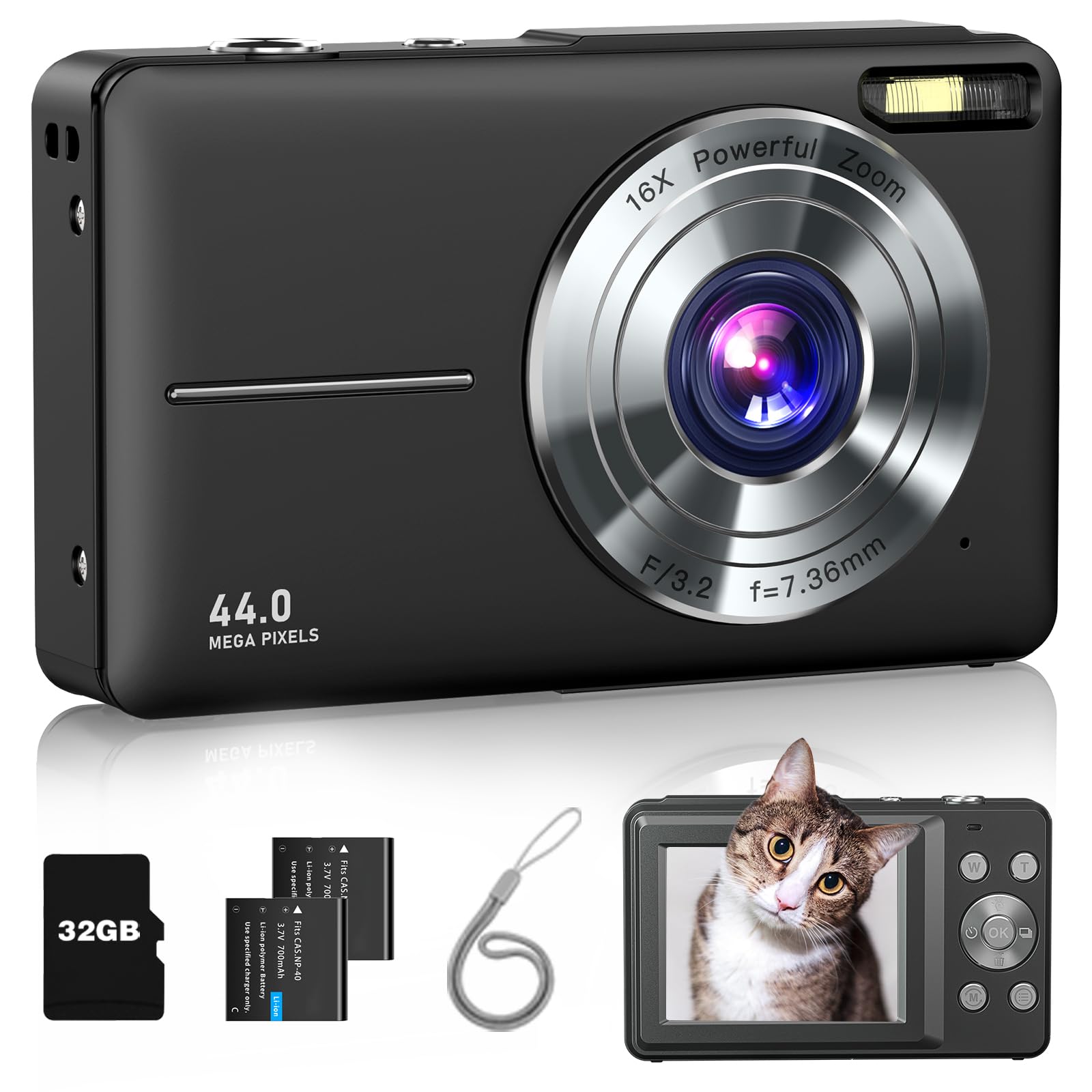
Image: The Lecran DC403 Digital Camera, a compact device designed for ease of use.
2. Ohun ti o wa ninu Apoti
Jọwọ ṣayẹwo awọn akoonu package lati rii daju pe gbogbo awọn ohun kan wa:
- 1x Lecran DC403 Digital Camera
- 1x 32GB Micro SD Card
- 2x Rechargeable Lithium-Ion Batteries
- 1x Lanyard
- 1x okun USB Iru-C
- 1x Adapter Ngba agbara
- 1x Apo gbe
- 1x Itọsọna olumulo

Image: All components included in the Lecran DC403 Digital Camera package.
3. Eto
3.1. Fi sii Batiri naa
- Ṣii ideri iyẹwu batiri ti o wa ni isalẹ kamẹra.
- Insert a fully charged battery, ensuring the correct polarity.
- Pa ideri batiri naa ni aabo.
3.2. Fi Micro SD Kaadi sii
- Locate the SD card slot, usually next to the battery compartment or on the side.
- Insert the 32GB Micro SD card with the metal contacts facing down until it clicks into place.
- To remove, gently push the card until it clicks out.
3.3. Ngba agbara si Batiri naa
- Connect the camera to the charging adapter using the provided USB Type-C cable.
- Pulọọgi ohun ti nmu badọgba sinu iṣan agbara kan.
- Ina Atọka gbigba agbara yoo tan imọlẹ. Yoo paa tabi yi awọ pada nigbati o ba gba agbara ni kikun.
3.4. Agbara lori / Paa
- To power on, press and hold the power button until the screen lights up.
- Láti pa iná, tẹ bọ́tìnnì agbára náà kí o sì di mọ́lẹ̀ lẹ́ẹ̀kan sí i títí tí ibojú náà yóò fi pa.
3.5. Initial Settings (Date & Time)
Upon first use or after battery replacement, you may need to set the date and time. Navigate through the camera's menu using the directional buttons and 'OK' button to find the 'Date/Time' setting and adjust accordingly.
4. Ṣiṣẹ kamẹra
4.1. Gbigba Awọn fọto
- Tan kamẹra.
- Ṣe fireemu ibọn rẹ nipa lilo iboju LCD.
- Press the Shutter button halfway to focus (if applicable), then press fully to take the picture.

Aworan: Iwaju view of the Lecran DC403 Digital Camera.
4.2. Awọn fidio gbigbasilẹ
- Switch the camera to video mode (usually via a dedicated button or menu option).
- Tẹ bọtini Shutter lati bẹrẹ gbigbasilẹ.
- Tẹ bọtini Shutter lẹẹkansii lati da gbigbasilẹ duro.
4.3. 16X Digital Zoom
Use the W/T (Wide/Telephoto) buttons, typically located near the top right of the camera, to zoom in or out digitally. The camera features 16X digital zoom.

Aworan: Example of 16X Digital Zoom functionality.
4.4. Anti-Shake Function
The camera includes an anti-shake function to help reduce blur caused by camera movement, resulting in clearer photos. This feature can usually be toggled on or off in the settings menu.

Image: Demonstration of the Anti-Shake Function.
4.5. Aago ara-ẹni
The self-timer allows you to delay the shutter release by 2, 5, or 10 seconds, giving you time to get into the shot or stabilize the camera. Access this feature through the camera's menu.

Image: Self-Timer options (2s, 5s, 10s).
4.6. Kun Imọlẹ
The camera features a built-in fill light to illuminate subjects in low-light conditions. This can be turned on or off via a dedicated button or menu setting.

Image: Fill Light function demonstration.
4.7. Àwọn ipa àlẹ̀mọ́
Explore various filter effects (e.g., Normal, Black/White, Warm color, Cold color, Sepia, IR) to add creative touches to your photos. These can be selected from the camera's shooting mode menu.

Aworan: Examples of 16 Filter Effects.
4.8. Playback and Deleting Files
- Press the Playback button (often indicated by a triangle icon) to view awọn fọto ati awọn fidio rẹ.
- Use the directional buttons to navigate through your files.
- Lati pa a file, select it, press the Menu button, and choose the 'Delete' option. Confirm your selection.

Aworan: Pada view of the Lecran DC403 Digital Camera, showing controls for playback.
4.9. USB Transfer and WebKame.awo-iṣẹ
- Gbigbe USB: Connect the camera to a computer using the USB Type-C cable. The camera will appear as a removable disk, allowing you to transfer photos and videos.
- WebIṣẹ kamẹra: Some models support using the camera as a webcam when connected to a computer. Select the 'Webcam' option if prompted on the camera screen.

Image: Playback on camera and USB transfer to a computer.
4.10. Ọjọ St.amp
The camera can embed the date and time directly onto your photos. This feature can be enabled or disabled in the camera's settings menu.
5. Itọju
5.1. Ninu Kamẹra
- Lo asọ ti o rọ, ti o gbẹ lati nu ara kamẹra mọ.
- For the lens, use a specialized lens cleaning cloth and solution. Avoid touching the lens with your fingers.
- Maṣe lo awọn kẹmika lile tabi awọn ohun elo abrasive.
5.2. Itọju batiri
- Tọju awọn batiri ni itura, aye gbigbẹ nigbati ko si ni lilo.
- Yẹra fún lílo gbogbo agbára bátìrì náà nígbàkúgbà láti mú kí wọ́n pẹ́ sí i.
- Tí o bá ń tọ́jú rẹ̀ fún ìgbà pípẹ́, gba agbára bátìrì sí ìwọ̀n agbára tó tó 50%.
5.3. Ibi ipamọ
- Store the camera in its carry bag to protect it from dust and scratches.
- Keep the camera away from extreme temperatures, humidity, and direct sunlight.
6. Laasigbotitusita
| Isoro | Owun to le Fa | Ojutu |
|---|---|---|
| Kamẹra ko ni tan. | Low or dead battery; incorrectly inserted battery. | Charge the battery; ensure battery is inserted correctly. |
| Awọn fọto jẹ blurry. | Camera shake; dirty lens; subject too close/far. | Enable Anti-Shake function; clean the lens; ensure proper distance to subject. |
| Ko le fi awọn fọto/fidio pamọ. | SD card full; SD card error; no SD card inserted. | Pa atijọ rẹ files; format SD card (will erase all data); insert SD card. |
| Batiri n ṣan ni kiakia. | Frequent use of flash/screen; old battery. | Reduce screen brightness; limit flash use; replace battery if old. |
| Kámẹ́rà dì. | Aṣiṣe sọfitiwia. | Remove and reinsert the battery to reset. |
7. Awọn pato
| Ẹya ara ẹrọ | Ẹ̀kúnrẹ́rẹ́ |
|---|---|
| Orukọ awoṣe | DC403 |
| Brand | Lecran |
| Ipinnu Iduro ti o munadoko | 44 MP |
| Ipinnu fidio | 1080p (FHD) |
| Sun-un Optical | 16.0 |
| Digital Sisun | 16X |
| Iduroṣinṣin Aworan | Oni-nọmba |
| Fọto sensọ Technology | CMOS |
| Iwon iboju | 2.8 inches |
| Atilẹyin File Ọna kika | JPEG, MP4 |
| Agbara Ibi ipamọ Iranti | 32 GB (Micro SD card included) |
| Batiri Iru | Litiumu-Ion polima |
| Asopọmọra Technology | USB |
| Fọọmù ifosiwewe | Iwapọ |
| Iwọn Nkan | 5.6 iwon |
| Omi Resistance Ipele | Ko Omi Resistant |
| Awọn ipo iyaworan | Automatic, Shutter Priority, Time Lapse, Slow Motion, Continuous Shoot, Motion Detection, Face Detection, Self-timer, Webkamẹra |
| Awọn ọna Filaṣi | Auto, On/Fill, Off, Smile Capture |
8. atilẹyin ọja Information
Lecran products are manufactured to high-quality standards. For specific warranty details, including coverage period and terms, please refer to the warranty card included in your product packaging or contact Lecran customer support directly. Keep your proof of purchase for warranty claims.
9. Onibara Support
If you encounter any issues or have questions regarding your Lecran DC403 Digital Camera that are not covered in this manual, please contact our customer support team for assistance. You can typically find contact information on the product packaging, the official Lecran webojula, tabi nipasẹ rẹ alagbata.
When contacting support, please have your product model (DC403) and purchase details ready.