
1. Ọja Ipariview
The GAMEMAX SFX 650W Full Modular 80 Plus Gold Power Supply (GS-650G) is designed to provide stable and efficient power for your computer system, especially for small form factor (SFX) builds. Featuring 80 Plus Gold certification, full modularity, and robust protection mechanisms, this PSU ensures reliable performance.
Awọn ẹya pataki:
- 80 Plus Gold Ti a fọwọsi: Achieves 90% efficiency or higher under typical loads, reducing energy waste and heat.
- Apẹrẹ Modulu Kikun: Allows for custom cable management, improving airflow and reducing clutter within your PC case.
- ATX 3.0 & PCIe 5.0 Ti ṣetan: Designed to support the latest hardware standards. (Note: A 12VHPWR cable is not included).
- Japanese 105°C Capacitors: Ensures unwavering product quality and performance stability.
- Ultra Quiet FDB Fan: Provides efficient cooling with minimal noise.
- Idaabobo Alagidi: Includes safeguards against Over-Voltage (OVP), Labẹ-Voltage (UVP), Over-Power (OPP), Short-Circuit (SCP), Over-Current (OCP), and Over-Temperature (OTP).
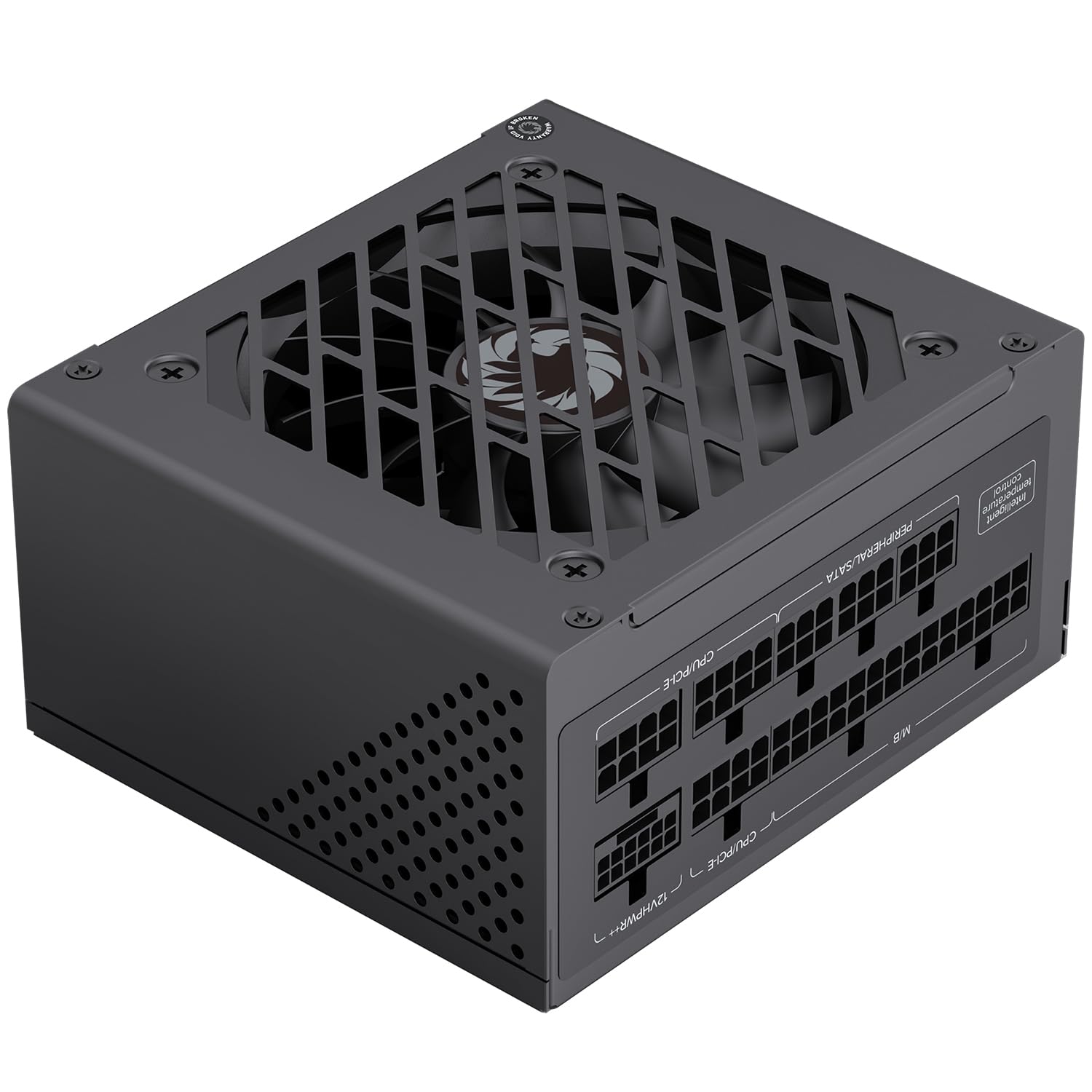
Àwòrán 1: Gbogbogbòò view of the GAMEMAX SFX 650W Full Modular Power Supply (GS-650G).
2. Alaye Aabo
Please read and understand all safety instructions before installing or operating the power supply. Failure to do so may result in personal injury or damage to your equipment.
- Máa yọ okùn agbára kúrò nínú ihò ògiri kí o tó fi sori ẹ̀rọ, yọ kúrò, tàbí nu ìpèsè agbára náà.
- Maṣe ṣii ipese agbara casing. Iwọn gigatages wa ni inu, ati pe ko si awọn ẹya iṣẹ olumulo. Ṣiṣii ẹrọ naa yoo sọ atilẹyin ọja di ofo.
- Ensure the power supply is installed in a well-ventilated area, free from excessive heat, humidity, or dust.
- Lo awọn kebulu modulu nikan ti a pese pẹlu ipese agbara yii. Lilo awọn kebulu ti ko ni ibamu le fa ibajẹ si PSU tabi awọn paati ti a ti sopọ.
- Connect the power supply to a grounded electrical outlet.
- Avoid placing objects on the power supply or blocking its ventilation openings.
3. Package Awọn akoonu
Jẹrisi pe gbogbo awọn ohun kan wa ninu package:
- GAMEMAX SFX 650W Full Modular Power Supply (GS-650G)
- Modular Cable Set (24-pin ATX, 8-pin CPU, PCIe, SATA, IDE)
- AC Agbara okun
- Iṣagbesori skru
- Afowoyi Olumulo (iwe-ipamọ yii)
4. Itọsọna fifi sori ẹrọ
4.1 Fifi sori ti ara
- Ensure your computer is powered off and the power cord is disconnected from the wall outlet.
- Ṣii apoti kọnputa rẹ.
- Locate the SFX power supply mounting area in your case.
- Carefully slide the GAMEMAX GS-650G PSU into the designated slot.
- Ṣe aabo ipese agbara si ọran naa nipa lilo awọn skru iṣagbesori ti a pese.
4.2 Asopọ USB
The full modular design allows you to connect only the cables necessary for your system, reducing clutter and improving airflow. Refer to your motherboard and component manuals for specific connection points.
- Okùn Modabọọdu ATX pin 24: Connects to the main power connector on your motherboard.
- 8-pin (4+4-pin) CPU Cable: Connects to the CPU power connector on your motherboard.
- PCIe Cables (6+2-pin): Connects to graphics cards requiring PCIe power. This PSU is PCIe 5.0 ready.
- Awọn okun SATA: Connects to SATA devices such as SSDs, HDDs, and optical drives.
- IDE/Molex Cables: Connects to older peripherals or case fans.

Figure 2: Diagram illustrating the various modular cables and their approximate lengths.

Figure 3: The power supply is designed to be ATX 3.1 and PCIe 5.1 ready, supporting modern components.
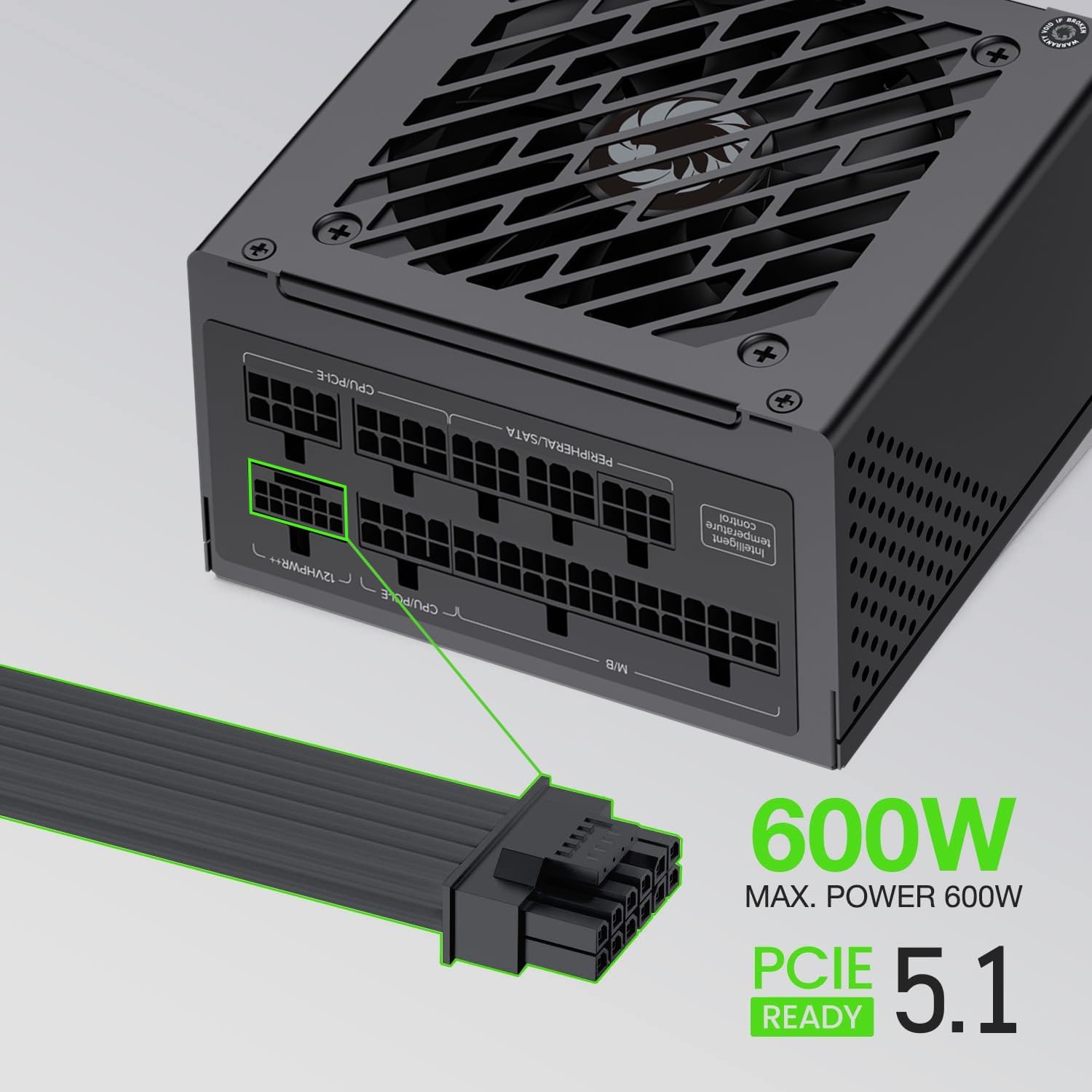
Figure 4: The power supply supports up to 600W maximum power for PCIe 5.1 connections.
5. Isẹ
5.1 Ibẹrẹ Agbara-On
- After all components are securely connected, ensure the power switch on the back of the PSU is in the 'OFF' (0) position.
- Connect the AC power cord to the PSU and then to a grounded wall outlet.
- Flip the power switch on the PSU to the 'ON' (I) position.
- Tẹ bọtini agbara lori ọran kọnputa lati bẹrẹ eto rẹ.
5.2 Isẹ deede
During normal operation, the GAMEMAX GS-650G power supply will provide stable power to your system. The FDB fan is designed to operate quietly, adjusting its speed based on the internal temperature to maintain optimal cooling without excessive noise.

Figure 5: The power supply features an excellent cooling fan for efficient heat dissipation.
5.3 Idaabobo Awọn ẹya ara ẹrọ
The GAMEMAX GS-650G is equipped with multiple protection circuits to safeguard your system:
- OVP (Lori-Voltage Idaabobo): Shuts down the PSU if output voltages exceed a safe level.
- UVP (Lábẹ́ Vol)tage Idaabobo): Shuts down the PSU if output voltages drop below a safe level.
- OPP (Aabo Agbara Ju): Shuts down the PSU if the total power draw exceeds its maximum capacity.
- SCP (Ààbò Ayíká Kúkúrú): Shuts down the PSU in case of a short circuit on any output rail.
- OCP (Ààbò tó ń ṣẹ́kù lọ́wọ́lọ́wọ́): Shuts down the PSU if current on a single output rail exceeds a safe level.
- OTP (Aabo Oru Ju Lo): A máa pa PSU tí ìwọ̀n otútù inú bá ga jù.
6. Itọju
Itọju to dara ṣe idaniloju gigun ati iṣẹ ti o dara julọ ti ipese agbara rẹ.
- Yiyọ eruku kuro: Periodically clean the exterior of the power supply and its fan grille using compressed air to prevent dust buildup. Ensure the system is powered off and unplugged before cleaning.
- Iṣakoso USB: Ensure cables are neatly routed and do not obstruct airflow within the case.
- Awọn ipo Ayika: Ṣiṣẹ PSU laarin iwọn otutu ati ọriniinitutu ti a ṣeduro lati dena ibajẹ ti o to.
7. Laasigbotitusita
Ti o ba pade awọn ọran pẹlu ipese agbara rẹ, tọka si awọn igbesẹ laasigbotitusita ti o wọpọ wọnyi:
- Ko si Agbara:
- Check if the AC power cord is securely connected to both the PSU and the wall outlet.
- Rí i dájú pé ẹ̀rọ ìyípadà agbára tó wà lẹ́yìn PSU wà ní ipò 'ON' (I).
- Rí i dájú pé ibi tí a ti ń tà á ní ògiri náà ń ṣiṣẹ́ nípa fífi ẹ̀rọ mìíràn sí i.
- Confirm all modular cables are correctly and firmly seated in both the PSU and the components.
- Ètò ti pa láìròtẹ́lẹ̀:
- This could indicate an activation of one of the PSU's protection features (OVP, OPP, OTP). Ensure adequate ventilation and that your system's power draw does not exceed the PSU's capacity.
- Ṣayẹwo fun eyikeyi alaimuṣinṣin USB awọn isopọ.
- Ariwo Dani:
- Ensure no cables are obstructing the PSU fan.
- Clean any dust buildup from the fan and grille.
If problems persist after performing these steps, please contact customer support.
8. Imọ ni pato
| Ẹya ara ẹrọ | Sipesifikesonu |
|---|---|
| Brand | GAMEMAX |
| Awoṣe | GS-650G |
| Fọọmù ifosiwewe | SFX |
| Ijade Wattage | 650 Wattis |
| Ijẹrisi ṣiṣe | 80 Plus Gold |
| Modularity | Modulu ni kikun |
| Ọna Itutu | Air (FDB Fan) |
| Olufẹ kika | 1 |
| Awọn agbara agbara | Main Japanese 105°C, Solid Capacitors |
| Iṣagbewọle Voltage | 100-120 Volts (AC) |
| Awọn ẹrọ ibaramu | Desktop Computer, High-end Graphics Cards, Small Form Factor Cases |
| Idaabobo Awọn ẹya ara ẹrọ | OVP, UVP, OPP, SCP, OCP, OTP |
| Iwọn Nkan | 1.7 kilo |

Figure 6: Efficiency curve demonstrating 80 Plus Gold certification performance.
9. atilẹyin ọja Information
GAMEMAX products are manufactured to the highest quality standards. This power supply is covered by a limited warranty from the date of purchase. Please refer to the official GAMEMAX website or your retailer for specific warranty terms and conditions, as these may vary by region.
Keep your proof of purchase (receipt or invoice) for warranty claims.
10. Onibara Support
For technical assistance, product inquiries, or warranty support, please contact GAMEMAX customer service through their official channels.
- Visit the official GAMEMAX webaaye fun awọn orisun atilẹyin, Awọn ibeere FAQ, ati alaye olubasọrọ.
- O tun le ṣàbẹwò awọn GAMEMAX Store on Amazon fun afikun ọja alaye.