
1. Ifihan
This manual provides essential information and instructions for the proper use and maintenance of your Casio G-Shock GMDB300-1 Step Tracker Digital Watch. Please read this manual thoroughly before using the watch to ensure optimal performance and longevity.
The Casio G-Shock GMDB300-1 is designed as a robust sports-oriented timepiece, featuring a step tracker and smartphone connectivity to support an active lifestyle. Its key resin components, including the case, bezel, and band, are crafted from bio-based resin, reflecting a commitment to environmental responsibility.

Image 1: The Casio G-Shock GMDB300-1 Step Tracker Digital Watch in black with light blue accents.
2. Eto
2.1 Eto Agbára-Lílo àti Àkókò Àkọ́kọ́
Upon first use or after a battery change, the watch may require initial setup. Follow these steps:
- Ensure the watch is exposed to light to charge the solar battery.
- Tẹ mọlẹ ṢAtunṣe button (top left) until the city code starts flashing.
- Lo awọn MODE (bottom left) and BERE (bottom right) buttons to select your home city code.
- Tẹ ṢAtunṣe again to confirm and exit the setting mode. The time will automatically adjust based on the selected city.
2.2 Smartphone Link Setup
The GMDB300-1 can be linked with a smartphone for enhanced functionality and data management.
- Download the official Casio G-SHOCK Connected app from your smartphone's app store.
- Mu Bluetooth ṣiṣẹ lori foonuiyara rẹ.
- Nígbà tí o bá ń ṣọ́, tẹ kí o sì di í mú SO button (middle left) until the Bluetooth icon appears and flashes.
- Open the G-SHOCK Connected app and follow the on-screen instructions to pair your watch.
- Once paired, the watch time will synchronize with your smartphone, and tracked data can be managed within the app.
3. Awọn ilana Iṣiṣẹ
3.1 Àwọn Ọ̀nà Ìlọ kiri
Tẹ awọn MODE button (bottom left) to cycle through the different watch modes:
- Ipo Itọju akoko: Ṣe afihan akoko lọwọlọwọ, ọjọ, ati ọjọ ti ọsẹ.
- Step Tracker Mode: Shows daily step count and progress towards goals.
- Ipo Aago iṣẹju-aaya: Fun wiwọn akoko ti o ti kọja.
- Ipo aago: A kika aago iṣẹ.
- Ipo Itaniji: Set and manage daily alarms.
- Ipo Aago Agbaye: View igba ni orisirisi awọn agbegbe aago.
3.2 Step Tracker Function
The built-in accelerometer automatically counts your steps. The watch displays your total daily steps and progress towards a set goal. Detailed activity logs can be viewed via the G-SHOCK Connected app.
- In Step Tracker Mode, press BERE (bottom right) to view daily step data.
- Lo awọn MODE ati BERE buttons to navigate through different step data views (e.g., daily, weekly, monthly).
3.3 Backlight (Illuminator)
Tẹ awọn Imọlẹ button (bottom center) to illuminate the display for easy reading in low-light conditions. The illumination duration can be configured in the watch settings or via the smartphone app.

Aworan 2: alaye view of the Casio G-Shock GMDB300-1 watch face, highlighting its digital display and various indicators.
4. Key Awọn ẹya ara ẹrọ
- Bio-based Resin Construction: The watch incorporates bio-based resin in its case, bezel, and band, contributing to reduced environmental impact. This material maintains the renowned G-SHOCK durability and shock resistance.
- Ọna asopọ Foonuiyara: Seamlessly connect your watch to the G-SHOCK Connected app on your smartphone via Bluetooth. This allows for automatic time adjustment, easy watch setting configuration, and management of life log data, including step counts and calorie burn.
- Olutọpa Igbesẹ: An integrated 3-axis accelerometer accurately counts your steps throughout the day. Set daily step goals and monitor your progress directly on the watch display or through the connected app.
- Omi Resistance 200-Mita: Designed for robust use, the watch is water-resistant up to 200 meters, making it suitable for swimming, snorkeling, and other water activities.
- Resistance Shock: True to its G-SHOCK heritage, the GMDB300-1 features a shock-resistant structure that protects against impacts and vibrations, ensuring reliability in demanding environments.
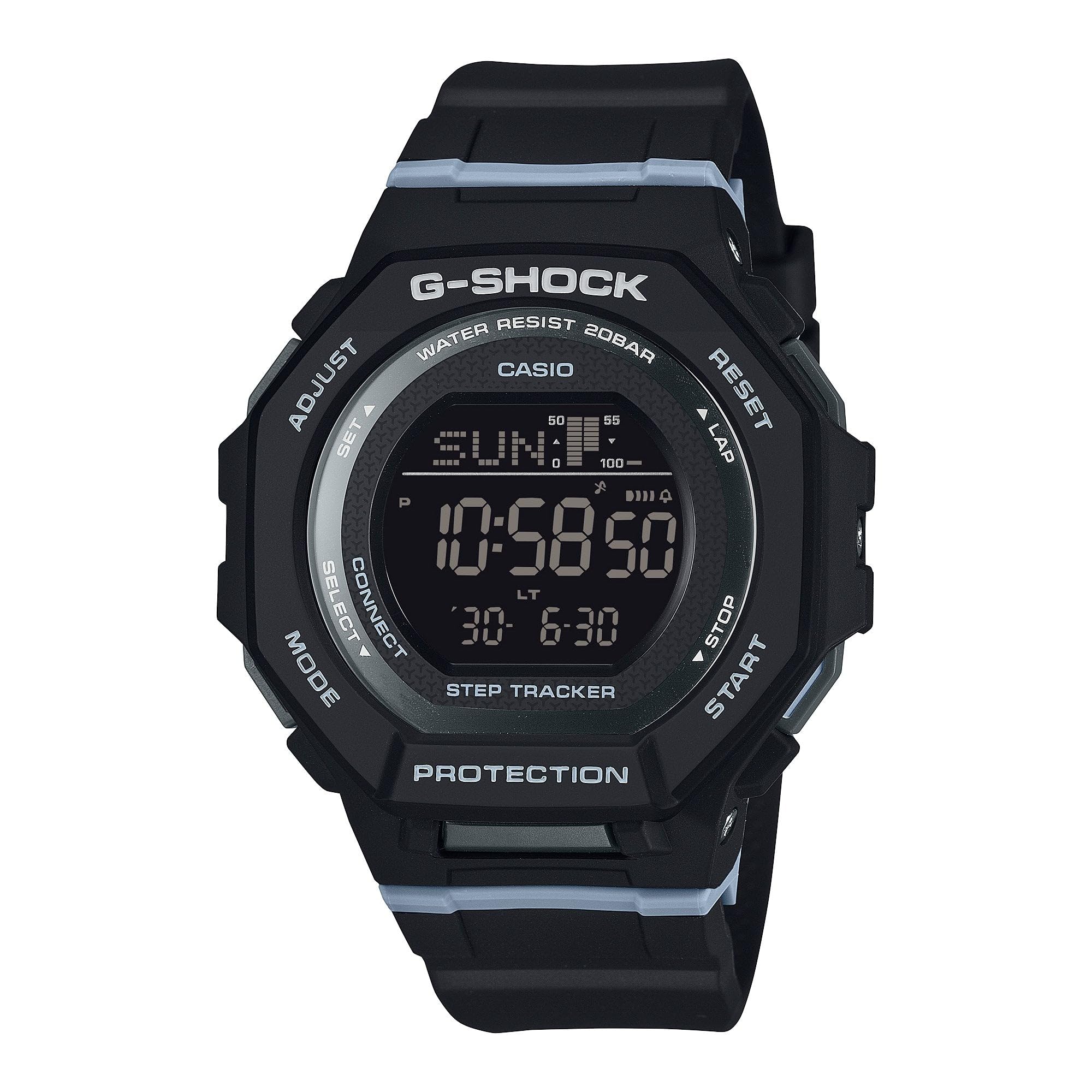
Image 3: The Casio G-Shock GMDB300-1 watch worn by an individual, showcasing awọn oniwe-apẹrẹ ati fit.
5. Itọju
5.1 Ninu rẹ Watch
Láti máa rí ìrísí àti iṣẹ́ aago rẹ:
- Mu aago naa nu pẹlu asọ ti o tutu, ti o gbẹ lati yọ idoti ati ọrinrin kuro.
- Fun idoti agidi, lo asọ rirọ dampened pẹlu omi ati ki o kan ìwọnba didoju detergent. Yago fun awọn kẹmika ti o lewu tabi awọn nkanmimu.
- Lẹhin ifihan si omi iyọ, fi omi ṣan aago naa daradara pẹlu omi titun ati ki o gbẹ patapata.
5.2 Omi Resistance Awọn iṣọra
While water-resistant, observe the following:
- Do not operate watch buttons while submerged in water.
- Avoid exposing the watch to hot water or steam, as this can damage seals.
- If the watch is exposed to extreme temperature changes, condensation may appear inside the crystal. This should clear up quickly. If it persists, consult an authorized service center.
5.3 Battery Charging (Solar Powered)
This watch is equipped with a solar charging system. Ensure regular exposure to light to keep the battery charged. Avoid prolonged storage in dark places.
- Place the watch where its face is exposed to bright light.
- The charging time varies depending on the light intensity.
- Refer to the battery level indicator on the display to monitor charge status.
6. Laasigbotitusita
6.1 Akoko ko tọ
- Ṣayẹwo Eto Ilu Ilu: Ensure your home city is correctly set. Incorrect city settings can lead to incorrect time display.
- Ọna asopọ Foonuiyara: Verify that the watch is successfully paired and connected to the G-SHOCK Connected app for automatic time synchronization.
- Atunṣe Afọwọṣe: If automatic adjustment fails, manually set the time and date as described in the
Ask a question about this manual
Ask about setup, troubleshooting, compatibility, parts, safety, or missing instructions. Manuals+ will review the question and use this page’s manual context to help answer it.