1. Ifihan
Thank you for choosing the CPTEA A18 Trucker Bluetooth Headset. This manual provides detailed instructions for the proper use, setup, and maintenance of your headset. Please read this manual thoroughly before using the product to ensure optimal performance and longevity.
The CPTEA A18 headset is designed for clear communication in various environments, featuring advanced noise-cancelling technology, long battery life, and comfortable wear for extended periods.
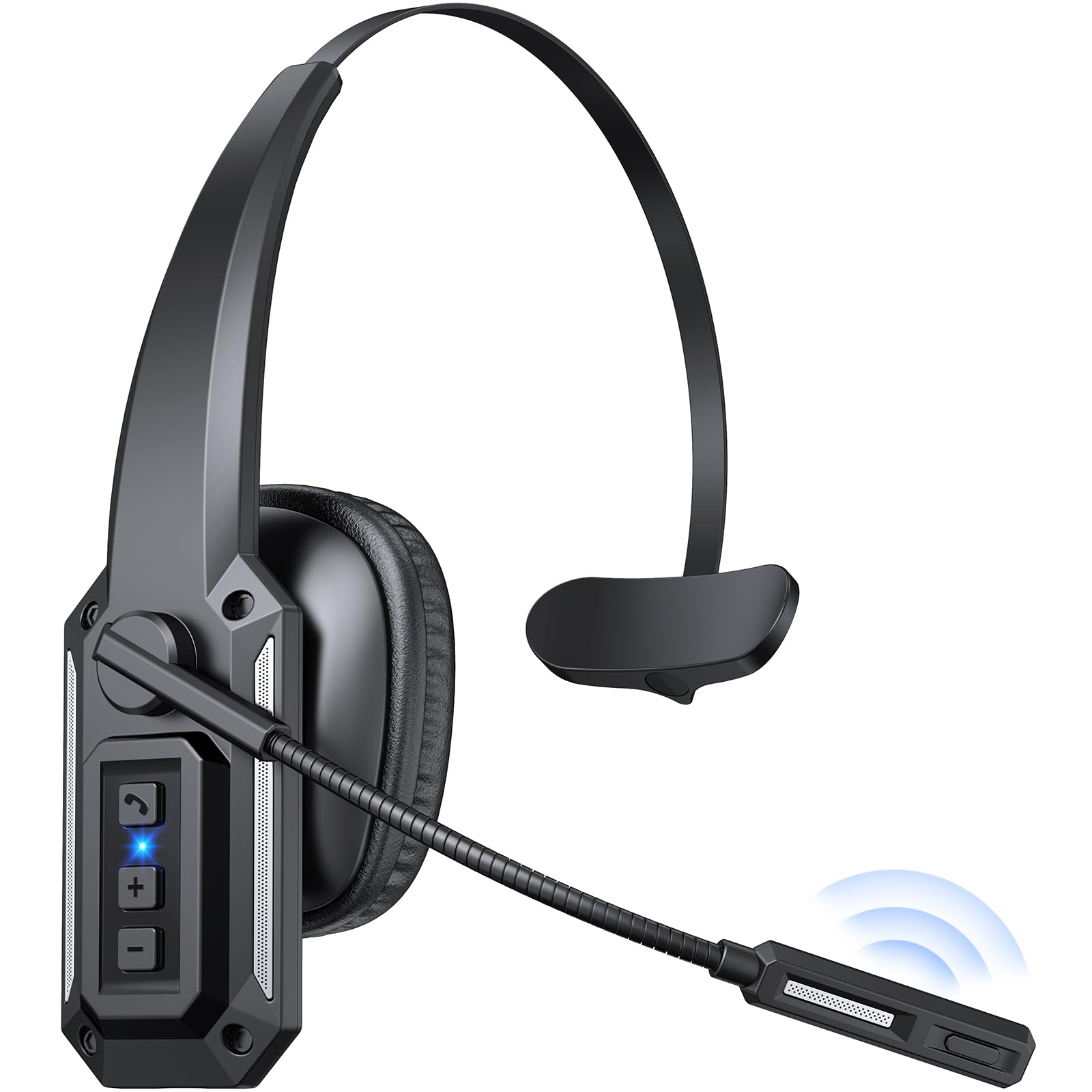
Image: The CPTEA A18 Trucker Bluetooth Headset, a wireless headset designed for clear communication.
2. Package Awọn akoonu
Daju pe gbogbo awọn nkan wa ninu apo rẹ:
- CPTEA A18 Bluetooth Headset
- USB Iru-C Ngba agbara USB
- Itọsọna olumulo
Video: Unboxing and initial setup of the CPTEA A18 Bluetooth Headset, showing the contents of the package and basic handling.
3. Ọja Ipariview
3.1 Agbekọri Awọn ẹya ara ẹrọ
- Ariwo-Fagilee Gbohungbohun: Reduces background noise by 98% for clear calls.
- Ohùn Crystal-Clear: 40mm drivers deliver rich sound for calls and media.
- Igbesi aye batiri gigun: Up to 60 hours of listening or 36 hours of talk time.
- Asopọ-Ẹrọ Meji: Connects to two devices simultaneously via Bluetooth multipoint.
- Ibiti Alailowaya ti o gbooro sii: Titi di mita 20 (ẹsẹ 65) fun ominira gbigbe.
- Rotatable Boom Mic: 270° rotation allows use on either left or right ear.
- Bọtini Mute: Conveniently mute your microphone during calls.
- Apẹrẹ itunu: Lightweight (9.1 oz) with soft ear cushions and an adjustable headband.
3.2 Awọn iṣakoso ati awọn Atọka
Familiarize yourself with the buttons and indicators on your headset:
- Agbara Yi pada: Slide to turn the headset ON/OFF.
- Iwọn didun Soke/Bọtini orin atẹle: Tẹ lati mu iwọn didun pọ si, dimu fun orin atẹle.
- Iwọn didun isalẹ/Bọtini orin ti iṣaaju: Tẹ lati dinku iwọn didun, dimu fun orin ti tẹlẹ.
- Bọtini iṣẹ-ọpọlọpọ (MFB): Tan/pa, mu ṣiṣẹ/da duro, dahun/pa awọn ipe, mu oluranlọwọ ohun ṣiṣẹ.
- Bọtini Mute: Located on the microphone boom, press to mute/unmute the microphone.
- Atọka LED: Displays power, pairing, and connection status.
- Ibudo Ngba agbara USB-C: Fun gbigba agbara agbekari.

Image: The mute button is located on the microphone boom for quick access during calls.

Image: The headset features a 360° rotatable microphone, 45mm adjustable headband, and ±10° ear cup rotation for maximum comfort.
4. Eto
4.1 Gbigba agbara akọkọ
Before first use, fully charge your headset. Connect the USB Type-C charging cable to the headset's charging port and a compatible USB power source. The LED indicator will show charging status and turn off when fully charged.
4.2 Titan / Pa a
- Agbara Tan: Slide the power button to the ON position. The blue light will stay on for 1 second, then red and blue lights will flash alternately, indicating pairing mode.
- Agbara Pa: Slide the power button to the OFF position. The red indicator light flashes 3 times.
4.3 Sisopọ Bluetooth
To pair your CPTEA A18 headset with a device:
- Rii daju pe agbekari ti ni agbara ni pipa.
- Slide the power button to the ON position. The headset will automatically enter pairing mode for the first time, indicated by alternating red and blue LED flashes.
- Lórí ẹ̀rọ rẹ (fóònù alágbékalẹ̀, kọ̀ǹpútà alágbèéká, tablet), mu Bluetooth ṣiṣẹ́ kí o sì wá àwọn ẹ̀rọ tó wà.
- Select "A18" from the list of available devices.
- Once connected, the LED indicator will flash blue once every 8 seconds, and you will hear a "Connected" voice prompt.
If no connection is made within 5 minutes, the headset will automatically shut down. To re-enter pairing mode, power off and then power on the headset again.
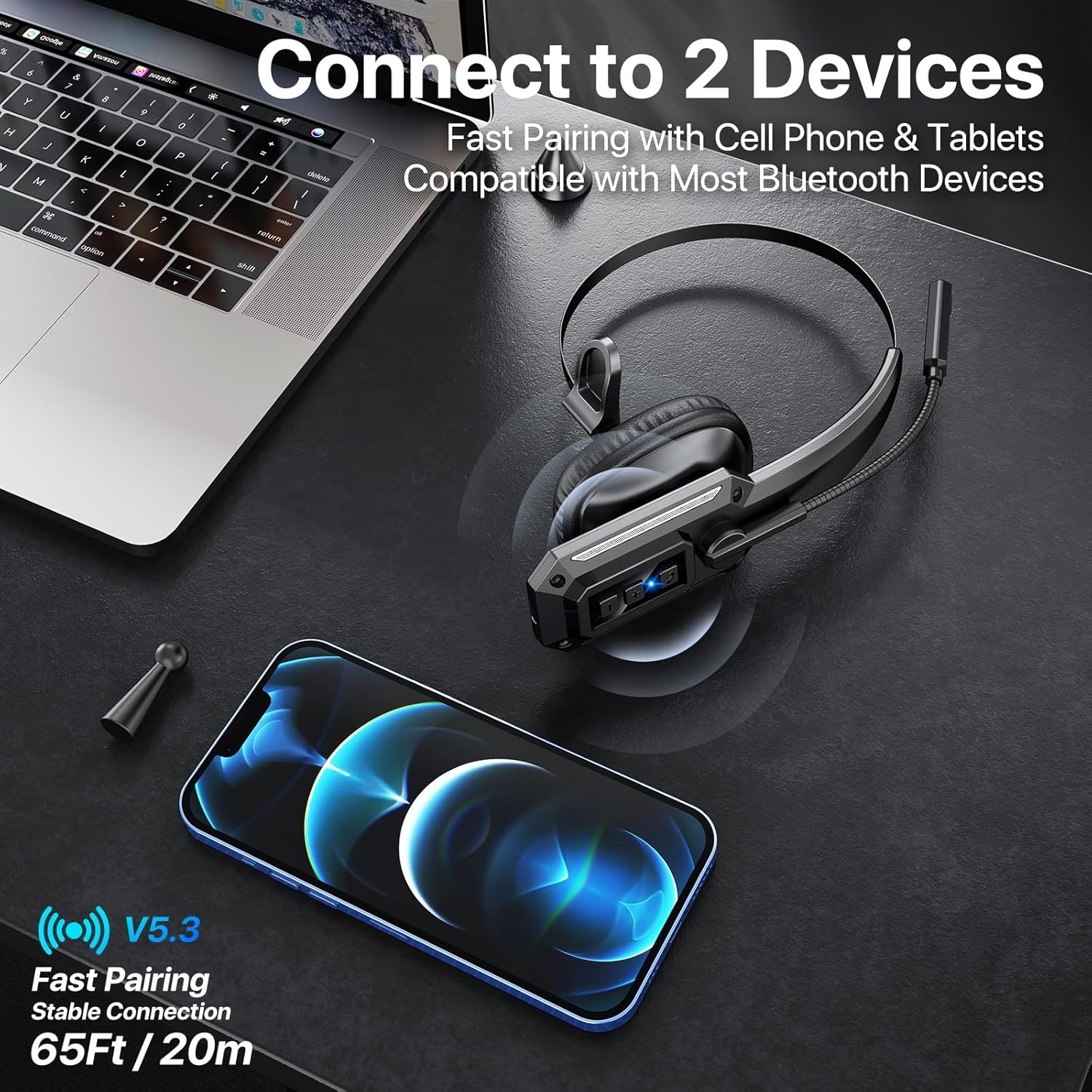
Image: The headset supports dual-device connection, allowing simultaneous pairing with a phone and another device like a laptop.
4.4 Connecting to Two Devices (Multipoint)
The A18 headset supports Bluetooth multipoint, allowing connection to two devices simultaneously:
- Pair the headset with the first device as described in Section 4.3.
- Disable Bluetooth on the first device. The headset will re-enter pairing mode.
- Pa agbekari pọ pẹlu ẹrọ keji.
- Re-enable Bluetooth on the first device. The headset should automatically connect to both devices.
You can now receive calls from either device and switch audio sources as needed.
5. Awọn ilana Iṣiṣẹ
5.1 ipe Management
- Idahun/Ipe Ipari: Tẹ MFB lẹẹkan.
- Kọ Ipe: Tẹ mọlẹ MFB fun iṣẹju-aaya 2.
- Nọmba Ikẹhin Tun Tun: Tẹ MFB lẹẹmeji.
- Pa ẹ / Mu Gbohungbohun dakẹ: Press the dedicated mute button on the microphone boom.

Image: The noise-cancelling microphone ensures clear calls even in noisy environments, as depicted by the sound wave comparison.
5.2 Sisisẹsẹhin Orin
- Ṣiṣẹ/Daduro: Tẹ MFB lẹẹkan.
- Orin t’okan: Tẹ mọlẹ bọtini Iwọn didun Up.
- Tẹlẹ Orin: Tẹ mọlẹ bọtini Iwọn didun isalẹ.
5.3 Iṣakoso iwọn didun
- Mu iwọn didun pọ si: Tẹ bọtini Iwọn didun Up.
- Din iwọn didun silẹ: Tẹ bọtini Iwọn didun isalẹ.
5.4 Iranlọwọ ohun
- Mu Oluranlọwọ Ohun ṣiṣẹ (Siri/Oluranlọwọ Google): Tẹ MFB lẹẹmẹta.
6. Gbigba agbara
The CPTEA A18 headset is equipped with a 350mAh battery, providing extended usage time. To charge the headset:
- Connect the provided USB Type-C cable to the charging port on the headset.
- So opin miiran ti okun USB pọ si 5V/1A ohun ti nmu badọgba agbara USB (ko si) tabi ibudo USB ti kọnputa kan.
- The LED indicator will show a red light during charging.
- Ni kete ti o ba ti gba agbara ni kikun (iwọn wakati 3), ina pupa yoo wa ni pipa.
A full charge provides up to 60 hours of music playback or 36 hours of talk time, with a standby time of over 90 days.

Image: Visual representation of the headset's impressive battery life, including 90 days standby, 60 hours music, 36 hours talk time, and 3 hours charging time.
7. Itọju
To ensure the longevity and optimal performance of your CPTEA A18 headset, follow these maintenance guidelines:
- Ninu: Use a soft, dry cloth to clean the headset. Do not use abrasive cleaners, solvents, or harsh chemicals.
- Ibi ipamọ: Tọju agbekari naa ni itura, aye gbigbẹ kuro lati orun taara ati awọn iwọn otutu to gaju.
- Yago fun Ọrinrin: The headset is not water-resistant. Avoid exposure to water, rain, or excessive humidity.
- Mu pẹlu Itọju: Do not drop, bend, or apply excessive force to the headset or its components, especially the microphone boom.
- Gbigba agbara: Use only the provided USB Type-C cable for charging. Avoid overcharging the battery.
8. Laasigbotitusita
Ti o ba pade awọn ọran pẹlu agbekari rẹ, tọka si awọn iṣoro ti o wọpọ ati awọn ojutu wọnyi:
| Isoro | Owun to le Fa | Ojutu |
|---|---|---|
| Agbekọri ko ni agbara. | Batiri kekere. | Gba agbara si agbekari ni kikun. |
| Ko le so pọ pẹlu ẹrọ. | Bluetooth ti wa ni pipa lori ẹrọ; agbekọri ko si ni ipo isopo; o jinna ju si ẹrọ naa. | Ensure Bluetooth is enabled on your device. Power off and on the headset to enter pairing mode. Move the headset closer to your device (within 20 meters). |
| Ko si ohun tabi iwọn kekere. | Volume too low; incorrect audio output selected; headset not connected. | Increase volume on both headset and device. Check device's audio settings to ensure "A18" is selected as output. Reconnect the headset. |
| Gbohungbohun ko ṣiṣẹ. | Microphone is muted; incorrect input device selected. | Press the mute button to unmute. Check device's audio settings to ensure "A18" is selected as input. |
| Asopọ silẹ nigbagbogbo. | Kò sí ní ìpele tó yẹ; ìdènà; bátìrì kékeré. | Move closer to the connected device. Avoid strong electromagnetic interference. Charge the headset. |
Fun iranlọwọ siwaju, jọwọ kan si atilẹyin alabara.
9. Awọn pato
| Ẹya ara ẹrọ | Ẹ̀kúnrẹ́rẹ́ |
|---|---|
| Orukọ awoṣe | A18 |
| Brand | CPTEA |
| Asopọmọra Technology | Ailokun (Bluetooth 5.3) |
| Bluetooth Ibiti | Titi de awọn mita 20 (65 ẹsẹ) |
| Ariwo Iṣakoso | Hybrid Noise Cancellation (Microphone) |
| Audio Driver Iwon | 40 millimeters |
| Igbesi aye batiri (Aago Ọrọ) | Titi di awọn wakati 36 |
| Ìgbésí Ayé Bátìrì (Àkókò Orin) | Titi di awọn wakati 60 |
| Akoko Iduro | Over 90 Days |
| Akoko gbigba agbara | O fẹrẹ to awọn wakati 3 |
| Gbigba agbara Port | USB Iru-C |
| Iwọn Nkan | 9.1 iwon (0.26 kilo) |
| Ohun elo | Ṣiṣu |
| Awọn ẹrọ ibaramu | Awọn foonu alagbeka, Kọǹpútà alágbèéká, Awọn tabulẹti |
| Awọn irinše to wa | Bluetooth Headset, USB Cable, User Manual |
10. Atilẹyin ọja ati Support
10.1 Atilẹyin ọja
The CPTEA A18 Trucker Bluetooth Headset comes with a 2-odun atilẹyin ọja. This warranty covers manufacturing defects and malfunctions under normal use. Please register your product within 7 days of purchase to activate the warranty. For warranty claims, proof of purchase is required.
The warranty provides for a replacement for damaged or defective products. If Amazon's return window is closed, you do not need to return the original item for a replacement.
Ṣayẹwo koodu QR ni isalẹ tabi ṣabẹwo www.cptea.net lati mu atilẹyin ọja rẹ ṣiṣẹ.

Image: CPTEA brand logo.
10.2 Onibara Support
If you have any questions, concerns, or require technical assistance, please contact our customer service team:
- Imeeli: support@cptea.net
- Webojula: www.cptea.net
Please provide your order information when contacting support for faster service.