
Ọrọ Iṣaaju
Thank you for choosing the OnePlus Nord Buds 3 Pro wireless earbuds. These earbuds are designed to provide an immersive audio experience with features like Hybrid Active Noise Cancellation, deep bass, and extended battery life. This manual provides detailed instructions for setting up, operating, maintaining, and troubleshooting your device to ensure optimal performance.
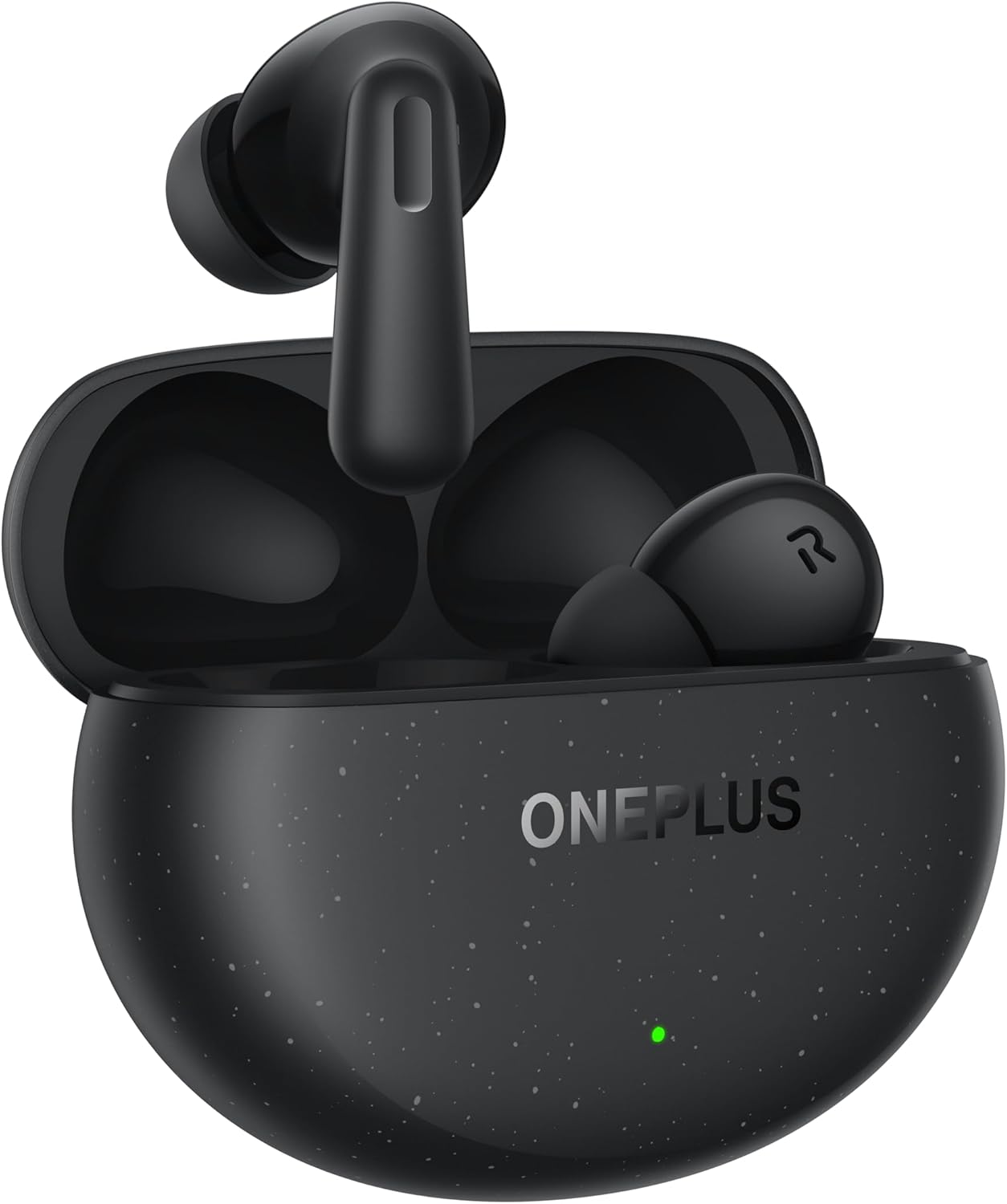
Image: The OnePlus Nord Buds 3 Pro earbuds, in Starry Black, are shown inside their open charging case. The case has a speckled finish and the OnePlus logo. A small green LED indicator is visible on the front of the case.
Ohun ti o wa ninu Apoti
Carefully unpack your OnePlus Nord Buds 3 Pro and ensure all items are present:
- OnePlus Nord Buds 3 Pro earbuds (1 pair)
- OnePlus Nord Buds 3 Pro charging case (1 unit)
- Silicon eartips (3 pairs: S, M, L)
- USB Type-C charging cable (1 unit)
- User guide (1 unit)
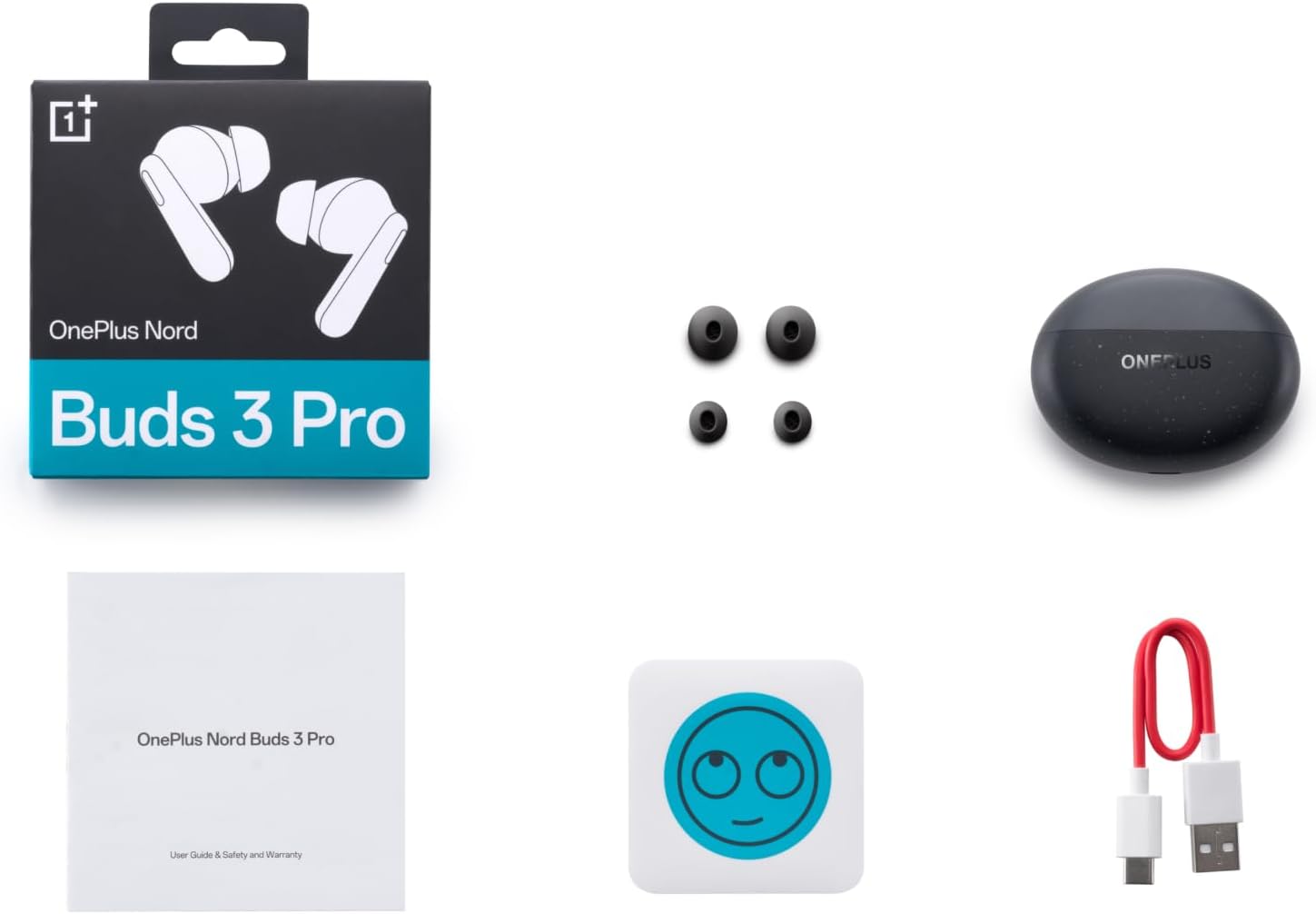
Image: A flat lay of the OnePlus Nord Buds 3 Pro package contents, including the retail box, the charging case, three pairs of silicone eartips, a USB Type-C charging cable, and the user guide.
Ṣeto
1. Gbigba agbara akọkọ
Kí o tó lo ó fún ìgbà àkọ́kọ́, gba agbára lórí àwọn ètí ìgbọ́rọ̀ àti àpótí ìgbówó náà. So okùn USB Type-C tí a pèsè mọ́ ibi ìgbówó lórí àpótí náà àti orísun agbára kan. Ìmọ́lẹ̀ àmì tí ó wà lórí àpótí náà yóò fi ipò agbára hàn.
2. Sisopọ pẹlu Ẹrọ Rẹ
- Rii daju pe awọn afikọti wa ninu apoti gbigba agbara ati pe ideri ọran wa ni sisi.
- Press and hold the function button on the charging case for 2 seconds until the indicator light flashes white, indicating pairing mode.
- On your device (smartphone, tablet, etc.), go to Bluetooth settings and select "OnePlus Nord Buds 3 Pro" from the list of available devices.
- For Android devices, the earbuds support Google Fast Pair for quick connection. Simply open the case near your Android device and follow the on-screen prompts.

Image: A person holding a OnePlus Nord Buds 3 Pro charging case and a smartphone. The smartphone screen displays a prompt for Google Fast Pair, showing the earbuds ready to connect, illustrating the pairing process.
3. HeyMelody App
For enhanced features and customization, download the HeyMelody app from your device's app store. The app allows you to manage settings, update firmware, and locate your earbuds.
Awọn ilana Iṣiṣẹ
Awọn iṣakoso ifọwọkan
The OnePlus Nord Buds 3 Pro feature intuitive touch controls on each earbud. Default controls are as follows, but can often be customized via the HeyMelody app:
- Tẹ ni kia kia Mu orin ṣiṣẹ/Daduro, Dahun/Pari ipe.
- Tẹ lẹẹmeji: Orin t'okan, Kọ ipe.
- Meteta Tẹ ni kia kia: Ti tẹlẹ orin.
- Press and Hold (1 second): Yípadà láàrín Ìfàsẹ́yìn Active Noise Fagilé (ANC) àti Ìpo Àfihàn.
Ifagile Ariwo ti nṣiṣe lọwọ (ANC) ati Ipo akoyawo
The earbuds offer Hybrid Active Noise Cancellation up to 49dB to minimize ambient noise. Transparency mode allows you to hear your surroundings without removing the earbuds. Toggle between these modes by pressing and holding the earbud touch area.

Image: An infographic detailing key features of the OnePlus Nord Buds 3 Pro, including up to 44 hours listening time, 49dB Hybrid Active Noise Cancellation, 12.4mm Titanized Diaphragm, and Basswave 2.0 technology.
Didara ohun
Equipped with a 12.4mm titanium-coated diaphragm and Basswave 2.0 technology, the Nord Buds 3 Pro deliver rich bass, clear vocals, and an immersive sound experience.
Batiri ati Ngba agbara
- Igbesi aye batiri Earbud: Up to 44 hours with ANC off, up to 20 hours with ANC on (including charging case).
- Gbigba agbara kiakia: 10 minutes of charging provides up to 11 hours of playtime.
- Ngba agbara: Recharge the case using the provided USB Type-C cable.
Itoju
- Ninu: Mọ awọn afikọti nigbagbogbo ati apoti gbigba agbara pẹlu asọ ti o gbẹ, asọ ti ko ni lint. Maṣe lo awọn kẹmika lile tabi awọn ohun elo abrasive.
- Awọn ohun-ọṣọ: Remove and clean the silicone eartips with water and mild soap if necessary. Ensure they are completely dry before reattaching.
- Awọn olubasọrọ gbigba agbara: Keep the charging contacts on both the earbuds and inside the case clean and free of debris to ensure proper charging.
- Ibi ipamọ: Nigbati o ko ba si ni lilo, tọju awọn afikọti sinu apoti gbigba agbara wọn lati daabobo wọn ki o jẹ ki wọn gba agbara. Yago fun awọn iwọn otutu to gaju.
Laasigbotitusita
Awọn agbekọri ti ko so pọ tabi so pọ:
- Rii daju pe awọn agbekọri ti gba agbara.
- Place earbuds in the case, close the lid, then open it again to re-enter pairing mode.
- Ṣayẹwo awọn eto Bluetooth ti ẹrọ rẹ ki o rii daju pe Bluetooth ti ṣiṣẹ.
- Gbìyànjú láti gbàgbé ẹ̀rọ náà nínú ètò Bluetooth rẹ kí o sì tún so ó pọ̀ mọ́ ara wọn.
- Tun ẹrọ rẹ bẹrẹ.
Ko si ohun tabi didara ohun ti ko dara:
- Ṣayẹwo ipele iwọn didun lori ẹrọ rẹ mejeeji ati awọn agbekọri.
- Ensure the earbuds are properly seated in your ears and the correct size eartips are used.
- Nu gbogbo idoti kuro ninu awọn agbọrọsọ eti ati awọn olubasọrọ gbigba agbara.
- Sunmọ ẹrọ ti o sopọ lati yago fun kikọlu.
Ekọti ko gba agbara:
- Rii daju pe okun gbigba agbara ti sopọ ni aabo si ọran mejeeji ati orisun agbara.
- Daju pe orisun agbara n ṣiṣẹ.
- Nu awọn olubasọrọ gbigba agbara kuro lori mejeeji agbekọri ati inu ọran naa.
Awọn pato
| Ẹya ara ẹrọ | Ẹ̀kúnrẹ́rẹ́ |
|---|---|
| Orukọ awoṣe | Nord Buds 3 Pro (E511A) |
| Brand | OnePlus |
| Asopọmọra Technology | Bluetooth |
| Ẹya Bluetooth | 5.4 |
| Ariwo Iṣakoso | Ifagile Ariwo Nṣiṣẹ Arabara (to 49dB) |
| Awakọ Iwon | 12.4mm Titanized Diaphragm |
| Iwọn Igbohunsafẹfẹ | 20 Hz - 20,000 Hz |
| Ifamọ | 38 dB |
| Ipalara | 32 ohm |
| Ìgbésí Ayé Bátìrì (Earbuds + Páìlì) | Titi di wakati 44 (ANC kuro), Titi di wakati 20 (ANC titan) |
| Dekun Gbigba | Awọn iṣẹju 10 gba agbara fun wakati 11 akoko ere |
| Ngba agbara Interface | USB Iru-C |
| Gbigbe Eti | Ninu Eti |
| Iwọn Nkan | 3.52 iwon (0.1 kilo) |
| Ọja Mefa | 1.09 x 0.92 x 0.82 inches |
Atilẹyin ọja ati Support
The OnePlus Nord Buds 3 Pro are covered by a limited warranty. Please refer to the warranty card included in your package for specific terms and conditions, or visit the official OnePlus webaaye fun alaye atilẹyin ọja alaye.
For technical support, troubleshooting assistance, or service inquiries, please visit the Atilẹyin OnePlus webojula tabi kan si wọn onibara iṣẹ taara.